🛒 Best Price Today on Amazon
Prime members get fast, free shipping on everything above, plus member-only deals. New members get a 30-day free trial — cancel anytime.
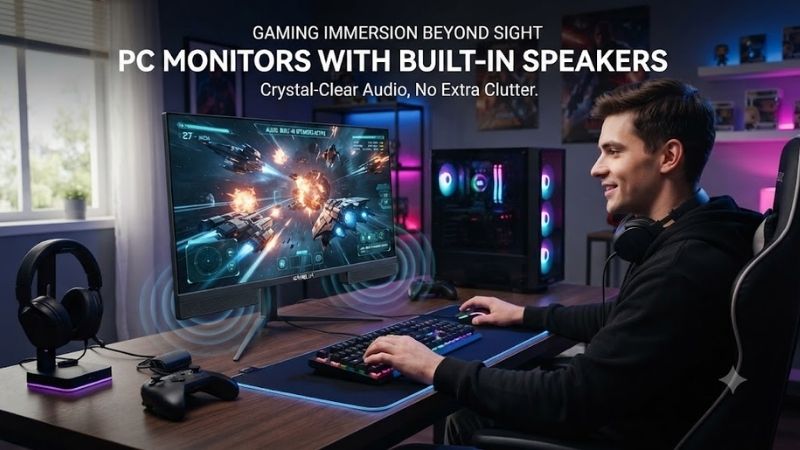
PC monitors with built in speakers can simplify a desk setup by combining display and basic audio in one device. The best models balance screen quality, refresh rate, connectivity, ergonomics, and speaker usefulness, making them practical for gaming, office work, streaming, video calls, and everyday multimedia without separate desktop speakers.
Quick answer: For most people in 2026, the best pc monitors with built in speakers is the Monitor — our #1 rated choice. See the full ranked comparison, alternatives and buying advice below.
Best PC Monitors With Built In Speakers Compared
Built-in monitor speakers are convenient, but they vary greatly in power and sound quality. Some are designed only for system sounds and video calls, while others are strong enough for casual gaming and media. Resolution, refresh rate, panel quality, USB-C, HDMI, DisplayPort, and stand adjustment should still influence the purchase.
| Monitor | Best For | Resolution | Refresh Rate | Panel | Built-In Audio |
|---|---|---|---|---|---|
| Dell S2722QC | Best overall productivity | 3840 x 2160 | 60Hz | IPS | Dual speakers |
| ASUS TUF Gaming VG27AQ3A | Gaming | 2560 x 1440 | Up to 180Hz | Fast IPS | Stereo speakers |
| BenQ MOBIUZ EX2710Q | Gaming and media | 2560 x 1440 | 165Hz | IPS | 2.1-channel audio |
| LG 32UN650-W | Large 4K workspace | 3840 x 2160 | 60Hz | IPS | Dual MaxxAudio speakers |
| ASUS ProArt Display PA278CV | Creative work | 2560 x 1440 | 75Hz | IPS | Stereo speakers |
Dell S2722QC
Best For: Overall productivity and home office use
The Dell S2722QC is a 27-inch 4K monitor designed around productivity, sharp text, and simple connectivity. Its 3840 x 2160 resolution provides a significant increase in workspace compared with Full HD or 1440p, making it especially useful for spreadsheets, document editing, web research, coding, and side-by-side application windows.
The IPS panel provides wide viewing angles and solid general-purpose image quality. At 27 inches, 4K produces high pixel density, which helps text and interface elements look crisp when operating-system scaling is configured properly. Users who spend several hours reading, editing, or working with detailed interfaces can benefit substantially from the additional sharpness.
Built-in stereo speakers remove the need for basic external audio hardware. They are suitable for meetings, tutorials, YouTube, podcasts, and occasional media playback. They do not provide the bass extension or stereo separation of dedicated desktop speakers, but they are adequate when desk space and simplicity matter more than powerful audio.
USB-C is one of the monitor’s strongest features. A compatible laptop can send video, data, and receive power through one cable, reducing desk clutter considerably. The monitor also includes HDMI connectivity and USB hub functionality, allowing peripherals to stay connected at the desk while the laptop moves between work locations.
The stand supports height, tilt, swivel, and pivot adjustments, making the S2722QC more ergonomic than monitors with fixed stands. Portrait rotation is useful for coding, long documents, and web development, while height adjustment helps place the screen closer to eye level without adding a separate monitor riser.
What makes the S2722QC different is its combination of 4K clarity, USB-C convenience, full stand adjustment, and integrated audio. It is not built for high-refresh competitive gaming, but it performs very well as a clean home-office display that can replace both a monitor and basic speakers.
Key Features:
- 27-inch 4K resolution
- IPS panel
- 60Hz refresh rate
- USB-C connectivity
- Integrated USB hub
- Built-in stereo speakers
- Height-adjustable stand
- Pivot, swivel, and tilt adjustment
Pros:
- Excellent text clarity
- Useful USB-C connection
- Fully adjustable stand
- Built-in speakers reduce clutter
- Strong laptop pairing
Cons:
- 60Hz limits competitive gaming
- Speakers are practical rather than powerful
Use Case: Home offices, remote work, coding, spreadsheets, document editing, laptop docking, and general media use.
Who It’s For: Users who want a sharp 4K productivity display with integrated audio and a clean single-cable laptop setup.
ASUS TUF Gaming VG27AQ3A
Best For: High-refresh gaming with built-in audio
The ASUS TUF Gaming VG27AQ3A is a 27-inch 1440p gaming monitor that combines a high refresh rate with integrated speakers. Its 2560 x 1440 resolution offers a useful balance between image sharpness and GPU demand, making it easier to drive at high frame rates than 4K while still looking considerably sharper than Full HD.
Its Fast IPS panel supports refresh rates up to 180Hz, making the monitor well suited to shooters, racing games, action titles, and general gaming. The faster refresh cycle helps motion look smoother when the GPU can generate matching frame rates, while adaptive synchronization reduces visible tearing when performance fluctuates.
Built-in stereo speakers are useful for casual gaming, system audio, and watching videos without a headset. Players who prioritize positional audio in competitive games will still benefit from a dedicated headset or external speakers, but the integrated audio is convenient for everyday use and eliminates another set of cables from the desk.
ASUS includes gaming-focused display features such as variable-refresh support and motion-enhancement options. These features are more valuable than built-in speakers for competitive players because they directly affect visual smoothness and responsiveness, while the audio acts as a practical secondary feature rather than the main reason to buy the display.
The monitor also suits mixed gaming and office use. Its 1440p resolution provides enough workspace for productivity, while the high refresh rate makes scrolling and interface movement feel noticeably smoother than on 60Hz displays. This gives it broader appeal than a monitor designed only for esports.
What makes the VG27AQ3A different is the combination of high-refresh gaming performance and integrated sound in a relatively mainstream 27-inch format. It does not require the buyer to choose between a fast gaming display and a cleaner setup with fewer peripherals.
Key Features:
- 27-inch 1440p display
- Fast IPS panel
- Up to 180Hz refresh rate
- Adaptive synchronization
- Built-in stereo speakers
- Gaming motion features
- HDMI and DisplayPort connectivity
Pros:
- High-refresh performance
- Sharp 1440p resolution
- Built-in audio
- Good mixed-use capability
- Suitable for competitive games
Cons:
- Speaker output is basic
- Not intended for professional audio use
- 1440p requires more GPU power than Full HD
Use Case: PC gaming, console gaming, mixed work and gaming, streaming, and users who want high refresh rate without external speakers.
Who It’s For: Gamers who want a responsive 1440p display and value integrated audio for casual listening.
BenQ MOBIUZ EX2710Q
Best For: Gaming and stronger integrated audio
The BenQ MOBIUZ EX2710Q is a 27-inch 1440p gaming monitor with a 165Hz refresh rate and one of the more ambitious built-in audio systems in its category. Unlike basic monitors with small stereo speakers, the MOBIUZ line places greater emphasis on multimedia sound and gaming entertainment.
Its IPS panel delivers 2560 x 1440 resolution, giving users enough pixel density for both gaming and everyday desktop use. At 27 inches, 1440p remains one of the most balanced gaming resolutions because modern GPUs can produce high frame rates more easily than at 4K while still delivering clear text and detailed game visuals.
The standout feature is the integrated 2.1-channel audio system, which includes stereo speakers and a dedicated subwoofer element. This design gives the EX2710Q stronger low-frequency presence than ordinary monitor speakers, making games, music, and movies sound fuller when external speakers are unavailable.
BenQ also includes audio modes intended for different types of content. These presets can change tonal balance for gaming, cinema, or dialogue-focused use. They do not replace a high-quality desktop speaker system, but they make the monitor more practical for users who want respectable sound without adding more equipment.
The 165Hz refresh rate works well for competitive and fast-paced games. Adaptive sync support helps maintain smoother output when frame rates vary, while the monitor’s response tuning is designed around gaming use rather than purely office-oriented image behavior.
What makes the EX2710Q different is its stronger focus on integrated entertainment. Most gaming monitors treat speakers as an afterthought, while BenQ gives audio a more meaningful role. This makes the monitor particularly attractive for bedrooms, dorms, and compact gaming desks.
Key Features:
- 27-inch 1440p display
- IPS panel
- 165Hz refresh rate
- 2.1-channel built-in audio
- Integrated subwoofer
- Gaming audio presets
- Adaptive sync
- HDMI and DisplayPort
Pros:
- Better integrated audio than most monitors
- Strong 1440p gaming balance
- 165Hz refresh rate
- Good for movies and media
- Reduces need for external speakers
Cons:
- Built-in audio still cannot match dedicated speaker systems
- More expensive than basic 1440p monitors
- Large audio hardware increases chassis complexity
Use Case: Gaming bedrooms, dorm rooms, multimedia PCs, consoles, streaming, and users who want better-than-basic monitor sound.
Who It’s For: Gamers who value built-in audio almost as much as refresh rate and display quality.
LG 32UN650-W
Best For: Large 4K workspaces and media
The LG 32UN650-W is a 31.5-inch 4K monitor that provides significantly more physical workspace than standard 27-inch models. Its 3840 x 2160 resolution works particularly well at this size, giving users a large desktop while maintaining better text and image detail than 1440p or Full HD alternatives.
The IPS panel is suitable for productivity, media consumption, photography, and general content work. A large 32-inch screen can make multitasking more comfortable because multiple application windows can remain visible without aggressive scaling or constant window switching.
LG includes built-in speakers with MaxxAudio processing. They are convenient for films, video calls, tutorials, and everyday playback. Their main advantage is eliminating a separate pair of desktop speakers, particularly on minimalist desks where physical space or cable management is a priority.
The monitor runs at 60Hz, so it is less appropriate for competitive gaming than the ASUS or BenQ options. However, 4K resolution can be more valuable than high refresh rate for photo editing, productivity, strategy games, simulations, or cinematic single-player titles where detail matters more than extremely fast motion.
At 32 inches, viewing distance becomes important. Users sitting too close may find the screen overwhelming, while a deeper desk allows the display to feel immersive without requiring constant head movement. Monitor arms can also help reclaim desk depth and provide more flexible positioning.
What makes the 32UN650-W different is its combination of large 4K workspace and integrated audio. It suits users who want one large screen for work, media, and light gaming without surrounding the display with additional speaker hardware.
Key Features:
- 31.5-inch 4K resolution
- IPS panel
- 60Hz refresh rate
- Built-in speakers
- MaxxAudio processing
- HDMI and DisplayPort
- Large productivity workspace
- HDR support
Pros:
- Large 4K display
- Strong productivity space
- Built-in audio
- Good for media consumption
- Sharp image quality
Cons:
- 60Hz refresh rate
- Requires a deeper desk
- Not intended for competitive gaming
Use Case: Home offices, photo work, media, large spreadsheets, content consumption, and cinematic gaming.
Who It’s For: Users who want a large 4K screen with simple built-in sound rather than a high-refresh gaming monitor.
ASUS ProArt Display PA278CV
Best For: Creative work and color-focused productivity
The ASUS ProArt Display PA278CV is a 27-inch 1440p monitor aimed at photographers, designers, editors, and other creative users who need more color-focused performance than a conventional office display. It combines professional-oriented calibration features with built-in speakers and extensive connectivity.
Its 2560 x 1440 resolution provides a comfortable workspace at 27 inches, while the IPS panel is designed around consistent color and wide viewing angles. The ProArt series emphasizes factory calibration and color accuracy rather than extreme gaming speed, making the PA278CV better suited to editing than competitive esports.
Built-in stereo speakers are useful for reviewing basic audio, watching tutorials, video conferencing, and everyday media. Creative professionals working on critical audio will still require headphones or dedicated monitors, but integrated speakers are practical for tasks where audio quality is secondary.
USB-C connectivity is another major strength. Compatible laptops can transmit video and data while receiving power, making the monitor useful as a desktop hub. USB ports can remain connected to peripherals, reducing cable changes when a laptop is moved between home and office environments.
The stand offers height, swivel, pivot, and tilt adjustments, which is valuable during long creative sessions. Portrait rotation is particularly useful for page layout, coding, vertical images, and social content, while height adjustment makes it easier to position the display correctly without additional accessories.
What makes the PA278CV different is its emphasis on creative accuracy rather than entertainment. It includes speakers as a convenience feature but earns its place primarily through color-focused image quality, USB-C, and ergonomic flexibility.
Key Features:
- 27-inch 1440p display
- IPS panel
- 75Hz refresh rate
- Built-in stereo speakers
- USB-C connectivity
- Integrated USB hub
- Height, tilt, swivel, and pivot adjustment
- Factory-calibrated ProArt positioning
Pros:
- Strong creative-work focus
- Useful USB-C hub
- Fully adjustable stand
- Built-in audio
- Good 1440p workspace
Cons:
- Only 75Hz
- Speakers are not intended for audio production
- Costs more than basic office monitors
Use Case: Photo editing, design, productivity, video workflows, coding, and creative laptop workstations.
Who It’s For: Creative users who want integrated speakers but care more about color and connectivity than gaming refresh rate.
Which Monitor With Built-In Speakers Fits Different Users?
For productivity, the Dell S2722QC provides the strongest overall balance. Its 4K resolution, USB-C connection, integrated hub, built-in speakers, and fully adjustable stand make it particularly useful for laptops and home offices where one cable and minimal desk clutter are priorities.
Gamers should choose based on audio expectations. ASUS TUF VG27AQ3A provides a higher 180Hz refresh rate and strong gaming value, while BenQ MOBIUZ EX2710Q offers more ambitious built-in sound. The BenQ is better when speakers matter significantly, while ASUS is more attractive when refresh rate is the priority.
LG 32UN650-W fits users who need a large 4K workspace for media and productivity. ASUS ProArt PA278CV is the better option for creative workflows where color-oriented image performance, USB-C, and ergonomic adjustment matter more than extremely high refresh rate.
How to Choose a PC Monitor With Built-In Speakers
Check Speaker Quality, Not Just Presence
Two monitors can both advertise integrated speakers while sounding completely different. Small stereo units may be sufficient for notifications and meetings, while larger systems with more powerful drivers or a subwoofer can provide more convincing gaming and media audio.
Choose Resolution for Screen Size
Full HD works well on smaller displays, while 1440p is a strong match for 27-inch monitors. At 32 inches, 4K provides noticeably better pixel density. Higher resolution improves text and image detail but also increases GPU requirements during gaming.
Match Refresh Rate to Your Workload
60Hz is sufficient for productivity and general media, while 144Hz to 180Hz is more appropriate for gaming. Creative users may prioritize color accuracy and resolution instead. Do not pay for an extreme refresh rate when most of your time is spent editing documents or photos.
Consider USB-C
USB-C can simplify laptop setups dramatically by combining video, data, and power through one cable on supported devices. A monitor with USB-C and an integrated hub can effectively function as a docking station while also providing display and audio.
Look for Stand Adjustability
Height, tilt, swivel, and pivot controls make a monitor easier to position ergonomically. Fixed stands may require books or monitor risers to achieve a comfortable height. A VESA mount provides another option when the included stand lacks sufficient flexibility.
Know When External Speakers Are Better
Built-in speakers are ideal for convenience, but they cannot usually match dedicated desktop speakers for bass, stereo width, or volume. Users who prioritize music, movies, competitive gaming audio, or production work should view monitor speakers as a backup rather than a complete audio solution.
FAQ
Are Built-In Monitor Speakers Good Enough?
For video calls, tutorials, system sounds, YouTube, and casual gaming, they can be sufficient. Users who want strong bass, wide stereo imaging, or detailed music reproduction will usually prefer dedicated speakers or headphones.
Do Built-In Speakers Affect Monitor Performance?
No. Integrated speakers do not reduce display refresh rate, resolution, or response performance. They are simply an additional audio component built into the monitor chassis.
Can a Gaming Monitor Have Good Built-In Speakers?
Yes. Some gaming monitors, particularly models such as the BenQ MOBIUZ series, place greater emphasis on speaker quality. However, a good headset remains preferable for accurate competitive positional audio.
Can HDMI Carry Sound to Monitor Speakers?
Yes. HDMI can carry both video and digital audio. DisplayPort and supported USB-C connections can also transmit audio, allowing the monitor’s speakers to work without a separate analog audio cable.
Is USB-C Useful on a Monitor With Speakers?
Yes. USB-C can carry video and audio while also providing data connectivity and, on supported monitors, power to a laptop. This makes it especially useful for clean home-office and laptop setups.
Conclusion
The best PC monitors with built in speakers depend on how you balance audio, display quality, and refresh rate. Dell S2722QC is ideal for productivity, ASUS TUF VG27AQ3A suits high-refresh gaming, BenQ EX2710Q offers stronger audio, LG 32UN650-W provides a large 4K workspace, and ASUS ProArt PA278CV fits creative work.
Ready to decide? Our #1 pick for 2026 is the Monitor.
Live price & availability on Amazon.