🛒 Best Price Today on Amazon
Prime members get fast, free shipping on everything above, plus member-only deals. New members get a 30-day free trial — cancel anytime.
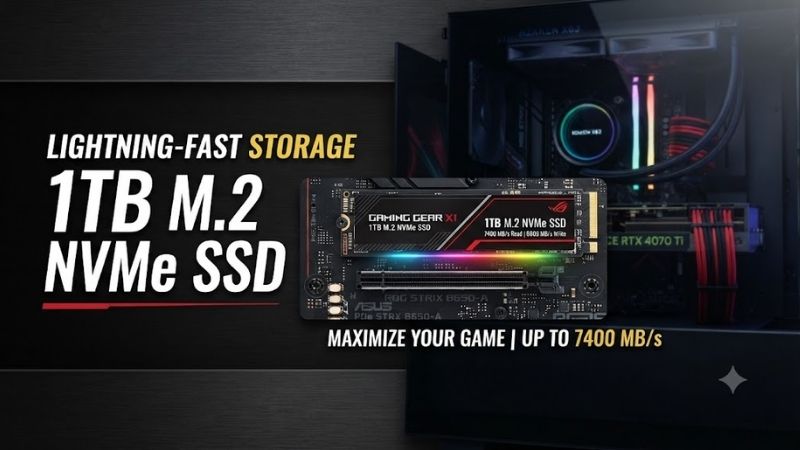
The best 1TB M.2 NVMe SSD should combine fast game loading, strong random performance, reliable TLC NAND, reasonable temperatures, and enough endurance for years of installations and updates. Samsung 990 PRO leads overall, while WD Black SN850X, Crucial T500, and SN7100 offer compelling alternatives for gaming and compact PCs.
Quick answer: For most people in 2026, the best 1tb m.2 nvme ssd for gaming pcs is the SSD — our #1 rated choice. See the full ranked comparison, alternatives and buying advice below.
Best 1TB M.2 NVMe SSDs Compared
| SSD | Best For | Interface | Read Speed | Write Speed | Endurance |
|---|---|---|---|---|---|
| Samsung 990 PRO 1TB | Best Overall | PCIe 4.0 x4 | 7,450 MB/s | 6,900 MB/s | 600 TBW |
| WD Black SN850X 1TB | Best for Gaming | PCIe 4.0 x4 | 7,300 MB/s | 6,300 MB/s | 600 TBW |
| Crucial T500 1TB | Best Value Performance | PCIe 4.0 x4 | 7,300 MB/s | 6,800 MB/s | 600 TBW |
| WD Black SN7100 1TB | Best for Efficient Builds | PCIe 4.0 | 7,250 MB/s | 6,900 MB/s | 600 TBW |
A 1TB drive remains a practical capacity for a Windows gaming system, especially if you keep only frequently played titles installed. However, modern AAA games can exceed 100GB each, so users with large libraries may find 2TB more convenient. Tom’s Hardware currently considers 2TB a broader sweet spot, though 1TB remains useful for tighter budgets.
All four recommendations use the M.2 2280 form factor and PCIe 4.0-class performance, making them suitable for modern gaming desktops. Their headline sequential speeds are similar, but controller behavior, random I/O, thermal efficiency, software, and price can make one drive more appropriate than another.
Samsung 990 PRO 1TB – Best Overall
Best For: High-end gaming PCs, workstation use, and buyers wanting a mature premium PCIe 4.0 SSD
Samsung 990 PRO is one of the fastest mature PCIe 4.0 drives available. The 1TB model uses PCIe 4.0 x4 with NVMe 2.0 and delivers sequential read speeds of up to 7,450 MB/s and sequential writes of up to 6,900 MB/s, approaching the practical ceiling of the Gen4 interface.
Samsung pairs its in-house controller with Samsung V-NAND and 1GB of LPDDR4 cache on the 1TB version. Random performance is rated up to 1.2 million read IOPS and 1.55 million write IOPS under specified test conditions, giving the drive strong responsiveness beyond large sequential file transfers.
Key Features
- 1TB capacity
- M.2 2280 form factor
- PCIe 4.0 x4 interface
- NVMe 2.0
- Up to 7,450 MB/s reads
- Up to 6,900 MB/s writes
- Samsung V-NAND
- 1GB LPDDR4 cache
- 600 TBW endurance
- Five-year limited warranty
- Samsung Magician software
What Makes It Different
The 990 PRO stands out because Samsung designs much of the storage stack internally, including the controller and NAND. This tighter hardware integration contributes to consistent firmware support, monitoring through Samsung Magician, and strong performance across gaming, large file transfers, and heavier workstation workloads.
The 1TB model carries a five-year limited warranty or a 600 TBW endurance limit, whichever comes first. For ordinary gaming, reaching 600TB of writes would require a very large amount of repeated game installation, capture work, cache activity, and file movement over several years.
Pros
- Near-limit PCIe 4.0 speed
- Excellent random performance
- TLC NAND
- Mature software ecosystem
- Strong endurance
- Five-year warranty
- Optional heatsink version available
Cons
- Often priced above value-focused alternatives
- Overkill for basic office PCs
- Real gaming load-time gains over other premium Gen4 drives can be small
Use Case
The 990 PRO is an excellent boot and game drive for a high-performance PC. Windows, launchers, frequently played games, productivity applications, and large project files can share the same SSD without making the system feel constrained by storage performance.
Who It’s For
Choose the 990 PRO if you want a premium 1TB SSD with proven Gen4 performance and are willing to pay slightly more for Samsung’s controller, software, and established platform. It makes the most sense when paired with a motherboard that supports PCIe 4.0 x4 M.2 storage.
WD Black SN850X 1TB – Best for Gaming
Best For: Gaming-focused systems and users who value WD’s Game Mode features
The WD Black SN850X remains a strong gaming-oriented PCIe 4.0 drive. The 1TB model reaches up to 7,300 MB/s sequential read and 6,300 MB/s sequential write speeds, with random performance rated at 800K read IOPS and 1.1 million write IOPS.
It uses the M.2 2280 format, TLC 3D NAND, and a PCIe Gen4 x4 interface. SanDisk also lists 600 TBW endurance and a five-year limited warranty for the non-heatsink 1TB model, matching the general endurance class of other premium 1TB Gen4 SSDs.
Key Features
- 1TB capacity
- M.2 2280
- PCIe 4.0 x4
- Up to 7,300 MB/s reads
- Up to 6,300 MB/s writes
- TLC 3D NAND
- 600 TBW
- Five-year limited warranty
- WD_BLACK Dashboard support
- Game Mode 2.0
- DirectStorage support
What Makes It Different
WD positions the SN850X specifically around gaming. Its Dashboard software includes Game Mode 2.0, while the drive supports features such as predictive loading, overhead balancing, and adaptive thermal management. Microsoft DirectStorage support is also advertised for compatible workloads.
The SN850X is available with and without a heatsink. Desktop users can use their motherboard’s integrated M.2 heatsink on the bare drive, while the heatsink version is convenient where no motherboard cooling plate is available. Always verify physical clearance before combining a factory heatsink with compact systems.
Pros
- Excellent gaming performance
- Fast PCIe 4.0 speeds
- TLC NAND
- Game Mode 2.0
- DirectStorage support
- Five-year warranty
- Heatsink version available
Cons
- Sequential write speed trails the 990 PRO and T500
- Gaming software features do not guarantee higher FPS
- Premium pricing can vary considerably
Use Case
Use the SN850X as a primary gaming SSD for large AAA titles, Steam libraries, launchers, and Windows. Its fast random access and high sequential throughput make installations, updates, game loading, and large file transfers feel responsive.
Who It’s For
Choose the SN850X if gaming is the primary workload and its price is competitive with Samsung or Crucial alternatives. It is particularly appealing when you want a gaming-oriented dashboard and an optional heatsink without moving into the higher cost and thermal demands of PCIe 5.0.
Crucial T500 1TB – Best Value Performance
Best For: Buyers who want flagship-class PCIe 4.0 speed without automatically paying flagship pricing
The Crucial T500 1TB reaches up to 7,300 MB/s sequential reads and 6,800 MB/s sequential writes. Random performance is rated at up to 1.15 million read IOPS and 1.44 million write IOPS, putting the drive very close to the fastest PCIe 4.0 competitors on paper.
Crucial rates the 1TB version for 600 TBW and backs it with a five-year limited warranty. Both non-heatsink and heatsink versions are offered, so buyers can choose based on whether their motherboard already has an M.2 thermal plate.
Key Features
- 1TB capacity
- M.2 2280
- PCIe 4.0 NVMe
- Up to 7,300 MB/s reads
- Up to 6,800 MB/s writes
- Up to 1.15 million random read IOPS
- Up to 1.44 million random write IOPS
- 600 TBW
- Five-year warranty
- Optional heatsink
What Makes It Different
The T500 competes closely with the Samsung 990 PRO in headline specifications while frequently targeting a more value-oriented position. Its 6,800 MB/s sequential write rating is especially strong for a 1TB Gen4 model and makes it attractive for users who move large files as well as play games.
Price should determine much of the decision between T500, SN850X, and 990 PRO. In everyday gaming, differences between high-end PCIe 4.0 drives can be much smaller than their benchmark charts suggest, so paying a large premium solely for a few hundred additional megabytes per second rarely makes sense.
Pros
- Excellent Gen4 performance
- Strong write speed
- High random I/O ratings
- 600 TBW endurance
- Five-year warranty
- Available with heatsink
- Competitive value potential
Cons
- Actual pricing changes frequently
- Sequential specifications do not directly translate into FPS
- 1TB capacity can fill quickly with modern games
Use Case
The T500 is ideal for a gaming PC that also handles video files, large downloads, game development, or general productivity. It can serve as a fast OS drive while retaining enough throughput for substantial file movement and content-creation workloads.
Who It’s For
Choose the T500 when it costs meaningfully less than the 990 PRO while maintaining similar headline performance. It is one of the strongest choices for builders who care about value but do not want to drop into a slower midrange SSD.
WD Black SN7100 1TB – Best for Efficient Gaming Builds
Best For: Gaming laptops, efficient desktops, and systems where power efficiency and low weight matter
The WD Black SN7100 is a newer PCIe 4.0 gaming SSD designed with mobile and efficient systems in mind. The 1TB version reaches up to 7,250 MB/s sequential reads and 6,900 MB/s sequential writes, with random performance up to one million read IOPS and 1.4 million write IOPS.
SanDisk lists TLC 3D NAND, a five-year limited warranty, and an extremely light 5.8g design. The company specifically positions the SN7100 for gaming laptops and handheld-oriented use where strong Gen4 performance needs to coexist with improved power efficiency.
Key Features
- 1TB capacity
- M.2 2280
- PCIe Gen4
- Up to 7,250 MB/s reads
- Up to 6,900 MB/s writes
- One million random read IOPS
- 1.4 million random write IOPS
- TLC 3D NAND
- Five-year limited warranty
- 5.8g weight
What Makes It Different
The SN7100 targets strong performance without the heavier power demands associated with some flagship SSDs. This makes it especially interesting for gaming notebooks and smaller systems where heat output and battery consumption can matter more than squeezing out the final few percentage points of benchmark performance.
Despite the efficiency emphasis, its sequential write specification actually matches the 990 PRO’s 6,900 MB/s rating and exceeds the SN850X’s 6,300 MB/s rating on paper. Real results still depend on workload, cache behavior, system cooling, and available PCIe bandwidth.
Pros
- Very fast Gen4 performance
- Lightweight design
- TLC NAND
- Strong write speed
- Designed with mobile gaming in mind
- Five-year warranty
Cons
- Less established than the long-running SN850X
- No need to upgrade from an already-fast premium Gen4 SSD
- Desktop buyers may value DRAM-equipped flagship designs more
Use Case
The SN7100 works well in a gaming notebook with an available M.2 2280 slot or an efficient desktop where thermal output matters. Its performance is high enough that most gaming workloads will not expose a meaningful storage bottleneck.
Who It’s For
Choose the SN7100 if you want near-flagship PCIe 4.0 throughput in a newer efficiency-focused design. It is particularly interesting when installed into a laptop or compact gaming machine where power and cooling deserve more attention.
How to Choose a 1TB M.2 NVMe SSD
Confirm M.2 Size and Interface
Most desktop gaming SSDs use the M.2 2280 form factor, meaning roughly 22mm wide and 80mm long. Your motherboard must have a compatible M-key slot, and that slot should support enough PCIe lanes to achieve the drive’s intended performance.
A PCIe 4.0 SSD usually works in a PCIe 3.0 slot because the standard is backward compatible, but performance will be limited by the older interface. Installing a 7,000 MB/s-class SSD into a Gen3 x4 slot therefore wastes much of its headline throughput.
Do Not Buy on Sequential Speed Alone
Sequential speed measures large continuous transfers, but games frequently access many smaller files and assets. Random performance, latency, firmware behavior, cache design, and operating-system storage handling also affect responsiveness.
This is why two drives rated around 7,300 MB/s can behave slightly differently despite similar product pages. Gaming load-time differences among good premium Gen4 drives are often small, so reliability, price, warranty, and thermal design deserve equal attention.
TLC vs QLC NAND
TLC stores three bits per NAND cell and is widely used in premium gaming SSDs because it balances density, endurance, and sustained performance. QLC stores four bits per cell and can lower cost, but sustained write performance after cache exhaustion may be weaker.
For a primary 1TB gaming drive, TLC is preferable when the price difference is modest. All four SSDs featured here use TLC-class NAND according to their manufacturers or product specifications.
Check Endurance and Warranty
A 600 TBW rating means the manufacturer covers up to that amount of host writing under its warranty terms. Ordinary gamers are unlikely to reach 600TB quickly, but endurance still helps compare drives intended for heavier recording, development, editing, or repeated large transfers.
A five-year warranty is common among premium drives in this roundup. Remember that warranties typically apply for a time period or endurance limit, whichever is reached first, so verify the exact terms in your market before purchasing.
Use a Heatsink When Appropriate
Fast NVMe SSDs can become warm during sustained transfers. Most current gaming motherboards include one or more integrated M.2 heatsinks, which are normally sufficient for a PCIe 4.0 drive when airflow is reasonable.
If your motherboard lacks M.2 cooling, factory-heatsink models from Samsung, WD, or Crucial can be convenient. Do not install a large factory heatsink underneath a motherboard heatsink unless both components are specifically designed to work together.
Is 1TB Enough for Gaming?
One terabyte is enough for Windows, applications, and a moderate game library, but usable capacity is lower after formatting and system files. Several large AAA titles can consume hundreds of gigabytes quickly, making storage management necessary for players who keep many games installed simultaneously.
If the price difference between 1TB and 2TB is reasonable, 2TB usually offers better long-term convenience. If the budget is fixed, however, buying a high-quality 1TB SSD now and adding a second M.2 drive later is often better than compromising GPU or CPU performance to afford additional storage.
FAQ
Is a 1TB NVMe SSD Good for Gaming?
Yes. A 1TB NVMe SSD provides enough capacity for Windows and several modern games while delivering fast boot, installation, and load performance. Players with very large libraries may prefer 2TB, but 1TB remains a practical starting capacity.
Is PCIe 4.0 Worth It for Gaming?
PCIe 4.0 drives provide much higher throughput than older Gen3 models, although load-time improvements are not proportional to sequential speed. Gen4 remains a sensible choice because mature drives now offer strong performance without the cost and thermal requirements of many Gen5 SSDs.
Which Is Better, Samsung 990 PRO or WD SN850X?
The 990 PRO has higher sequential write and random-performance specifications, while the SN850X emphasizes gaming features such as Game Mode 2.0. Both offer 600 TBW endurance and five-year warranty coverage on their 1TB retail versions.
Do NVMe SSDs Improve FPS?
Usually not significantly. An SSD improves loading, Windows responsiveness, texture and asset access, game installation, and file transfers. Frame rate is primarily determined by the GPU, CPU, memory, and game engine once the required assets are available.
Do I Need a Heatsink for a 1TB M.2 SSD?
A heatsink is recommended when sustained workloads cause high temperatures, but many motherboards already provide integrated M.2 cooling. Use either the motherboard heatsink or an appropriate drive heatsink rather than stacking incompatible thermal solutions.
Conclusion
The best 1TB M.2 NVMe SSD depends on price and workload. Samsung 990 PRO is the strongest premium all-rounder, WD Black SN850X remains an excellent gaming-focused option, Crucial T500 delivers near-flagship performance with strong value potential, and WD Black SN7100 is especially attractive for efficient gaming laptops and compact PCs.
Ready to decide? Our #1 pick for 2026 is the SSD.
Live price & availability on Amazon.