🛒 Best Price Today on Amazon
Prime members get fast, free shipping on everything above, plus member-only deals. New members get a 30-day free trial — cancel anytime.
- Best Mouse With Hotswap Switches: Quick Comparison
- ROG Gladius III Wireless AimPoint — Best All-Round Pick
- ROG Keris Wireless AimPoint — Best Lightweight Option
- ROG Chakram X Origin — Best for Extra Controls
- ROG Spatha X — Best for MMO and RPG Controls
- How to Choose a Mouse With Hot-Swappable Switches
- Mechanical vs Optical Hot-Swap Switches
- Why Hot-Swappable Mouse Switches Matter
- FAQ
- Conclusion
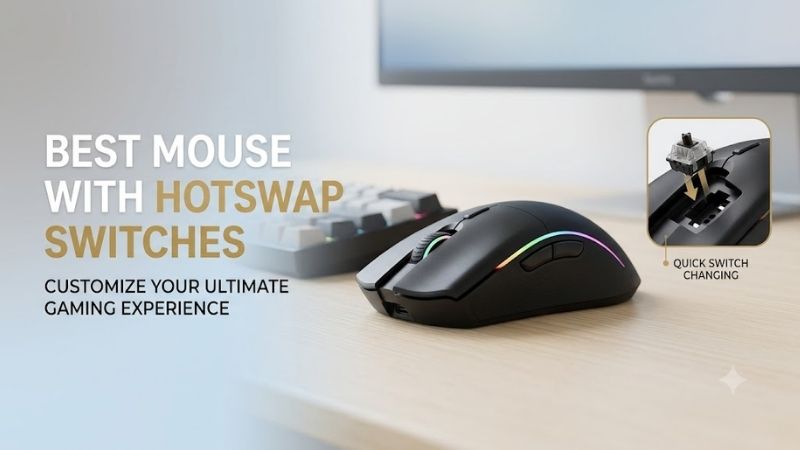
The best mouse with hotswap switches lets you change click feel without soldering, replace a worn switch, and keep the same shell you already know. This roundup focuses only on mice with manufacturer-documented push-fit sockets, then compares shape, weight, connectivity, controls, and switch flexibility for different gaming styles.
Quick answer: For most people in 2026, the best mouse with hotswap switches for customizable clicks is the Mouse — our #1 rated choice. See the full ranked comparison, alternatives and buying advice below.
Best Mouse With Hotswap Switches: Quick Comparison
| Mouse | Best For | Switch Socket | Weight | Connectivity | Main Advantage |
|---|---|---|---|---|---|
| ROG Gladius III Wireless AimPoint | Best all-round option | Push-Fit Switch Socket II, mechanical/optical | 79 g | 2.4 GHz, Bluetooth, USB | Balanced shape and features |
| ROG Keris Wireless AimPoint | Lightweight gaming | Push-Fit Switch Socket II, mechanical/optical | 75 g | 2.4 GHz, Bluetooth, USB | Lowest weight here |
| ROG Chakram X Origin | Extra controls | Push-Fit Switch Socket II, mechanical/optical | 123 g | 2.4 GHz, Bluetooth, USB | Programmable joystick |
| ROG Spatha X | MMO and RPG controls | Push-Fit Switch Socket | 168 g | 2.4 GHz, USB | 12 buttons and charging dock |
ROG Gladius III Wireless AimPoint — Best All-Round Pick
Best For: Mixed gaming, FPS, everyday desktop use
Key Features:
- Push-Fit Switch Socket II
- Compatible 3-pin mechanical and 5-pin optical micro switches
- 36,000 dpi ROG AimPoint optical sensor
- Six programmable buttons
- 79 g weight
- 2.4 GHz RF, Bluetooth LE, and wired USB
- Detachable ROG Paracord
- 100% PTFE feet
What Makes It Different
The ROG Gladius III Wireless AimPoint is the most balanced option here for gamers who want easy switch swapping without moving into a bulky MMO-style shell. Its Push-Fit Switch Socket II accepts compatible 3-pin mechanical and 5-pin optical micro switches, while tri-mode connectivity keeps it flexible for desktop, laptop, and travel use.
Its 79 g body is notably lighter than ASUS’s larger multi-button models, yet it still carries six programmable buttons, onboard profiles, a detachable ROG Paracord, and PTFE feet. The 36,000 dpi AimPoint sensor and up to 119 hours over 2.4 GHz make it a practical fit for FPS, action games, and mixed daily use.
Pros
- Supports both compatible mechanical and optical switches
- Relatively light 79 g design
- Three connectivity modes
- Strong battery specification
- Conventional gaming layout is easy to adapt to
Cons
- Only six programmable buttons
- Larger than the Keris Wireless AimPoint
- Switch compatibility still needs to be checked before buying replacements
Use Case: Competitive games, general gaming, work, and users who frequently move between wired and wireless setups.
Who It’s For: Gamers wanting hot-swappable clicks without committing to a heavy multi-button mouse.
ROG Keris Wireless AimPoint — Best Lightweight Option
Best For: FPS players and lighter right-handed setups
Key Features:
- Push-Fit Switch Socket II
- Compatible mechanical and optical micro switches
- 36,000 dpi ROG AimPoint sensor
- 75 g weight
- Tri-mode connectivity
- PBT left and right buttons
- 100% PTFE feet
- Detachable ROG Paracord
What Makes It Different
The ROG Keris Wireless AimPoint targets players who want a smaller, lighter right-handed shape with the same second-generation hot-swap socket system. It supports compatible 3-pin mechanical and 5-pin optical micro switches, so click weight and feedback can be changed without replacing the mouse or touching a soldering iron.
At 75 g, the Keris is the lightest wireless model in this shortlist and suits faster hand movement better than the Chakram X Origin or Spatha X. ASUS pairs the shape with PBT left and right buttons, tri-mode connectivity, a 36,000 dpi AimPoint sensor, and up to 119 hours of 2.4 GHz battery life with lighting off.
Pros
- 75 g construction
- Mechanical and optical switch support
- Three connection modes
- PBT primary buttons
- Long rated wireless battery life
- Compact compared with larger ROG alternatives
Cons
- Fewer controls than the Chakram X Origin or Spatha X
- Right-handed shape will not suit every grip
- Larger-handed palm users may prefer the Gladius shape
Use Case: FPS, battle royale, action games, and users who prioritize quicker repositioning.
Who It’s For: Players who want hot-swappable switches while keeping mouse weight reasonably low.
ROG Chakram X Origin — Best for Extra Controls
Best For: Multi-genre gaming, simulation, RPGs, and users wanting a joystick
Key Features:
- Push-Fit Switch Socket II
- 3-pin mechanical and 5-pin optical micro switch support
- 36,000 dpi ROG AimPoint sensor
- Up to 8,000 Hz polling when wired
- Programmable analog/digital joystick
- Up to 11 programmable functions
- Tri-mode connectivity
- 123 g without cable
What Makes It Different
The ROG Chakram X Origin is built for gamers who want hot-swappable switches plus far more command input than a conventional six-button mouse. Push-Fit Switch Socket II supports 3-pin mechanical and 5-pin optical micro switches, while the removable magnetic top makes switch access quicker because no screwdriver is needed for the main cover.
Its defining feature is the thumb joystick, which can work in analog mode or provide four digital directions. The mouse also offers up to 11 programmable functions, a 36,000 dpi sensor, tri-mode connectivity, and 8,000 Hz polling in wired mode. The trade-off is weight: it is listed at 123 g excluding the cable.
Pros
- Easy tool-free access to primary switches
- Mechanical and optical switch support
- Analog and digital joystick modes
- Extensive programmable control
- 8,000 Hz wired polling support
- Wireless, Bluetooth, and wired connectivity
Cons
- 123 g is heavy for low-sensitivity FPS gaming
- More controls than minimalist players need
- 8,000 Hz polling is limited to wired mode
Use Case: RPGs, simulations, action games, desktop workflows, and games benefiting from thumb-accessible commands.
Who It’s For: Users who want switch customization and additional inputs in the same mouse.
ROG Spatha X — Best for MMO and RPG Controls
Best For: MMO, RPG, productivity, and gamers who prefer a large ergonomic mouse
Key Features:
- Exclusive Push-Fit Switch Socket
- 12 programmable buttons
- 19,000 dpi optical sensor
- 1,000 Hz polling
- 2.4 GHz wireless and wired USB
- Magnetic charging dock
- Up to 67 hours wireless with RGB off
- 168 g weight
What Makes It Different
The ROG Spatha X is the specialist choice for players who prioritize many buttons, a broad ergonomic shell, and a charging dock over low weight. Its exclusive push-fit sockets let you drop in replacement mechanical switches, and the 12 programmable buttons provide far more direct command access than the Gladius or Keris designs.
The Spatha X uses wired USB or 2.4 GHz wireless, includes a magnetic charging stand, and carries a 19,000 dpi optical sensor with 1,000 Hz polling. ASUS lists up to 67 hours of wireless battery life with RGB off. At 168 g, it is much heavier, so it favors MMO, RPG, productivity, and slower-control setups over flick-heavy FPS play.
Pros
- 12 programmable buttons
- Replaceable primary switches
- Magnetic charging dock
- Large ergonomic right-handed body
- Wired and 2.4 GHz wireless operation
- Useful command density for MMO and productivity tasks
Cons
- 168 g weight
- No Bluetooth mode
- Older push-fit implementation than Socket II models
- Large shell is not ideal for every hand size
Use Case: MMO rotations, RPG commands, macros, creative applications, and desktop users wanting many buttons.
Who It’s For: Gamers who value command access and ergonomics more than lightweight movement.
How to Choose a Mouse With Hot-Swappable Switches
Check the Switch Socket First
Hot-swap capability is not identical across every mouse. ASUS’s Push-Fit Switch Socket II models support compatible 3-pin mechanical and 5-pin optical micro switches, while older push-fit designs may be more limited. Check the exact compatibility list before buying spare switches, because matching pin counts do not always guarantee support.
Choose Shape and Weight Before Maximum DPI
Choose shape and weight before chasing sensor numbers. A lighter Keris or Gladius is easier to reposition repeatedly in FPS games, while the Chakram X Origin and Spatha X trade mass for extra controls and larger shells. Hot-swappable switches change click character and serviceability, but they cannot fix a mouse shape that does not suit your grip.
Decide Why You Want Hot-Swap Switches
Think about why you want replaceable switches. If the goal is maintenance, easy access and broad switch compatibility matter most. If the goal is tuning click feel, prioritize models that accept both mechanical and optical options. For MMO or productivity use, extra programmable controls may matter more than shaving a few grams from the chassis.
Mechanical vs Optical Hot-Swap Switches
Mechanical micro switches use physical electrical contacts, and different compatible models can vary in operating force, tactile feedback, and acoustic character. A socket that accepts standard mechanical designs gives enthusiasts more freedom to experiment, but switch dimensions, pin layout, and manufacturer compatibility requirements still matter before installation.
Optical mouse switches use light-based actuation rather than the same electrical contact method, so they cannot simply be inserted into every mechanical hot-swap socket. Models using ROG Push-Fit Switch Socket II specifically support compatible 5-pin optical micro switches alongside supported 3-pin mechanical alternatives.
Why Hot-Swappable Mouse Switches Matter
Switch sockets improve serviceability because a worn primary click does not automatically mean replacing the complete mouse or desoldering components from its PCB. This is particularly useful when you already like the sensor position and shell shape. Replacement still requires a switch explicitly supported by the socket and mouse electronics.
Hot swapping also lets enthusiasts alter click behavior while retaining the same mouse shape, sensor, skates, and wireless system. A heavier or lighter operating force can change how a button feels during repeated input, but preference is personal. Players should treat switch choice as ergonomic customization rather than an automatic performance upgrade.
FAQ
What Does Hot-Swappable Mean on a Gaming Mouse?
A hot-swappable mouse lets you remove and replace supported primary click switches without soldering. The socket holds compatible switch pins mechanically, so you can replace a worn switch or change click force and feedback. Compatibility still depends on the exact socket design, so check the manufacturer’s supported switch list first.
Can Every Hot-Swap Mouse Use Optical Switches?
Not necessarily. Optical switches need a socket and electronics designed for them, so a mouse that accepts 3-pin mechanical switches may not accept optical models. The ROG Push-Fit Switch Socket II on the Gladius III Wireless AimPoint, Keris Wireless AimPoint, and Chakram X Origin supports compatible 5-pin optical micro switches.
Are Hot-Swappable Mouse Switches Worth It?
Hot-swapping is most useful for repairability and personalization. A failed primary switch can be replaced without soldering, and players can try different click forces or feedback where compatible alternatives exist. It does not automatically improve aim or tracking, because those depend on the sensor, firmware, connection, and user technique.
Which Hot-Swap Mouse Is Better for FPS Gaming?
For competitive FPS play, the Keris Wireless AimPoint and Gladius III Wireless AimPoint stand out in this group because they combine hot-swappable sockets with much lower weight than the Chakram X Origin and Spatha X. The better fit still depends on hand size, grip style, and whether the Keris or Gladius shell suits your hand.
Can Hot-Swappable Switches Fix Mouse Double Clicking?
A replaceable mechanical switch can help when unwanted double clicking is caused by a worn or failing primary switch, because the defective component can be changed without soldering. However, repeated clicks can also have other causes, so replacing the switch should not be treated as a guaranteed fix before the actual source of the problem is identified.
Conclusion
The best mouse with hotswap switches depends on whether you value low weight, extra controls, or a larger ergonomic shell. The Gladius III Wireless AimPoint is the balanced all-rounder, the Keris is lighter, the Chakram X Origin adds a joystick, and the Spatha X focuses on buttons and docked use. Confirm switch compatibility before ordering spares.
Ready to decide? Our #1 pick for 2026 is the Mouse.
Live price & availability on Amazon.