🛒 Best Price Today on Amazon
Prime members get fast, free shipping on everything above, plus member-only deals. New members get a 30-day free trial — cancel anytime.
The best gaming laptop for content creators should do more than push high frame rates. It needs a color-accurate display, enough GPU memory for editing or 3D work, strong multicore performance, fast storage, and practical ports. These four models balance gaming power with workflows in video, design, streaming, and rendering.
Quick answer: For most people in 2026, the best gaming laptop for content creators is the ASUS ROG Zephyrus G16 (2026) — our #1 rated choice. See the full ranked comparison, alternatives and buying advice below.
Best Gaming Laptops for Content Creators Compared
| Laptop | Best For | Display | GPU Options | Memory | Main Trade-Off |
|---|---|---|---|---|---|
| ASUS ROG Zephyrus G16 (2026) | Best balance of power and mobility | 16-inch 2.5K OLED, 240Hz | Up to RTX 5090 Laptop GPU | Up to 64GB LPDDR5X | RAM is not expandable |
| Razer Blade 16 (2026) | Premium mobile creator workstation | 16-inch QHD+ OLED, 240Hz | RTX 5080 or RTX 5090 Laptop GPU | Up to 64GB LPDDR5X | Fixed memory |
| Lenovo Legion Pro 7i Gen 10 | Heavy editing and 3D workloads | 16-inch 2560 x 1600 OLED, 240Hz | Up to RTX 5090 Laptop GPU | Up to 64GB DDR5 | Heavier chassis |
| Acer Predator Triton 14 AI | Travel and compact creation | 14.5-inch 2880 x 1800 OLED, 120Hz | RTX 5070 Laptop GPU | 32GB LPDDR5X | 32GB memory ceiling |
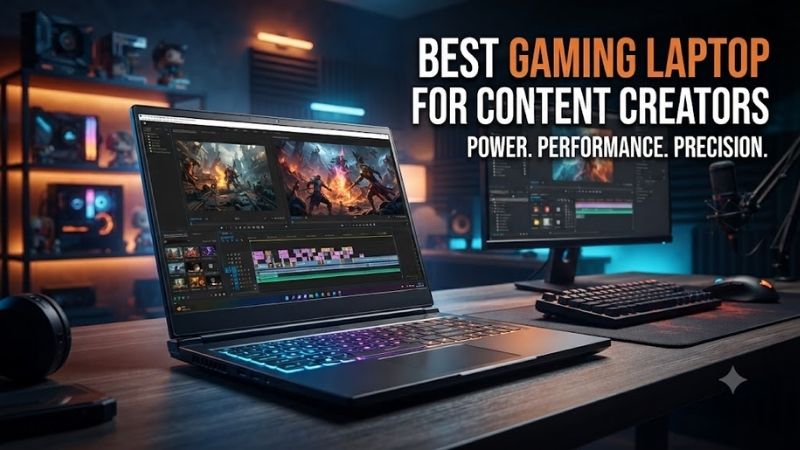
ASUS ROG Zephyrus G16 (2026)
Best For: Creators who need high-end GPU performance in a thin 16-inch gaming laptop.
Key Features
- Intel Core Ultra 9 386H
- Up to NVIDIA GeForce RTX 5090 Laptop GPU with 24GB GDDR7
- 16-inch 2560 x 1600 OLED display
- 240Hz refresh rate
- 100% DCI-P3 coverage
- Pantone Validated panel
- Up to 64GB LPDDR5X
- Two M.2 PCIe storage slots
- Starting weight of approximately 1.85kg
The ROG Zephyrus G16 is a strong fit for creators who want serious GPU capability without moving to a bulky desktop replacement. Its 16-inch 2.5K OLED panel runs at 240Hz, covers 100% DCI-P3, and is Pantone Validated, while 2026 configurations scale to an RTX 5090 Laptop GPU with 24GB GDDR7 for heavier creative workloads.
What Makes It Different: It combines flagship-class RTX options, a creator-focused OLED panel, and a slim aluminum chassis that starts around 1.85kg.
Its main trade-off is memory flexibility. ASUS lists configurations with soldered LPDDR5X memory and no expansion, so buyers should choose enough RAM at purchase for large Premiere Pro timelines, After Effects compositions, Blender scenes, or virtual machines. Two M.2 slots still give creators room to expand project storage.
Pros
- OLED panel covers 100% DCI-P3
- Pantone Validated display
- RTX configurations extend to the RTX 5090
- High GPU performance without a desktop-replacement chassis
- Two M.2 storage slots
- Strong fit for gaming, editing, streaming, and 3D creation
Cons
- Memory is soldered
- RAM capacity must be chosen carefully at purchase
- Higher GPU configurations may be unnecessary for lighter editing workloads
Use Case: Premiere Pro, DaVinci Resolve, Blender, Photoshop, game development, livestream production, and AAA gaming.
Who It’s For: Video editors, streamers, designers, 3D creators, and hybrid gamers who regularly carry their workstation.
Razer Blade 16 (2026)
Best For: Creators who prioritize a premium thin chassis without giving up flagship graphics.
Key Features
- Intel Core Ultra 9 386H
- NVIDIA GeForce RTX 5080 or RTX 5090 Laptop GPU
- Up to 24GB GDDR7 VRAM
- RTX 5090 configuration rated up to 165W TGP
- 16-inch QHD+ OLED display
- 240Hz refresh rate
- Up to 64GB LPDDR5X-9600 memory
- Thunderbolt 5
- CNC-machined aluminum chassis
The Razer Blade 16 suits creators who want premium construction, a fast OLED canvas, and high-end graphics in a notably thin 16-inch chassis. The 2026 model offers a QHD+ 240Hz OLED display, Intel Core Ultra 9 386H processor, and RTX 5080 or RTX 5090 graphics, with the RTX 5090 configured at up to 165W TGP.
What Makes It Different: Razer places RTX 5080 or RTX 5090 graphics, a 240Hz OLED panel, Thunderbolt 5, and high-speed LPDDR5X memory inside a premium aluminum design.
Razer also offers up to 64GB of LPDDR5X-9600 memory and Thunderbolt 5, which helps when a desk setup includes fast external SSDs, high-resolution displays, or a dock. The limitation is that the memory is fixed, so capacity cannot be upgraded later; choose the RAM tier around your heaviest creative workflow.
Pros
- RTX 5090 option with 24GB VRAM
- High-power GPU configuration for a thin laptop
- QHD+ 240Hz OLED panel
- Thunderbolt 5 connectivity
- Up to 64GB of fast LPDDR5X memory
- Premium aluminum construction
Cons
- RAM is fixed rather than socketed
- Thin construction leaves less upgrade flexibility than larger workstations
- Flagship GPU configurations are excessive for basic photo or short-form video work
Use Case: Professional video editing, GPU rendering, motion graphics, local AI workflows, high-end streaming, and gaming.
Who It’s For: Mobile professionals who want workstation-class creative hardware without carrying a thick traditional gaming notebook.
Lenovo Legion Pro 7i Gen 10
Best For: Creators who prioritize sustained GPU power, expandable memory, and desk-based performance.
Key Features
- Up to NVIDIA GeForce RTX 5090 Laptop GPU
- RTX 5090 with 24GB GDDR7 and up to 175W
- RTX 5080 option with 16GB GDDR7
- 16-inch 2560 x 1600 OLED display
- 240Hz refresh rate
- 100% DCI-P3 coverage
- X-Rite Certified
- Up to 64GB DDR5 using two memory modules
- Thunderbolt 4
- 99Wh battery
The Legion Pro 7i Gen 10 is built for sustained performance rather than minimum weight. Lenovo pairs a 16-inch 2560 x 1600 OLED panel with 240Hz refresh, 100% DCI-P3 coverage, X-Rite certification, and GPU options up to the RTX 5090 Laptop GPU at 175W, giving demanding editors and 3D artists ample graphics headroom.
What Makes It Different: Its combination of high GPU power limits, socketed DDR5 memory, OLED color coverage, and substantial connectivity favors workstation-style use.
Unlike thinner rivals with soldered memory, Lenovo supports up to 64GB through two DDR5 modules, which is useful when project complexity grows after purchase. The trade-off is mobility: the chassis starts below 2.72kg and ships with a large power adapter, so it makes more sense for creators who move between desks than those working from cafés.
Pros
- RTX 5080 and RTX 5090 configurations
- Up to 175W RTX 5090 Laptop GPU
- User-upgradeable DDR5 memory
- 100% DCI-P3 OLED display
- X-Rite Certified panel
- Thunderbolt 4 and broad desktop connectivity
Cons
- Heavier than thin creator-focused alternatives
- Large power adapter reduces travel convenience
- Performance-focused design is less suited to frequent commuting
Use Case: Blender rendering, DaVinci Resolve, high-resolution editing, Unreal Engine, motion graphics, large Adobe projects, and demanding games.
Who It’s For: Editors, 3D artists, animators, game developers, and creators who need high sustained performance more than minimum weight.
Acer Predator Triton 14 AI
Best For: Creators who need a smaller gaming laptop for travel, photography, and mobile editing.
Key Features
- 14.5-inch 2880 x 1800 OLED touchscreen
- 120Hz refresh rate
- NVIDIA GeForce RTX 5070 Laptop GPU
- 8GB GDDR7 VRAM
- 32GB LPDDR5X memory
- 2TB PCIe 4.0 NVMe SSD on listed configuration
- microSD card reader
- 16:10 aspect ratio
- Creator-oriented OLED display options
The Predator Triton 14 AI is the most compact creator-friendly option here. Acer combines a 14.5-inch 2880 x 1800 OLED touchscreen with a 120Hz refresh rate, an RTX 5070 Laptop GPU with 8GB GDDR7, 32GB LPDDR5X memory, and a 2TB PCIe 4.0 SSD, creating a useful balance for travel, editing, illustration, and gaming.
What Makes It Different: The 14.5-inch OLED touchscreen and microSD reader make it particularly attractive to creators working with photos, portable cameras, and travel-focused workflows.
Its built-in microSD card reader is especially relevant to creators who regularly ingest footage from compact cameras, drones, or action cameras. The smaller screen and fixed 32GB memory ceiling are the main compromises, making it better for mobile Lightroom, Photoshop, Premiere Pro, and moderate 3D work than very large simulations or scenes.
Pros
- Compact 14.5-inch form factor
- High-resolution OLED touchscreen
- RTX 5070 dedicated graphics
- 32GB memory included on listed configuration
- microSD card reader
- Strong match for mobile photo and video workflows
Cons
- 8GB GPU memory is less flexible for large 3D workloads
- Maximum listed system memory is 32GB
- Smaller display provides less workspace for long editing timelines
Use Case: Lightroom, Photoshop, Premiere Pro, travel video production, mobile design work, moderate Blender projects, and gaming on the road.
Who It’s For: Photographers, traveling editors, YouTube creators, designers, and students who value portability more than maximum GPU capacity.
How to Choose a Gaming Laptop for Content Creation
Choose the GPU Around Your Creative Workload
For video editing and 3D creation, the GPU matters beyond gaming frame rates. More VRAM gives larger textures, effects, and complex scenes more room before data spills into slower system memory. RTX 5080 and RTX 5090 configurations are better matched to heavy Blender, DaVinci Resolve, or GPU-accelerated workflows than 8GB-class options.
Prioritize a Color-Capable Display
Display quality matters when the laptop is also your review monitor. Prioritize wide color coverage, factory validation or calibration support, and enough resolution for detailed timelines or design tools. OLED adds deep blacks and fast response, but creators using static interfaces for long sessions should still use sensible screen-care habits.
Decide Between 32GB and 64GB of RAM
Memory needs depend on the applications you run together. Thirty-two gigabytes is a practical baseline for gaming plus editing, while 64GB provides more margin for large After Effects projects, 4K or higher-resolution media, heavy RAW batches, and 3D work. If RAM is soldered, buy the capacity you expect to need for the life of the laptop.
Check Ports and Storage Expansion
Ports and storage can save more time than a small CPU upgrade. Creators often connect card readers, external SSDs, capture devices, audio interfaces, and displays, so Thunderbolt or fast USB-C is useful. A second M.2 slot also helps because games, cache files, proxies, footage, and exports can consume terabytes quickly.
FAQ
Is a Gaming Laptop Good for Content Creation?
Yes, if the model pairs strong gaming hardware with the display and connectivity your workflow needs. GeForce RTX laptop GPUs can accelerate many creative applications as well as games, so one system can handle editing, streaming, 3D rendering, and entertainment. Choose the right VRAM, RAM, panel, and ports instead of buying on FPS alone.
Is 32GB or 64GB RAM Better for Content Creators?
For most content creators, 32GB is a safer starting point because editing software, browser tabs, background tools, and games may run together. Moving to 64GB is worthwhile for complex After Effects work, high-resolution timelines, RAW processing, virtual machines, or sizable 3D scenes. Soldered-memory laptops require that choice before purchase.
Is an RTX 5070 Laptop GPU Enough for Content Creation?
An RTX 5070 Laptop GPU can be enough for photography, mainstream video editing, streaming, and moderate 3D work, especially when portability matters. Creators using large Blender scenes, advanced GPU effects, high-resolution textures, or demanding local AI workloads benefit more from RTX 5080 or RTX 5090 options with greater VRAM capacity.
Is OLED Better for Content Creators?
OLED is attractive for creators because it delivers strong contrast, fast pixel response, and wide color capability on many premium gaming laptops. It is not ideal for every workflow, though. Check color coverage, validation, brightness, resolution, and your tolerance for reflective finishes or long sessions with static interface elements.
Conclusion
The best gaming laptop for content creators depends on where and how you work. The Zephyrus G16 balances power and mobility, the Blade 16 combines premium portability with flagship graphics, the Legion Pro 7i favors sustained high-end performance, and the Triton 14 AI is the compact choice for creators who travel often.
Ready to decide? Our #1 pick for 2026 is the ASUS ROG Zephyrus G16 (2026).
Live price & availability on Amazon.