Table of Contents
- 0.1 🛒 Best Price Today on Amazon
- 1 Best Monitors for Dark Rooms at a Glance
- 2 ASUS ROG Swift OLED PG32UCDM Gen3 — Best Overall
- 3 Alienware AW3225QF — Best Curved Option
- 4 LG UltraGear 32GS95UE-B — Best for AAA and Esports
- 5 MSI MPG 322URX QD-OLED — Best Flat PC Gaming Option
- 6 AOC Q27G40XMN — Best Budget Mini LED Pick
- 7 How to Choose the Best Monitor for a Dark Room
- 7.1 Prioritize OLED for the Deepest Blacks
- 7.2 Understand QD-OLED vs WOLED
- 7.3 Check Mini LED Local Dimming, Not Just Zone Count
- 7.4 Match Refresh Rate to Your GPU and Console
- 7.5 Control the Lighting Around the Screen
- 8 FAQ
- 8.1 Is OLED the Best Monitor Technology for a Dark Room?
- 8.2 Is Mini LED Good for Dark-Room Gaming?
- 8.3 Is VA or IPS Better for a Dark Room?
- 8.4 Why Does QD-OLED Look Better in a Dark Room?
- 8.5 Should Burn-In Stop Me From Buying an OLED Monitor?
- 9 Conclusion
🛒 Best Price Today on Amazon
Prime members get fast, free shipping on everything above, plus member-only deals. New members get a 30-day free trial — cancel anytime.
- Best Monitors for Dark Rooms at a Glance
- ASUS ROG Swift OLED PG32UCDM Gen3 — Best Overall
- Alienware AW3225QF — Best Curved Option
- LG UltraGear 32GS95UE-B — Best for AAA and Esports
- MSI MPG 322URX QD-OLED — Best Flat PC Gaming Option
- AOC Q27G40XMN — Best Budget Mini LED Pick
- How to Choose the Best Monitor for a Dark Room
- FAQ
- Conclusion
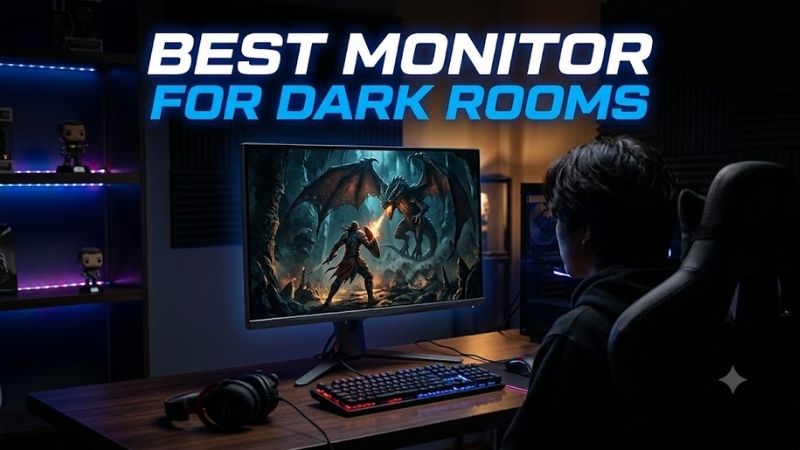
The best monitor for dark rooms should preserve black depth without gray haze, keep shadow detail visible, and avoid distracting glow around bright objects. OLED is the strongest fit for lights-off gaming, while a good Mini LED VA monitor can deliver deep contrast, higher HDR brightness, and lower burn-in risk.
Quick answer: For most people in 2026, the best monitor for dark rooms is the ASUS ROG Swift OLED PG32UCDM Gen3 — our #1 rated choice. See the full ranked comparison, alternatives and buying advice below.
Best Monitors for Dark Rooms at a Glance
| Monitor | Panel | Resolution | Max Refresh Rate | Best For |
|---|---|---|---|---|
| ASUS ROG Swift OLED PG32UCDM Gen3 | Tandem QD-OLED | 3840 × 2160 | 240Hz | Best overall dark-room gaming |
| Alienware AW3225QF | QD-OLED | 3840 × 2160 | 240Hz | Curved cinematic gaming |
| LG UltraGear 32GS95UE-B | WOLED | 3840 × 2160 | 240Hz / 480Hz at 1080p | Mixed AAA and esports gaming |
| MSI MPG 322URX QD-OLED | QD-OLED | 3840 × 2160 | 240Hz | Flat-screen PC setups |
| AOC Q27G40XMN | Fast VA QD-MiniLED | 2560 × 1440 | 180Hz | Budget dark-room HDR gaming |
For dark-room use, panel behavior matters more than headline brightness. OLED pixels switch off individually, so black areas remain black with no backlight blooming. Mini LED LCDs can also look strong when local dimming is effective, but halos may appear around bright HUD elements, subtitles, or stars on black backgrounds.
ASUS ROG Swift OLED PG32UCDM Gen3 — Best Overall
The ASUS ROG Swift OLED PG32UCDM Gen3 is a 31.5-inch 4K Tandem QD-OLED built around 240Hz gaming. Its self-emissive pixels create deep blacks without blooming, while 4K resolution keeps fine UI text and game detail crisp. ASUS also lists Dolby Vision, HDMI 2.1, DisplayPort 2.1, and 90W USB-C power delivery.
Dark-room image quality is its strongest reason to buy. RTINGS found deep, inky blacks without haloing, while ASUS lists 99% DCI-P3 coverage and up to 1,000 nits peak HDR brightness. Its BlackShield coating helps with reflections, but ambient light can still raise black levels, so controlled lighting gives the best result.
Best For: Premium 4K gaming, HDR games, movies, and mixed PC use.
Key Features:
- 31.5-inch 3840 × 2160 Tandem QD-OLED panel
- Up to 240Hz refresh rate
- 0.03ms GtG rated response time
- Dolby Vision and HDR10
- DisplayPort 2.1 and dual HDMI 2.1
- USB-C with 90W Power Delivery
- KVM switch and ASUS OLED Care
- Three-year warranty including panel burn-in
What Makes It Different:
- Newer Tandem QD-OLED technology plus BlackShield anti-reflection film
- DisplayPort 2.1 bandwidth separates it from many earlier 32-inch OLED models
Pros:
- Deep blacks without blooming
- Sharp 4K image at 32 inches
- Fast 240Hz gaming
- Strong PC connectivity
- Dolby Vision support
Cons:
- Black levels can rise with strong ambient light
- OLED still carries burn-in considerations with persistent static content
Use Case: Lights-off AAA gaming, HDR titles, PC gaming, Xbox gaming, movies, and a combined gaming/work desk.
Who It’s For: Buyers who want a feature-rich premium OLED and can control the lighting around their setup.
Alienware AW3225QF — Best Curved Option
The Alienware AW3225QF combines a 31.6-inch 4K QD-OLED panel with a 240Hz refresh rate and a gentle curve. Dell lists two HDMI 2.1 ports, DisplayPort 1.4, a 0.03ms GtG response time, and Dolby Vision support. Its large format suits cinematic single-player games as well as fast PC and console gaming.
In a dark room, the AW3225QF delivers the key OLED advantage: black pixels stay dark beside bright objects, which preserves contrast in caves, night scenes, and space games. RTINGS also notes near-instant response and vivid HDR color. The trade-off is visible VRR flicker when frame rates swing sharply.
Best For: Immersive curved-screen gaming and HDR entertainment.
Key Features:
- 31.6-inch 4K QD-OLED
- 240Hz refresh rate
- 0.03ms rated GtG response
- Dolby Vision
- Two HDMI 2.1 inputs
- DisplayPort 1.4
- HDMI 2.1 VRR support
What Makes It Different:
- Curved design among predominantly flat 32-inch 4K OLED competitors
- HDMI eARC support adds flexibility for external audio systems
Pros:
- Inky dark-room blacks
- No LCD-style blooming
- Crisp motion at high refresh rates
- 4K console support
- Dolby Vision
Cons:
- VRR flicker can appear when frame rates fluctuate
- QD-OLED blacks can rise under strong room lighting
Use Case: Horror games, space games, cinematic RPGs, racing games, movies, and console gaming from a close desktop position.
Who It’s For: Gamers who enjoy curved displays and prioritize immersion over a flat professional-style screen.
LG UltraGear 32GS95UE-B — Best for AAA and Esports
The LG UltraGear 32GS95UE-B is a 32-inch WOLED monitor with a useful Dual Mode: 4K at up to 240Hz or 1080p at up to 480Hz. That lets one display cover visually rich games and high-refresh esports. LG specifies a 0.03ms GtG response time, while HDMI 2.1 supports modern PC and console gaming connections.
Its WOLED panel produces deep blacks and perfect black uniformity in dark-room testing, with no blooming around small highlights. The matte-style surface also handles reflections differently from glossy QD-OLED options. However, RTINGS reports noticeable VRR flicker in dark scenes when frame rates change significantly.
Best For: Gamers who switch between high-resolution AAA games and competitive esports.
Key Features:
- 32-inch OLED panel
- 3840 × 2160 at up to 240Hz
- 1920 × 1080 at up to 480Hz through Dual Mode
- 0.03ms rated GtG response
- HDMI 2.1
- G-SYNC Compatible support
What Makes It Different:
- Dual Mode changes both resolution and refresh rate for different gaming priorities
- WOLED construction distinguishes it from the QD-OLED models in this roundup
Pros:
- Deep OLED blacks
- No blooming around highlights
- 480Hz option for esports
- Sharp 4K mode for detailed games
- Strong console compatibility
Cons:
- VRR flicker can become noticeable in dark scenes
- 480Hz requires dropping to 1080p
Use Case: Play a 4K single-player game at night, then switch to the 480Hz mode for Counter-Strike, Valorant, Overwatch, or another high-frame-rate title.
Who It’s For: Competitive gamers who do not want a separate esports monitor beside their main 4K OLED.
MSI MPG 322URX QD-OLED — Best Flat PC Gaming Option
The MSI MPG 322URX QD-OLED uses a flat 31.5-inch 4K panel at 240Hz, making it a strong fit for gamers who want OLED contrast without a curved screen. MSI includes HDMI 2.1, DisplayPort 2.1a UHBR20, USB-C with 98W power delivery, a KVM switch, and a three-year warranty that includes panel burn-in coverage.
Dark scenes are a major strength because the QD-OLED panel can show black beside bright pixels without local-dimming halos. RTINGS also found deep blacks, vivid color, and crisp motion. Like other QD-OLED displays, strong ambient light can lift black levels and make dark areas look slightly purple instead of truly black.
Best For: High-end gaming PCs, multi-device desks, and users who want DisplayPort 2.1.
Key Features:
- 31.5-inch 4K QD-OLED
- 240Hz refresh rate
- DisplayPort 2.1a UHBR20
- Two HDMI 2.1 ports
- USB-C with 98W Power Delivery
- KVM and PIP/PBP
- 0.03ms rated response time
- Three-year burn-in warranty
What Makes It Different:
- Full-bandwidth DisplayPort 2.1a UHBR20 connectivity
- 98W USB-C charging is useful for a laptop-and-gaming-PC desk
Pros:
- Strong dark-room contrast
- 4K 240Hz capability
- Flat panel
- Extensive connectivity
- Burn-in warranty coverage
Cons:
- Ambient lighting reduces perceived QD-OLED black depth
- Static desktop use still requires sensible OLED care
Use Case: A single premium monitor for a gaming desktop, USB-C laptop, modern GPU, and current-generation console.
Who It’s For: PC-focused gamers who care about connectivity as much as OLED picture quality.
AOC Q27G40XMN — Best Budget Mini LED Pick
The AOC Q27G40XMN is the value-focused option for buyers who want strong dark-room contrast without moving to OLED. It uses a 27-inch 1440p Fast VA panel, QD-MiniLED backlighting with 1,152 local-dimming zones, and a 180Hz maximum refresh rate. AOC also lists DisplayHDR 1000 certification for HDR use.
Its VA panel starts with high native contrast, while 1,152 dimming zones deepen blacks and raise HDR impact. RTINGS found great local dimming with little haloing or black crush for the class. It still cannot match OLED’s pixel-level control, and fast dark motion can show smearing or inverse ghosting.
Best For: Lower-cost dark-room gaming without OLED burn-in concerns.
Key Features:
- 27-inch Fast VA panel
- 2560 × 1440 resolution
- Up to 180Hz over DisplayPort
- QD-MiniLED backlight
- 1,152 local-dimming zones
- Adaptive Sync
- DisplayHDR 1000
- HDMI 2.0 and DisplayPort connectivity
What Makes It Different:
- Far more local-dimming zones than the earlier Q27G3XMN
- LCD construction removes OLED burn-in concerns
Pros:
- Deep blacks for an LCD
- Strong Mini LED local dimming
- Bright HDR highlights
- 180Hz gaming
- No OLED burn-in risk
Cons:
- Some dark-motion smearing and inverse ghosting
- No HDMI 2.1
- Narrower viewing angles than OLED
- Local dimming cannot control light at the individual-pixel level
Use Case: 1440p PC gaming in a dark bedroom, office, or gaming room where HDR performance matters but OLED is outside the target budget.
Who It’s For: Buyers who prioritize contrast and HDR over OLED motion clarity, viewing angles, and perfect black control.
How to Choose the Best Monitor for a Dark Room
Prioritize OLED for the Deepest Blacks
Choose OLED when your room is usually dim and black-level quality matters most. Because each pixel emits its own light, OLED can place a bright highlight directly beside true black without a backlight halo. The main trade-offs are burn-in risk with persistent static content and possible VRR flicker in dark scenes.
Understand QD-OLED vs WOLED
QD-OLED and WOLED both suit dark rooms, but they differ in practical ways. QD-OLED models often emphasize vivid color and glossy clarity, yet ambient light can lift black levels. WOLED options can behave differently under room light and may use matte coatings, though exact brightness and color volume vary by model.
Check Mini LED Local Dimming, Not Just Zone Count
If OLED is outside budget, prioritize a VA Mini LED monitor with effective local dimming rather than a basic edge-lit LCD. More zones can improve control, but zone count alone does not guarantee clean blacks. Look for independent tests of blooming, black uniformity, dark-scene response, and HDR tone mapping.
Match Refresh Rate to Your GPU and Console
Refresh rate still matters in a dark-room monitor because low-light scenes make motion artifacts easy to notice. A 240Hz OLED suits fast shooters and high-end GPUs, while 180Hz at 1440p is easier to drive. For consoles, HDMI 2.1 matters if you want 4K at 120Hz with VRR from current PlayStation or Xbox hardware.
Control the Lighting Around the Screen
Room setup can improve any of these monitors. Keep direct lamps and windows from reflecting in the panel, use a low bias light behind the display if total darkness causes eye strain, and avoid crushing shadow detail with aggressive black-equalizer settings. The goal is deep blacks without hiding enemies or texture detail.
FAQ
Is OLED the Best Monitor Technology for a Dark Room?
OLED is generally the best panel technology for a dark room because each pixel can switch off independently, producing true black without blooming. That makes stars, subtitles, HUD elements, and HDR highlights look cleaner against black backgrounds than on most LCD monitors, including many Mini LED models.
Is Mini LED Good for Dark-Room Gaming?
Mini LED can be very good in a dark room when the monitor combines high native contrast with effective local dimming. It can deliver brighter HDR highlights than many OLEDs and avoids OLED burn-in risk. The compromise is that dimming zones are larger than pixels, so bright objects may show some haloing.
Is VA or IPS Better for a Dark Room?
A VA panel is usually preferable to IPS for a dark room when both use conventional LCD backlights, because VA typically provides much higher native contrast. That helps blacks look deeper instead of gray. IPS remains useful for wider viewing angles and consistent color, but it usually needs Mini LED dimming to compete in dark scenes.
Why Does QD-OLED Look Better in a Dark Room?
QD-OLED monitors are especially well suited to controlled lighting because strong room light can raise perceived black levels and give dark areas a purple-gray tint. In a dark room, that limitation largely disappears, letting the panel’s pixel-level contrast, wide color gamut, and fast response become the dominant strengths.
Should Burn-In Stop Me From Buying an OLED Monitor?
Burn-in risk should matter if the monitor will show the same desktop elements, editing panels, or application chrome for long periods every day. Mixed gaming and media use lowers exposure to fixed content, while built-in OLED care features can reduce risk. Buyers focused on static productivity may prefer Mini LED.
Conclusion
For the best monitor for dark rooms, start with OLED if deep blacks and clean HDR contrast are the priority. The ASUS PG32UCDM Gen3, Alienware AW3225QF, LG 32GS95UE-B, and MSI MPG 322URX suit premium gaming, while the AOC Q27G40XMN offers a lower-cost Mini LED route with strong VA contrast and bright HDR.
Ready to decide? Our #1 pick for 2026 is the ASUS ROG Swift OLED PG32UCDM Gen3.
Live price & availability on Amazon.