Table of Contents
- 0.1 🛒 Best Price Today on Amazon
- 1 Best Monitors for Unreal Engine Compared
- 2 ASUS ProArt PA32UCDM — Best Overall for Unreal Engine
- 2.1 Best For
- 2.2 Key Features
- 2.3 What Makes It Different
- 2.4 Pros
- 2.5 Cons
- 2.6 Use Case
- 2.7 Who It’s For
- 3 ASUS ProArt PA32UCXR — Best for HDR Unreal Projects
- 3.1 Best For
- 3.2 Key Features
- 3.3 What Makes It Different
- 3.4 Pros
- 3.5 Cons
- 3.6 Use Case
- 3.7 Who It’s For
- 4 Dell UltraSharp U3225QE — Best for Development and Productivity
- 4.1 Best For
- 4.2 Key Features
- 4.3 What Makes It Different
- 4.4 Pros
- 4.5 Cons
- 4.6 Use Case
- 4.7 Who It’s For
- 5 BenQ PD3225U — Best for Unreal Artists and Designers
- 5.1 Best For
- 5.2 Key Features
- 5.3 What Makes It Different
- 5.4 Pros
- 5.5 Cons
- 5.6 Use Case
- 5.7 Who It’s For
- 6 How to Choose the Best Monitor for Unreal Engine
- 6.1 Resolution and Screen Size
- 6.2 Color Accuracy and Gamut
- 6.3 60Hz vs 120Hz vs 240Hz
- 6.4 Connectivity and Workstation Features
- 7 FAQ
- 7.1 Do You Need a 4K Monitor for Unreal Engine?
- 7.2 Is 32 Inches Good for Unreal Engine?
- 7.3 Is OLED Good for Unreal Engine Development?
- 7.4 Does Refresh Rate Matter for Unreal Engine?
- 8 Conclusion
🛒 Best Price Today on Amazon
Prime members get fast, free shipping on everything above, plus member-only deals. New members get a 30-day free trial — cancel anytime.
- Best Monitors for Unreal Engine Compared
- ASUS ProArt PA32UCDM — Best Overall for Unreal Engine
- ASUS ProArt PA32UCXR — Best for HDR Unreal Projects
- Dell UltraSharp U3225QE — Best for Development and Productivity
- BenQ PD3225U — Best for Unreal Artists and Designers
- How to Choose the Best Monitor for Unreal Engine
- FAQ
- Conclusion
The best monitor for Unreal Engine should give you enough resolution for dense editor panels, accurate color for materials and lighting, and comfortable workspace for long UE5 sessions. For most developers, a 32-inch 4K display is the sweet spot, while OLED or Mini-LED models make more sense for HDR, VFX, and cinematic work. Unreal Engine work mixes coding, viewport navigation, texture review, lighting, Sequencer, Blueprints, and frequent multitasking. That makes resolution, panel quality, color gamut, contrast, and connectivity more important than extreme esports refresh rates. The strongest choices below target creators rather than competitive gaming alone.
Quick answer: For most people in 2026, the best monitor for unreal engine is the ASUS ProArt PA32UCDM — our #1 rated choice. See the full ranked comparison, alternatives and buying advice below.
Best Monitors for Unreal Engine Compared
| Monitor | Panel | Resolution | Refresh Rate | Color Coverage | Best For |
|---|---|---|---|---|---|
| ASUS ProArt PA32UCDM | 31.5-inch QD-OLED | 3840 × 2160 | 240Hz | 100% sRGB, 99% DCI-P3 | Game development and high-refresh creation |
| ASUS ProArt PA32UCXR | 32-inch Mini-LED IPS | 3840 × 2160 | 60Hz | 100% sRGB, 99% Adobe RGB, 97% DCI-P3 | HDR and cinematic production |
| Dell UltraSharp U3225QE | 31.5-inch IPS Black | 3840 × 2160 | Up to 120Hz | 100% sRGB, 99% DCI-P3 | Development and productivity |
| BenQ PD3225U | 31.5-inch IPS | 3840 × 2160 | 60Hz | 100% sRGB, 100% Rec.709, 98% P3 | Art, UI, and creator workflows |
ASUS ProArt PA32UCDM — Best Overall for Unreal Engine
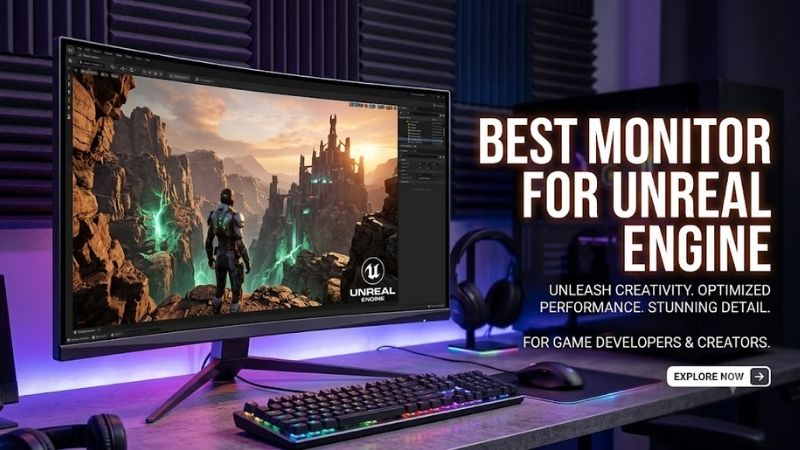
ASUS ProArt PA32UCDM is the most complete fit for Unreal Engine creators who want both professional color control and high-refresh motion. Its 31.5-inch 4K QD-OLED panel reaches 240Hz, covers 99% DCI-P3 and 100% sRGB, supports true 10-bit color, and includes hardware calibration for demanding game-art workflows.
Best For
Game developers, 3D artists, technical artists, animators, and creators who want accurate color without giving up high-refresh gameplay or viewport motion.
Key Features
- 31.5-inch QD-OLED panel
- 3840 × 2160 resolution
- Up to 240Hz refresh rate
- 0.1ms GTG response time
- 99% DCI-P3
- 100% sRGB
- True 10-bit color
- Hardware calibration
- HDR10, HLG, and Dolby Vision
- Dual Thunderbolt 4
- HDMI 2.1
- Up to 96W USB-C power delivery
- Adaptive-Sync VRR
What Makes It Different
Its 240Hz refresh rate is unusually useful for a creator display because you can build assets, tune lighting, and review fast camera movement or gameplay on the same screen. Dual Thunderbolt 4 ports, HDMI 2.1, 96W USB-C power delivery, VRR, HDR10, HLG, and Dolby Vision also support flexible desktop and laptop setups.
Pros
- 4K resolution with 240Hz refresh rate
- QD-OLED contrast and per-pixel lighting control
- Wide DCI-P3 coverage
- Hardware calibration
- Strong HDR format support
- Useful for both creation and gameplay QA
- Thunderbolt 4 and HDMI 2.1 connectivity
Cons
- OLED requires sensible care during long static-interface sessions
- Professional features may exceed the needs of coding-focused users
- 32-inch format needs more desk depth than compact displays
Use Case
Choose it when your Unreal workflow moves between asset creation, animation, lighting, real-time viewport navigation, cinematic work, and actual gameplay testing.
Who It’s For
It suits Unreal Engine professionals who would otherwise need separate creator and high-refresh gaming monitors.
ASUS ProArt PA32UCXR — Best for HDR Unreal Projects
ASUS ProArt PA32UCXR is the production-focused Mini-LED option here. Its 32-inch 4K IPS panel combines 97% DCI-P3, 99% Adobe RGB, true 10-bit color, and a quoted 1,600-nit HDR peak. For Unreal artists working on HDR scenes, virtual production, or color-critical cinematics, that combination is particularly useful.
Best For
Virtual production, HDR visualization, cinematics, environment lighting, VFX, and workflows where highlight brightness matters more than high refresh rate.
Key Features
- 32-inch IPS Mini-LED panel
- 3840 × 2160 resolution
- 60Hz refresh rate
- 1,600-nit quoted HDR peak
- 97% DCI-P3
- 99% Adobe RGB
- 100% sRGB
- True 10-bit color
- Built-in colorimeter
- Hardware calibration
- HDR10, HLG, and Dolby Vision
- VESA DisplayHDR 1400
- Thunderbolt 4
- 90W USB-C power delivery
What Makes It Different
The built-in colorimeter is what separates the PA32UCXR from simpler creator monitors. Hardware calibration can be scheduled without relying only on visual adjustment, while Thunderbolt 4, DisplayPort 1.4, HDMI 2.0, USB connectivity, and 90W USB-C power delivery make it suitable for mixed desktop and mobile workstations.
Pros
- High HDR brightness
- Mini-LED backlighting
- Wide professional color coverage
- Integrated calibration hardware
- Multiple professional HDR modes
- Strong workstation connectivity
Cons
- Limited to 60Hz
- Less suitable for judging very high-frame-rate gameplay
- Premium HDR features are unnecessary for basic coding or Blueprint work
Use Case
This model makes sense when Unreal Engine is part of a broader cinematic, broadcast, visualization, or HDR content pipeline.
Who It’s For
It targets artists and studios that value controlled HDR output and repeatable color more than high-refresh gaming characteristics.
Dell UltraSharp U3225QE — Best for Development and Productivity
Dell UltraSharp U3225QE fits Unreal Engine users who want one monitor for development, play-in-editor testing, and office work. Its 31.5-inch 4K IPS Black panel runs up to 120Hz, which makes viewport motion and scrolling feel smoother than typical 60Hz creator displays while preserving a large, sharp desktop for tool panels.
Best For
Programmers, Blueprint developers, technical designers, producers, and mixed-use Unreal workstations where productivity and connectivity matter heavily.
Key Features
- 31.5-inch IPS Black panel
- 3840 × 2160 resolution
- Up to 120Hz refresh rate
- 3000:1 specified contrast ratio
- 99% DCI-P3
- 99% Display P3
- 100% sRGB
- 100% BT.709
- Thunderbolt 4
- HDMI with 4K 120Hz support
- Up to 140W Thunderbolt power delivery
- 2.5GbE Ethernet
- Integrated USB hub
What Makes It Different
Its color coverage is also strong for general game development: Dell specifies 99% DCI-P3, 99% Display P3, 100% sRGB, and 100% BT.709. Thunderbolt 4 with up to 140W power delivery, HDMI 2.1 support, DisplayPort, USB ports, 2.5GbE, and KVM-oriented connectivity make it especially useful in multi-computer setups.
Pros
- 4K resolution at up to 120Hz
- Large workspace for Unreal panels
- Wide color gamut
- Extensive USB and Thunderbolt connectivity
- Integrated Ethernet
- Height, tilt, swivel, and pivot adjustment
Cons
- IPS Black cannot match OLED for pixel-level blacks
- Less HDR-focused than specialized Mini-LED displays
- Connectivity features may be excessive for a single desktop PC
Use Case
Use the U3225QE for Unreal development that mixes C++, Blueprints, level editing, documentation, productivity tools, and regular gameplay previews.
Who It’s For
It is particularly relevant to developers who want a professional workstation monitor rather than a dedicated gaming or mastering display.
BenQ PD3225U — Best for Unreal Artists and Designers
BenQ PD3225U is a strong fit for environment artists, UI designers, technical artists, and developers who prioritize color consistency over high refresh rate. The 31.5-inch 4K IPS panel covers 98% P3 plus 100% sRGB and Rec.709, while its 2,000:1 native contrast is higher than many standard IPS creator monitors.
Best For
Texture work, interface design, modeling, environment art, animation, and content creation where predictable color is more important than 120Hz or 240Hz motion.
Key Features
- 31.5-inch IPS panel
- 3840 × 2160 resolution
- 60Hz refresh rate
- 2000:1 native contrast
- 98% P3
- 100% sRGB
- 100% Rec.709
- 1.07 billion displayed colors
- HDR10
- VESA DisplayHDR 400
- CAD/CAM mode
- Animation mode
- Darkroom mode
What Makes It Different
The PD3225U runs at 60Hz, so it is less attractive if smooth high-frame-rate previewing is part of your daily workflow. Its advantage is creator-focused color handling, including P3, Rec.709, sRGB, CAD/CAM, Animation, and Darkroom modes. That makes it easier to match the display to different Unreal art and content pipelines.
Pros
- Strong color-space coverage
- 4K workspace on a 31.5-inch panel
- Higher native contrast than conventional IPS designs
- Multiple creator-specific display modes
- Well matched to asset and visual-design workflows
Cons
- 60Hz refresh rate
- HDR capability is more limited than high-end Mini-LED alternatives
- Less compelling for developers focused on high-frame-rate game testing
Use Case
The PD3225U works well beside Unreal Engine when much of your day is spent creating textures, interfaces, environments, models, or cinematic assets.
Who It’s For
Choose it when Unreal Engine is primarily a creation environment rather than a platform for frequent high-refresh gameplay validation.
How to Choose the Best Monitor for Unreal Engine
Resolution and Screen Size
For Unreal Engine, 4K is usually the most practical resolution at 27 to 32 inches because it provides room for the viewport, Content Browser, Outliner, Details panel, Blueprints, and reference windows without forcing constant rearrangement. A 32-inch 4K screen is particularly comfortable when you keep several editor panels visible at once.
Color Accuracy and Gamut
Color gamut matters most when your Unreal work includes textures, lighting, cinematic output, VFX, or client-facing visual review. Wide-gamut coverage such as DCI-P3 is useful, but calibration capability matters just as much. For coding-heavy or level-design work, strong sRGB coverage and consistent grayscale may be enough.
60Hz vs 120Hz vs 240Hz
Refresh rate affects how fluid the editor feels when panning scenes, moving cameras, scrolling code, or previewing gameplay. A 120Hz monitor can feel noticeably smoother than 60Hz, but it does not replace color accuracy or resolution. Artists doing HDR mastering may reasonably prefer a 60Hz Mini-LED or OLED panel with stronger image control.
Connectivity and Workstation Features
Connectivity can simplify a complex Unreal workstation. Thunderbolt or USB-C power delivery is useful for laptops, while DisplayPort and HDMI keep desktop GPUs easy to connect. Built-in USB hubs, Ethernet, and KVM features reduce cable clutter when you switch between a main development PC, laptop, capture system, or secondary machine.
FAQ
Do You Need a 4K Monitor for Unreal Engine?
A 4K monitor is not mandatory for Unreal Engine, but it is highly useful when you work with dense editor interfaces and high-resolution assets. The extra desktop space helps keep the viewport, Outliner, Details, Blueprints, and Content Browser visible together. QHD remains workable if GPU load, desk space, or budget matters more.
Is 32 Inches Good for Unreal Engine?
A 32-inch screen is an excellent size for Unreal Engine because 4K remains sharp while interface elements are easier to read than on a smaller high-density panel. It also gives the viewport enough physical space for lighting and level work. A 27-inch 4K display suits tighter desks or users who prefer higher pixel density.
Is OLED Good for Unreal Engine Development?
OLED is especially useful for Unreal Engine lighting, cinematic, horror, and VFX work because per-pixel dimming produces very deep blacks and precise local contrast. It is not automatically the best choice for every developer, though. Long static UI sessions may make a high-quality IPS or Mini-LED display more practical.
Does Refresh Rate Matter for Unreal Engine?
A high refresh rate helps if you frequently preview gameplay, animate cameras, or move rapidly through 3D scenes. It makes motion and interface scrolling smoother, but it does not make textures, lighting, or color more accurate. For many creators, 120Hz is a valuable bonus rather than the first requirement.
Conclusion
The best monitor for Unreal Engine depends on the work you do most. ASUS PA32UCDM suits high-refresh creation, PA32UCXR targets HDR production, Dell U3225QE balances 4K workspace with 120Hz fluidity, and BenQ PD3225U favors creator workflows. Match the panel to your development pipeline rather than choosing from specifications alone.
Ready to decide? Our #1 pick for 2026 is the ASUS ProArt PA32UCDM.
Live price & availability on Amazon.