Audio Mixer Guide resources solve common buyer headaches like confusing routing, noisy preamps, and overwhelming hardware choices. Choosing gear often leads to expensive mistakes and endless frustration for creators. This clear overview highlights top consoles, explains critical specs, and ensures you invest in reliable audio gear.
How to Choose the Best Audio Mixer
Selecting proper hardware requires evaluating your recording environment and long-term goals. While modern desktop mixers provide vast capabilities, choosing mismatched channel configurations quickly hampers creative growth. Our audio mixer guide streamlines this path, helping you secure pristine fidelity across every production session.
Input Channel Count and Source Flexibility
Evaluating input capacity is the primary step when purchasing a sound board for studio work. You must account for dynamic microphones, condenser units, stereo keyboards, and auxiliary playback feeds. Having spare physical channels prevents constant repatching and ensures your hardware comfortably adapts as your production grows.
Consider whether your projects require dedicated stereo channels alongside standard mono microphone strips. Stereo inputs maintain optimal separation for external synthesizers, media players, and digital audio workstations. Investing in extra connection points guarantees seamless live sessions without sudden hardware constraints.
Microphone Preamplifiers and Signal Clarity
High quality microphone preamplifiers serve as the foundational engine of every mixing console. Premium preamps supply transparent analog gain while keeping background hiss and electronic floor noise imperceptible. This audio mixer guide recommends prioritizing discreet circuitry to preserve warm vocal dynamics and acoustic nuance.
Adequate headroom ensures loud vocal peaks or sudden percussive transients pass without unpleasant distortion. Reliable preamplifiers also supply stable phantom power, which is essential for powering studio condenser microphones. Clean analog amplification safeguards your raw signals before they reach outboard processors or monitors.
Onboard Equalization and Dynamic Processing
Hardware equalization controls give creators immediate command over frequency bands before digitizing sound. Three band equalizers with sweepable midrange knobs allow you to carve out muddy frequencies and brighten dull speech. Sculpting individual tracks at the hardware level yields a polished broadcast mix with minimal post work.
Integrated analog compressors provide essential dynamic control by gently smoothing sudden spikes in vocal volume. Single knob compression designs simplify operation, letting beginners tame unruly signals without complex menus. Combining tactile equalization with gentle compression produces balanced audio that commands listener attention.
USB Interface Support and Digital Connectivity
Modern creators benefit immensely from hybrid mixing consoles featuring integrated USB audio interfaces. Direct digital connectivity eliminates the expense of purchasing secondary conversion hardware for computer recording. This setup enables quick bidirectional streaming between your desktop software and physical fader controls.
Multitrack USB recording capabilities provide unmatched flexibility compared to basic stereo sum units. Capturing each microphone channel to separate software tracks allows comprehensive post production editing and independent mixing. Look for class compliant hardware drivers to guarantee stable operation across Windows and Mac platforms.
Top Picks for Home Studios and Streamers
Navigating the marketplace reveals several outstanding consoles tailored for different creative workflows and environments. This audio mixer guide evaluates leading models based on real world build quality, operational versatility, and sonic performance. The following hardware solutions represent exceptional investments for serious producers.
| Product Model | Target User | Channel Count | Primary Benefit | | Yamaha MG10XU | Home Musicians | 10 Channels | Discrete D-PRE Preamps | | Rodecaster Pro II | Content Broadcasters | 9 Channels | SMART Processing Pads | | Mackie ProFX10v3 | Podcasters and Bands | 10 Channels | Onyx Preamps and GigFX | | Behringer Q802USB | Solo Creators | 8 Channels | Budget Friendly Value |
Yamaha MG10XU Ten Channel Analog Mixer
The Yamaha MG10XU delivers studio grade sound through proprietary discrete class A D-PRE microphone preamplifiers. This rugged console suits solo acoustic musicians, podcasters, and church sound operators seeking pristine analog clarity. Intuitive channel strips and responsive one knob compressors allow swift adjustments during live performance.
Solid metal chassis construction ensures roadworthy durability, while the integrated SPX effects suite offers lush reverbs. However, the USB interface only sends a two channel master mix rather than isolated individual channels to your computer. Overall, this audio mixer guide choice remains an outstanding tool for analog quality.
Rode RODECaster Pro II Integrated Audio Production Studio
The Rode RODECaster Pro II serves as an all in one digital command center designed specifically for modern podcast creators. Featuring four high gain Revolution preamplifiers, this workstation handles demanding broadcast microphones without external booster inline hardware. Touchscreen controls and motorized faders streamline broadcast workflows.
Onboard APHEX digital signal processing delivers radio broadcast warmth through transparent compression, de-essing, and harmonic excitation. Programmable SMART pads trigger sound effects and seamless external call integration. The higher price tag may deter casual hobbyists, but professional broadcasters will appreciate its unmatched digital power.
Mackie ProFX10v3 Professional USB Mixer
Mackie ProFX10v3 brings acclaimed Onyx microphone preamplifiers and comprehensive digital effects to small production studios. This board excels for live streaming streamers, multi mic interview shows, and small acoustic bands requiring rugged dependability. In this audio mixer guide, its flexible monitoring options stand out as remarkably practical.
The internal GigFX engine provides twenty four sound presets including delays, choruses, and spacious hall reverbs. High resolution twenty four bit digital recording ensures pristine conversion directly into your preferred recording software. While plastic side panels feel lightweight, internal steel components provide exceptional durability over time.
Behringer Xenyx Q802USB Compact Desktop Mixer
The Behringer Xenyx Q802USB offers an accessible hardware entry point for aspiring voiceover talent and bedroom podcasters. Two phantom powered Xenyx microphone preamplifiers provide ample volume and punch for basic voice recording. Physical rotary knobs deliver swift control over high, mid, and low frequencies without touching computer menus.
Its ultra compact footprint saves precious desk space, while built in USB connectivity simplifies computer connection. However, the preamp gain stage exhibits audible electronic hiss when pushed past three quarters volume on sensitive microphones. It remains a budget friendly entry model for beginners prioritizing cost over pristine audio fidelity.
Frequently Asked Questions About Audio Mixers
Selecting audio equipment inevitably generates practical questions regarding connectivity, workflow integration, and real hardware value. This audio mixer guide addresses essential technical inquiries to help buyers choose confidently. Review these concise explanations before finalizing your studio gear investments.
What Is the Difference Between a Mixer and an Interface
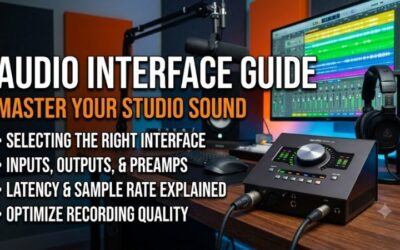
An audio interface functions primarily as an analog to digital bridge that routes microphone sound into your recording software. It focuses on clean analog conversion, leaving signal balance and equalization adjustments to internal digital plugins. Interfaces offer streamlined simplicity for solo musicians recording one track at a single time.
Conversely, an audio mixer combines multiple incoming sound channels into balanced output feeds using tactile physical knobs. Mixers allow direct real time hardware equalization, monitor routing, and dynamic volume balance during live performance. Modern USB mixers blend both concepts, delivering tactile routing alongside reliable digital conversion.
Do Beginner Podcasters Really Need a Dedicated Mixer
Solo podcasters recording basic commentary often find that a single USB microphone or compact interface handles their requirements. However, creators hosting in person guest interviews or handling live call in questions gain massive utility from physical consoles. Following our audio mixer guide ensures you select gear suited to your production scale.
Hardware mixers provide dedicated headphone outputs for multiple guests, allowing independent monitor volume adjustments during conversations. Real time volume faders let hosts instantly correct loud outbursts or quiet speech without interrupting recording flow. Investing early prevents costly gear upgrades as your show grows.
Can You Connect a USB Mixer to Any Computer
Most modern USB mixing consoles feature class compliant architecture, meaning they operate smoothly across major desktop operating systems without tedious driver installations. You simply connect a standard USB cable to an available port on your Mac or Windows computer. The operating system immediately recognizes the mixer as an audio device.
To avoid unpredictable digital latency and connection dropouts, always connect directly to your computer rather than through unpowered external USB hubs. Verifying sample rate settings in your operating system sound preferences ensures crystal clear digital transmission. Once configured, you can route system audio and microphones freely.
What Are Phantom Power and XLR Connections Used For
XLR connections represent the professional industry standard for balanced microphone audio transmission over long cable runs. The three pin balanced design rejects electromagnetic hum, radio interference, and ambient stage noise effectively. Using quality XLR cables guarantees your mixing console receives clean, uncorrupted audio signals.
Phantom power delivers forty eight volts of direct current through balanced XLR cables to energize condenser microphone capsules. Dynamic microphones do not require external voltage, though modern designs tolerate it safely. Always check phantom power switches before connecting active gear or delicate vintage ribbon mics.
View more products:
Final Thoughts on Choosing Your Audio Mixer
Choosing the right hardware transforms your creative workflow, bringing tactile sonic control and professional clarity to every recording project. As outlined in this audio mixer guide, matching your input needs, preamp preferences, and budget yields lasting performance. Select the console that fits your workflow and elevate your sound today.