Here is a secret that catches out most first-time builders: the fast RAM you paid for runs slow until you turn it on. Out of the box, a kit rated for DDR5-6000 defaults to a pokey JEDEC speed like 4800MT/s because motherboards boot at safe baseline timings. Enabling the memory’s rated profile is a one-time BIOS toggle that unlocks the performance you already own, for free.
This guide explains how to enable XMP on Intel systems and EXPO on AMD systems in 2026, using kits like G.SKILL Trident Z5 and Corsair Vengeance as examples. The process takes two minutes, requires no tools, and can add meaningful gaming frames, especially on Ryzen chips that love fast memory.

Corsair Vengeance DDR5 16GB (2 x 8GB) Up to 6000MHz AMD Intel RAM
Included for 'How to Enable XMP / EXPO for Faster RAM' as a relevant option in this category; details come from the product listing.
View on Amazon
Corsair Vengeance RGB RS DDR5 64GB (2 x 32GB) Up to 6000MHz AMD Intel RAM
Included for 'How to Enable XMP / EXPO for Faster RAM' as a relevant option in this category; details come from the product listing.
View on Amazon
G.SKILL Flare X5 Series DDR5 RAM (AMD EXPO) 64GB (2x32GB) Up to 6000MT/s* CL30-40-40-96 1.40V Desktop Computer Memory U-DIMM - Matte Black (F5-6000J3040G32GX2-FX5)
Included for 'How to Enable XMP / EXPO for Faster RAM' because the listing specifies Matte Black (F5-6000J3040G32GX2-FX5), details this guide uses to compare options.
View on Amazon⚡ Save on Your Next PC — Amazon Prime
Prime members get fast free shipping on the systems above, plus early access to Prime Day & Black Friday PC deals. New members get a 30-day free trial.
Watch: How to Enable XMP / EXPO for Faster RAM — Video Review
What XMP and EXPO Actually Do
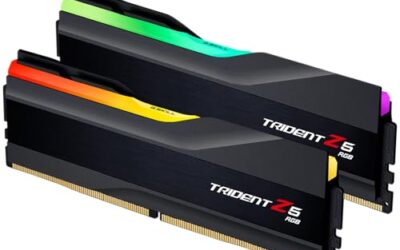
XMP (Extreme Memory Profile) is Intel’s standard and EXPO (Extended Profiles for Overclocking) is AMD’s equivalent. Both store the memory’s rated speed, voltage, and timings in a profile the motherboard can apply with one click. A kit like the G.SKILL Trident Z5 Neo carries an EXPO profile for 6000MT/s CL30; without enabling it, that kit runs far slower.
Enter the BIOS
Restart your PC and press the BIOS key as it boots, usually Delete, sometimes F2. You will land in your motherboard’s firmware interface. Most boards open in an EZ or simple mode that already shows a memory profile toggle right on the main screen.
- Look for a dropdown labeled XMP, EXPO, DOCP, or A-XMP depending on your board brand.
- ASUS AMD boards often call it DOCP; MSI may call it A-XMP; the function is identical.
Enable the Profile
Select the profile toggle and choose Profile 1. The board will populate the correct speed, such as 6000MT/s, along with the rated voltage near 1.35 to 1.40V and the timings like CL30. If your kit lists two profiles, Profile 1 is the standard rated speed and is the safe choice.
Save and Verify
Press F10 to save and exit. Once Windows loads, open Task Manager, go to the Performance tab, and click Memory to confirm the speed now reads your rated figure. You can also use CPU-Z’s Memory tab, where the DRAM frequency shown is half the rated number because DDR is double data rate, so 3000MHz equals 6000MT/s.
Tips
- If the PC fails to boot after enabling, clear the CMOS to reset, then try Profile 1 again or a slightly lower speed.
- On AMD, four DIMMs are harder to run at high speed than two, so two-stick kits reach 6000MT/s more reliably.
- Update your BIOS before enabling a very fast kit; newer firmware improves memory compatibility.
- Ryzen benefits most from tuned memory, so enabling EXPO can add several percent to gaming frame rates.
Frequently Asked Questions
Is enabling XMP or EXPO safe?
Yes. These are validated profiles from the memory maker running at rated voltage, not a manual overclock. They are designed to be enabled by any user.
Why does my RAM run slow without it?
Motherboards boot at conservative JEDEC speeds for guaranteed stability. The rated speed is an overclock relative to that baseline, so it stays off until you enable the profile.
Does XMP work on AMD or is it EXPO only?
AMD’s native standard is EXPO, but many AMD boards can also read Intel XMP profiles via a feature like DOCP. EXPO is preferred on AMD when your kit offers it.
Will fast RAM improve gaming?
Often yes, especially on Ryzen processors, which are sensitive to memory speed. Enabling a 6000MT/s profile can add noticeable frames over the default 4800MT/s.
Conclusion
Enabling XMP or EXPO is the easiest free performance upgrade in PC building: enter the BIOS, flip on Profile 1, save, and verify the speed in Task Manager. With a modern kit like the G.SKILL Trident Z5 or Corsair Vengeance, that two-minute toggle is the difference between the RAM you paid for and the RAM you actually use.