- Top Pick: ASUS Dual NVIDIA GeForce RTX 5060 8GB GDDR7 OC Edition (PCIe 5.0, 8GB GDDR7, DLSS 4, HDMI 2.1b, DisplayPort 2.1b, 2.5-Slot Design, Axial-tech Fan Design, 0dB Technology), 3 Year Warranty
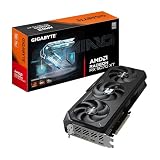
- Best Value: GIGABYTE GeForce RTX 5060 WINDFORCE OC 8G Graphics Card, Cooling System, 8GB 128-bit GDDR7, PCIe 5.0, Manufactured by NVIDIA, DisplayPort & HDMI – Video Output Interface, GV-N5060WF2OC-8GD Video Card
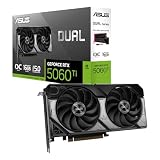
- Premium Choice: ASUS Dual NVIDIA GeForce RTX 5060 Ti 16GB GDDR7 OC Edition Graphics Card, (PCIe 5.0, DLSS 4, HDMI 2.1b, DisplayPort 2.1b, 2.5-Slot, Axial-tech Fan, 0dB Technology), 3 Year Warranty
Shopping for a graphics card under $500 in 2026 means navigating a market where VRAM capacity, generational pricing, and inflated retail markups can quickly derail a build. Buyers frequently overspend on raw shader counts while ignoring the memory buffer that actually determines whether a card holds up in modern titles at 1440p — or they underspend and end up with a card that stutters in texture-heavy games within eighteen months.
This guide focuses on cards that genuinely land within a $500 budget at typical street prices, with an emphasis on value-for-money rather than headline benchmark numbers. We’ve prioritized 1080p and 1440p gaming performance, VRAM headroom, cooling quality, and warranty coverage. One higher-tier card is included below as a reference point for readers weighing whether stretching the budget is worthwhile, but the core recommendations all sit comfortably under the cap.
As an Amazon Associate we earn from qualifying purchases at no extra cost to you. Product prices and availability are accurate as of the date shown and are subject to change.





⚡ Save on Your Next PC — Amazon Prime
Prime members get fast free shipping on the systems above, plus early access to Prime Day & Black Friday PC deals. New members get a 30-day free trial.
Watch: Best Graphics Card Under $500 — Video Review
How to Choose Graphics Card Under $500
- VRAM capacity: 8GB remains workable at 1080p, but 16GB is the safer buy at 1440p and for titles with high-resolution texture packs. If your budget allows, prioritize the larger buffer over marginal core-clock gains.
- Target resolution and refresh rate: Match the card to your monitor, not to benchmark charts. A 1080p 144Hz display has very different requirements than a 1440p 165Hz panel, and overbuying for a screen you don’t own is wasted money.
- Cooling design and case clearance: Dual-fan 2 to 2.5-slot cards fit most mid-tower and compact builds; triple-fan designs run quieter under sustained load but demand more clearance. Measure your case before ordering.
- Upscaling and frame generation support: DLSS 4 on NVIDIA cards and FSR on AMD’s RDNA 4 lineup meaningfully extend a card’s useful life. Factor supported feature sets into long-term value, not just native performance.
- Warranty and power requirements: A three-year warranty is worth a modest price premium. Also confirm your PSU has adequate wattage and the correct connectors — a mismatched power supply is a common and avoidable hidden cost.
The Best Picks Reviewed
ASUS Dual RTX 5060 Ti 16GB OC Edition
This is the strongest all-round value in the sub-$500 bracket, pairing 16GB of GDDR7 with DLSS 4 support and a restrained 2.5-slot cooler that fits most builds. The larger memory buffer is what separates it from the standard 5060, and it makes a tangible difference at 1440p in texture-heavy titles.
XFX Swift Radeon RX 9060 XT 16GB
XFX’s triple-fan RDNA 4 card delivers 16GB of GDDR6 and excellent thermal headroom, making it a compelling AMD alternative for 1440p gaming. It typically undercuts comparable NVIDIA options, though you’ll trade some ray-tracing performance for the savings.
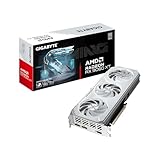
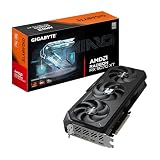
GIGABYTE Radeon RX 9060 XT Gaming OC ICE 16G
A more compact two-slot take on the RX 9060 XT, this version uses GIGABYTE’s Hawk fan design and server-grade thermal gel to keep noise and temperatures in check within a smaller footprint. It’s the better pick if your case clearance is tight but you still want the full 16GB buffer.
ASUS Dual RTX 5060 8GB OC Edition
For strict 1080p gaming on a tighter budget, this card offers solid DLSS 4 performance, 0dB idle operation, and a three-year warranty that’s rare at this tier. The 8GB buffer is the clear limitation, so treat this as a 1080p card rather than a 1440p one.
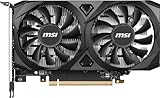
GIGABYTE RTX 5060 WINDFORCE OC 8G
GIGABYTE’s WINDFORCE variant covers similar ground to the ASUS Dual at a frequently lower price, with competent dual-fan cooling and full PCIe 5.0 support. It’s the budget-conscious choice when the sole priority is maximizing frames per dollar at 1080p.
Frequently Asked Questions
Is 8GB of VRAM still enough in 2026?
At 1080p with sensible texture settings, yes — 8GB cards remain perfectly playable. At 1440p or with ultra texture presets, you’ll encounter stutter and forced quality reductions in a growing number of titles, so 16GB is the more future-proof choice if you can stretch to it.
Should I choose NVIDIA or AMD at this price point?
NVIDIA holds an advantage in ray tracing and DLSS 4 upscaling quality, while AMD’s RDNA 4 cards generally offer more raw rasterization performance per dollar. If you play competitive titles at high frame rates, AMD’s value is hard to beat; if you want the best-looking single-player experiences, NVIDIA edges ahead.
What power supply do I need for these cards?
Most cards in this bracket run comfortably on a quality 550W to 650W unit, though the exact requirement varies by model and CPU pairing. Check the manufacturer’s stated minimum and add headroom rather than running a PSU at its limit.
Is it worth spending more than $500 on a GPU?
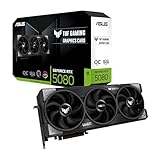
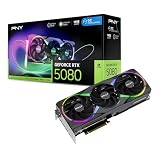
Only if you’re targeting 4K or high-refresh 1440p in demanding titles. The ASUS TUF Gaming RTX 5080 16GB OC Edition sits well above this budget but illustrates the point: performance scales, but so does price, and the sub-$500 tier now covers 1440p gaming capably enough that most buyers don’t need to go further.
Final Thoughts
For most buyers, the ASUS Dual RTX 5060 Ti 16GB is the smartest purchase under $500 — it combines a future-proof memory buffer with DLSS 4 and a strong warranty. The XFX Swift RX 9060 XT 16GB is the better value if you favor rasterization performance and prefer AMD’s pricing, while the ASUS Dual RTX 5060 8GB remains a sensible entry point for pure 1080p builds where budget is the binding constraint.