- Top Pick: TEAMGROUP T-Force Vulcan Z 1TB SLC Cache 3D NAND TLC 2.5 Inch SATA III Internal Solid State Drive SSD, PC Upgrade (Read/Write Speed up to 550/500 MB/s) T253TZ001T0C101
- Best Value: fanxiang S101 1TB SSD SATA SSD 1TB Internal Solid State Drive SATA III 6Gb/s 2.5" SSD, UP to 520MB/s, 3D NAND TLC, Upgrade Laptop PC and Desktops
- Premium Choice: PNY CS900 1TB 2.5" SATA III Internal SSD
Every gaming build eventually hits the same fork in the road: do you spend more per gigabyte on an NVMe drive, or stretch your budget with a 2.5-inch SATA SSD? In 2026 the question is less about whether an SSD is worth it — that debate ended years ago — and more about matching the right interface to the right job. Game installs have ballooned past 150GB for flagship titles, motherboard M.2 slots are still finite, and storage prices have shifted enough that a mixed setup often beats an all-in approach.
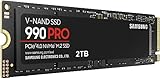
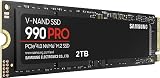
The short version: NVMe drives connect over PCIe and move data anywhere from 3,500MB/s to well past 14,000MB/s, while SATA III is hard-capped at roughly 550-560MB/s by the 6Gb/s interface itself. That gap sounds decisive, but raw sequential throughput is only one part of what makes a gaming library feel fast. Below we break down where each format genuinely earns its place, and which drives are worth your money right now.
As an Amazon Associate we earn from qualifying purchases at no extra cost to you. Product prices and availability are accurate as of the date shown and are subject to change.


⚡ Save on Your Next PC — Amazon Prime
Prime members get fast free shipping on the systems above, plus early access to Prime Day & Black Friday PC deals. New members get a 30-day free trial.
Watch: NVMe vs SATA SSD: 2026 Speed Comparison — Video Review
Quick Verdict
Choose NVMe for your boot drive and your two or three most-played titles — especially anything using DirectStorage, aggressive texture streaming, or a large open world. Choose a SATA SSD like the Samsung 870 EVO or Crucial BX500 when you need to add bulk capacity cheaply, when your M.2 slots are already occupied, or when you’re upgrading an older desktop or laptop that has a spare 2.5-inch bay but no PCIe storage support at all.
Key Differences
- Interface and ceiling: NVMe rides the PCIe bus with multiple lanes; SATA III is locked at 6Gb/s, which translates to a real-world ceiling near 550MB/s no matter which drive you buy.
- Latency and queue depth: NVMe handles thousands of parallel command queues versus SATA’s single queue, which matters most when a game streams hundreds of small assets at once.
- Physical form factor: NVMe is typically a gumstick M.2 module that slots directly into the board; SATA SSDs are 2.5-inch drives needing a data cable, a power cable, and a bay or bracket.
- Cost per terabyte: SATA remains the cheaper route to high capacity, which is why drives like the fanxiang S101 and PNY CS900 are so popular as secondary libraries.
- Compatibility reach: Almost any machine from the last fifteen years takes a SATA SSD. NVMe requires an M.2 PCIe slot or an adapter, and boot support depends on your BIOS.
- Thermals and power: Fast NVMe drives can throttle without a heatsink; SATA drives run cool and sip power, which is a genuine advantage in laptops.
NVMe SSDs: Peak Speed for Modern Gaming Rigs
If you’re building or upgrading a current-generation gaming PC, NVMe should be your primary drive. Windows boots faster, shader compilation finishes sooner, and games that lean on DirectStorage decompress assets on the GPU with the bandwidth to feed it. Titles with dense streaming worlds show the clearest wins — fast-travel transitions and texture pop-in improve in ways a benchmark chart doesn’t fully capture. NVMe is also mandatory if you’re expanding a PS5, which requires a Gen4 drive with a heatsink.
The caveat is diminishing returns. Jumping from a Gen3 drive to a Gen5 flagship rarely shaves meaningful seconds off load screens in most games, because the bottleneck moves to the CPU, the engine, or the shader cache. Spending your entire storage budget chasing sequential numbers usually leaves you with less total capacity than you need — and constantly reinstalling a 200GB game is a worse experience than a two-second-slower load.
SATA SSDs: Affordable Capacity That Still Delivers
SATA’s reputation as the “budget” option undersells how well it performs in practice. The leap from a mechanical hard drive to any decent SATA SSD is enormous — random read performance improves by orders of magnitude, and that’s what actually determines whether a level loads in eight seconds or forty. For a large Steam library, a SATA drive is close to indistinguishable from NVMe in most single-player titles once you’re past the initial load.
The Samsung 870 EVO remains the reliability benchmark here, with mature firmware and strong endurance ratings that justify its premium. The Crucial BX500 and PNY CS900 are the sensible value picks for a bulk games drive. The TEAMGROUP T-Force Vulcan Z leans into gaming branding with SLC caching for burst writes, while the Fikwot FX815 and fanxiang S101 undercut everything else if you simply need the most terabytes for the least money in a secondary role.
Which Should You Buy?
- For a new gaming build: pick NVMe as the boot and primary game drive, then add SATA later for overflow.
- For a laptop with one M.2 slot and a 2.5-inch bay: pick a SATA drive like the Fikwot FX815 to expand without replacing your existing storage.
- For reviving an older desktop: pick SATA — the PNY CS900 or Crucial BX500 will transform a system that can’t boot from NVMe anyway.
- For long-term reliability: pick the Samsung 870 EVO if you’re storing anything you’d hate to lose alongside your games.
- For maximum capacity on a tight budget: pick the fanxiang S101 or T-Force Vulcan Z and put the savings toward a GPU.
Frequently Asked Questions
Will NVMe actually increase my frame rate?
Not directly. Storage affects load times, texture streaming, and traversal stutter in open-world games, but sustained FPS is determined by your GPU and CPU. A faster drive can reduce hitching when assets stream in mid-gameplay.
Can I use both an NVMe and a SATA SSD together?
Yes, and it’s the recommended setup for most gamers. Note that on some motherboards, populating certain M.2 slots disables one or two SATA ports — check your manual before planning your bays.
Is a SATA SSD fast enough for modern games in 2026?
For the overwhelming majority of titles, yes. Only a small number of games currently require or strongly benefit from NVMe-class bandwidth, though that number is slowly growing as DirectStorage adoption widens.
Do SATA SSDs wear out faster?
No. Endurance depends on NAND type and controller quality rather than the interface. A 1TB TLC drive will comfortably outlast typical gaming workloads for many years.
Final Verdict
NVMe wins on paper and deserves your boot drive, but SATA still wins on value, compatibility, and capacity — and the difference in day-to-day gaming is far smaller than the spec sheets suggest. The smartest 2026 setup pairs a modest NVMe drive for your operating system and current obsession with a roomy SATA SSD for everything else.