You do not need to spend a fortune to hear footsteps before you see them. The sweet spot in gaming audio sits in the budget-to-midrange bracket, where thoughtful driver tuning, a usable microphone, and all-day comfort come together without the premium price. Get those three things right and you have a headset that punches well above its cost.
- Top Picks at a Glance
- How We Chose These Headsets
- Watch: Best Gaming Headset For The Money — Video Review
- How to Choose a Gaming Headset on a Budget
- The Best Value Gaming Headsets Reviewed
- Spec Decision Table: The Numbers That Actually Separate These Picks
- Fit and Compatibility Checklist Before You Order
- Open-Back, Closed-Back, and When Isolation Matters
- Microphone Setup: Clear Chat in Ten Minutes
- EQ and Spatial Audio: One Layer at a Time
- Care Routine That Extends Cushion and Battery Life
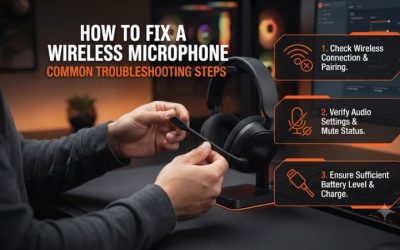
- Troubleshooting: Five Fixes Before You Replace a Headset
- Who Should Skip the Value Tier Entirely
- More Picks Worth Considering
- Related Guides
- Best Gaming Headset by Budget
- What Matters Most When You Buy on a Budget
- Which Headset Fits Your Situation?
- Wired vs Wireless: What You Give Up and What You Gain
- Setting Up a Budget Headset on Each Platform
- Common Mistakes When Buying a Budget Gaming Headset
- How Long Should a Budget Gaming Headset Last?
- Frequently Asked Questions
- Final Thoughts
- More Budget Gaming Headsets Worth Considering
- Related Articles
Below we gather the headsets that consistently earn their keep, spanning wired workhorses and affordable wireless options across PC and console. Every pick here was chosen because it delivers audio and build quality you would expect to pay more for.

Best Seller
Updated October 2026 – picks rechecked against current manufacturer specifications.
Quick answer: the best gaming headset for the money is the Razer BlackShark V2 X for wired competitive play, the Logitech G432 for flexible PC use, the HyperX Cloud III as a step-up wired model, and the Turtle Beach Stealth 500 if you want wireless for under $100. Wired models give you more sound per dollar; wireless only makes sense when a cable truly gets in your way.
Top Picks at a Glance
| Headset | Connection | Best for | Key spec |
|---|---|---|---|
| Razer BlackShark V2 X | Wired 3.5mm | Competitive shooters on a budget | 50mm drivers, cardioid mic |
| Logitech G432 | Wired USB and 3.5mm | PC players who want surround | 50mm drivers, DTS Headphone:X 2.0 |
| HyperX Cloud III | Wired USB-C, USB-A, 3.5mm | Best wired step-up | Angled 53mm drivers, 10mm mic |
| HyperX Cloud Stinger 2 Core | Wired | Light, cheap PC headset | 40mm drivers, swivel-to-mute mic |
| Turtle Beach Recon 50 | Wired 3.5mm | Lowest-cost console and PC pick | 40mm speakers, removable mic |
| Turtle Beach Stealth 500 | Wireless and Bluetooth | Wireless under $100 | 40-hour battery, EQ presets |
| SteelSeries Arctis Nova 3X Wireless | 2.4GHz and Bluetooth | Wireless for Xbox, PC and mobile | 40-hour battery, app control |
Our three top picks by name: the Razer BlackShark V2 X, the Logitech G432 and the HyperX Cloud III cover most budgets between roughly $35 and $60.
How We Chose These Headsets
This ranking does not claim lab results. Each pick was shortlisted by comparing manufacturer specifications, published documentation, and recurring themes in buyer feedback on comfort, microphone clarity and durability. We favored models with a clear spec sheet, support for more than one platform, and a price that leaves room for a better headset to cost noticeably more.
Razer BlackShark V2 X Gaming Headset: 7.1 Surround Sound – 50mm Drivers – Memory Foam Cushion – For PC, PS4, PS5, Switch – 3.5mm Audio Jack – Black


🎮 Get More From Your Setup — Free
Prime Gaming gives you free PC games every month, in-game loot, and a free Twitch channel sub — plus fast free shipping on all the gear above. New members get a 30-day free trial.
Watch: Best Gaming Headset For The Money — Video Review
How to Choose a Gaming Headset on a Budget
- Sound signature: Look for clear mids and defined highs so you can pinpoint footsteps and cues. Overpowering bass is fun for music but muddies competitive audio.
- Microphone quality: A clear mic matters as much as the speakers for team play. Noise-canceling or cardioid mics keep your voice crisp and background hum out.
- Comfort for long sessions: Memory foam earcups and a light frame prevent fatigue. Weight and clamping force make or break marathon play.
- Connection type: Wired 3.5mm and USB options are cheapest and lag-free, while affordable wireless adds freedom if your budget stretches a little.
- Platform compatibility: Confirm the headset works with your console or PC. Some budget models are tuned for one ecosystem more than others.
The Best Value Gaming Headsets Reviewed
Razer BlackShark V2 X (PlayStation)
The BlackShark V2 X is a perennial value champion, offering 7.1 surround, lightweight comfort, and a clean mic at a price that undercuts most rivals. Its balanced tuning makes it a favorite for competitive shooters.
Ozeino 7.1 Surround Headset
The Ozeino wired headset delivers 7.1 surround sound, a noise-canceling mic, and RGB lighting across PC and console for a remarkably low price. It is a solid pick for gamers who want features on a tight budget.
BENGOO G9000 Stereo Headset
The BENGOO G9000 is the classic entry-level choice, with soft memory earmuffs, an LED accent, and wide platform support. It is not audiophile grade, but for the money it covers the basics reliably.
Razer BlackShark V2 X (Xbox)
Xbox players get the same acclaimed BlackShark formula tuned for their platform, with a simple 3.5mm connection and the same comfortable, lightweight design. It remains one of the smartest budget buys for console gamers.
Logitech G432
The Logitech G432 brings 50mm drivers, DTS Headphone:X 2.0 surround, and a flip-to-mute mic over both USB and 3.5mm. It is a versatile, well-rounded wired option that suits PC gamers especially well.
Spec Decision Table: The Numbers That Actually Separate These Picks
Driver size alone tells you very little, so use this table to compare the figures that change daily use: frequency response, connection type, microphone style, and whether a battery enters your routine. A wider response range hints at deeper bass and cleaner treble extension, while microphone style decides how you mute mid-match and whether the boom leaves the headset for music listening.
| Headset | Driver | Frequency response | Connection | Microphone | Power |
|---|---|---|---|---|---|
| Razer BlackShark V2 X | 50 mm | 12 Hz to 28 kHz | Wired 3.5 mm | Fixed cardioid boom | No battery |
| Logitech G432 | 50 mm | 20 Hz to 20 kHz | USB and 3.5 mm | Flip-to-mute boom | No battery |
| HyperX Cloud III | 53 mm angled | 10 Hz to 21 kHz | USB-C, USB-A, 3.5 mm | Detachable boom | No battery |
| Turtle Beach Recon 50 | 40 mm | 20 Hz to 20 kHz | Wired 3.5 mm | Removable boom | No battery |
| Turtle Beach Stealth 500 | 40 mm | 20 Hz to 20 kHz | 2.4 GHz wireless and Bluetooth | Flip-to-mute boom | Up to 40 hours |
| SteelSeries Arctis Nova 3X Wireless | 40 mm | 20 Hz to 22 kHz | 2.4 GHz wireless and Bluetooth | Detachable boom | Up to 40 hours |
| Corsair HS55 Wireless | 50 mm | 20 Hz to 20 kHz | 2.4 GHz wireless and Bluetooth | Flip-to-mute boom | Up to 65 hours |
Read the table by priority. If you play on two consoles, connection and microphone style matter more than a few hertz of extra response. If you play late in a shared home, every pick above is closed-back, which keeps sound in and room noise out. If you hate charging, the wired rows remove one chore forever.
Fit and Compatibility Checklist Before You Order
Work through this list before choosing, because comfort and version mistakes cause most returns in this category.
- Glasses: Look for fabric or mesh cushions and a suspension headband, which spread pressure over the frame arms instead of pinching them against your head.
- Head and ear size: Deep cups with tall openings suit larger ears. Shallow budget cups can fold the ear edge, which aches within an hour.
- Clamp force: A firm clamp seals bass in and keeps the headset planted during quick turns, but it punishes long sessions. Flexible frames forgive more.
- Cable route: Measure the run from controller or PC to your seat. A short cable plus an extension beats a long cable coiled under a chair wheel.
- Console version: For wireless models, confirm the exact PlayStation, Xbox, or PC edition in the product name. The family name alone guarantees nothing.
- Free ports: USB dongles need a reachable port. A front port or a short USB extension hub keeps the receiver in clear line of sight of your seat.
- Chat balance control: Console players who adjust game and chat mix often should prefer headsets with an on-ear dial rather than menu diving.
Open-Back, Closed-Back, and When Isolation Matters
Every headset in the main guide is closed-back, and that suits most homes: the sealed cups hold in bass, block a fair amount of room noise, and keep game audio from leaking to people nearby. The trade is heat and a narrower sense of space, so voices and footsteps can feel closer to your head.
Open-back designs vent the cups, which usually widens the soundstage and keeps ears cooler across long sessions. They leak sound both ways, so they belong in a quiet, private room, and they give almost no help against a loud household. Active noise cancellation is a separate electronic tool: it dulls steady hums from fans and appliances, but it does not sharpen positional cues, and it adds cost, weight, and one more battery drain. Pick the shell for your room first, then compare drivers.
Microphone Setup: Clear Chat in Ten Minutes
A budget microphone sounds far better once it sits in the right place and the gain is set with care.
- Position the boom tip roughly two finger-widths from the corner of your mouth, slightly below lip level. A mic aimed at your nose or chin picks up breath blasts and loses consonants.
- Set input gain so normal speech peaks well below the maximum. Shouting headroom matters more than loudness; clipping cannot be repaired by your teammates.
- Turn on a touch of sidetone or mic monitoring so you hear your own voice. Without it, most players shout without noticing.
- Use one noise suppression layer only. Console, Discord, and headset software each offer one, and stacking them makes voices thin and watery.
- Record a short clip in your voice app and play it back before joining a match. A fan aimed at the mic or a boom rubbing a collar shows up at once on playback.
EQ and Spatial Audio: One Layer at a Time
Spatial processing works best as a single layer. Choose the platform option, such as PlayStation 3D audio, an Xbox spatial format, or a PC headset suite, and disable the others. Two layers fighting each other smear direction cues and bloat the bass.
For equalizer changes, work in small moves. A gentle cut in the low shelf cleans up explosions that bury dialogue. A mild lift in the upper mids brings out footsteps and reload sounds without making gunfire harsh. Leave the middle bands alone until you know a game well, because voices live there. Save one profile per game type, one for competitive shooters and one for story titles, rather than chasing a universal setting.
Care Routine That Extends Cushion and Battery Life
Wipe cushions with a dry cloth after long sessions and let them air before the headset goes back on its hook. Oils from skin break down budget foam and pleather faster than play hours do. Most cushions on these models pull off and swap, so a fresh pair restores comfort and seal for a fraction of a new headset. Keep cable slack at the plug with a loose loop rather than a tight wrap, since the plug joint is where wired models fail. For wireless models, charge before the battery runs flat and unplug once full; deep drains on a weekly rhythm shorten cell life. Keep the USB receiver in the headset case or taped inside your travel bag, because a lost receiver turns a wireless headset into a wired one.
Troubleshooting: Five Fixes Before You Replace a Headset
- One side silent: Check the balance control in your system sound settings, then reseat the plug fully. A half-seated 3.5 mm jack is the classic cause.
- Mic not detected: Confirm the headset is the default input device, then check app permissions. On PC, privacy settings can block a mic that the system itself sees.
- Echo for teammates: Lower mic monitoring, move the boom away from the earcup, and make sure only one device in the room plays the same chat audio.
- Wireless dropouts: Move the receiver to a front port or a short extension lead, away from metal enclosures and wireless routers crowded on the same shelf.
- Crackle on PC: Match the headset sample rate in system settings to the rate your game or chat app expects, and try a different port before blaming the headset.
Who Should Skip the Value Tier Entirely
Some players save money by spending more once. Skip this tier if you record or broadcast your voice for an audience, because a desk microphone on an arm beats every boom mic here by a wide margin. Skip it if your home is loud during play hours, since passive budget cups cannot match proper noise cancellation for concentration. Skip it if you need game audio and phone audio at the same time, because simultaneous mixing lives in higher tiers, while quick switching only trades one source for another. Finally, skip it if music listening matters as much as gaming; a good pair of wired headphones plus a clip-on or desk microphone gives better sound per coin for mixed use.
More Picks Worth Considering
SteelSeries Arctis Nova 1

The Arctis Nova 1 is the wired pick for players who want a feather-light frame and a retractable microphone that vanishes into the earcup when the match ends. Its 40 mm drivers pair with breathable fabric cushions that run cooler than pleather across long sessions, and the 3.5 mm plug works on PC, PlayStation, Xbox, Switch, and mobile with no software in the way. On PC, the companion suite adds equalizer presets and mic tools for anyone who wants them. Choose it if low weight and cool ears top your list, or if you move between consoles daily. Skip it if you want wireless freedom, deep booming bass, or a metal frame, because the build leans on light plastic and the tuning favors clarity over rumble.
Razer Barracuda X

The Barracuda X answers a common gap in the main lineup: one wireless headset that follows you from console to phone to handheld. A USB-C receiver gives low-latency 2.4 GHz audio on PC, PlayStation, and Switch, Bluetooth covers phones, and the detachable cardioid boom keeps chat clear at the desk, then comes off for travel. The 40 mm drivers deliver a balanced signature that suits shooters and story games alike, and the maker rates battery life at up to 50 hours, so charging becomes a weekly habit at most. Choose it if your play spreads across devices and rooms. Skip it if you need native Xbox wireless, since Xbox support here means a wired connection, or if you prefer on-ear chat mix controls, which this clean design omits.
Logitech G435
The G435 is built for smaller heads, younger players, and anyone who forgets a heavy headset is even on. At roughly 165 grams it undercuts nearly every full-size rival, yet it still packs Lightspeed wireless plus Bluetooth, 40 mm drivers, and support for Dolby Atmos and platform spatial audio. The trade sits in the microphone: dual beamforming mics hide inside the cups, so there is no boom to position, and busy rooms leak more into your chat. Battery life lands around 18 hours, fine for daily play with regular charging. Choose it for comfort-first wireless on PC, PlayStation, Switch, and mobile. Skip it if you play on Xbox, need a proper boom for noisy rooms, or want a wired fallback, because no cable mode exists here.
Logitech G335

The G335 is the comfort-first wired pick for players who feel every gram in hour three. At 240 grams, with a suspension strap that spreads weight across the top of the head and memory foam pads wrapped in sports mesh, it stays easy to wear through long sessions, and the strap adjusts, reverses, and washes when it needs a refresh. Its 40 mm drivers cover the full 20 Hz to 20 kHz range, the flip-to-mute boom handles chat, and an on-cup volume roller keeps adjustments close. The 3.5 mm plug, plus an included PC splitter, covers PC, PlayStation, Xbox, Switch, and mobile. Choose it for light, simple, all-platform wired play. Skip it if you want USB surround processing, wireless freedom, or a detachable microphone, because the boom stays fixed to the frame.
Related Guides
- Best Lightweight Gaming Headset (2026)
- Best Sub 100 Gaming Headset (2026)
- What's The Best Gaming Headset (2026)
- Best Wireless Gaming Headset For PS5 (2026)
Best Gaming Headset by Budget
Under $30
The Turtle Beach Recon 50, the BENGOO G9000 and the Ozeino 7.1 headset cover the lowest tier. Expect basic wired audio and simple microphones, with surround effects that are mostly virtual.
Around $40 to $60
The Razer BlackShark V2 X, the Logitech G432, the HyperX Cloud Stinger 2 Core and the HyperX Cloud III sit in the best-value zone, with 40mm to 53mm drivers and usable microphones.
Under $100 wireless
The Turtle Beach Stealth 500, SteelSeries Arctis Nova 3X Wireless and Corsair HS55 Wireless add Bluetooth or a wireless dongle. Compare battery life and the exact platform version before buying.
What Matters Most When You Buy on a Budget
- Driver size: 40mm is fine for casual play; 50mm and larger drivers on the Razer and Logitech models give fuller bass and more headroom.
- Microphone design: a flip-to-mute or detachable boom mic is easier to manage than a fixed one and keeps voice chat clear.
- Platform version: many headsets ship in separate PlayStation, Xbox and PC versions. Match the version to the console you own.
- Battery life: for wireless, look for at least 20 hours; the Stealth 500 and Arctis Nova 3X both list 40.
- Comfort: memory foam cushions and a light frame matter more over several hours than any spec.
Which Headset Fits Your Situation?
- Competitive shooters: Razer BlackShark V2 X or HyperX Cloud III for clear stereo imaging.
- Console couch gaming: Turtle Beach Stealth 500 or SteelSeries Arctis Nova 3X Wireless for wireless freedom.
- Kids or a spare headset: Turtle Beach Recon 50, because it is cheap and works on every platform.
- Long sessions: HyperX Cloud Alpha or Corsair HS55 Wireless for a comfortable, light fit.
Wired vs Wireless: What You Give Up and What You Gain
A wired headset sends audio straight down a cable, so there is no battery to charge, no dongle to lose and no added delay. That is why the cheapest good headsets are almost all wired. Wireless models such as the Turtle Beach Stealth 500 and the SteelSeries Arctis Nova 3X Wireless trade some of that value for freedom of movement and, in many cases, Bluetooth for taking calls on your phone.
Before paying extra for wireless, ask three questions. Do you sit within a cable length of your console or PC? Do you want one headset for gaming and phone audio? Will you remember to charge it? If the answer to the first is yes and the others are no, a wired model like the Logitech G432 or the HyperX Cloud III gives you better sound for the money.
Setting Up a Budget Headset on Each Platform
- PC: USB and USB-C models such as the Logitech G432 and HyperX Cloud III are recognized as audio devices. A 3.5mm headset like the Razer BlackShark V2 X works through the headphone and mic jack, or through a splitter cable on older desktops.
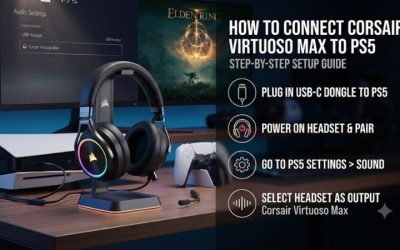
- PlayStation 5: a 3.5mm headset plugs into the controller. USB wireless models need a USB port on the console and may require the PlayStation version of the headset.
- Xbox Series X|S: 3.5mm headsets also plug into the controller. Wireless headsets usually need the Xbox-specific version, so check the product name before ordering.
- Nintendo Switch: handheld mode accepts 3.5mm headsets directly. Wireless Bluetooth audio support is limited, so plan on a wired option or a model that ships with its own USB adapter.
- Mobile: models with Bluetooth, or 3.5mm headsets used with a phone adapter, cover mobile gaming and calls.
Common Mistakes When Buying a Budget Gaming Headset
- Chasing 7.1 labels. Virtual surround is software processing. It can help you judge direction in shooters, but clear stereo imaging matters more, and a good pair of stereo drivers beats a poor 7.1 implementation.
- Ignoring the microphone. Team chat quality depends on the mic as much as the speakers. Look for a cardioid or noise-reducing design and a mute switch you can reach quickly.
- Buying the wrong platform version. Wireless headsets are often sold in separate PlayStation, Xbox and PC versions. A wired 3.5mm model avoids the problem.
- Overlooking weight and clamp. A heavy or tight headset becomes tiring in an hour. Memory foam cushions and a light frame, like those on the Cloud Stinger 2 Core and HS55 Wireless, help.
- Paying for RGB. Lighting adds cost without improving sound. Put the money into drivers, comfort and the microphone instead.
How Long Should a Budget Gaming Headset Last?
Plan on two to four years of daily use from a well-built wired headset, and a little less from a wireless one because the battery wears. Replaceable ear cushions and a detachable cable or mic, as on the HyperX Cloud Alpha and the Turtle Beach Recon 50, extend that life by letting you swap the parts that wear out first.
Frequently Asked Questions
Is wired or wireless better for the money?
Wired headsets give you more audio quality per dollar and never need charging, which is why they dominate the value bracket. Wireless is worth it only if freedom of movement is a priority.
Does virtual 7.1 surround actually help?
On a good headset it improves directional awareness in shooters, helping you place enemies. On cheaper models the effect is subtler, so prioritize clear stereo imaging first.
Can budget headsets have good microphones?
Yes. Models like the BlackShark V2 X and Logitech G432 include mics clear enough for team chat and casual streaming, far beyond what their price suggests.
Will these work on my console?
Most wired 3.5mm headsets plug straight into a controller and work across platforms. Always check for platform-specific tuning or licensing if you want the best fit.
What is the best gaming headset for the money?
The Razer BlackShark V2 X is the best all-round value for most players. Its 50mm drivers and cardioid mic suit competitive shooters, and it works across PC and consoles through 3.5mm.
Is a 50mm driver better than a 40mm driver?
Not automatically. Larger drivers can move more air for fuller bass, but tuning and cushion design decide how a headset sounds. Treat driver size as one factor among several.
Are wireless gaming headsets worth it on a budget?
They are worth it if you play from a couch or move around. Models like the Turtle Beach Stealth 500 add Bluetooth and long battery life, but wired headsets give more sound for the same money.
Do I need a separate version for PlayStation or Xbox?
Sometimes. Wired 3.5mm headsets work anywhere, but wireless models are often sold in console-specific versions, so confirm the version before you order.
Final Thoughts
For the best all-around value, the Razer BlackShark V2 X is hard to beat on comfort and competitive audio, while the Logitech G432 wins for versatile wired PC use. If you want the most features for the least money, the Ozeino 7.1 headset stretches a tight budget further than most.
More Budget Gaming Headsets Worth Considering
HyperX Cloud III – Best Wired Step-Up
The HyperX Cloud III is the headset to look at when the budget stretches past the entry tier. It pairs angled 53mm drivers with spatial audio, a durable frame and memory foam cushions, and it connects by USB-C, USB-A or a 3.5mm jack so one cable set works on PC, PlayStation 5 and Xbox Series X|S.
- Angled 53mm drivers
- Spatial audio support
- 10mm microphone
- USB-C, USB-A and 3.5mm connections
- Memory foam ear cushions
Pros: flexible connections, large drivers, sturdy build, works across PC and consoles.
Cons: costs more than the entry-level wired picks; wired only.
Skip it if you need wireless or your budget stops around $35.
HyperX Cloud Stinger 2 Core – Best Lightweight Wired Pick
The HyperX Cloud Stinger 2 Core is aimed at PC players who want a light headset for long sessions without paying for extras. The swivel-to-mute microphone is quick to use mid-match, and DTS Headphone:X spatial audio adds directional cues in shooters.
- 40mm drivers
- DTS Headphone:X spatial audio
- Swivel-to-mute microphone
- Lightweight over-ear design
Pros: light on the head, simple controls, low cost.
Cons: smaller 40mm drivers than the 50mm models above; basic build.
Skip it if you want bigger drivers or a headset built for a specific console.
Turtle Beach Recon 50 – Best for the Tightest Budget
The Turtle Beach Recon 50 is a no-frills wired headset that works with PlayStation, Xbox, PC and mobile through a 3.5mm connection. In-line controls keep volume within reach and the microphone detaches when you are listening only.
- 40mm speakers
- Removable microphone
- In-line controls
- Lightweight frame
- 3.5mm connection for PS5, Xbox, PC and mobile
Pros: very low cost, broad compatibility, detachable mic.
Cons: no surround processing; modest build compared with pricier models.
Skip it if you want virtual surround or premium padding.
HyperX Cloud Alpha – Best for Comfort and Build
The HyperX Cloud Alpha is an older design that still earns its place thanks to an aluminum frame and a dual-chamber driver layout intended to separate bass from mids and highs. It uses a detachable microphone and works on PC, PlayStation, Xbox, Switch and mobile.
- Dual-chamber drivers
- Aluminum frame
- Detachable microphone
- Wired multi-platform support
Pros: strong build, comfortable fit for long sessions, removable mic.
Cons: no wireless option in this model; priced above the entry tier.
Skip it if the Cloud III fits your budget, since it is the newer design.
Turtle Beach Stealth 500 – Best Wireless Under $100
The Turtle Beach Stealth 500 brings wireless play and Bluetooth to the value bracket. It lists a 40-hour battery, memory foam cushions, a flip-to-mute microphone and EQ presets through a companion app, and this version is built for PS5, PS4, PC and mobile.
- Wireless amplified design with Bluetooth
- 40-hour battery life
- Memory foam cushions
- Flip-to-mute microphone
- EQ presets and a companion app
Pros: long battery life, Bluetooth for phones, adjustable sound.
Cons: costs more than wired picks; the Xbox and Switch 2 versions are separate models.
Skip it if you play only at a desk and a cable is fine.
SteelSeries Arctis Nova 3X Wireless – Best Wireless for Xbox and Mobile
The SteelSeries Arctis Nova 3X Wireless covers Xbox, PS5, PC, Switch and mobile through a 2.4GHz connection plus Bluetooth. It uses neodymium magnetic drivers, lists 40 hours of battery life, and adds mobile app control.
- 2.4GHz and Bluetooth connections
- Neodymium magnetic drivers
- 40-hour battery
- Mobile app control
Pros: multi-platform wireless, app tuning, long battery life.
Cons: near the top of the value range; check that the version you buy matches your console.
Skip it if you want the lowest price or only need wired audio.
Corsair HS55 Wireless – Best Lightweight Wireless Option
The Corsair HS55 Wireless is a lightweight headset with Bluetooth, Dolby 7.1 surround sound and iCUE compatibility, working across PC, PS5, PS4, Switch and mobile.
- Lightweight design
- Bluetooth connection
- Dolby 7.1 surround sound
- iCUE software compatibility
- Works with PC, PS5, PS4, Switch and mobile
Pros: light on the head, surround processing, broad device support.
Cons: software features favor PC users; priced above wired picks.
Skip it if you want a wired headset at the lowest cost.
JBL Quantum 100M2 – Best Simple Wired Headset With a Detachable Mic
The JBL Quantum 100M2 is a plain wired headset with memory foam ear cushions, a detachable microphone and a 3.5mm jack, so it plugs into PC, PlayStation, Xbox and Nintendo Switch without drivers or software.
- Detachable microphone
- Memory foam ear cushions
- 3.5mm connection
- Works with PC, PlayStation, Xbox and Nintendo Switch
Pros: simple setup, removable mic, wide compatibility, low cost.
Cons: no wireless, no companion software.
Skip it if you want surround processing or EQ controls.