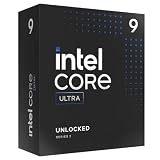
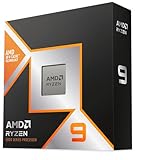
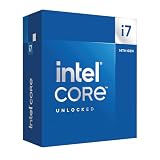
- Top Pick: Intel® Core™ Ultra 9 Processor 285K 24 cores (8 P-cores + 16 E-cores) up to 5.7 GHz
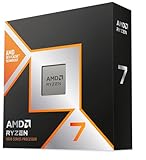
- Best Value: Intel® Core™ Ultra 7 Processor 270K Plus 24 cores (8 P-cores + 16 E-cores) up to 5.5 GHz
- Premium Choice: Intel® Core™ i7-14700K New Gaming Desktop Processor 20 cores (8 P-cores + 12 E-cores) with Integrated Graphics – Unlocked
Choosing the right Intel CPU for gaming in 2026 means navigating a lineup that spans legacy 12th-gen chips, refined 14th-gen refreshes, and the newer Core Ultra series with its hybrid P-core/E-core architecture. Clock speeds, core counts, and platform compatibility all factor into frame rates, streaming performance, and how long your build stays relevant, and picking the wrong chip can bottleneck an otherwise capable GPU or force an unwanted motherboard upgrade down the line.
This guide breaks down the top Intel gaming processors on the market right now, from flagship Core Ultra 9 silicon to value-focused i7 options and a motherboard-bundled combo for builders starting from scratch. We’ll cover what actually matters when shopping for a gaming CPU, review the standout picks in detail, and answer the questions we hear most often from PC builders.


Top Rated
Intel Core Ultra 7 Desktop Processor 265KF – 20 cores (8 P-cores + 12 E-cores) up to 5.5 GHz

As an Amazon Associate we earn from qualifying purchases at no extra cost to you.





🎮 Get More From Your Setup — Free
Prime Gaming gives you free PC games every month, in-game loot, and a free Twitch channel sub — plus fast free shipping on all the gear above. New members get a 30-day free trial.
Watch: Best Intel CPU For Gaming — Video Review
How to Choose a Intel CPU For Gaming (2026)
- Core configuration: Gaming favors high single-thread performance, so prioritize strong P-core clock speeds over raw core count; E-cores help with streaming and background tasks but rarely move the needle in-game.
- Socket and platform: Core Ultra chips require LGA1851 motherboards, while 12th/14th-gen parts use LGA1700, so confirm your board (or bundle) matches the CPU before buying.
- Clock speed vs. core count: A CPU that boosts to 5.5-5.7GHz on a handful of cores will often outperform a higher core-count chip in most titles, since few games scale well beyond 8 fast cores.
- Integrated graphics: If you need a display output for troubleshooting or a temporary stopgap before your GPU arrives, look for chips with integrated graphics rather than “F” suffix models.
- Power and cooling: Flagship K-series chips can draw 250W+ under load, so budget for a capable cooler and PSU headroom rather than pairing a high-end CPU with minimal thermal support.
The Best Intel CPU For Gaming (2026)s Reviewed
Core Ultra 9 285K
Intel’s current flagship pairs 8 P-cores and 16 E-cores with a 5.7GHz boost, delivering excellent multitasking and streaming headroom alongside top-tier gaming performance, making it the pick for builders who want the newest platform and want to future-proof against next-gen GPUs.
Core Ultra 7 270K Plus
A slightly toned-down version of the 285K with the same core layout at a lower 5.5GHz boost, the 270K Plus offers most of the flagship’s gaming performance at a friendlier price, making it the smarter buy for anyone not chasing the absolute top benchmark.
Core i9-14900K
Still one of the fastest gaming chips available on the mature LGA1700 platform, the 14900K’s high clock speeds and 24-core layout make it a strong choice for gamers who also render, edit, or stream, provided you can manage its higher power draw and heat output.
Core i7-14700K
With 20 cores and integrated graphics, the 14700K delivers gaming performance nearly on par with the 14900K at a lower cost, and its unlocked multiplier and included iGPU make it a versatile, budget-friendlier flagship alternative.
Core i7-12700KF
An older but still capable option, the 12700KF’s 8 P-cores and 5.0GHz boost handle current games well, and its LGA1700 socket keeps upgrade paths open, making it the best pick for gamers building on a tighter budget.
Related Guides
- Best Gaming And Streaming CPU (2026)
- Best I7 Processor For Gaming (2026)
- What's The Best CPU For Gaming (2026)
- Best Processor For Streaming And Gaming (2026)
Frequently Asked Questions
Do I need a Core Ultra chip, or is 14th-gen still worth buying?
14th-gen chips like the 14900K and 14700K remain excellent gaming performers and are often better values, since Core Ultra’s biggest gains show up in productivity and efficiency rather than raw frame rates.
How many cores do I actually need for gaming?
Most modern games are well-served by 6-8 fast P-cores; additional E-cores mainly benefit background tasks like streaming, Discord, and browser overlays rather than in-game frame rates.
Should I buy a CPU and motherboard bundle?
Bundles like the i9-14900K with the TUF Gaming Z790-Plus WiFi simplify compatibility and can save time and money versus sourcing parts separately, especially for first-time builders.
Is the “F” or “KF” suffix a problem?
F/KF chips lack integrated graphics, so they’re fine if you already own a discrete GPU, but avoid them if you need onboard video for troubleshooting or a temporary display.
Final Thoughts
For most gamers in 2026, the Core Ultra 7 270K Plus and Core i7-14700K offer the best blend of performance and value, while the Core Ultra 9 285K remains the top choice for anyone wanting the newest platform and maximum headroom for future GPU upgrades.
Top picks from this guide
IntelIntel Core i7-8700 6 Cores 3.2GHz 12MB 8 GT/s 65W…$92 \xc2\xb7 99/100 IntelIntel® Core™ Ultra 9 Processor 285K 24 cores (8 P-cores…$520 \xc2\xb7 98/100IntelIntel® Core™ i7-14700K New Gaming Desktop Processor 20 cores (8…$360 \xc2\xb7 96/100
 IntelIntel® Core™ Ultra 7 Processor 270K Plus 24 cores (8…$329 \xc2\xb7 95/100