
🛒 Best Price Today on Amazon
Prime members get fast, free shipping on everything above, plus member-only deals. New members get a 30-day free trial — cancel anytime.

Alienware 16 Aurora Gaming Laptop, NVIDIA RTX 5060, Intel Core 7 240H | 2560x1600 Display, 120Hz, 16:10, 16GB DDR5 RAM, 1TB SSD, Windows 11 Home, Backlit Keyboard, Blue
Included for 'Best Notebook Alienware Gaming Laptops: 5 Models Compared' because the listing specifies NVIDIA RTX 5060 and Intel Core 7 240H, details this guide uses to compare options.
View on Amazon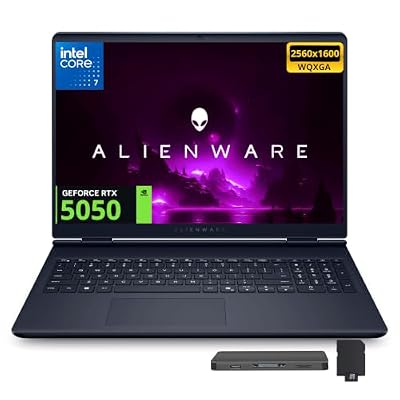
Dell Alienware Aurora 16 16" WQXGA 120Hz Gaming Laptop, Intel Core 7 240H, 32GB DDR5, 2TB Storage(1TB SSD+1TB Docking Station Set), GeForce RTX 5050 8GB GDDR7, Backlit Keyboard, Win 11, Indigo
Included for 'Best Notebook Alienware Gaming Laptops: 5 Models Compared' because the listing specifies Intel Core 7 240H and 32GB DDR5, details this guide uses to compare options.
View on AmazonNotebook Alienware buyers in 2026 can choose from several gaming laptops built for very different priorities, from the more affordable Alienware 15 and balanced 16 Aurora to premium 16X Aurora and Area-51 systems. This roundup compares the most relevant models by display, GPU class, cooling, portability, and ideal use case.
Quick Comparison Table
| Product | Best For | Key Advantage | Limitation |
|---|---|---|---|
| Alienware 15 | Budget-conscious Alienware buyers | 165Hz screen with up to RTX 5060 | Lower GPU ceiling |
| Alienware 16 Aurora | Best overall | Up to RTX 5070 with 16-inch WQXGA display | 120Hz panel |
| Alienware 16X Aurora | Premium portable gaming | Up to RTX 5070 Ti and optional 240Hz OLED | Higher price |
| Alienware 16 Area-51 | High-end 16-inch gaming | Up to 240W total gaming power | Heavy for daily travel |
| Alienware 18 Area-51 | Desktop replacement | 18-inch 300Hz display and up to 280W total power | Very large chassis |
Best Notebook Alienware Picks
Alienware 16 Aurora
Best For: Most buyers who want balanced Alienware gaming
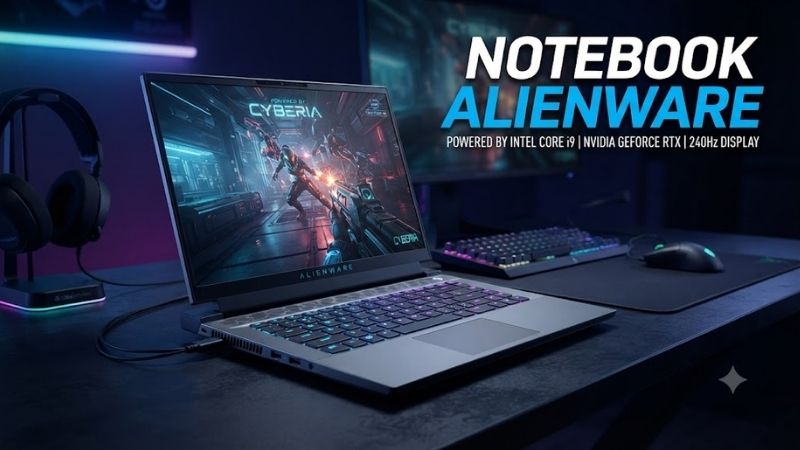
Alienware 16 Aurora provides one of the strongest combinations of price, gaming capability, and screen size in the current lineup. Dell offers Intel Core Series 2 processors, graphics up to the GeForce RTX 5070 Laptop GPU, and a 16-inch WQXGA 120Hz panel, giving it enough hardware for modern games and mixed productivity.
The 2560-class 16:10 display gives games more detail than a basic 1080p panel while also providing extra vertical workspace for editing, browsing, and office software. A 120Hz refresh rate feels substantially smoother than 60Hz, although esports-focused buyers may prefer Alienware models offering 165Hz, 240Hz, or 300Hz panels.
Key Features:
- 16-inch WQXGA display
- 120Hz refresh rate
- Intel Core Series 2 processors
- Up to GeForce RTX 5070 Laptop GPU
- Cryo-Chamber cooling design
- DDR5 memory
- NVMe SSD storage
- Wi-Fi 7 on current configurations
What Makes It Different: The 16 Aurora occupies the practical middle of the Alienware family. It delivers a higher GPU ceiling than the Alienware 15 while avoiding the heavier chassis, extreme power limits, and premium cost associated with Area-51 systems.
Performance & Use Case: It makes sense for 1600p gaming, streaming, school, coding, and occasional creative work. The RTX 5070 option provides more graphics headroom than an RTX 5060 configuration, but the standard 120Hz display means competitive players chasing extremely high refresh rates should consider another model.
Pros:
- Strong RTX 5070 option
- Useful 16-inch 16:10 display
- Balanced gaming and productivity design
Cons:
- 120Hz is modest beside premium Alienware panels
- More portable than Area-51, but still not an ultrabook
Who Should Buy It: Choose the Alienware 16 Aurora if you want a capable Alienware notebook for gaming and everyday work without paying for flagship hardware you may not fully use.
Alienware 15
Best For: Entry-level Alienware gaming
Alienware 15 is the most approachable current option for buyers who want Alienware styling and dedicated RTX graphics without stepping directly into premium 16-inch or 18-inch systems. Dell currently offers a 15.3-inch WUXGA 165Hz display and configurations with NVIDIA graphics reaching the GeForce RTX 5060 Laptop GPU.
The 1920 x 1200-class display is less demanding on the GPU than WQXGA, which can be beneficial for an RTX 5060 system. Instead of spending graphics resources rendering additional pixels, the laptop can target higher frame rates in competitive games while retaining a useful 16:10 aspect ratio for work and browsing.
Key Features:
- 15.3-inch WUXGA display
- 165Hz refresh rate
- AMD Ryzen 200 Series options
- Intel variants also available
- Up to GeForce RTX 5060 Laptop GPU
- Nova Black metallic finish
- DDR5 memory configurations
- Dedicated NVIDIA graphics
What Makes It Different: Alienware 15 focuses on making the brand more accessible. It avoids the extreme GPU tiers and oversized cooling systems of Area-51 while still offering a high-refresh panel and enough graphics power for mainstream gaming.
Performance & Use Case: The RTX 5060 is a sensible target for players using the built-in WUXGA display. It fits esports, action games, mainstream AAA gaming, schoolwork, and general productivity, but users targeting high-resolution external monitors or maximum ray tracing should consider a stronger GPU tier.
Pros:
- More accessible entry into Alienware
- Fast 165Hz display
- Good resolution for RTX 5060 gaming
Cons:
- Lower graphics ceiling than other Alienware models
- Display is less premium than OLED options
Who Should Buy It: Choose Alienware 15 if your priority is getting a genuine Alienware gaming laptop at the lower end of the lineup while retaining a fast display and dedicated RTX graphics.
Alienware 16X Aurora
Best For: Premium gaming with better portability
Alienware 16X Aurora sits above the regular 16 Aurora and combines a relatively manageable 16-inch chassis with higher-end component and display options. Dell lists Intel Core Ultra Plus processors, NVIDIA GeForce RTX 50 Series graphics, an anodized aluminum lid and base, and an optional 240Hz anti-glare OLED screen.
Dell’s 2026 gaming guide positions the 16X Aurora with graphics options reaching the GeForce RTX 5070 Ti Laptop GPU and memory configurations up to 64GB. That makes it a stronger choice than the standard Aurora for gaming, streaming, heavy multitasking, and creative software without moving into the larger Area-51 chassis.
Key Features:
- 16-inch form factor
- Optional 240Hz OLED display
- Intel Core Ultra Plus processors
- Up to RTX 5070 Ti Laptop GPU
- Up to 64GB memory on supported configurations
- Anodized aluminum lid and bottom
- NVIDIA RTX 50 Series features
- Premium Alienware construction
What Makes It Different: The 16X Aurora combines premium screen options and stronger hardware with an understated chassis. It is more practical for mixed work and gaming than a full desktop replacement while delivering a significant upgrade over entry-level Alienware models.
Performance & Use Case: An RTX 5070 Ti configuration is suitable for demanding gaming at the laptop’s native resolution, higher graphics settings, streaming, and GPU-accelerated creative work. The optional OLED display is especially attractive for users who care about contrast, motion clarity, and color-rich media.
Pros:
- Available 240Hz OLED panel
- Stronger GPU ceiling than standard Aurora
- Premium metal construction
Cons:
- Premium configurations become expensive
- Still significantly heavier than productivity notebooks
Who Should Buy It: Choose the 16X Aurora if you want a high-end Alienware laptop that can still move between home, school, office, or occasional travel without carrying an 18-inch desktop replacement.
Alienware 16 Area-51
Best For: Maximum performance in a 16-inch class
Alienware 16 Area-51 targets users who want substantially more sustained performance than mainstream gaming laptops can provide. Dell specifies NVIDIA RTX 50 Series Laptop Graphics, Intel Core Ultra Plus processor options, up to 240 watts of total gaming power, and an optional 240Hz anti-glare OLED display.
Higher combined power limits matter because gaming laptops must balance CPU performance, GPU power, cooling, and acoustics inside a restricted chassis. Area-51 gives its hardware more thermal and electrical headroom than thinner machines, which is especially useful during long gaming, rendering, or content-production workloads.
Key Features:
- 16-inch high-performance chassis
- NVIDIA RTX 50 Series Laptop GPUs
- Intel Core Ultra Plus processors
- Up to 240W total gaming power
- Optional 240Hz OLED display
- Advanced Alienware cooling
- High-capacity DDR5 configurations
- Premium gaming construction
What Makes It Different: Area-51 is designed around sustained power rather than simply fitting powerful parts into the thinnest possible shell. The 16-inch model preserves more portability than the 18-inch version while still operating far above mainstream gaming-laptop power levels.
Performance & Use Case: This model is appropriate for high-refresh gaming, ray tracing, 3D rendering, video work, GPU compute, and users who plan to keep the notebook connected to power for demanding sessions. Its premium hardware is unnecessary for casual games or ordinary office workloads.
Pros:
- Very high combined performance budget
- Optional high-refresh OLED
- Strong fit for demanding workloads
Cons:
- Expensive compared with mainstream Alienware systems
- Heavy and power-hungry for everyday commuting
Who Should Buy It: Choose Alienware 16 Area-51 when sustained gaming performance matters more than battery life, minimum weight, or entry-level pricing but you still prefer a 16-inch chassis.
Alienware 18 Area-51
Best For: Ultimate Alienware desktop replacement
Alienware 18 Area-51 is the largest and most performance-oriented notebook in Dell’s current Alienware range. Current configurations offer an 18-inch WQXGA 300Hz display, NVIDIA RTX 50 Series graphics, Intel Core Ultra Plus processors, and total performance power reaching 280 watts.
Dell specifies up to 175 watts of GPU power and up to 105 watts of CPU thermal design power within its maximum combined performance envelope. The large chassis also provides space for extensive cooling, while dual Thunderbolt 5 ports and Wi-Fi 7 improve connectivity for high-end docks, storage, and external displays.
Key Features:
- 18-inch WQXGA display
- 300Hz refresh rate
- 500-nit listed panel
- NVIDIA RTX 50 Series graphics
- Up to 280W total performance power
- Up to 175W graphics power
- Dual Thunderbolt 5
- Wi-Fi 7
- Up to 64GB DDR5 in current configurations
What Makes It Different: The 18 Area-51 behaves more like a movable desktop than a traditional portable notebook. Its larger screen and cooling capacity are designed for sustained high-performance gaming rather than daily commuting.
Performance & Use Case: It suits flagship GPU configurations, high-refresh competitive gaming, 3D creation, video production, streaming, and workstation-style use. The 18-inch display also reduces dependence on an external monitor when the system is moved between locations.
Pros:
- Highest performance potential in the lineup
- Large 300Hz display
- Extensive high-speed connectivity
Cons:
- Very large and heavy
- Premium configurations compete with powerful desktops on cost
Who Should Buy It: Choose Alienware 18 Area-51 if you want maximum gaming performance in a transportable system and expect the laptop to remain on a desk most of the time.
How to Choose the Best Notebook Alienware
Start With the GPU
For gaming, the GPU should usually receive more of your budget than a minor CPU upgrade. RTX 5060 is appropriate for mainstream WUXGA gaming, RTX 5070 adds more headroom, and higher RTX 50 Series tiers make more sense for demanding native-resolution gaming, ray tracing, or GPU-accelerated creator workloads.
Match the Display to the GPU
A higher-resolution or faster panel only helps when the GPU can produce the performance needed to use it. The Alienware 15’s 165Hz WUXGA screen pairs logically with RTX 5060-class graphics, while 240Hz OLED and 300Hz WQXGA options are more appropriate for premium GPUs and competitive gaming.
Decide How Portable the Laptop Must Be
Alienware laptops are performance machines, so even the smaller models are heavier than normal productivity notebooks. Alienware 15 and 16 Aurora are easier to transport, while 16X remains a reasonable premium compromise. Area-51 models make far more sense when portability means moving between desks rather than commuting daily.
Choose Enough Memory
Sixteen gigabytes remains usable for gaming, but 32GB is a better target for a premium gaming laptop in 2026. Gamers who stream, edit video, run virtual machines, work with large creative projects, or keep many applications open may benefit from 64GB where the selected Alienware configuration supports it.
Do Not Underbuy Storage
Modern AAA games can occupy well over 100GB each, so a 512GB SSD can become restrictive quickly. A 1TB SSD is a sensible minimum for most gaming buyers, while 2TB or more is worthwhile when you maintain a large local game library or work with video, 3D assets, and other large project files.
Consider OLED Carefully
OLED provides excellent black levels, contrast, and fast pixel response, making Alienware’s 240Hz OLED options attractive for gaming and media. The trade-offs include higher configuration cost and different long-term characteristics than LCD panels, so buyers who mainly need raw performance may prefer investing the same budget in a stronger GPU.
Notebook Alienware for Gaming vs Productivity
Alienware notebooks can handle productivity very well because their CPUs, DDR5 memory, fast SSDs, and NVIDIA GPUs are significantly more powerful than typical office hardware. They are especially useful for video editing, development, Blender, CAD-style workflows, streaming, and applications that can use GPU acceleration.
The trade-off is mobility. A professional whose workload consists mainly of email, spreadsheets, browser applications, and meetings will usually get longer battery life and easier transportation from a normal ultrabook. Alienware makes the most sense when gaming or demanding GPU workloads are an important part of the same computer.
FAQ
Which Notebook Alienware Is Best Overall?
Alienware 16 Aurora is the strongest overall choice for most buyers because it combines a 16-inch WQXGA screen, graphics up to RTX 5070, current Intel processors, and Alienware cooling without requiring the size or cost of an Area-51 system. It provides enough performance for serious gaming while remaining more practical than flagship models.
Is Alienware 15 Good for Gaming?
Yes. Alienware 15 offers a 15.3-inch WUXGA 165Hz screen and configurations reaching the RTX 5060 Laptop GPU. That combination is well suited to mainstream gaming because the moderate display resolution lets the GPU focus on higher frame rates, although demanding buyers may prefer RTX 5070-class hardware or better.
Is Alienware 16X Aurora Better Than 16 Aurora?
The 16X Aurora is the more premium choice because it offers newer high-end processor options, stronger RTX configurations, premium chassis materials, and an optional 240Hz OLED panel. The standard 16 Aurora delivers better value when you do not need OLED, RTX 5070 Ti-class graphics, or the additional premium construction.
Is Alienware Area-51 Worth It?
Area-51 is worthwhile for buyers who genuinely need sustained high power, top-tier RTX configurations, high-refresh displays, and stronger cooling. Casual gamers will receive better value from Aurora models. Area-51 becomes easier to justify for ray tracing, 3D work, streaming, rendering, and long high-load gaming sessions.
Should I Buy the 16-Inch or 18-Inch Area-51?
Choose 16 Area-51 if you need maximum performance but still move the laptop regularly. Choose 18 Area-51 when screen size, cooling headroom, 300Hz display capability, and the highest performance ceiling matter more than portability. The 18-inch model behaves more like a transportable desktop than a normal notebook.
How Much RAM Should an Alienware Gaming Laptop Have?
For current gaming, 32GB is the most comfortable target because it leaves room for Windows, games, browsers, launchers, voice chat, and background software. Sixteen gigabytes can still work for mainstream gaming, while 64GB makes more sense for heavy creative workloads, virtual machines, professional applications, or extensive multitasking.
Conclusion
The best Notebook Alienware depends on how much performance you need and how often the system moves. Alienware 15 offers the easiest entry point, 16 Aurora delivers the strongest overall balance, 16X Aurora adds premium OLED options, while 16 and 18 Area-51 target enthusiasts who prioritize sustained gaming power over portability and price.









