🛒 Best Price Today on Amazon
Prime members get fast, free shipping on everything above, plus member-only deals. New members get a 30-day free trial — cancel anytime.
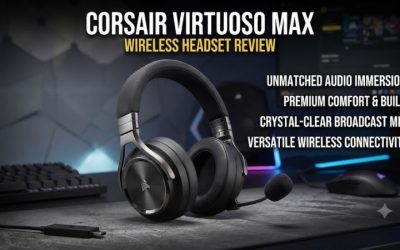
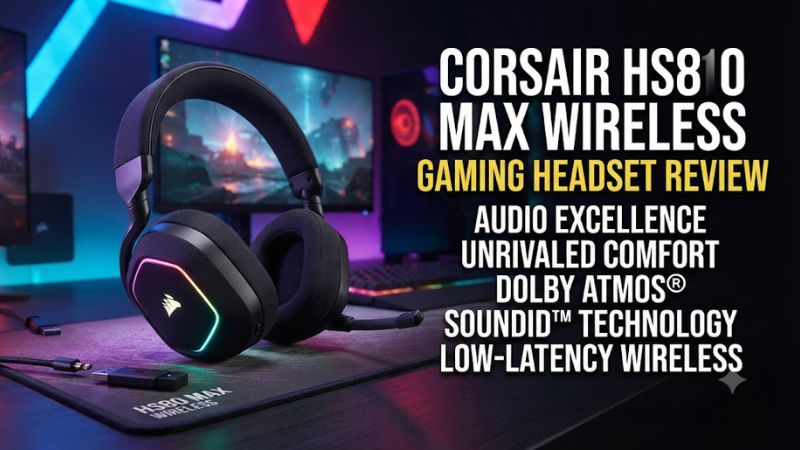
This Corsair HS80 Max wireless gaming headset review finds the original Max most useful for players who want long battery life over its USB receiver and a flip-to-mute mic. It makes sense at a discount, especially for PC or PS5. If you need game audio and Bluetooth media at the same time, compare the HS80 v2 Max.
Corsair HS80 Max verdict and specifications
The original HS80 Max is a practical wireless headset for a PC or PS5 player who spends most sessions on one device. Its USB receiver offers a responsive gaming connection, the fabric pads suit a desk setup, and the microphone mutes when you raise the boom. With RGB off, it can go much longer between charges than the 24-hour lighting-on rating suggests.
Its biggest limitations affect specific setups. Bluetooth media and game audio through the receiver cannot play together on the original model. The microphone is permanently attached, and the included USB cable supplies power while the receiver handles PC or PlayStation game audio. Those trade-offs are easier to accept at a meaningful discount to the newer HS80 v2 Max.
| Feature | Original Corsair HS80 Max Wireless |
|---|---|
| Main gaming connection | Included 2.4 GHz USB-A receiver |
| Other wireless connection | Bluetooth for compatible devices |
| Simultaneous game and Bluetooth media | Single-source media playback with a documented Bluetooth call exception |
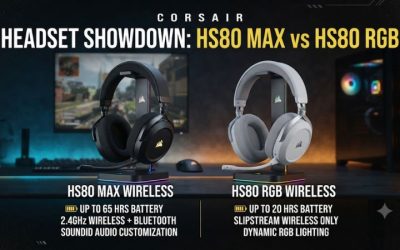
| Battery rating over 2.4 GHz | Up to 65 hours with RGB off or 24 hours with RGB on |
| Bluetooth battery rating | Up to 130 hours |
| Microphone | Fixed omnidirectional boom with flip-to-mute |
| Design | Closed-back cups, fabric cushions, and suspension headband |
| Wired listening | USB charging cable, with game audio carried by the receiver |
| Console coverage for this version | PS5 and PS4 via the USB receiver |
Which HS80 Max this review covers
This review covers the original HS80 Max Wireless: the PC and PlayStation version represented by the steel gray CA-9011295 model. The HS80 RGB Wireless, HS80 Max for Xbox, and HS80 v2 Max are distinct products. Check the full name, platform line, and photos of the receiver when shopping. A retailer may include several models on one page and change the selected variant as you move between colors or bundles.
That difference affects day-to-day use. The newer HS80 v2 Max adds simultaneous dual wireless and a higher advertised 2.4 GHz runtime. If you find a specification claiming up to 110 hours over the gaming receiver, it belongs to the v2 Max. The original’s advertised figure is up to 65 hours with its lighting off.
For an open-box listing, verify the included receiver and make sure the store identifies the headset and receiver as a working pair. If you are buying mainly for PC or PS5 gaming, a headset sold by itself gives you Bluetooth for compatible devices while leaving you without the intended gaming route.
Who gets the most from the original model
The HS80 Max suits a player who puts the headset on for a game, uses its own boom for chat, and takes it off at the same desk. The receiver can stay connected, the boom is always where you expect it, and the charging cable can wait several sessions with RGB disabled. In that routine, the fixed mic is convenient and the lack of simultaneous media matters little.
A player who frequently moves from PS5 to a phone, needs to hear a mobile voice channel over the game, or uses one headset for travel has different priorities. For those jobs, dual-source playback, a removable boom, or stronger isolation may matter more than the original HS80 Max’s advertised runtime.
If you can compare headsets before buying, replicate your longest ordinary session. Wear your glasses if you normally use them, sit in your usual posture, and include a stretch of voice chat. A headset can feel comfortable and sound clear for a five-minute demonstration while causing pressure or making you speak louder after an hour.
Sound and microphone performance
Game audio works best when you establish a stereo baseline
The HS80 Max uses 50 mm drivers in closed-back earcups. Published tests describe a reasonably balanced sound overall, although reviewers differ on how much tuning they prefer. Some enjoy the stock sound for games. Others find that a custom EQ or SoundID makes voices and smaller effects easier to pick out. This makes the headset a better fit for someone who is willing to try two setups than for a buyer expecting a particular tonal profile from the driver size alone.
For shooters, begin in stereo with the same audio preset in every test. Compare a teammate’s footsteps, a reload behind cover, and dialogue during a louder scene. Listen for how confidently you can place a cue and separate it from adjacent effects. If a loud soundtrack or explosion masks quiet movement, compare that moment again after making a modest EQ change.
For story games, choose a scene with speech, environmental sound, and music. Make sure dialogue remains understandable at a comfortable overall volume. If you change EQ, compare at similar perceived loudness. A louder preset can appear clearer in a fast demonstration even when its balance fits the scene less well.
SoundID, manual EQ, and spatial audio serve different purposes
SoundID is a preference-based tuning option in iCUE. It can be a useful starting point if the stock profile sounds dull or overly full to you. Corsair documents that enabling it requires the USB receiver and that Bluetooth is outside that SoundID workflow. On PC, compare the SoundID result with a flat or familiar preset using the same piece of game audio or music.
Manual EQ is easier to troubleshoot. If voices and effects sound crowded, make a small adjustment, test a repeatable scene, and keep it only if it helps. Avoid making several changes across the entire frequency range before you know which area is bothering you. An aggressive boost can make loud sounds more tiring without helping the quiet cue you were trying to hear.
Dolby Atmos for Headphones is part of the PC feature set. On PS5, use the console’s headphone 3D audio settings if you want spatial rendering. Try game-native binaural audio and platform processing one at a time when both are available. If directions become blurry, return to the simpler path and compare the same effect again.
The fixed boom is convenient for voice chat
The microphone is a fixed, flexible omnidirectional boom. Lower it for chat and lift it to mute. That physical motion gives you a quick way to stop sending sound when someone walks into the room, without searching for a mute icon in a game or chat window. It also keeps console use simple once the headset microphone is selected.
Independent assessments of recording quality vary. RTINGS found the boom good overall, while other reviews were less enthusiastic about how it compares with competing headset mics. Listen for the detail that matters to you. For team chat, the practical questions are whether a teammate can understand a quiet callout and whether keyboard noise intrudes when you speak. Streaming or recorded narration sets a higher bar for tone and consistency.
Adjust the boom near the corner of your mouth. Record a sentence while speaking normally, then type at your usual speed and repeat. If the mic sounds weak, check its position and input level first. If an app uses a noise gate or suppression, test with a normal callout and a quieter one so you can hear whether the processing cuts off the start of words.
Sidetone helps if closed cups make you speak louder
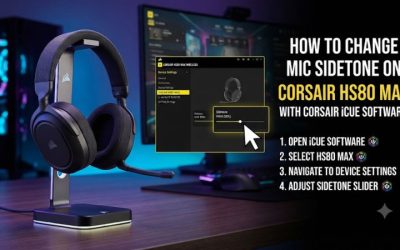
On a supported PC setup, iCUE’s sidetone sends some of the headset microphone back to the earcups so you can hear your own voice. Start low. Use enough to speak at a natural level over a game without making every breath and keypress prominent. The setting that feels pleasant while the room is silent may be lower than the setting you prefer during game audio.
Treat microphone level and sidetone as separate adjustments. The former affects the signal used for recording or chat. The latter controls how much of that microphone you hear locally. If teammates say you are quiet but your own voice sounds loud in the headset, confirm the application’s selected input and record a voice sample before changing the sidetone again.
A PS5 buyer should value the boom for chat and treat iCUE sidetone as a PC feature. Game audio and microphone input work through the console’s USB headset route. Corsair does not document its iCUE sidetone control carrying over to PS5.
Wireless, comfort, and battery life
The USB receiver is the connection to use for gaming
The included USB-A receiver is the main route for PC and PlayStation. Plug it directly into a data-capable USB port for initial setup and select the headset for both output and input. A responsive receiver connection is particularly helpful for rhythm games, shooters, and voice chat, where noticeable delay can interfere with timing.
On a PC with limited USB-A ports, include an appropriate data adapter in your setup if necessary. Start with a direct connection or a simple known-good adapter. Docking stations and multiport hubs add another thing to troubleshoot when a device disappears. A short, unobstructed path can also help if the case sits under a desk with a wall or metal furniture between it and the headset.
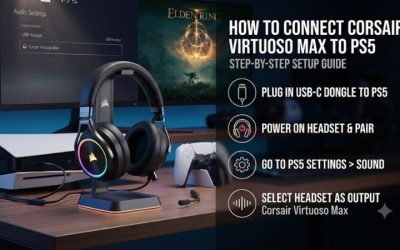
On PS5, use Settings > Sound to check the headset independently for output and microphone input. Choose All Audio if you want the headset to play the game as well as chat. To test the mic, speak into the console’s input level meter before entering a party. This quick check catches cases where you hear game audio from the HS80 Max while the console listens to the controller microphone.
Bluetooth works well for switching devices
The original HS80 Max can pair with a phone or another compatible Bluetooth device for media. A quick press of the power button switches between its RF wireless and Bluetooth modes. Corsair also documents a specific exception for phone calls when a mobile phone is already paired while the headset is in RF mode. Full Bluetooth media playback requires moving to Bluetooth mode.
This difference matters if your everyday setup depends on listening to two things at once. A quick switch is useful for using the headset with a phone after you finish playing. A player who wants phone music or mobile voice chat audible alongside PS5 or PC gameplay needs simultaneous dual-source playback. The HS80 v2 Max is the closer match for that use case.
Bluetooth also changes the interaction with your software. The receiver is the route to use when you want iCUE’s gaming controls. If you have paired the headset to both a PC’s Bluetooth and its receiver, check which endpoint the game or chat app currently uses. Selecting the receiver for game audio while an app is still set to a Bluetooth input can complicate troubleshooting.
Turning RGB off changes the charging schedule
Corsair rates the original headset for up to 65 hours on 2.4 GHz with RGB off, up to 24 hours with RGB on, and up to 130 hours over Bluetooth. Compare these figures by connection and lighting state. The 130-hour figure is a Bluetooth claim and gives you little guidance about how often a PS5 receiver user will need to charge.
Independent testing supports the general point that the headset can last beyond 60 hours with lighting disabled under test conditions. Actual runtime varies with volume, battery condition, and how the headset is used. For a used unit, compare what it does in a normal evening with your own expectations. A quick power-on test can establish that the battery has charge while telling you little about its remaining capacity.
For a practical setup, turn the lighting off for a week and charge when it fits your routine. If you enjoy the look or use the headset in view of a camera, try lighting on and see whether the extra charging is worth it. The logo lighting is outside your view while wearing the headset, which makes disabling it a low-cost way of buying back runtime for many gamers.
The suspension band and fabric pads deserve a long-session fit check
The suspension design uses a secondary band to distribute weight across the top of your head. Fabric covers the ear cushions. Several reviews describe a comfortable fit and substantial padding, while other testers found that comfort varied over longer sessions. The shape of your head, glasses, and where the cups settle can all change the result.
Adjust the strap and center each cup before judging clamp or sound. If the pads land on the edge of your ears, move the headset slightly and compare. Glasses can affect both local pressure and the seal, which can change how bass sounds. Keep your normal eyewear on during any comparison.
The practical fit test is an hour in your usual seat. Notice whether you shift the headband to relieve one spot, whether your ears touch the inside of the cups, and whether the pressure builds at the temples. If the headset remains easy to wear and the boom sits where you want it, those qualities will matter more often than the difference between two sets of driver specifications.
Isolation is modest for a closed-back headset
The HS80 Max can muffle some nearby sound simply by covering your ears. Independent testing found weak isolation against background noise. Expect to hear some room conversation or low-frequency noise from a fan or air conditioner, particularly during quiet scenes. The fabric pads make sense for a desk headset, but a closed cup by itself tells you little about how much sound the headset will block.
If you play in a quiet bedroom or office, this may rarely matter. If you share a room with a loud TV or work near constant mechanical noise, compare it in that setting before buying. A headset with effective active noise cancellation becomes more useful in this case, especially if you find yourself turning the game up to cover the room.
Sound leakage is also worth checking if someone sits near you. Play a typical scene at your normal volume and ask whether the audio is distracting at their seat. This gives you a clearer answer than checking for leakage with the headset lying flat on a table, where the pads have no seal.
Buying the original HS80 Max today
Compare against the newer HS80 v2 Max
Choose the original when the price difference is meaningful and your setup runs one main audio source. Its long runtime with RGB off remains useful, and you still get easy access to the boom, a fabric-and-suspension fit, and USB wireless on PC or PS5. For someone replacing a worn desk headset, those benefits cover many everyday needs without paying for a second simultaneous audio source.
Choose the v2 Max if you often mix game audio with phone media or if you specifically value its higher advertised receiver runtime. Compare battery figures with the same connection in mind. A feature like simultaneous playback is worth paying for when the alternative involves extra speakers, a second headset, or repeatedly changing modes.
If the original and v2 Max cost about the same, compare the v2 first and check which model better suits your fit and platform. If the original is substantially cheaper, its strongest use case stays intact. Check the console compatibility of the selected listing because version names in retailer menus can make the difference easy to miss.
Inspect the receiver, charging port, and boom on a used unit
Make sure a used headset has the matching USB receiver and that it pairs. Ask for a short demonstration of both audio playback and microphone input through that receiver. Then check that the USB charging port holds a cable securely. A charging light alone confirms the headset is taking power and gives you no evidence about what the wireless audio route is doing.
Raise and lower the boom during a mic test to confirm mute behavior. Listen to both channels and adjust the headband to see if the pads are seated evenly. Flattened or worn cushions can change the fit and sound, which matters when the new-unit reviews are part of your decision.
Finally, compare the complete price after accounting for any missing or worn items. A discounted headset with a working receiver, healthy battery, and intact padding may be a good buy. A listing missing the receiver gives up the feature that makes this model useful on PlayStation.
Conclusion
Buy the original Corsair HS80 Max Wireless at a clear discount if you mainly play on PC or PS5, prefer a flip-to-mute boom, and want long receiver battery life with RGB off. The headset gives up simultaneous Bluetooth media, a wired audio fallback, and strong isolation. If you need to hear your phone and game at the same time, price the HS80 v2 Max first. If fit is your main concern, wear the original for a full session before deciding.