🛒 Best Price Today on Amazon
Prime members get fast, free shipping on everything above, plus member-only deals. New members get a 30-day free trial — cancel anytime.
- Top 3 Picks
- Quick Comparison
- How We Chose
- 1. Nintendo Switch 2 Pro Controller – Best for Full Switch 2 Feature Support
- 2. Nintendo Switch Pro Controller (Original) – Best for Players Who Already Own One
- 3. PowerA Advantage Wireless Controller – Best for Hall Effect Sticks With a C Button
- 4. AceGamer Wireless Pro Controller (2 Pack) – Best for Outfitting Two Players
- 5. PDP Afterglow Wave Wireless RGB Controller – Best for Lighting and Personalization
- 6. 8BitDo Ultimate 2 Bluetooth Controller – Best for Enthusiasts Who Want to Customize
- 7. PowerA Wireless Controller (Jet Black) – Best for a Simple, No-Frills Wireless Pad
- 8. 8BitDo Ultimate 2C Bluetooth Controller (Pink) – Best Compact Hall Effect Pad With Color
- 9. PowerA Enhanced Wireless Controller (Pokemon Blossom) – Best Value With Style
- 10. 8BitDo Pro 2 Bluetooth Controller (Hall Effect) – Best for Multi-Platform Players
- How to Choose the Right Switch 2 Controller
- Pairing and Setup Tips
- Frequently Asked Questions
- Our Recommendation by Situation
The best controller for Nintendo Switch 2 for most players is the Nintendo Switch 2 Pro Controller. It is the only pad in this group built by the console maker for the new system, and it carries the features the platform now expects: two mappable back buttons (GL and GR), the dedicated C button that opens GameChat, HD Rumble 2, motion sensors, NFC support and a 3.5mm headphone jack. If you want sticks that use magnetic sensing and extra back inputs, the 8BitDo Ultimate 2 Bluetooth is the enthusiast pick, while the PowerA Advantage covers the middle ground with Hall Effect sticks, a C button and a battery rated for up to 30 hours. Players on a tighter budget can look at the PowerA Enhanced Wireless or the AceGamer two-pack, and anyone who already owns an original Switch Pro Controller can keep using it for games. The trade-offs are real, though. Third-party pads usually skip HD Rumble 2 and NFC, some leave out the C button, and a few listings in this guide name the original Switch as the main target, so read the compatibility notes under each pick before you buy.
Top 3 Picks
Best Overall: Nintendo Switch 2 Pro Controller
This is the full-feature choice. It adds the C button, mappable GL and GR buttons, a headphone jack and Bluetooth with NFC, and it avoids the firmware and compatibility questions that come with third-party hardware. Nintendo states a battery life of about 40 hours.

Nintendo Switch™ 2 Pro Controller
Included for 'Best Controller for Nintendo Switch 2 in 2026' as a relevant option in this category; details come from the product listing.
View on Amazon
Nintendo Switch Pro Controller
Included for 'Best Controller for Nintendo Switch 2 in 2026' as a relevant option in this category; details come from the product listing.
View on Amazon
PowerA Advantage Wireless Controller for Nintendo Switch 2 - Black, Officially Licensed, Hall Effects, Mappable Buttons, Pro Controller, C Button, Motion Controls
Included for 'Best Controller for Nintendo Switch 2 in 2026' because the listing specifies Black and Officially Licensed, details this guide uses to compare options.
View on Amazon
AceGamer Wireless Pro Controller for Nintendo Switch/Lite/OLED/Switch 2/PC, 2 pack, Hall Effect Joystick for Switch 2 Pro Controller with Wake-Up/Dual Vibration/Turbo/Ergonomic ! (Black&White)
Included for 'Best Controller for Nintendo Switch 2 in 2026' because the listing specifies 2 pack, details this guide uses to compare options.
View on Amazon
PDP Afterglow Wave Wireless RGB Gaming Controller for Nintendo Switch 2 | Nintendo Switch Lite, OLED, RGB LED Lighting, App Customization, Rechargeable 20-Hr Battery, 2 Mappable Back Buttons, Black
Included for 'Best Controller for Nintendo Switch 2 in 2026' because the listing specifies Nintendo Switch Lite and OLED, details this guide uses to compare options.
View on Amazon
PowerA Wireless Controller - Nintendo Switch/Switch Lite/Switch-OLED Model, Nintendo Switch 2, Jet Black, Gamepad, Bluetooth, Motion Controls, Advanced Gaming Buttons, officially licensed
Included for 'Best Controller for Nintendo Switch 2 in 2026' because the listing specifies Nintendo Switch/Switch Lite/Switch-OLED Model and Nintendo Switch 2, details this guide uses to compare options.
View on Amazon
PowerA Enhanced Wireless Controller for Nintendo Switch/Switch 2 / Switch Lite/OLED Model - Pokémon Blossom - Gamepad, game controller, Officially Licensed
Included for 'Best Controller for Nintendo Switch 2 in 2026' because the listing specifies Pokémon Blossom and Gamepad, details this guide uses to compare options.
View on Amazon
8Bitdo Pro 2 Bluetooth Controller for Switch, Hall Effect Joystick Update, Wireless Gaming Controller for Switch, PC, Android, and Steam Deck & Apple (G Classic Edition)
Included for 'Best Controller for Nintendo Switch 2 in 2026' because the listing specifies Hall Effect Joystick Update and Wireless Gaming Controller for Switch, details this guide uses to compare options.
View on AmazonBest Budget and Value: PowerA Enhanced Wireless Controller (Pokemon Blossom design)
PowerA’s Enhanced model lists a rechargeable battery rated for up to 30 hours, two mappable Advanced Gaming Buttons, motion controls and an officially licensed design. It is a sensible step up from a basic pad without paying for premium extras you may not use.
Best Premium Alternative: 8BitDo Ultimate 2 Bluetooth Controller
8BitDo’s flagship Bluetooth model adds magnetic TMR-style sticks, switchable triggers, extra L4 and R4 bumpers, two back paddles, three custom profiles and software customization. It suits players who tune their controls and want features Nintendo’s own pad does not offer.
Quick Comparison
| Product | Best for | Key specs |
|---|---|---|
| Nintendo Switch 2 Pro Controller | Best overall, full feature set | GL/GR mappable buttons, C button, HD Rumble 2, motion, NFC, headphone jack, about 40 hours stated |
| Nintendo Switch Pro Controller (original) | Owners of the first-generation pad | HD rumble, motion, NFC, USB-C charging; no C button or back buttons |
| PowerA Advantage Wireless (Switch 2) | Hall Effect sticks at a moderate step up | Hall Effect sticks, two mappable buttons, C button, motion, up to 30 hours stated |
| AceGamer Wireless Pro Controller (2 pack) | Two players on a budget | Hall Effect joystick, Switch, Lite, OLED, Switch 2 and PC support named in listing |
| PDP Afterglow Wave Wireless RGB | Lighting and customization fans | RGB lighting, app customization in listing, wireless, Switch 2 and Switch family support |
| 8BitDo Ultimate 2 Bluetooth | Premium customization and precision | TMR sticks, switchable triggers, L4/R4 plus back paddles, three profiles |
| PowerA Wireless Controller (Jet Black) | Simple, plain wireless pad | Bluetooth, motion control, Switch family and Switch 2 support; confirm power source |
| 8BitDo Ultimate 2C Bluetooth (Pink) | Compact Hall Effect pad with color | Hall Effect sticks, L4/R4 bumpers, 6-axis motion, Bluetooth and wired |
| PowerA Enhanced Wireless (Pokemon Blossom) | Best value, themed design | Bluetooth, rechargeable battery, two mappable buttons, officially licensed |
| 8BitDo Pro 2 Bluetooth (Hall Effect) | Multi-platform play with PC and Steam Deck | Hall Effect sticks, two back paddles, profiles, mode switch for several platforms |
How We Chose
This guide is built from research. We started with the ten controllers in the list and read each product’s listing name, the manufacturers’ published specification pages and widely reported details about how the Switch 2 treats accessories. We then ranked every pad on the criteria that matter most for a console controller. First came compatibility with Switch 2 itself, including whether the C button and GameChat work. Second came input quality, meaning stick sensor type, trigger design and the number of extra buttons. Third came battery life and charging method, followed by ergonomics, wireless connection options and how well the controller travels to other platforms such as PC or a handheld PC. We also weighed licensing status, because officially licensed accessories are less likely to run into trouble after a system update. Where a listing was vague, we describe the spec class and tell you to confirm the detail on the product page instead of guessing.
1. Nintendo Switch 2 Pro Controller – Best for Full Switch 2 Feature Support
As an Amazon Associate we earn from qualifying purchases at no extra cost to you.

If you want the controller that the console was designed around, this is it. The Switch 2 Pro Controller is Nintendo’s own full-size gamepad for the new system, and it is the only model in this guide that is guaranteed to support every system-level feature, from the dedicated C button to the headphone jack. It suits players who spend long sessions in handheld-free docked play, anyone who uses voice or video chat with friends, and families who want one dependable pad that will not be affected by third-party licensing questions.
Key specs
- Mappable GL and GR back buttons that sit where your middle fingers rest
- Dedicated C button that opens GameChat at any moment
- HD Rumble 2, plus accelerometer and gyroscope motion sensing
- Bluetooth wireless, NFC support and USB-C charging
- 3.5mm stereo headphone jack, which the original Pro Controller lacked
- Battery life stated by Nintendo at about 40 hours; the battery is built in
- Roughly 235 grams, so it feels substantial without being tiring
Strengths
The biggest advantage is feature completeness. Third-party pads can match or beat Nintendo on stick sensing, but few reproduce HD Rumble 2, NFC and the headphone jack in one body. The shape is also familiar to anyone who has used the first Switch Pro Controller, with a long, comfortable grip and a satisfying D-pad that works well in platformers and fighting games. Mappable back buttons are a welcome upgrade, because they let you keep your thumbs on the sticks while jumping, dodging or switching items in action games. The C button matters if you plan to use the console’s chat features regularly, and it is a button that many third-party controllers either omit or only added later in newer revisions.
Things to keep in mind
Nintendo has not marketed this pad with magnetic or Hall Effect sticks, and some reviewers have said they wish it did. The practical meaning is that stick wear is a long-term consideration for heavy players, as it is with most conventional potentiometer-based sticks. The battery is also sealed inside the controller, so replacement is a service matter rather than something you do with a screwdriver.
Pros
- Complete Switch 2 feature support, including the C button and headphone jack
- Mappable GL and GR back buttons
- HD Rumble 2, motion and NFC all included
- Long stated battery life of about 40 hours
- No third-party compatibility or licensing worries
Cons
- No Hall Effect or magnetic stick sensing advertised
- Only two back buttons, fewer than some enthusiast pads
- Built-in battery cannot be swapped by the user
- Limited customization compared with software-driven rivals
Versus the nearest alternative
Its closest sibling in this list is the original Switch Pro Controller, which gives up the C button, back buttons and headphone jack. Against the PowerA Advantage, the Nintendo pad wins on rumble and NFC, while PowerA counters with Hall Effect sticks. For most players who value reliability and complete feature support, Nintendo’s model is the easier recommendation.
2. Nintendo Switch Pro Controller (Original) – Best for Players Who Already Own One

The original Switch Pro Controller remains a strong gamepad, and it is listed here because millions of players already have one or are tempted by its wide availability. Nintendo has said the first-generation pad can be used with Switch 2 for games, so it is a legitimate way to add a second controller without buying the newest model. It suits couch co-op households, players who primarily run older Switch library games on the new console and anyone who wants a proven design.
What you get
- Full-size gamepad with comfortable grips and a pronounced D-pad
- HD rumble and motion controls through built-in sensors
- NFC support for amiibo in supported games
- Bluetooth wireless and USB-C charging
- Battery life stated by Nintendo at around 40 hours on the first-generation model
Where it fits
This controller is best treated as a trusted workhorse. Its button feel, stick travel and trigger response are well understood across the player community, and many people prefer its slightly rounder grip to newer designs. For local multiplayer, buying two or three of these is a straightforward way to give everyone a full-size pad rather than relying on single Joy-Con halves. Because it is a Nintendo-made accessory, you avoid the unlicensed-hardware compatibility concerns that sometimes appear after system software updates.
The limits are the missing newer features. There is no C button, so GameChat is not triggered from the controller. There are no GL or GR back buttons, and there is no headphone jack. If you play games that rely on those conveniences, or if you want to use the console’s chat tools from the couch, the original model will feel dated next to its successor. Players who need to confirm exact behavior, such as wake-from-sleep or specific game support, should check Nintendo’s support page for the current compatibility notes.
Pros
- Proven ergonomics and button feel
- Works with Switch 2 games according to Nintendo’s compatibility guidance
- Includes HD rumble, motion and NFC
- Widely available and a safe pick for extra players
- Made by the console maker, so no third-party licensing questions
Cons
- No C button or GameChat shortcut
- No mappable back buttons
- No headphone jack
- Conventional sticks without a magnetic sensor option
Versus the nearest alternative
The obvious rival is the Switch 2 Pro Controller above. If you are choosing a single pad for a new console, the newer model is the better long-term buy because of the extra buttons and audio jack. If you are filling out a multiplayer lineup or already have one in a drawer, the original is perfectly capable. Against budget third-party pads, it offers a more refined feel and complete rumble and NFC support, which lower-end models usually skip.
3. PowerA Advantage Wireless Controller – Best for Hall Effect Sticks With a C Button

PowerA’s Advantage Wireless Controller is one of the more interesting officially licensed third-party options for Switch 2. The listing highlights Hall Effect sticks, mappable buttons, a C button and motion controls, which gives it a feature set that sits between a basic wireless pad and Nintendo’s own model. It suits players who worry about stick drift, want a licensed controller and are comfortable giving up a few premium touches such as HD Rumble 2.
Key specs
- Hall Effect thumbsticks that use magnetic sensing instead of contact-based sensing
- Two mappable Advanced Gaming Buttons that can be reprogrammed without opening system settings
- C button for quick GameChat access
- Motion controls included
- Internal rechargeable battery with up to 30 hours stated per charge
- Long USB-C charging cable included, about ten feet according to PowerA
- Officially licensed design with a limited manufacturer warranty
Strengths
Hall Effect sticks are the headline feature. Because magnetic sensing avoids the physical wear that leads to drift in many conventional sticks, the design is attractive for players who log many hours in shooters, racing games or anything stick-heavy. The two mappable buttons let you put a jump, a dodge or a weapon swap under your fingers, and the ability to reassign them on the fly is a convenience that saves trips into menus. Having a C button means GameChat access is not lost, which is a real selling point compared with lower-end pads that treat Switch 2 as an afterthought. The battery rating of up to 30 hours is generous for a controller at this level.
Things to keep in mind
PowerA states that the controller does not support HD rumble, the IR camera or amiibo NFC. That means games that lean on detailed haptics will feel less nuanced than on Nintendo’s pad, and anything that scans figures will not work. The Start, Select and utility buttons are small and sit in a tight row, which some reviewers found fiddly. It is also not intended for games that require Joy-Con-only features.
Pros
- Hall Effect sticks aimed at reducing drift concerns
- C button included for GameChat
- Two mappable buttons programmable on the fly
- Up to 30 hours of stated battery life
- Officially licensed, with a long charging cable in the box
Cons
- No HD rumble, IR camera or amiibo support
- Small Start, Select and utility buttons
- Fewer back inputs than enthusiast models
- Not a replacement for Joy-Con-specific features
Versus the nearest alternative
The most direct comparison is the PowerA Enhanced Wireless later in the list. The Advantage adds Hall Effect sticks and the C button, which the Enhanced model lacks on Switch 2. Against the 8BitDo Ultimate 2, the PowerA gives up deep customization but stays inside the officially licensed ecosystem, which some buyers prefer. Compared with Nintendo’s own pad, it trades haptic richness and NFC for magnetic sticks.
4. AceGamer Wireless Pro Controller (2 Pack) – Best for Outfitting Two Players

The AceGamer set is the only multipack in this guide, and that single fact defines who it is for. The listing names support for Nintendo Switch, Switch Lite, Switch OLED, Switch 2 and PC, mentions a Hall Effect joystick, and ships two controllers in one box. It suits households that want a second and third pad for casual local multiplayer, students sharing a console, or anyone who wants a spare for guests without committing to premium hardware.
What the listing tells us
- Two wireless Pro-style controllers in a single pack
- Hall Effect joystick technology named in the product title
- Compatibility named for Switch, Switch Lite, Switch OLED, Switch 2 and PC
- Wireless connection; confirm the exact method and battery capacity on the product page
How to think about it
The appeal here is quantity and the magnetic-sensor claim. Hall Effect sensing is generally associated with reduced drift, which matters most when pads get passed around among kids and used for long sessions. A pair of controllers also makes sense for party-style games where the number of full-size pads matters more than a single flagship experience. The listing does not describe the controller as officially licensed, so treat it as a value-focused accessory. Unlicensed controllers can sometimes behave differently after console software updates, so check the seller’s return window and keep your packaging for the first few weeks.
Because the product title is the only detail we can rely on, several features are worth verifying before you buy. These include whether the pads offer motion controls, vibration, wake-up from sleep, a turbo function, back buttons and a C button for GameChat. On Switch 2, third-party Bluetooth controllers often connect and work for gameplay but may not provide every system shortcut, so set your expectations accordingly. If you intend to use the pads on PC, confirm which input modes are offered, since some controllers need a particular connection method to appear as a standard gamepad.
Pros
- Two controllers in one pack, useful for multiplayer households
- Hall Effect joystick technology named in the listing
- Broad compatibility across the Switch family and PC
- Easy way to add spare pads for guests
Cons
- Not described as officially licensed in the listing
- Feature details such as motion, rumble and C button need confirmation
- Likely lacks HD Rumble 2 and NFC support found on first-party pads
- Update compatibility is a consideration with unlicensed hardware
Versus the nearest alternative
The nearest comparison is the PowerA Wireless Controller, another simple wireless pad aimed at casual play. PowerA brings an officially licensed badge and a recognizable brand, while AceGamer brings two controllers and a magnetic-sensor claim. If you only need one pad and want peace of mind, go with the licensed option. If you need a pair, the AceGamer pack is the more practical shape of purchase.
5. PDP Afterglow Wave Wireless RGB Controller – Best for Lighting and Personalization

The Afterglow Wave is for players who want their controller to look as good as it plays. The listing highlights RGB LED lighting, app customization and compatibility with the Nintendo Switch 2 along with the Switch Lite and OLED models. It suits streamers, desk-setup enthusiasts and younger players who enjoy a light show, and it is made by PDP, a long-running maker of licensed console accessories.
Key specs
- RGB LED lighting with multiple zones and preset modes
- Wireless operation with a stated range of around 30 feet
- Rechargeable battery; the Switch 2 version is described by PDP as rated for about 20 hours
- Remappable back buttons on the current Switch 2 model
- Motion controls included on the current model
- Officially licensed design
Strengths
The lighting is the obvious draw, and it is more than a gimmick for people who like coordinated setups. PDP has built in several presets, and the listing says you can customize through an app, so you can match your TV backlight, desk lamp or keyboard. The Switch 2 version has also been reported to use TMR sticks, a magnetic technology that targets precision and durability, and to include a C button for GameChat. That combination gives it more modern capability than the older Afterglow Wave models.
Things to keep in mind
Many retail listings and older versions of the Afterglow Wave exist, and they do not all share the same features. Earlier models may work with Switch 2 in a more limited way and may lack the C button or the newer sticks, so check the exact model on the product page before you buy. The app customization mentioned in the listing title should also be confirmed, because PDP’s own specification pages do not always describe it. Battery life is shorter than the 30-hour figures advertised by some competitors, and lighting use can reduce it further.
If you stream or record, the lighting also shows up on camera, which can give a desk setup a consistent look. If you play in a dark room, consider lowering or switching off the effects so the glow does not distract you during intense scenes.
Pros
- Distinctive RGB lighting with presets
- Remappable back buttons on the Switch 2 model
- Officially licensed
- Works across Switch 2, Switch, Lite and OLED
- Wireless range around 30 feet
Cons
- Shorter stated battery life than several rivals
- Multiple versions exist, so listings can be confusing
- Lighting may reduce runtime
- Does not include Nintendo-style HD Rumble 2 or NFC
Versus the nearest alternative
Nothing else in the list leans so hard into looks. The 8BitDo Ultimate 2 includes an RGB ring, but its focus is performance and customization. If lighting is merely a nice extra, the PowerA Advantage offers a longer battery rating and Hall Effect sticks. If you want a controller that doubles as a piece of room decor, the Afterglow Wave is the more expressive choice.
6. 8BitDo Ultimate 2 Bluetooth Controller – Best for Enthusiasts Who Want to Customize

8BitDo’s Ultimate 2 Bluetooth is the performance pick of this group. Its listing names support for Switch 2, Switch and Windows, and the manufacturer’s published details point to magnetic TMR joysticks, switchable triggers, extra bumpers and back paddles. It suits competitive players, tinkerers who enjoy building profiles for different games, and anyone who also plays on a PC and wants one pad for both.
Key specs
- TMR joysticks that 8BitDo says offer higher sensitivity and durability
- Triggers that can switch between linear Hall Effect and tactile modes
- Extra L4 and R4 bumpers plus two back paddle buttons
- 6-axis motion control on Switch; motion and vibration are Switch-only features
- Three custom profiles and customization through 8BitDo Ultimate Software
- RGB ring and a rechargeable 1000mAh battery according to published listings
- Bluetooth, 2.4G and wired USB on Switch; Windows uses 2.4G or wired
Strengths
Control depth is the story. Having six shoulder inputs, two back paddles and the ability to remap everything in software gives you more options than any other controller in this list. The switchable triggers let you pick a smooth analog feel for racing games or a crisp clicky feel for shooters. Reviewers have described it as one of the best Switch 2 controllers available, and the general direction of the design backs that up. It also travels well to a PC, which makes it a one-controller solution for people who split time between platforms.
Things to keep in mind
To work on Switch 2, 8BitDo says the controller and adapter need to be on current firmware, and the console must be on a recent system version. As a third-party pad, it does not replicate HD Rumble 2 or NFC. Confirm exactly what is in your box, because some retail bundles include a charging dock and a 2.4G adapter while others do not. The learning curve is also steeper than with a plug-and-play pad, since you will want to spend time in the software.
Pros
- Deep customization with six shoulder inputs and back paddles
- Magnetic TMR sticks and switchable triggers
- Multiple connection methods
- Three profiles and RGB ring
- Works across Switch family and Windows
Cons
- Requires firmware updates for Switch 2 compatibility
- No HD Rumble 2 or NFC
- Box contents vary by listing
- More setup effort than a basic pad
Versus the nearest alternative
Its closest relative here is the Ultimate 2C Bluetooth, which is more compact and simpler. The Ultimate 2 adds deeper triggers, more buttons and richer software. Compared with the Nintendo Switch 2 Pro Controller, it trades first-party feature completeness for customization and magnetic sensing, so the decision comes down to whether you value tuning options or a guaranteed full feature set.
7. PowerA Wireless Controller (Jet Black) – Best for a Simple, No-Frills Wireless Pad

Not every player wants back paddles, RGB rings or software. The PowerA Wireless Controller in Jet Black is the plainest pad in this guide, and that simplicity is its selling point. The listing names support for Nintendo Switch, Switch Lite, Switch OLED and Switch 2, and describes a gamepad with Bluetooth and motion control. It suits younger players, occasional gamers and anyone who needs a dependable spare pad without extra complexity.
What the listing tells us
- Bluetooth wireless connection
- Motion control support named in the listing
- Compatibility with Switch, Switch Lite, Switch OLED and Switch 2
- Classic Pro-style layout in a Jet Black finish
How to think about it
This is the kind of controller you buy for reliability and familiarity rather than features. PowerA is a long-standing licensed accessory maker, and its basic wireless pad follows the standard Nintendo button layout with no surprises. That makes it a comfortable choice for a child’s first controller or a guest pad that lives in the living room drawer. There is little to configure, which also means little to go wrong.
One detail deserves attention. PowerA sells more than one wireless controller with similar names, and retailer question-and-answer pages indicate that the plain Wireless Controller may be powered by AA batteries and may not include the mappable buttons found on the rechargeable Enhanced model. Because the listing text we can rely on does not state the power source, confirm whether the unit you are buying uses a built-in rechargeable battery or replaceable AA cells. If you choose the battery-powered version, keep spare batteries on hand, and dispose of used cells according to local recycling rules rather than throwing them in household trash.
Like most third-party controllers, this pad does not claim the C button for GameChat or HD Rumble 2 on Switch 2. If those features matter, step up to a model that explicitly lists them. If you simply want something to play with, the Jet Black pad does the job.
Pros
- Simple layout with no learning curve
- Bluetooth wireless with motion control named
- Works across the Switch family and Switch 2
- Made by a licensed accessory maker
- Good as a spare or first controller
Cons
- Power source and extra buttons need confirmation
- No Hall Effect or magnetic sticks advertised
- Likely no C button, HD Rumble 2 or NFC
- Few customization options
Versus the nearest alternative
The PowerA Enhanced Wireless later in the list is the obvious step up, adding a rechargeable battery and mappable buttons. The AceGamer pack offers two pads and a magnetic-sensor claim. If simplicity and a recognizable licensed brand matter most, this model is the one to pick. If you expect to play every day, the Enhanced or Advantage variants are a better long-term fit.
8. 8BitDo Ultimate 2C Bluetooth Controller (Pink) – Best Compact Hall Effect Pad With Color

The Ultimate 2C is 8BitDo’s lighter, simpler take on its Ultimate line. The listing names Bluetooth support for Switch and Switch 2 and calls out a pink finish, which makes it one of the few pads here that is designed to look playful. It suits players with smaller hands, younger gamers and anyone who wants Hall Effect sticks and extra bumpers in a lighter package than the flagship Ultimate 2.
Key specs
- Hall Effect joysticks according to 8BitDo and retailer specification lists
- Extra L4 and R4 bumpers that can be remapped
- 6-axis motion control and rumble on Switch
- Turbo function
- Bluetooth and wired USB connections; no 2.4G adapter on this Bluetooth model
- Rechargeable battery of roughly 480mAh with about 15 hours of play stated
- About 225 grams and a compact body
Strengths
This controller squeezes a lot into a small footprint. The Hall Effect sticks address stick drift concerns, the extra bumpers add shortcut inputs, and the lighter weight makes it comfortable for long sessions. Colorful options, such as the pink in this listing, are rare among pads that otherwise look alike. The simple Bluetooth-only design keeps setup easy: put it into pairing mode, connect to the console and play. For people who find larger pads awkward, the Ultimate 2C is a friendly alternative.
Things to keep in mind
8BitDo also sells an Ultimate 2C Wireless model with a 2.4G adapter that targets PC and Android, and its specifications differ, so make sure the Switch-focused Bluetooth version is the one you buy. Battery life is stated at about 15 hours, which is lower than most competitors here, and wake-on-shake is not supported on Switch 2 according to retail notes. The controller needs up-to-date firmware for Switch 2, and it does not offer back paddles. Motion controls and rumble are described as Switch features, so do not expect Nintendo’s HD Rumble 2 behavior.
Because the body is smaller and lighter than a full Pro-style pad, it can also suit travel and shared use, for example tossing it in a bag next to a handheld console. Younger players with smaller hands often find the compact shape easier to reach around, while adults with larger hands may find it slightly cramped for marathon sessions. If grip comfort is a priority, check the seller’s return policy before you commit.
Pros
- Hall Effect joysticks
- Remappable L4 and R4 bumpers
- Compact, lightweight body
- Fun color options
- Simple Bluetooth setup
Cons
- Shorter stated battery life of about 15 hours
- No back paddles
- No 2.4G adapter on this model
- Requires firmware update for Switch 2
Versus the nearest alternative
The 8BitDo Ultimate 2 Bluetooth is the step-up sibling, adding back paddles, richer triggers and deeper software. The 2C keeps the Hall Effect idea but strips things back. Against the PowerA Advantage, it offers a lighter body and extra bumpers but loses the C button and the longer battery rating. Choose it when portability and personality matter more than depth.
9. PowerA Enhanced Wireless Controller (Pokemon Blossom) – Best Value With Style
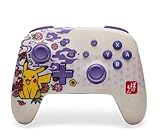
PowerA’s Enhanced Wireless Controller is a popular mid-range pick because it pairs a rechargeable battery with mappable buttons and officially licensed character designs. This Pokemon Blossom edition adds artwork to the shell, and the listing names support for Switch, Switch 2, Switch Lite and OLED. It suits fans of the franchise, kids and families who want a colorful controller that is still practical for everyday play.
Key specs
- Bluetooth 5.0 wireless connection
- Internal rechargeable lithium-ion battery rated by PowerA for up to 30 hours
- Two mappable Advanced Gaming Buttons
- Anti-friction rings around the thumbsticks for smoother movement
- Motion controls on supported models
- USB-C charging cable included, around ten feet long
- Officially licensed
Strengths
The balance of features is the draw. A rechargeable battery with a stated life of up to 30 hours means you are not constantly swapping batteries, and the mappable buttons give you a taste of enthusiast-style controls at a modest level. Licensed designs, including this Pokemon theme, make it a good gift controller. The body follows a familiar Pro-style layout, so there is no adjustment period.
Things to keep in mind
On Switch 2, retail and manufacturer notes indicate that the Enhanced model works but does not include the C button, and it does not support HD rumble, the IR camera or amiibo NFC. If GameChat access from the controller is important, look at the PowerA Advantage or Nintendo’s own pad. The sticks use conventional sensing rather than a Hall Effect design, so long-term drift resistance is not a selling point. Character-themed versions are limited editions in practice, so availability and artwork can vary.
Licensed character controllers deserve a quick reality check on shell finish and durability. Printed or molded artwork can wear at the edges after heavy use, so treat the design as part of the fun rather than a collectible. Families often buy these in pairs for siblings, and the distinct artwork makes it easy to tell whose controller is whose. Keep a short USB-C cable near the sofa and it will rarely run out of power mid-session. Because this is a Bluetooth pad, pairing it the first time takes a minute in the controller settings menu, after which it reconnects when you press the Home button.
Pros
- Rechargeable battery with up to 30 hours stated
- Two mappable buttons
- Officially licensed themed design
- Long USB-C cable included
- Familiar Pro-style layout
Cons
- No C button on Switch 2
- No HD rumble, IR or amiibo support
- Conventional sticks without magnetic sensing
- Themed edition availability may vary
Versus the nearest alternative
The PowerA Advantage is the clear upgrade path, adding Hall Effect sticks and the C button. Compared with the plain PowerA Wireless Controller, the Enhanced adds a rechargeable battery and extra buttons. For families, it hits a practical middle ground, and for fans it offers licensed artwork that other models in this guide cannot match.
10. 8BitDo Pro 2 Bluetooth Controller (Hall Effect) – Best for Multi-Platform Players

The Pro 2 has been a favorite of cross-platform players for years, and the Hall Effect joystick update modernizes it. The listing names Switch, PC, Android and Steam Deck, but it does not name Switch 2 in the product title, which is the first thing to verify. It suits people who move between a console, a PC, a phone and a handheld PC and want one comfortable pad with deep software customization.
Key specs
- Hall Effect joysticks in the updated version
- Two pro-level back paddle buttons
- Customization through 8BitDo Ultimate Software on PC, Android and iOS
- Three custom profiles
- Mode switch for Switch, Android, D-input and X-input
- 1000mAh rechargeable battery with roughly 20 hours of play stated
- Bluetooth and wired USB-C connection
- About 228 grams
Strengths
Its shape borrows from classic Pro-style pads, so the grips feel natural. The back paddles and profile system are excellent for games that benefit from custom layouts. The mode switch is genuinely handy for people who connect to several devices, and the stated 20 hours of battery life is respectable. Motion control works on Switch, and the pad is known for strong platform support beyond Nintendo.
Things to keep in mind
8BitDo notes that Switch support does not include HD rumble or amiibo scanning. Several retailer listings advertise Switch 2 compatibility, but the title here does not, so confirm current firmware and compatibility on the manufacturer’s support page before buying specifically for Switch 2. Steam Deck and other systems may require firmware from 8BitDo’s support site. It lacks a C button.
A practical way to think about the Pro 2 is as a controller that rewards setup time. Spend ten minutes in the 8BitDo software assigning the paddles, adjusting stick response and saving a profile for each device you use, and the pad becomes very personal. Players who dislike software tinkering can skip it and still get a solid, comfortable gamepad with a familiar layout. The mode switch also means one controller can serve a handheld PC on the commute and a console at home, which is rare in this list. Before buying specifically for Switch 2, look for the manufacturer’s current compatibility statement and firmware notes, because support details for newer hardware can change with updates.
Pros
- Hall Effect sticks in the updated version
- Back paddles and three profiles
- Works across console, PC, Android and Steam Deck
- About 20 hours of stated battery life
- Strong software customization
Cons
- Switch 2 support not named in this listing title
- No HD rumble or amiibo
- No C button
- Larger and heavier than the 2C
Versus the nearest alternative
The Ultimate 2 Bluetooth is the newer, more advanced sibling, with TMR sticks and extra bumpers. The Pro 2 is the more traditional choice. Against Nintendo’s own pad, it wins on customization and multi-platform use, and loses on guaranteed Switch 2 feature support.
How to Choose the Right Switch 2 Controller
Picking a controller is easier once you separate the features that change how you play from the features that merely sound good. Work through the following steps in order and the shortlist usually shrinks to two or three pads.
Step 1: Decide how much first-party support you need
The Switch 2 added system-level features that older controllers do not touch. The C button opens GameChat, HD Rumble 2 delivers finer haptic detail, and NFC reads figures in supported games. Nintendo’s own Switch 2 Pro Controller covers all of them. Third-party pads typically cover motion and basic rumble, and some, like the PowerA Advantage, add the C button. If you chat with friends through the console, own figures or care about nuanced haptics, a first-party pad is worth the premium. If you play single-player games with the sound on, those extras matter far less.
Step 2: Choose a stick technology
Stick drift is the most common long-term complaint about modern controllers. Conventional sticks use a contact-based sensor that can wear over time. Hall Effect and TMR sticks measure position with magnets and do not rely on the same physical contact, which is why manufacturers market them as more durable. Among the pads here, the PowerA Advantage, 8BitDo Ultimate 2C, 8BitDo Pro 2 and AceGamer list Hall Effect sticks, the 8BitDo Ultimate 2 and the Switch 2 version of the Afterglow Wave use TMR-style sensing, and Nintendo’s own pads and PowerA’s Enhanced model use conventional sticks. Magnetic sensing is not a guarantee against every fault, but it is a sensible tiebreaker if you play stick-heavy genres for many hours each week.
Step 3: Work out battery needs with a quick calculation
Stated battery life only matters in relation to how much you play. Suppose you play 12 hours a week. That is 624 hours a year. Divide by the stated hours per charge to estimate how often you will plug in:
- About 40 hours (Nintendo Switch 2 Pro Controller): roughly 16 charges per year, or one every three to four weeks
- Up to 30 hours (PowerA Advantage and Enhanced): roughly 21 charges per year, or about every two and a half weeks
- About 20 hours (PDP Afterglow Wave, 8BitDo Pro 2): roughly 31 charges per year, or about every ten days
- About 15 hours (8BitDo Ultimate 2C): roughly 42 charges per year, or about every ten days to two weeks
Stated figures are manufacturers’ estimates and real results vary with rumble, lighting and wireless conditions, so treat them as a ranking tool rather than a promise. If you play a few hours a week, none of these will be a hardship. If you play daily, favor the longer ratings or keep a charging cable at the couch.
Step 4: Match extra buttons to the games you play
Back buttons and bumpers are most valuable in shooters, action games and anything where you need to keep both thumbs on the sticks. The Switch 2 Pro Controller and the PowerA models give you two mappable inputs. The 8BitDo Ultimate 2 adds L4 and R4 plus two paddles, while the Ultimate 2C and Pro 2 split those features between them. If your library is mostly platformers, party games and racing, the extra inputs are a nice-to-have rather than a necessity.
Step 5: Check compatibility and licensing
Controllers that are officially licensed by Nintendo are less likely to be affected by console updates. Unlicensed pads can still be excellent, but you should keep your packaging, understand the return policy and update firmware when manufacturers release it. Always verify that the exact model name matches Switch 2. Several controllers in this guide exist in multiple versions, and the differences can include the C button, sensor type and battery size.
Decision matrix
| Your situation | Best pick | Why |
|---|---|---|
| You want everything the console supports | Nintendo Switch 2 Pro Controller | C button, HD Rumble 2, NFC, headphone jack, back buttons |
| You already own a Pro Controller from the first Switch | Keep the original | Works for games; adds a player without more spending |
| You worry about stick drift and want a licensed pad | PowerA Advantage Wireless | Hall Effect sticks plus C button and 30-hour rating |
| You like tuning inputs and profiles | 8BitDo Ultimate 2 Bluetooth | Switchable triggers, L4/R4, back paddles, software |
| You need a pair for local multiplayer | AceGamer 2 pack | Two pads in one box |
| You want a themed or lit-up controller | Pokemon Blossom or Afterglow Wave | Licensed art or RGB lighting |
| You also play on PC, Android or a handheld PC | 8BitDo Pro 2 | Mode switch across platforms (confirm Switch 2 support) |
| You have smaller hands or want a light pad | 8BitDo Ultimate 2C Bluetooth | Compact body with Hall Effect sticks |
| You need a basic spare | PowerA Wireless Controller | Simple design (confirm power source) |
Common mistakes to avoid
The first mistake is buying on color or character art without checking which version of the controller you are getting. The second is assuming every Bluetooth pad supports wake-from-sleep, motion, or the C button. The third is skipping firmware updates for third-party pads, which can matter for stability on a new console. Finally, remember to measure your needs against real habits: a premium customization pad is a poor purchase for someone who plays one party game a month.
Pairing and Setup Tips
Most wireless pads follow the same pairing routine. Open the controller settings on the console, choose the option to change grip or order or to register a new controller, then hold the pad’s sync button until the lights start moving. Third-party pads often have their own pairing combination, such as holding a Home button together with a small sync button, so keep the quick-start card from the box. After the first connection, press the Home button to wake the controller and reconnect. If a pad refuses to pair, check that its firmware is current, turn off other nearby Bluetooth devices and restart both the console and the controller.
It also helps to set up your layout before the first long session. Map the back buttons to actions you can reach without moving a thumb, such as jump or dodge, and keep the mapping consistent across games where possible. For pads with profiles, save a default profile for general use and a separate one for precision-heavy games. Finally, keep a short USB-C cable near the couch so topping up the battery during a break is habit rather than an interruption.
Frequently Asked Questions
Do original Switch controllers work on Switch 2?
Nintendo has said the original Switch Pro Controller can be used with Switch 2 for games. Original Joy-Con controllers are handled differently, and not every accessory supports every feature. Check Nintendo’s support site for the current compatibility list before relying on an older accessory for a specific game.
What is the C button and do I need it?
The C button is a Switch 2 shortcut that opens GameChat, the console’s voice and video chat feature. Nintendo’s own pad includes it, and a few third-party pads such as the PowerA Advantage do too. If you never use chat, you will not miss it, and many third-party pads leave it out.
What does Hall Effect mean for a controller stick?
Hall Effect sticks sense position with magnets rather than a contact-based component. Manufacturers say this helps resist drift and wear. It is a design advantage, not a guarantee, and quality still depends on the whole controller.
Are third-party controllers safe to use?
Officially licensed controllers are designed to meet Nintendo’s requirements. Unlicensed pads can work well, but console updates sometimes affect them. Keep the return window in mind and update the controller’s firmware when the maker offers it.
Can I use these controllers on PC?
Several can. The 8BitDo models list Windows support, and the AceGamer listing names PC. Each uses different connection modes, so check whether you need a wired link, a Bluetooth link or an adapter for a PC.
Do I need a charging dock?
Not necessarily. Most pads here charge with a USB-C cable, which also works with a phone charger. A dock helps if you share a living room and want pads ready at all times, but it is optional.
Which controller is best for kids?
A durable, licensed pad with a simple layout is usually best. The PowerA Enhanced Wireless in a themed design or the plain PowerA Wireless Controller are friendly choices, and a two-pack covers siblings. Check the age guidance on the product page and supervise charging.
How do I look after the battery?
Use the supplied or a reputable USB-C cable, avoid leaving controllers in hot cars and stop using any pad that swells, overheats or smells unusual. Lithium-ion batteries should be recycled at a proper collection point rather than thrown in household trash.
Our Recommendation by Situation
If you want the safest all-round buy, choose the Nintendo Switch 2 Pro Controller. If you want magnetic sticks and a C button in a licensed pad, take the PowerA Advantage. If you enjoy customizing every input, the 8BitDo Ultimate 2 Bluetooth is the one to get. For families, the PowerA Enhanced in a themed design or the AceGamer two-pack makes multiplayer simple, and for cross-platform players, the 8BitDo Pro 2 is worth a look once you have confirmed Switch 2 compatibility on the product page.