🛒 Best Price Today on Amazon
Prime members get fast, free shipping on everything above, plus member-only deals. New members get a 30-day free trial — cancel anytime.
Valorant players ask about DPI more than players of any other shooter, and the answer is less exciting than the question suggests. Most competitive players use 400 or 800 DPI with a low in-game sensitivity, because Valorant rewards slow, deliberate crosshair placement and punishes the jittery micro-movements that high DPI encourages. The real decision is not which DPI number to type into the software. It is which mouse tracks cleanly at 400 or 800 DPI, offers fine DPI steps for tuning, and holds a steady shape through long ranked sessions.
This guide is for Valorant players setting up their first competitive mouse, for players switching from a high DPI setting that feels twitchy, for low-sensitivity arm aimers who need a sensor that stays accurate on slow drags, and for anyone who wants to understand eDPI before buying. Every product below was chosen from its Amazon product title and listed specifications, so sensor, DPI range, weight and battery figures come from the listing itself.
Quick Picks
As an Amazon Associate we earn from qualifying purchases.
| Product | Best for | Key spec from title |
|---|---|---|
| Razer Viper V3 Pro | Low-sensitivity flicks with fine DPI steps | 55g lightweight, 35K DPI optical sensor, 8K polling |
| Logitech G PRO X Superlight 2 | Reliable 400 and 800 DPI play in any grip | 60g, 44k DPI sensor, 8kHz report rate |
| Razer DeathAdder V3 HyperSpeed | Ergonomic low-sensitivity play on a budget | 55g lightweight, Focus X 26K optical sensor |
| ASUS ROG Keris II Ace | Ergonomic tracking with a high DPI ceiling | 54g, tri-mode connectivity, 42K DPI |
How to Choose
Start at 400 or 800 DPI and Work From There
The most common Valorant setup is 800 DPI with an in-game sensitivity around 0.35, which gives an eDPI near 280, or 400 DPI with a sensitivity near 0.7 for the same result. Both settings give large, precise sensitivity steps in game and keep the sensor in the range where it tracks most cleanly. A DPI of 1,600 also works for players who prefer finer in-game increments, but anything far above that adds no precision and makes the crosshair harder to hold still. Pick 800 DPI first, adjust sensitivity in small steps, and leave the DPI alone once it feels right.
Understand eDPI Before You Buy
eDPI is your DPI multiplied by your in-game sensitivity, and it is the number that actually describes how far your crosshair moves. Two players with different DPI settings can have the same eDPI, which is why comparing DPI numbers alone tells you nothing. Most Valorant players settle between roughly 200 and 400 eDPI, with low-sensitivity arm aimers at the lower end and wrist aimers at the higher end. A mouse with fine DPI steps lets you tune eDPI precisely, so check whether the listing or the software supports one-DPI adjustments rather than coarse jumps.
Choose a Sensor That Is Clean at Low DPI
A sensor that tracks perfectly at its maximum DPI can still feel rough at 400 DPI if it applies smoothing or acceleration at low speeds. Modern flagship optical sensors are designed to track one-to-one across the full range, so the sensor name in the listing matters more than the maximum DPI figure. Test slow diagonal drags on your own pad after setup, because a sensor that feels fine in fast flicks can wobble when you track a peeking enemy slowly. Every mouse in this guide uses a sensor built for clean low-DPI tracking.
Match Shape and Weight to Your Sensitivity
Low sensitivity means wide arm movements and frequent lifts, so a light mouse reduces fatigue across a long ranked session. Players who use 400 DPI and a large pad should look at mice under 65 grams with a shape that suits their grip, while players at 800 DPI with a smaller pad have more freedom. Palm grip players need a taller shell with support, claw players need a rear hump to anchor against, and fingertip players need a short, low shell. A mouse that fits your hand at your sensitivity will improve your aim more than any DPI setting.
The 4 Best Options
Razer Viper V3 Pro

The Viper V3 Pro is the Valorant pick for players who want the cleanest possible low-DPI tracking in the lightest shell. Its Focus Pro 35K sensor supports one-DPI step adjustments, so you can tune your eDPI exactly, and the 55 gram weight makes wide arm movements and repeated lifts feel effortless. The symmetrical shape suits claw and fingertip grips that pair naturally with low sensitivity, and the 8,000 Hz wireless polling keeps the cursor updating smoothly. It is the mouse most likely to feel invisible in your hand during a ranked match.
Specs
- Focus Pro 35K Optical Sensor Gen-2
- Up to 35,000 DPI with 1-DPI step adjustments
- Up to 8,000 Hz polling with included HyperPolling Wireless Dongle
- 54 g black, 55 g white
- Up to 95 hours of battery life at 1,000 Hz
- Gen-3 optical switches rated for 90 million clicks
- 8 programmable controls
- HyperSpeed wireless and wired connection
Best for: Low-sensitivity arm aimers who want fine DPI tuning and the lightest shell for Valorant.
Watch out for: The symmetrical shell offers little palm support, so players who rest their whole hand may find it tiring across a long ranked session.
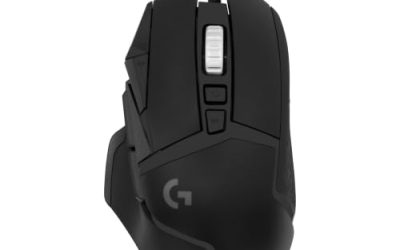
Logitech G PRO X Superlight 2

The Superlight 2 is the safest Valorant mouse for players who do not want to think about their hardware. Its HERO 2 sensor tracks cleanly at 400 and 800 DPI, the 60 gram symmetrical shell suits palm, claw and fingertip grips, and LIGHTSPEED wireless keeps the connection stable through long sessions. Battery life covers a week of evening ranked play, and the shape has no sharp edges or unusual humps to adjust to. It is the mouse to buy when you want to set your DPI once and spend your attention on crosshair placement instead.
Specs
- HERO 2 sensor with up to 44,000 DPI
- Up to 8 kHz report rate
- LIGHTSPEED wireless connection
- LIGHTFORCE hybrid switches
- 60 g weight
- 5 programmable buttons
- Up to 95 hours of battery life
- USB-C charging
Best for: Valorant players who want a proven all-round mouse that works at any common DPI setting.
Watch out for: It has only five programmable buttons, so players who bind utility or push-to-talk to the mouse may want a button-heavier pick.
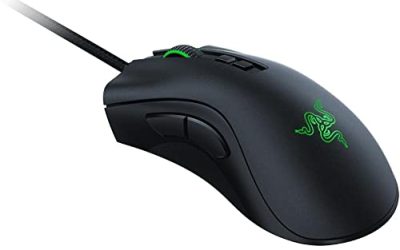
Razer DeathAdder V3 HyperSpeed

The DeathAdder V3 HyperSpeed brings ergonomic low-sensitivity play to a lower tier than the flagship DeathAdder models. Its compact right-handed shell supports the palm during long ranked sessions, the Focus X 26K sensor tracks cleanly at 400 and 800 DPI, and the 55 gram weight keeps wide swipes easy. Battery life stretches to 100 hours, and the HyperSpeed wireless link holds up through extended play. Players who like the DeathAdder shape but do not need the flagship sensor will find this version covers everything Valorant asks for.
Specs
- Focus X 26K optical sensor
- 55 g lightweight design
- Gen-3 optical switches
- HyperSpeed wireless connection
- Up to 100 hours of battery life
- 8 programmable controls
- USB-C charging
- Smooth-touch ergonomic texture
Best for: Palm-grip Valorant players who want the DeathAdder shape and clean low-DPI tracking at a lower tier.
Watch out for: The sensor tops out at 26,000 DPI rather than the 30,000 or 35,000 of the flagships, which matters only if you play at very high DPI settings.
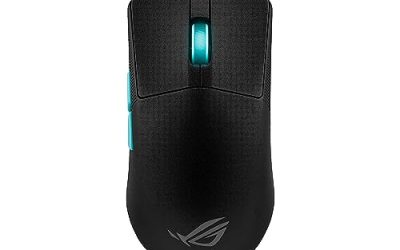
ASUS ROG Keris II Ace

The Keris II Ace suits Valorant players who want an ergonomic shell with a high DPI ceiling and tri-mode connectivity. Its right-handed shape supports palm and relaxed claw grips, the AimPoint Pro sensor reaches 42,000 DPI for players who prefer finer DPI steps, and the included polling rate booster lifts wireless polling above the standard rate. At 54 grams it stays light for an ergonomic mouse, and the battery lasts up to 107 hours. It is a strong alternative for players who want something different from the usual Razer and Logitech picks.
Specs
- AimPoint Pro optical sensor with up to 42,000 DPI
- 54 g weight
- Tri-mode connectivity: 2.4 GHz wireless, Bluetooth and wired
- Up to 107 hours of battery life
- ROG Polling Rate Booster included
- Optical micro switches
- SpeedNova wireless technology
- Right-handed ergonomic shape
Best for: Ergonomic players who want a high DPI ceiling, tri-mode connectivity and a polling booster in the box.
Watch out for: The software setup takes longer than the simpler Razer and Logitech options, so allow time to configure DPI steps and polling before your first match.
Which One Fits Your Situation
You Are Setting Up Valorant for the First Time
Choose the Logitech G PRO X Superlight 2 and set it to 800 DPI with an in-game sensitivity near 0.35. The neutral shape, clean sensor and long battery life remove hardware from the list of things to worry about, so you can focus on crosshair placement and game sense. Adjust sensitivity in small steps over a week rather than changing it every match.
You Play at Very Low Sensitivity
Choose the Razer Viper V3 Pro. Its low weight makes wide arm movements and repeated lifts far less tiring, and the one-DPI step adjustments let you tune your eDPI exactly. The symmetrical shell suits the claw and fingertip grips that pair best with low sensitivity and large pads. Battery life covers a week of evening ranked play, so charging never interrupts a session.
Your Palm Needs an Ergonomic Shell
Choose the Razer DeathAdder V3 HyperSpeed or the ASUS ROG Keris II Ace. Both offer a right-handed shape with palm support for long ranked sessions, and both track cleanly at 400 and 800 DPI. Pick the DeathAdder for a simpler setup and longer battery life, or the Keris II Ace for a higher DPI ceiling and tri-mode connectivity.
You Switch Between Valorant and Other Games
Choose the Logitech G PRO X Superlight 2 or the Razer Viper V3 Pro. Both translate cleanly to other shooters at the same DPI settings, and both use sensors that stay accurate across different sensitivity ranges. Keep one DPI setting for every game and adjust in-game sensitivity instead, so your muscle memory stays consistent.
Common Mistakes
- Setting DPI to the maximum the sensor supports, when Valorant play happens at 400 or 800 DPI and higher settings only add jitter.
- Comparing DPI numbers with friends instead of eDPI, which is DPI multiplied by in-game sensitivity and the number that actually matters.
- Changing sensitivity after every bad match, which resets the muscle memory that consistent aim depends on.
- Buying a heavy mouse for low-sensitivity play, then discovering that wide swipes and frequent lifts tire the wrist within an hour.
- Ignoring Windows pointer settings, and leaving acceleration on so the cursor speed changes with hand speed instead of staying one-to-one.
Frequently Asked Questions
What is the best DPI for Valorant?
Most Valorant players use 400 or 800 DPI, with 800 DPI and an in-game sensitivity around 0.35 as the most common starting point. That combination gives an eDPI near 280, which sits inside the range most competitive players use. A DPI of 1,600 also works for players who prefer finer in-game steps. The exact number matters less than keeping it stable for several weeks.
What is a good eDPI for Valorant?
A good starting eDPI for Valorant is roughly 200 to 400, with low-sensitivity arm aimers near the lower end and wrist aimers near the higher end. To find yours, multiply your DPI by your in-game sensitivity: 800 DPI at 0.35 sensitivity gives 280 eDPI. Adjust in small steps and give each setting several sessions before changing it again.
Does high DPI improve aim in Valorant?
High DPI does not improve aim in Valorant, because the game rewards slow, precise crosshair placement rather than fast cursor movement. A DPI above 1,600 adds no useful precision and can make the crosshair harder to hold still on a target. The sensor matters more than the DPI ceiling, and every mouse in this guide tracks cleanly at the 400 to 800 DPI range competitive players actually use.
Should I use 400 or 800 DPI for Valorant?
Both work well, and the choice comes down to preference. A DPI of 800 gives finer in-game sensitivity steps and is easier to share settings with other players, while 400 DPI gives larger, more deliberate steps that some low-sensitivity players prefer. Try 800 DPI first with a sensitivity near 0.35, and switch to 400 DPI only if the finer steps feel twitchy.