🛒 Best Price Today on Amazon
Prime members get fast, free shipping on everything above, plus member-only deals. New members get a 30-day free trial — cancel anytime.
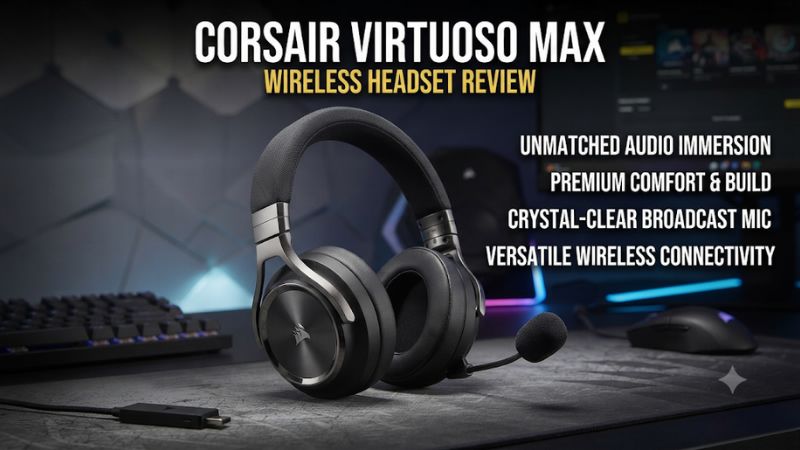
This Corsair Virtuoso Max wireless headset review finds the Max easiest to justify if you play in a shared room and mix console or PC audio with your phone. It combines ANC and two wireless sources, but its weight can matter in long sessions. Try the fit before paying for features you may use only occasionally.
Virtuoso Max verdict and key features
The Virtuoso Max is strongest as a wireless gaming headset that handles two audio sources well. The included USB receiver carries PC or PS5 game audio, Bluetooth can play a second source alongside it, and each source has a dedicated ring for volume in the default setup. Active noise cancellation and transparency add practical ways to handle room noise. The major buying constraint is comfort. At around 420 grams in published tests, this is a substantial headset with a rigid frame that some reviewers found uncomfortable over time.
| Feature | Corsair Virtuoso Max Wireless |
|---|---|
| Primary gaming connection | 2.4 GHz USB-A receiver |
| Second source | Bluetooth, usable alongside receiver audio |
| Drivers | 50 mm graphene dynamic drivers |
| Noise modes | ANC, transparency, and off |
| Microphone | Detachable omnidirectional boom with physical mute |
| Battery rating | Up to 60 hours with RGB off or 30 hours with RGB on |
| PC controls | iCUE EQ, SoundID, sidetone, lighting, and control customization |
| PlayStation connection | USB receiver for PS5 and PS4 |
| Wired playback | Plan on wireless audio. USB-C handles charging and firmware connection |
| Xbox support | Offered on the separate Virtuoso Max for Xbox model |
Which version this review covers
The standard Virtuoso Max Wireless is the PC and PlayStation model. The Xbox version has its own wireless operation and uses PC mode on PlayStation. At checkout, confirm which version and receiver your listing describes. A listing that shows a Virtuoso headset with a detachable microphone could also refer to the RGB Wireless XT, which is an older model with a different set of audio connections.
The distinction matters even if you only need one console today. A buyer who expects to add Xbox later should account for that when choosing the version. A buyer who intends to plug a headset into an analog source should compare a different model, because the Virtuoso Max’s documented use focuses on the receiver and Bluetooth.
For the review decision, imagine a normal evening with the headset. If your phone stays silent and you play alone in a quiet room, the flagship features may deliver little beyond the sound and physical build. If you frequently listen to a second source or need to lower distracting steady room noise, the feature set has a clearer purpose.
What you are paying for
Dual wireless becomes more valuable when the controls work well while you are playing. You can turn down a phone podcast, then return it to a usable volume without changing the game. ANC and transparency give you options for a shared room. A detachable mic lets you use the headset for music or single-player sessions without a boom in front of you.
The trade-off is a heavier product with more controls, plus a dependence on the receiver for your main gaming setup. Give each feature a use case before buying. If you take one phone call during a typical session or occasionally check another device, decide whether being able to do it in the headset saves enough friction. If you regularly use an analog controller jack, that connection requirement takes precedence.
A return window or hands-on trial is particularly valuable for this model. A few minutes can show whether the wheels make sense to you. A longer session reveals whether the headset presses on the crown or around the ears.
Sound quality, gaming, and microphone
Game sound has detail, with room for personal tuning
Independent reviewers generally like the Virtuoso Max’s game audio, particularly after setting it up and tuning it to their taste. Tom’s Hardware found its presentation in games strong. PC Gamer also liked the result after EQ adjustment. For a buyer, that makes the headset worth evaluating with a known scene and a willingness to try a basic EQ rather than relying on a first impression from the default setting.
Begin with clear dialogue in a scene that also has environmental sound. Can you hear a line of speech comfortably while the soundtrack is playing? Then try combat with overlapping effects. Listen for how well you can follow quieter actions while the game is loud. Keep the volume moderate so your preferred tuning works in the conditions in which you actually play.
The graphene driver specification is useful for identifying the Max. It does not establish that a specific game will provide better cues or that every listener will prefer its tonal balance. The seal of the pads, your EQ choice, and the game’s own sound design are all part of the result.
For competitive play, test consistency in stereo first
Use the receiver to establish a stable connection and try stereo first. In a practice area, have another player move past you or use a repeatable in-game route. Check front versus rear and near versus far. The most useful comparison is how quickly and correctly you place a cue over several attempts, especially when other sounds are present.
Then compare your chosen spatial mode. On a supported Windows PC, Dolby Atmos for Headphones is an option. On PS5, use the console’s headphone 3D audio controls. A game may also have a headphone or binaural option of its own. Try each relevant combination systematically to see what preserves the most useful cues in your game.
If an EQ preset makes treble stand out but causes fatigue, turn it down or return to a simpler setting. A short demonstration rewards sounds you notice immediately. A long competitive session rewards a mix that remains clear and comfortable at a sustainable volume.
EQ and SoundID are more useful once the fit is stable
The Max supports manual EQ and SoundID through iCUE with the USB receiver. SoundID can give you a preference-based alternative to the preset profiles. Use it after the cups are properly seated, because the seal changes how the bass and lower mids reach your ears. Glasses and uneven pad contact can make a preset sound different from one session to the next.
Make small changes to the sound at first. If dialogue feels buried, compare a modest adjustment with the unmodified preset, preserving the same source and level. If your main goal is better awareness in one game, try the adjustments there before applying them to everything. The same balance may be helpful for one game and lean for music or voice-heavy shows.
Corsair documents that SoundID requires the receiver for setup and is unavailable over Bluetooth. Test separately with the phone if that connection is important. The EQ you like for a PC game and the one you like for phone music may come from different apps and devices.
The detachable boom is useful for gaming and quick calls
The boom attaches to the headset and includes a physical microphone mute button. Place the mic near the corner of your mouth, where it can pick up speech without sitting directly in your breath. If you switch to solo play or music, remove the boom and store it in the case where you can find it again.
Microphone assessments differ across published reviews. Some found speech clear and useful for chat, while Tom’s Hardware found the sound closer to an average gaming headset mic. Room noise, application processing, and mic position all affect how a listener hears it. A short recorded test with your own voice gives you a more relevant measure than the broadcast-grade label on the box.
When testing it on PC, listen to a recording before adding noise suppression or significant microphone gain. Next, try the settings you normally run in your voice app. If teammates struggle to hear the first word of a quick callout, look at noise gates or suppression settings after confirming you have selected the right microphone.
Sidetone and talk monitoring are PC features to verify
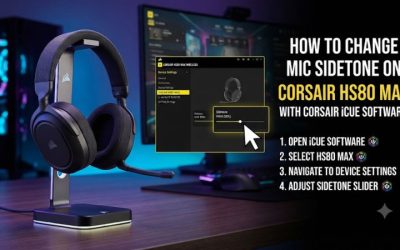
When the Max is connected to compatible PC software, iCUE lets you set microphone level and sidetone. Start low. A little local mic audio makes your voice sound more natural through closed cups. Too much can draw attention to keyboard sounds, your breath, or vibrations from the boom.
A conversation tests this better than speaking into silence. Keep the usual game volume and talk briefly to a friend. If you naturally speak more quietly without asking them to change your microphone level, the sidetone is serving its purpose. The local level and the microphone level your teammates hear can be set separately.
On PS5, validate the headset microphone with the console’s input meter. Corsair documents its sidetone as a PC/iCUE feature. Choose the Max for console chat once the microphone controls you actually need are covered. The appeal of adjustable monitoring depends on whether you spend enough play time on the platform that supports it.
Wireless controls and noise management
Two volume rings make simultaneous playback practical
The Max can play game audio from its USB receiver while playing audio from a Bluetooth device. Under the default mapping, the two rings adjust the receiver and Bluetooth levels separately. This makes a difference when the source devices sit in different places or the game is still running while you lower the phone stream.
To get the best use from this layout, learn which ring changes which source with one source playing at a time. Then bring both in at a comfortable volume. If you consistently turn the wrong ring, iCUE exposes control customization on supported PC setups. Keep a note of any assignment changes if you share the headset with another person.
A phone call can change how the microphone is routed. Test a call and a music stream separately before assuming they behave identically in a party. If you need both PC voice chat and a live phone call, verify which other participant can hear you on each device. The ability to hear two sources makes the headset flexible. Microphone behavior still deserves its own check.
ANC reduces distractions more effectively with a good seal
Corsair documents an approximately one-second hold on the Custom button to cycle its ANC modes under the default configuration. Test them in your room with the headset on and playback paused. A steady fan or HVAC hum is a useful first test. Compare the reduction and listen for any difference in the tone of the headset when you return to game audio.
Published reviewers report usable noise cancellation, with some hearing a sound change when it is enabled. The amount of reduction varies with what you are trying to block. Keyboard clicks and conversation can remain audible even if steady sounds become less intrusive. Test around the type of distraction that actually makes you want ANC.
Transparency is useful during short conversations or when you are waiting for someone at the door. Try it with media paused and then with normal game audio. In a shared house, being able to hear the room briefly can be more useful than leaving ANC on all evening.
Receiver placement matters more than the advertised maximum range
Corsair quotes a wireless range of up to 50 feet in suitable conditions. Walls, desk placement, and other devices affect what you get. In most home gaming setups, the meaningful test is whether your headset remains stable at the place you play and during a short walk away from the screen.
Set up the receiver directly in a USB data port with reasonable clearance. If you hear dropout on your normal seat, compare another port and turn off Bluetooth temporarily. These tests give you evidence about whether placement, the second wireless source, or a software setting is involved. Avoid changing the port, power settings, and both audio routes together if you are trying to identify the cause.
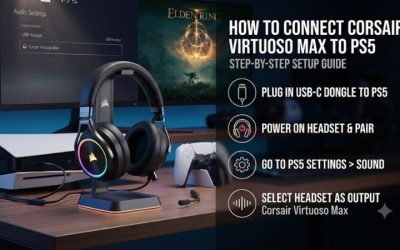
On PlayStation, the receiver is also the supported setup path. Pairing a phone by Bluetooth and hearing music confirms the mobile link only. It gives no information about receiver pairing or console audio routing. Those can be verified with the transmitter’s status light and the PS5 device menus.
Comfort, battery life, and value
Spend enough time checking headband pressure
Review samples place the Virtuoso Max in the vicinity of 420 grams, with figures varying by sample or whether the microphone is attached. Several testers found the frame rigid or pressure noticeable near the crown. Other users report a fit that works for them. The question for a buyer is where the load lands over time.
Try the headband at two nearby extension settings and give each time to settle. Let the earcups swivel naturally and see whether any part of your ear rests against the interior. Put your usual glasses on. If the cup seal depends on pushing them into your temples, the headset may be hard to wear through a long session.
Pay attention to what you do after the first half hour. If you shift the band repeatedly, angle the cups away from a sore spot, or remove an earcup during pauses, the fit is costing you something. If the weight distributes evenly and the pads remain comfortable, the substantial construction may suit you.
Expect runtime to vary with features and settings
Corsair advertises up to 60 hours with RGB off and up to 30 hours with it enabled. The published figures are ceilings under the manufacturer’s conditions. ANC use, volume, the second wireless connection, and age can all affect the time you see between charges. If low maintenance matters, start with lighting off for your first full week.
The headset can continue to play over the receiver while charging if you have the appropriate setup. Treat the cable as a power connection during that session. Corsair’s support guidance and independent reviewers point to wireless as the dependable audio route. If a wired source or battery-independent backup is essential, compare a headset built for that use.
For a realistic battery comparison against your current headset, use each with the same daily pattern. Include the approximate game hours and whether you took calls or enabled ANC. Estimate how often you plug it in under that routine. That is a better predictor of convenience than matching a single number from the box.
Compare it with what your current headset cannot do
If your current headset already mixes phone and game audio, the Max upgrade rests mainly on its noise modes, fit, sound, controls, and battery. If the headset you already own meets those needs, a new purchase may produce little daily benefit. A replacement is easier to justify when you can identify a specific frustration you encounter regularly.
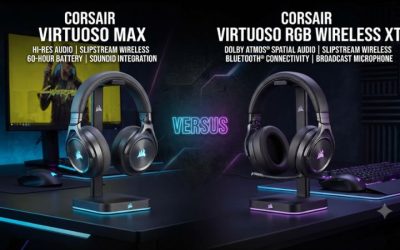
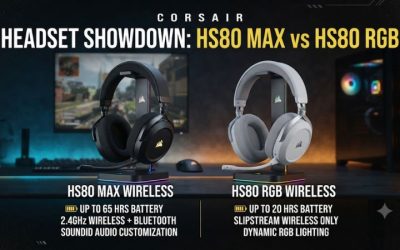
A buyer who prioritizes wired coverage should price the Virtuoso RGB Wireless XT or another model with documented analog and USB audio. A buyer who wants a simpler wireless setup, a flip-to-mute mic, and strong battery life can begin with the HS80 family. Check the generation if simultaneous Bluetooth media is part of your plan.
If you try the Max and the fit works, give some weight to the way you will use its controls. Independent volume adjustments, transparency, and a detachable boom can improve everyday play. They are more valuable when you use them repeatedly than when you only open the software once to change the lighting.
Conclusion
The Corsair Virtuoso Max Wireless is a good fit for a PC or PS5 player who wants simultaneous game and phone audio, active noise cancellation, and separate volume controls. Buy it if those features solve a recurring problem and the headset stays comfortable through a full session. If you need wired audio or usually play with one source in a quiet room, a headset with your preferred connection and an easier fit is likely to offer better value.