🛒 Best Price Today on Amazon
Prime members get fast, free shipping on everything above, plus member-only deals. New members get a 30-day free trial — cancel anytime.
Most gamers eventually face the same tug-of-war: a sharp 4K picture for exploring a big open-world game on Tuesday night, and the highest frame rate possible for a ranked shooter on Wednesday. Dual-mode monitors try to end that argument by letting one panel switch between a high-resolution mode and a lower-resolution mode that runs far faster. Choosing the best dual mode gaming monitor under 400 dollars is therefore about two numbers at once, how crisp the sharp mode is and how fast the speed mode gets.
These seven listings are for players who own, or plan to buy, a graphics card strong enough to feed 4K at a respectable frame rate, then want to drop to full HD or a similar mode for competitive titles. The comparison leans on the figures in each listing, including the pairs of refresh rates, ports, and stand features. Shoppers in 2026 will find the same dual-mode pattern repeated across brands, so the details below separate them.
Quick Picks

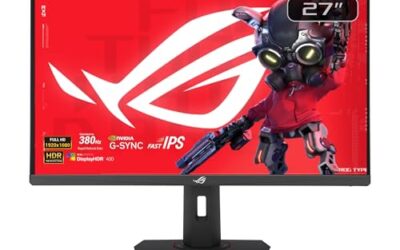
LG 27G810A-B 27-inch Ultragear 4K UHD (3840 x 2160) IPS Gaming Monitor, Dual Mode UHD 180Hz or FHD 360Hz, 1ms, NVIDIA G-Sync, AMD FreeSync Premium, VESA DisplayHDR 400, HDMI 2.1, Black


As an Amazon Associate we earn from qualifying purchases. Product prices and availability are accurate as of the date/time indicated.

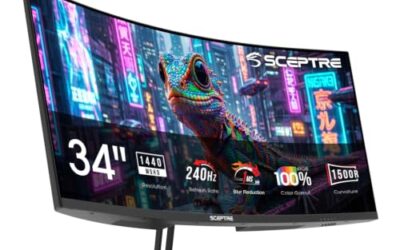
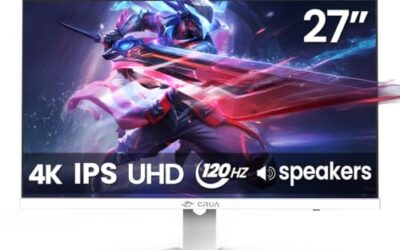
CRUA 27" 4K 160Hz / FHD 320Hz Dual Mode IPS Gaming Monitor, Vertical Stand | FreeSync, 120% sRGB, Speakers, PIP/PBP, 110mm Height, 90° Pivot, 30° Swivel, 5°/15° Tilt, HDMI 2.1, DP 1.4, Esports, Editing


As an Amazon Associate we earn from qualifying purchases. Product prices and availability are accurate as of the date/time indicated.

SANSUI 27 Inch 4K 120Hz 160Hz, FHD 240Hz 320Hz Dual Mode Gaming Monitor | UHD丨Fast IPS 1ms(OD) 丨2×HDMI2.1丨2×DP 1.4丨Built-in Speakers丨Eye Care丨AI Crosshair丨PIP/PBP丨HDR400丨Rotating/Height Adjust丨White


As an Amazon Associate we earn from qualifying purchases. Product prices and availability are accurate as of the date/time indicated.

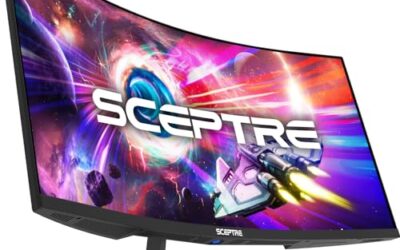
SANSUI 27 Inch 280Hz Curved Gaming Monitor,WQHD 280Hz / HD 400Hz Dual Mode, | 1500R Curved Computer Monitor, HDR400 135% sRGB 5000:1 Contrast Ratio, PIP/PBP,OD 1ms AI Crosshair,HDMI2.1*2, DP1.4,VESA


As an Amazon Associate we earn from qualifying purchases. Product prices and availability are accurate as of the date/time indicated.

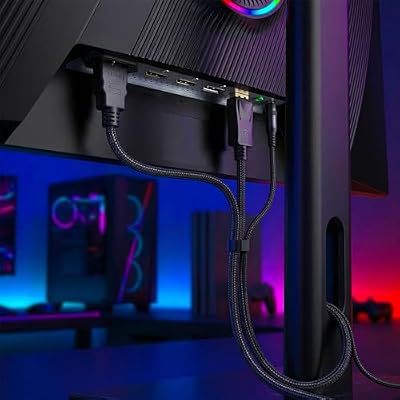
Gawfolk 27 Inch 4K Gaming Monitor UHD 160Hz/ FHD 320Hz Dual Mode PC Monitor | IPS Computer Screen Built-in Speakers | PIP/PBP multitasking | HDMI 2.1 & DP 1.4 | VESA 75×75mm | For PS5, Xbox, PC gaming



As an Amazon Associate we earn from qualifying purchases. Product prices and availability are accurate as of the date/time indicated.

msi MAG 321UPD E14 32-inch 3840 x 2160 (UHD) Gaming Monitor, 320Hz, AMD FreeSync Premium, Dual Mode, HDMI, DisplayPort, VESA, Tilt, Height Adjustable, Speaker, 0.05ms, Black


As an Amazon Associate we earn from qualifying purchases. Product prices and availability are accurate as of the date/time indicated.
| Product | Best for | Key spec from the title |
|---|---|---|
| LG 27G810A-B | G-Sync users who want a known brand | UHD 180Hz or FHD 360Hz |
| Amzfast 27-inch 4K | Console and PC gaming on HDMI 2.1 | UHD 160Hz or FHD 320Hz, HDR400 |
| CRUA 27-inch 4K | Desks that need flexible posture | Vertical stand, 90 degree pivot, PIP/PBP |
| SANSUI 27-inch 4K | Players wanting four refresh steps | 4K 120Hz or 160Hz, FHD 240Hz or 320Hz |
| SANSUI 27-inch 280Hz Curved | QHD speed with a curved panel | WQHD 280Hz or HD 400Hz, 1500R |
| Gawfolk 27-inch 4K | Multitasking beside a game | UHD 160Hz or FHD 320Hz, PIP/PBP |
| msi MAG 321UPD E14 | Larger 32-inch screen | 32-inch UHD, 320Hz, FreeSync Premium |
How to Choose
Read both modes, not just the headline
Every dual-mode listing quotes two pairs: a high-resolution mode at a moderate refresh rate and a lower-resolution mode at a very high one. A 4K mode at 160Hz or 180Hz is already demanding for graphics hardware, while a full HD mode at 320Hz or 360Hz feeds esports titles that run at hundreds of frames. Check that each mode is useful to you, because a superb speed mode means little if you never drop resolution.
Ports decide whether you reach the numbers
To run 4K at 160Hz or higher, you need DisplayPort 1.4 or HDMI 2.1 and a cable rated for it. Many older HDMI 2.0 ports and cables stop at 4K 60Hz, which defeats the point. Count inputs too: two HDMI 2.1 and two DisplayPort connections let a PC and a console both reach their best settings. Look for a USB hub if you want peripherals on the monitor.
Panel type and image quality
Most dual-mode panels here use Fast IPS, which offers wide viewing angles and good color. Coverage figures such as 120% or 135% sRGB describe the gamut size, not accuracy, so treat them as a rough guide. HDR400 is the entry tier of HDR and adds modest brightness, not the dramatic highlights of higher-tier panels. Contrast ratios like 5000:1 hint at a VA-style panel, which deepens blacks but trades off viewing angles.
Stand, size, and desk fit
A 27-inch 4K screen is dense enough to look sharp from desk distance, and a 32-inch model suits sitting farther back or sharing the view. Check for height adjustment, pivot, and VESA mounting if you plan an arm. Ignore AI feature labels such as crosshair overlays or color boosters, which add little over standard gaming settings. Budget models often cut corners on speakers and on the stand, so budget for a headset and possibly an arm.
The 7 Best Options
LG 27G810A-B
The UltraGear 27G810A-B is a 27-inch 4K IPS monitor with Dual Mode, listed as UHD at 180Hz or FHD at 360Hz, a 1ms response, NVIDIA G-Sync, and AMD FreeSync Premium. It targets players with a recent graphics card who want variable refresh across both brands of hardware.
- Strength: it lists both G-Sync and FreeSync Premium, covering NVIDIA and AMD owners.
- Strength: its 4K refresh rate of 180Hz and 360Hz FHD mode are the top figures among the 27-inch 4K models here.
- Trade-off: the title does not mention speakers or a pivot stand.
Skip it if you want built-in speakers or an adjustable multitasking layout. Buyers who value brand familiarity will find it the most conventional option, and anyone pairing it with an NVIDIA card gets the most direct match.
Amzfast 27-inch 4K
This 27-inch Fast IPS monitor offers UHD at 160Hz or FHD at 320Hz, 1ms, adaptive sync, HDR400, 126% sRGB, HDMI 2.1, DP 1.4, and height adjustment. It is for gamers who want both modern ports and a flexible stand from a value-focused brand.
- Strength: HDMI 2.1 and DP 1.4 together support high refresh rates on PC and console.
- Strength: height adjustment is mentioned, which many budget panels omit.
- Trade-off: the brand has less name recognition than LG or msi when it comes to support.
Skip it if you want a G-Sync listing or rely on a long-established support network. Shoppers comfortable with a newer brand can treat the spec list as the main appeal.
CRUA 27-inch 4K
The CRUA lists UHD 160Hz and FHD 320Hz on a Fast IPS panel with FreeSync, 120% sRGB, speakers, PIP/PBP, a 110mm height range, 90 degree pivot, and 30 degree swivel. It is the most adjustable stand of the group, good for people who rotate the screen to read documents.
- Strength: vertical pivot suits coders and writers who share the screen with work.
- Strength: PIP/PBP lets you view a second source beside the game.
- Trade-off: the listing mentions FreeSync only, not G-Sync compatibility.
Skip it if you never rotate or reposition a monitor and just want a basic setup. The extra stand flexibility only pays off when you actually use it each week.
SANSUI 27-inch 4K
This SANSUI offers the widest set of refresh options: 4K at 120Hz or 160Hz, and FHD at 240Hz or 320Hz. Its listing adds Fast IPS, two HDMI 2.1 and two DP 1.4 inputs, built-in speakers, and an eye care feature, so it suits shared desks with several devices.
- Strength: four inputs make it easy to connect a PC, console, and laptop.
- Strength: multiple refresh choices let you match mode to the game.
- Trade-off: the 4K mode lists 120Hz and 160Hz, so the top figure matches the cheaper rivals.
Skip it if you only need one input or want a higher sharp-mode refresh rate than 160Hz. Players with a single PC and no console will leave half the ports unused.
SANSUI 27-inch 280Hz Curved
This one breaks from the 4K pattern, pairing WQHD at 280Hz with HD at 400Hz on a 1500R curved 27-inch panel. HDR400, 135% sRGB, and a 5000:1 contrast ratio complete the listing, which fits speed-first players who prefer a lower-resolution load.
- Strength: the 400Hz HD mode is the fastest listed in the group.
- Strength: WQHD is easier to drive than 4K, so more graphics cards can use it.
- Trade-off: it is not a 4K display, so it falls short for cinematic single-player sharpness.
Skip it if you want 4K detail or dislike curved panels in flat-screen workflows, such as design work with straight guides. Anyone who mainly plays fast online shooters is the intended buyer.
Gawfolk 27-inch 4K
Listed at UHD 160Hz and FHD 320Hz with an IPS panel, built-in speakers, PIP/PBP multitasking, and HDMI 2.1, the Gawfolk covers the same dual-mode formula as other value entries. It suits players who want an affordable 4K screen with a second-source viewing option.
- Strength: PIP/PBP supports a game plus a stream, guide, or chat window.
- Strength: HDMI 2.1 and built-in speakers cover the basics for a console.
- Trade-off: it lists little beyond the core specs, so adjustability is unclear.
Skip it if height, pivot, or DisplayPort details are important to your desk, because the listing is silent on all three. It reads as a straightforward 4K option for living-room and bedroom setups.
msi MAG 321UPD E14
The biggest screen in the lineup is a 32-inch, 3840 x 2160 monitor with 320Hz, AMD FreeSync Premium, Dual Mode, HDMI, DisplayPort, VESA mounting, and tilt plus height adjustment. It is for buyers who want a larger 4K canvas from a major brand.
- Strength: 32 inches gives a more cinematic view than the 27-inch rivals.
- Strength: tilt, height adjustment, and VESA support make desk fitting easy.
- Trade-off: the title does not break out the exact 4K and FHD refresh rates, so shoppers should confirm the mode details.
Skip it if your desk is shallow, since a 32-inch panel needs more viewing distance. People who want to sit back and treat the display like a small television will appreciate the size.
Which One Fits Your Situation
You alternate between big single-player games and ranked shooters
The LG 27G810A-B has the strongest pairing on paper, with a 4K mode at 180Hz and an FHD mode at 360Hz. It also supports both G-Sync and FreeSync Premium.
You game on a console and a PC from one screen
The SANSUI 27-inch 4K offers two HDMI 2.1 and two DP 1.4 inputs, which gives each device its own port without constant cable swapping.
You want to read documents and play on the same display
The CRUA 27-inch 4K stands out thanks to the 90 degree pivot and generous height range, and PIP/PBP lets you keep a browser beside your game.
You care most about speed and drive a midrange GPU
The SANSUI 27-inch 280Hz Curved asks less of the hardware at WQHD, and its 400Hz HD mode is an esports-oriented choice. Players who want a large display instead should look at the msi MAG 321UPD E14.
Common Mistakes
- Buying a 4K dual-mode panel without a graphics card that can hold more than 100 frames at that resolution.
- Using an older HDMI cable and wondering why the high refresh rate option never appears.
- Ignoring the second mode, then discovering the lower-resolution picture looks soft on a 27-inch screen.
- Counting HDR400 and large gamut percentages as signs of premium image quality.
- Forgetting to switch modes in the monitor menu, which keeps the screen locked to the wrong resolution and refresh combo.
Related guides
- Logitech G Pro X 2 Vs Steelseries Arctis Nova Pro Wireless
- Travel Controller Case For 8Bitdo Ultimate Series
- Gaming Pc Under 600 For Roblox And Minecraft
Frequently Asked Questions
What does dual mode mean on a gaming monitor?
It means the panel can run in two preset configurations, typically 4K at a moderate refresh rate and a lower resolution at a much higher one. You switch between them in the on-screen menu or through a hotkey.
Do I need a powerful graphics card?
For the 4K mode, yes, since high frame rates at that resolution demand a strong card. The FHD mode is far easier to drive, which is why the feature exists.
Does FHD look worse on a 4K panel?
Because 4K is exactly four times the pixels of 1080p, scaling is clean on many panels, though the picture is still less detailed than native 4K. Competitive players accept that trade for the speed.
Is G-Sync necessary?
Not strictly. FreeSync and adaptive sync work with many NVIDIA cards, but a G-Sync listing adds an extra layer of certification for owners of those cards.