🛒 Best Price Today on Amazon
Prime members get fast, free shipping on everything above, plus member-only deals. New members get a 30-day free trial — cancel anytime.
Moving from 1080p to 1440p is the single biggest picture upgrade a gamer can make for under 400 dollars. QHD packs about 78 percent more pixels into the frame, so text sharpens, textures gain texture, and a 27-inch screen finally stops looking grainy. The cost lands on your graphics card, which now has to push far more pixels for each frame.
This list is for players ready to make that jump: owners of a midrange or better GPU, people splitting time between games and work, and anyone eyeing OLED or very high refresh rates in 2026. It covers nine QHD screens, one of them a 32-inch, and sorts them by how much speed, color and connectivity each one adds beyond the resolution itself.
Quick Picks

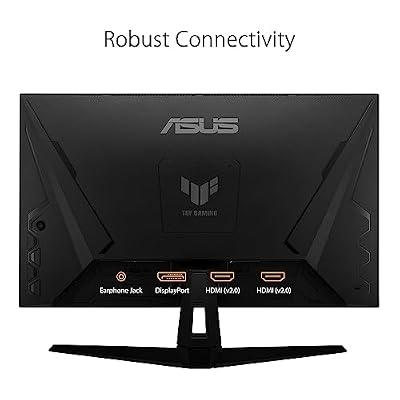
ASUS TUF Gaming VG27AQ3A 27 Inch 1440p 180Hz G-SYNC Gaming Monitor | Fast IPS, ELMB Sync, 1ms, 130% sRGB, Built-In Speakers, FreeSync Premium, HDR10, for PS5 and Xbox, 3yr warranty




As an Amazon Associate we earn from qualifying purchases. Product prices and availability are accurate as of the date/time indicated.

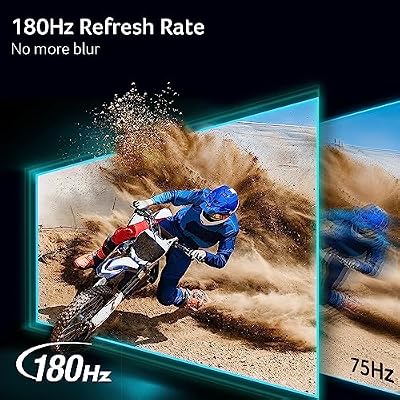
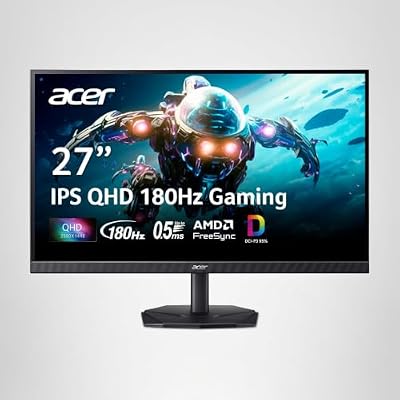
Acer Nitro 27in QHD 2560x1440 IPS 180Hz Gaming Monitor KG271U N3bmiipx | 0.5ms, AMD FreeSync, DCI-P3 95%, 2xHDMI, DisplayPort, Speaker, VESA Mountable, Bluelight Filter, Flickerless Technology




As an Amazon Associate we earn from qualifying purchases. Product prices and availability are accurate as of the date/time indicated.

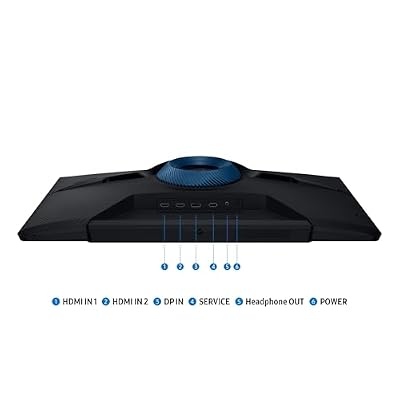
Samsung 27" Odyssey G5 (G51F) Series QHD (1440P) Gaming Monitor | 180Hz, 1ms, AMD FreeSync, HDR10, Height Adj Stand, Black Equalizer, Virtual Aim Point, Auto Source Switch+ (LS27FG512ENXZA)



As an Amazon Associate we earn from qualifying purchases. Product prices and availability are accurate as of the date/time indicated.

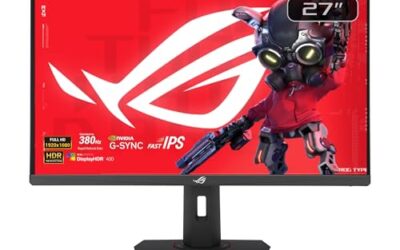
ASUS ROG XG27ACMES 27 Inch 1440p 255Hz Fast IPS G-SYNC HDR Gaming Monitor | OLED Care Pro, 0.03ms, G-SYNC Compatible, USB-C 90W, DisplayWidget Center, 99% DCI-P3, true 10-bit, for PS5 and Xbox




As an Amazon Associate we earn from qualifying purchases. Product prices and availability are accurate as of the date/time indicated.

New! Sceptre 27-inch Prime Gaming Monitor DisplayPort x2 180Hz HDMI x2 180Hz Build-in Speakers, Machine Black 2027 (E275B-FW180T Series)


As an Amazon Associate we earn from qualifying purchases. Product prices and availability are accurate as of the date/time indicated.

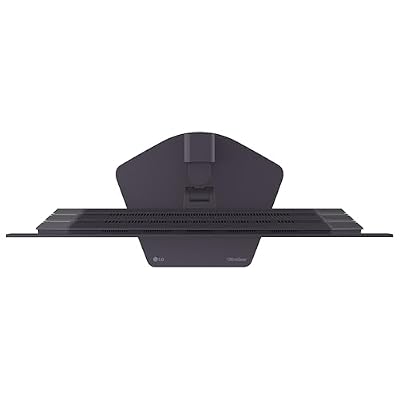
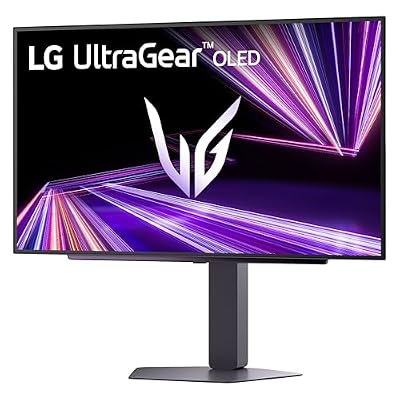
LG 27GX704A-B 27-inch Ultragear QHD (2650x1440) OLED Gaming Monitor 240Hz, 0.03ms, NVIDIA G-Sync Compatible, AMD FreeSync Premium Pro, VESA Display HDR TrueBlack400, HDMI 2.1, DisplayPort, Black






As an Amazon Associate we earn from qualifying purchases. Product prices and availability are accurate as of the date/time indicated.

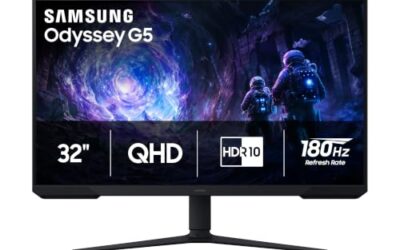
Samsung 32" Odyssey G5 (G51F) QHD 180Hz Gaming Monitor | Featuring QHD Screen, 180Hz Refresh Rate, 1ms Response Time (MPRT), and AMD FreeSync (LS32FG510ENXZA)


As an Amazon Associate we earn from qualifying purchases. Product prices and availability are accurate as of the date/time indicated.

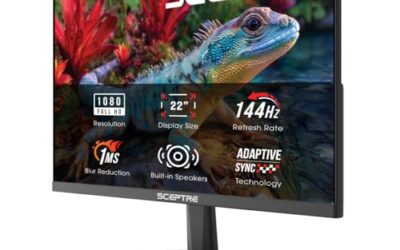
Amzfast 27 Inch WQHD 2560*1440 Curved Gaming Monitor 180Hz OD 1ms | Ultra-Thin Metal Stand 5000:1 Contrast Ratio 134% sRGB HDMI2.0 * 2 DP1.4 * 1 Freesync Curved1500R,(AMZG27C1Q DP Cable Incl.)


As an Amazon Associate we earn from qualifying purchases. Product prices and availability are accurate as of the date/time indicated.
| Product | Best for | Key spec |
|---|---|---|
| ASUS TUF VG27AQ3A | All-round 27-inch play | 1440p, 180Hz, Fast IPS |
| Acer Nitro KG271U | Wide color on a budget | QHD IPS, 180Hz, DCI-P3 95% |
| Samsung Odyssey G5 27-inch | Adjustable stand | QHD, 180Hz, HDR10 |
| ASUS ROG XG27ACMES | Work and play on one cable | 255Hz Fast IPS, USB-C 90W |
| ASUS TUF VG27AQM5A | Maximum QHD speed | 300Hz Fast IPS |
| LG 27GX704A-B | Cinematic contrast | QHD OLED, 240Hz, 0.03ms |
| Samsung Odyssey G5 32-inch | Big canvas | 32-inch QHD, 180Hz |
| Amzfast 27-inch curved | Ports and curve | WQHD, 180Hz, 134% sRGB |
| KTC H27T27S | Entry QHD with both syncs | 27-inch QHD, 144Hz |
How to Choose
Check your graphics card first
QHD at 144Hz or more asks a lot of a GPU. A card that holds 100 frames at 1080p in a demanding title may deliver closer to 60 to 70 at QHD. If you cannot reach 100 frames, a 300Hz panel is wasted; the 144Hz to 180Hz tier is the realistic target for most midrange builds. Look up your card’s typical QHD frame rate in the games you play, not in the ones used for marketing charts.
Know the size and density trade-off
A 27-inch QHD screen gives roughly 109 pixels per inch, which is the sweet spot for sharp text and games. At 32 inches the density falls to about 92, similar to a 24-inch full HD display, so detail is fine but not as crisp. Choose 32 inches only if you sit at least an arm and a half from the desk edge. Anything under 27 inches at QHD makes interface elements tiny and usually needs scaling.
Fast IPS, OLED or VA
Fast IPS panels respond quickly and keep colors stable from the side. OLED, as on the LG, delivers near-instant pixel response and deep blacks, but static HUD elements call for care with brightness and screen-saver settings. Ignore peak HDR numbers on non-OLED models, because HDR10 on a standard backlight rarely looks dramatic. Response-time figures such as 0.03ms or 1ms come from different test methods, so compare panel technology first and numbers second.
Ports and extras that matter
Look for DisplayPort for high refresh, and HDMI 2.0 or newer for consoles. USB-C with power delivery, listed on the ROG, can replace a laptop charger at a desk. Budget models usually cut corners on stand adjustment, so a VESA mount or height-adjustable base is worth confirming before purchase. Built-in speakers are a convenience, not a reason to choose one screen over another.
The 9 Best Options
ASUS TUF VG27AQ3A
The balanced entry point for players leaving 1080p. The title lists 27 inches, 1440p, 180Hz, Fast IPS, G-SYNC, ELMB Sync, 1ms, 130% sRGB, built-in speakers, FreeSync Premium and HDR10, which covers speed, color and sync in one package. For a first QHD display, that breadth makes it the default reference point for the rest of this list.
- Strength: both G-SYNC and FreeSync Premium support suit any graphics card
- Strength: 130% sRGB listing signals generous color for a gaming panel
- Trade-off: 180Hz leaves less headroom than the 255Hz and 300Hz models here
Skip it if you already own a card that can feed 240 frames or more, or if you want USB-C. Its appeal is steady, well-rounded performance, not a headline number.
Acer Nitro KG271U
A sensible choice for players who care more about color than raw frame counts. The title lists QHD 2560×1440 IPS, 180Hz, 0.5ms, AMD FreeSync, DCI-P3 95%, two HDMI ports, DisplayPort, a speaker and VESA mounting. It reads like a screen meant to live on a shared desk that sees games, video and office work.
- Strength: 95% DCI-P3 coverage is strong for photo and video work
- Strength: three inputs support a PC and two consoles
- Trade-off: the title names FreeSync only, with no G-Sync Compatible mention
Skip it if you want a tall, adjustable stand, since none is listed. A monitor arm solves that if the VESA mount fits your desk.
Samsung Odyssey G5 (27-inch)
Meant for buyers who spend long hours at the desk. The title lists QHD, 180Hz, 1ms, FreeSync, HDR10, a height-adjustable stand, Black Equalizer and Virtual Aim Point, a mix of comfort and shooter tools. Of the 180Hz options, it is the one that leans hardest into daily-use comfort.
- Strength: a height-adjustable stand helps with posture
- Strength: Black Equalizer lifts shadows in dark maps
- Trade-off: the title lists neither a G-Sync mention nor USB-C
Skip it if your priority is the highest refresh rate or a docking-style setup. Stand comfort is the reason to pick it, not the spec sheet extremes.
ASUS ROG XG27ACMES
The workstation-meets-arcade option. The title lists 27 inches, 1440p, 255Hz Fast IPS, G-SYNC, HDR, 0.03ms, G-SYNC Compatible, USB-C with 90W and DisplayWidget Center, so one cable can charge a laptop and carry video. That kind of flexibility is unusual in a gaming panel and shapes who should buy it.
- Strength: USB-C 90W suits a laptop-and-desktop desk
- Strength: 255Hz gives a clear step up from 180Hz screens
- Trade-off: the feature stack asks you to confirm every setting before enabling it
Skip it if you game only on one desktop PC and never plug in a laptop. In that case the USB-C feature adds cost without adding value.
ASUS TUF VG27AQM5A
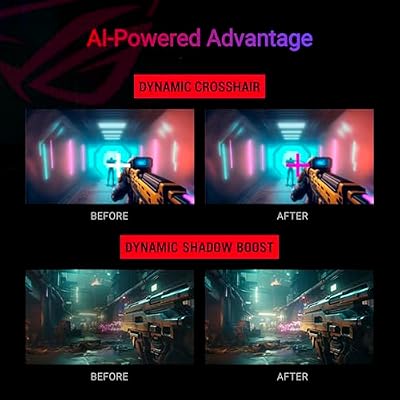
Built for the player who treats frame rate as a competitive edge. The title lists 27 inches, 1440p, 300Hz, G-SYNC, Fast IPS, ELMB Sync, 95% DCI-P3, built-in speakers, Shadow Boost and DisplayWidget. Few buyers will use every feature, but the refresh ceiling is the draw.
- Strength: 300Hz is the fastest QHD IPS refresh on this list
- Strength: Shadow Boost helps reveal detail in dark scenes
- Trade-off: only a strong GPU can approach 300 frames at QHD
Skip it if you play story-driven games on a midrange card. A slower, cheaper panel will feel just as smooth when frames top out near 120.
LG 27GX704A-B
The picture-quality outlier. The title lists a 27-inch UltraGear QHD OLED, 240Hz, 0.03ms, NVIDIA G-Sync Compatible, AMD FreeSync Premium Pro and a VESA DisplayHDR certification, so it targets players who value contrast above all. In a bright room, the benefit appears mostly in dark scenes and fast motion.
- Strength: OLED black levels and 0.03ms response look very different from IPS
- Strength: both adaptive sync standards are listed, plus HDR certification
- Trade-off: OLED panels call for care with static on-screen elements
Skip it if you leave the same window open for hours at a time. Spreadsheet and browser users are the likeliest to run into this limit.
Samsung Odyssey G5 (32-inch)
The roomy pick for a deeper desk or a couch setup. The title lists a 32-inch QHD screen, 180Hz, 1ms MPRT and AMD FreeSync, trading density for sheer size. It is the pick for people who want the screen to dominate the room, with the speed handled by 180Hz.
- Strength: 32 inches of QHD fills a lot more of your view than 27
- Strength: 180Hz is still smooth for action games
- Trade-off: pixel density is about 92 per inch, softer than the 27-inch models
Skip it if you sit close or need sharp text for long document sessions. Moving to the 27-inch models restores sharpness.
Amzfast 27-Inch WQHD Curved
A lesser-known brand with an unusually full port list. The title lists 2560×1440, curved, 180Hz, OD 1ms, a metal stand, 5000:1 contrast, 134% sRGB, two HDMI 2.0 ports and one DisplayPort 1.4. It attracts shoppers who want a curved QHD panel without paying for a famous name.
- Strength: 5000:1 contrast hints at deep blacks for a curved panel
- Strength: 134% sRGB listing suggests rich, vivid colors
- Trade-off: the brand has less name recognition than the others here
Skip it if long-term support and brand recognition matter to you. Warranty terms and driver support are worth reading before committing.
KTC H27T27S
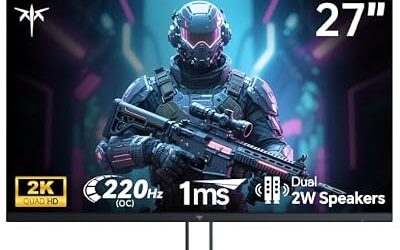
An entry ticket into QHD for players on a modest card. The title lists a 27-inch 2K 1440p screen at 144Hz, FreeSync and G-Sync support, Eye Care, HDR10, HDMI and DisplayPort, and VESA mounting. It is the least demanding option on the list for both wallet and graphics card.
- Strength: 144Hz is easy to reach at QHD on a midrange card
- Strength: both sync standards plus VESA mounting add flexibility
- Trade-off: it has the lowest refresh ceiling in this roundup
Skip it if you plan to upgrade your GPU soon and want room to grow. A 180Hz panel would age better with a faster card.
Which One Fits Your Situation
You play single-player epics and want them gorgeous
The LG 27GX704A-B suits cinematic games, where OLED contrast and QHD detail matter more than sheer speed. Slow-paced exploration games also hide the usual OLED concerns, since the image keeps moving.
You work from a laptop and game on a tower
The ASUS ROG XG27ACMES makes sense: its USB-C 90W listing means one cable can power and display a laptop, while 255Hz serves the gaming side. Fewer cables on the desk is a quiet but real daily benefit.
You play ranked shooters on a strong card
Choose the ASUS TUF VG27AQM5A. Its 300Hz ceiling and Shadow Boost feature reward high frame rates and sharp reactions. Pair it with a GPU that can hold well over 200 frames in your main game.
You are upgrading from 1080p on a modest card
The KTC H27T27S keeps demands realistic with 144Hz, while the ASUS TUF VG27AQ3A offers more headroom if your card is a notch stronger. Either route delivers the sharpness jump without wasting hertz you cannot use.
Common Mistakes
- Buying a 300Hz QHD screen without a GPU that can come near that frame rate.
- Picking 32 inches for desk work and then finding text softer than expected.
- Ignoring OLED care advice and leaving a static HUD or taskbar on screen for hours.
- Confusing 2K marketing with true QHD; confirm 2560 by 1440 on the spec sheet.
- Using an older HDMI cable and capping the refresh rate below what the panel can do.
Related guides
- Logitech G Pro X 2 Vs Steelseries Arctis Nova Pro Wireless
- Travel Controller Case For 8Bitdo Ultimate Series
- Gaming Pc Under 600 For Roblox And Minecraft
Frequently Asked Questions
Is 1440p worth it over 1080p?
For 27-inch screens, yes. The sharper picture is visible in both games and text, as long as your graphics card can still keep frames above roughly 100. Below that, the extra pixels can cost more smoothness than they add detail.
What graphics card do I need for 1440p at high refresh?
A midrange or better modern card is a reasonable baseline for 144Hz to 180Hz in many titles. For 240Hz or more, expect to lower settings or focus on lighter esports games.
Is OLED safe for gaming?
It can be, with sensible habits such as hiding static elements and using the panel’s built-in protection features. If your use involves long periods of unchanged desktop windows, an IPS model is the lower-maintenance choice.
Should I choose 27 or 32 inches at QHD?
Twenty-seven inches gives the sharpest picture and suits normal desk distance. Thirty-two inches suits couch gaming or very deep desks, where immersion matters more than density.