🛒 Best Price Today on Amazon
Prime members get fast, free shipping on everything above, plus member-only deals. New members get a 30-day free trial — cancel anytime.
- Best Gaming Mouse Under 20: Quick Answer by Buyer
- Budget Gaming Mouse Comparison at a Glance
- What You Give Up at the Budget Tier
- Budget Tier: Wired Gaming Mice Under 20
- Step-Up Picks: Wireless and Lightweight Without Going Premium
- Wired vs Wireless on a Budget
- Pick X If… Decision Table
- Best 10, 15, 25 and 30 Dollar Gaming Mouse: How Budget Tiers Compare
- Setup Tips So a Cheap Mouse Performs Better
- Alternatives to Consider
- Frequently Asked Questions
Updated November 2026 – The best gaming mouse under 20 for most buyers is the Logitech G203 Lightsync, with the Razer DeathAdder Essential for palm grips, the HyperX Pulsefire Core for symmetrical comfort and extra buttons, and the Redragon M601 Centrophorus or M711 Cobra when you want the most features for the least spend. Wireless at this level means compromises, so the guide below also covers the step-up options.
Best Gaming Mouse Under 20: Quick Answer by Buyer
This guide uses budget, mid-range and premium tiers in words only, because street prices move constantly and change by region and season. Everything here sits at the budget end, with two step-up picks that cost a little more but cover wireless and ultralight needs. Specifications are what the makers list; reviewers cited in roundups sometimes disagree on which model is best, so the guide notes where opinions split.
- Best all-rounder: Logitech G203 Lightsync
- Best for palm grip: Razer DeathAdder Essential
- Best for extra buttons and symmetrical shape: HyperX Pulsefire Core
- Best feature count for the least spend: Redragon M601 Centrophorus and M711 Cobra
- Best budget step-up for wireless: Logitech G305 Lightspeed
- Best budget step-up for light weight: Razer Cobra
Budget Gaming Mouse Comparison at a Glance
| Mouse | Tier | Best for | Key stated specs (maker or roundup reports) | Limits |
|---|---|---|---|---|
| Logitech G203 Lightsync | Budget | First gaming mouse, claw or fingertip grip | Up to 8,000 DPI · 6 buttons · wired · about 85 g per roundups | Plastic build, no onboard profiles beyond basics |
| Logitech G102 Lightsync | Budget | Players who see it on sale and want a G203 alternative | Wired · RGB · Logitech sensor in the 8,000 DPI class | Closely related to the G203; confirm the revision you buy |
| Redragon M601 Centrophorus | Budget | Buyers who want a gaming shape and many options | Wired · multiple DPI steps · 6 buttons listed by the maker | Software and sensor details vary by revision |
| Redragon M711 Cobra | Budget | Colour lighting, extra buttons, adjustable DPI | Wired · up to roughly 10,000 DPI per the maker · 7 buttons | Shape suits palm and claw; weight not light |
| Razer DeathAdder Essential | Budget | Palm grip, right hand | Up to 6,400 DPI · 5 buttons · wired · about 96 g per roundups | Right-handed only, single colour lighting |
| HyperX Pulsefire Core | Budget to lower mid-range | Symmetrical shape, 7 buttons | Up to 6,200 DPI · 7 buttons · wired · about 87 g per roundups | Cable not braided, sensor mid-grade |
| Razer Cobra | Lower mid-range | Light weight, small hands, claw grip | Wired · maker lists a lightweight design and a 8,500 DPI-class sensor | Costs more than the budget picks above |
| Logitech G305 Lightspeed | Lower mid-range | Budget wireless | Wireless · HERO sensor · AA battery · up to 12,000 DPI per the maker | Runs on a replaceable AA, so extra weight |
What You Give Up at the Budget Tier
A mouse at this level can absolutely be used for competitive play, but there are trade-offs you should know before buying. Understanding them prevents disappointment and helps you decide whether stepping up a tier is worth it.
- Sensor ceiling and quality. Budget mice list large maximum DPI numbers, but the figure that matters is how cleanly the sensor tracks at the 400 to 1600 DPI most shooters use. Entry-level sensors can show jitter or acceleration at the extremes. Stay in the middle of the DPI range.
- Weight. Most budget wired mice weigh in the mid-80 to high-90 gram range, as roundups report, and lack the honeycomb or ultralight shells found higher up the market.
- Cable. Plastic cables can catch on a desk edge. A mouse bungee or a clip fixes the drag cheaply.
- Switches and feet. Makers list click ratings in millions, but budget feet are often thinner PTFE or plastic that wears faster. Replacement skates are inexpensive.
- Software and onboard memory. Some budget mice save DPI stages to the mouse, others only work well with the maker’s utility installed.
- Wireless. Truly wireless gaming mice at this level are rare, so most picks are wired, and the wireless option here costs a little more.
If those limits are acceptable, the budget tier delivers excellent value for FPS, MOBA and everyday use.
Budget Tier: Wired Gaming Mice Under 20
Every pick in this section is wired and listed by the maker as a gaming mouse. Each has its own strengths, so the product headings below state the best use case. Specs are as the makers and roundups list them and may differ by revision.
Logitech G203 Lightsync – Best for Most Budget Buyers
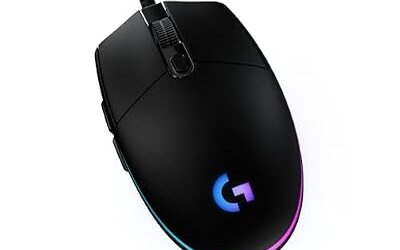
Logitech G203 Lightsync · up to 8,000 DPI · 6 programmable buttons · wired · about 85 g (per roundups) · ambidextrous-shaped body.
The G203 is the mouse most budget roundups put first or second. Its shape is compact and low, so reviewers say it suits claw and fingertip grips and smaller hands in particular, while larger palm-grip users find it slightly small. The maker lists Lightsync RGB with a wide colour range, and G HUB lets you set DPI stages and lighting. Players who just want to plug it in and play get a no-fuss gaming mouse from a well-known brand. The main limitation is that its plastic shell and basic switches feel less refined than premium models. Choose it if your hand is small to medium and you value brand support.

Logitech G203 Wired Gaming Mouse for Laptop & Computer, 8,000 DPI - Black | Rainbow Optical Effect, 6 Programmable Buttons, On-Board Memory, Screen Mapping, PC/Mac Computer and Laptop Compatible
Included for 'Best Gaming Mouse Under $20 in 2026 (Budget Wired and Wireless Picks)' as a representative home product in this roundup; selection reflects the product set returned for this topic.
View on AmazonLogitech G102 Lightsync – Best for Players Who Want a G203 Alternative
Logitech G102 Lightsync · wired · RGB · maker-listed sensor in the 8,000 DPI class · 6 buttons.
The G102 is closely related to the G203 and is often discussed alongside it. Reviewers describe them as very similar in shape and feel, with minor differences between revisions and regional versions. If you spot a G102 on sale, it is a reasonable alternative, but check the product listing against the G203 to see exactly what you are getting, such as the DPI ceiling and lighting. For buyers who care about mouse weight, the maker’s spec table will list it, so compare it with the G203 before you decide.

Logitech G G102 2nd Gen Light Sync Gaming Mouse, Wired, 8000 DPI, 6 Programmable Buttons, RGB, Black
Included for 'Best Gaming Mouse Under $20 in 2026 (Budget Wired and Wireless Picks)' as a representative home product in this roundup; selection reflects the product set returned for this topic.
View on AmazonRedragon M601 Centrophorus – Best for Buyers on a Tight Budget
Redragon M601 Centrophorus · wired · adjustable DPI steps · 6 buttons · RGB lighting as listed by the maker.
Redragon builds a large range of low-cost gaming gear, and the M601 is one of the brand’s best-known entries. The shape is a mid-sized, right-hand-friendly body with a thumb rest. It is a sensible choice if you want gaming features in the cheapest class and you accept that quality control and software can vary between batches. The maker lists sensor and DPI details on its product page, so read the revision you are buying. Reviewers often praise value and criticise software polish, which matches what you would expect at this level.
Redragon M711 Cobra – Best for Extra Buttons and Lighting
Redragon M711 Cobra · wired · up to roughly 10,000 DPI as the maker lists it · 7 buttons · chroma RGB.
The M711 Cobra gives you a high stated DPI ceiling, an extra button and flashy lighting. Do not read the headline DPI number as a performance guarantee; players on FPS games still do better around 800 DPI. The body is a right-hand ergonomic shape with a rubberised side, so palm and claw grips both work. If you want maximum feature count at this tier, it is the one to compare with the DeathAdder Essential. Expect the occasional software quirk and a cable that is stiffer than premium braided cables.

Redragon M711 Wired RGB Optical Gaming Mouse 10000 DPI Remapping Keys | Stable Lag-Free Connection, Programmable Button, Vibing Backlight, Ergonomic Grip Body Comfort
Included for 'Best Gaming Mouse Under $20 in 2026 (Budget Wired and Wireless Picks)' as a representative home product in this roundup; selection reflects the product set returned for this topic.
View on AmazonRazer DeathAdder Essential – Best for Palm Grip
Razer DeathAdder Essential · up to 6,400 DPI · 5 programmable buttons · wired · about 96 g (per roundups) · right-handed ergonomic shape.
The DeathAdder shape is one of the longest-running ergonomic designs in gaming, and the Essential version carries it into the budget tier. Roundups report it as comfortable for medium to large hands in a palm grip, with the right-hand curve and a sizeable thumb rest. The maker lists a 6,400 DPI sensor, which is plenty for any FPS setting, and a click rating in the millions. The single-colour lighting is basic and the weight is slightly higher than the Logitech picks. Left-handed players should skip it entirely, because the shape is not ambidextrous.

Razer DeathAdder Essential Ergonomic Wired Gaming Mouse, Black | 6400 DPI Optical Sensor, 5 Programmable Buttons, Rubber Side Grips, Mechanical Mouse Switches
Included for 'Best Gaming Mouse Under $20 in 2026 (Budget Wired and Wireless Picks)' as a representative home product in this roundup; selection reflects the product set returned for this topic.
View on AmazonHyperX Pulsefire Core – Best for Symmetrical Comfort and 7 Buttons
HyperX Pulsefire Core · up to 6,200 DPI · 7 programmable buttons · wired · about 87 g (per roundups) · symmetrical body.
The Pulsefire Core is a symmetrical shape with side buttons on the left, which works for most grips. One roundup calls it a good value FPS pick, and another credits it with a PixArt PAW3327 sensor; the maker’s page is the place to confirm the exact sensor on current units. HyperX NGENUITY software handles RGB and button assignment. It sits at the top end of the budget range and sometimes slips just past it, so watch for discounts. It is the right choice for players who want a few extra programmable buttons for MMO or MOBA use.
Step-Up Picks: Wireless and Lightweight Without Going Premium
If you can stretch slightly beyond the strict budget tier, these two mice address the main complaints about cheap mice. They are lower mid-range rather than premium, and they cover wireless and low-weight needs that the budget wired mice cannot.
Logitech G305 Lightspeed – Best for Budget Wireless
Logitech G305 Lightspeed · wireless via USB receiver · HERO sensor · up to 12,000 DPI · 6 buttons · AA battery with long battery life as the maker lists.
The G305 is regularly named in roundups as the go-to budget wireless gaming mouse. Logitech lists its Lightspeed wireless technology, and reviewers report responsive connection and long battery life from a single AA cell. It is a little heavier than ultralight shapes because the battery is inside the mouse. The shape is compact, which suits small to medium hands. If a cable annoys you and you are shopping at the very bottom of the market, this is the one step-up worth saving for.

Logitech G305 LIGHTSPEED Wireless Gaming Mouse, Hero 12K Sensor - Black | 12,000 DPI, lightweight, 6 programmable buttons, 250h battery life, on-board memory, PC/Mac, lightweight gaming mouse
Included for 'Best Gaming Mouse Under $20 in 2026 (Budget Wired and Wireless Picks)' as a representative home product in this roundup; selection reflects the product set returned for this topic.
View on AmazonRazer Cobra – Best for Light Weight and Small Hands
Razer Cobra · wired · lightweight design · optical sensor in the high-8,000 DPI class as the maker lists · 6 buttons.
The Razer Cobra is a small, light, wired gaming mouse, aimed at players who like a nimble feel for flick shots. Roundups mention it in the “best overall under 50” bracket, so it is not a strict budget pick, but it is the cheapest way to get a noticeably lighter shell from a major brand. If you plan to use a low sensitivity and fast flick motions, the lower mass helps, though weight is always a personal preference. Check the maker’s page for the current DPI and weight numbers before you buy.

Razer Cobra Wired Gaming Mouse, Gen-3 Optical Switches, 58g, Black | Chroma RGB Lighting with Underglow, Precise 8500 DPI Optical Sensor, 100% PTFE Mouse Feet
Included for 'Best Gaming Mouse Under $20 in 2026 (Budget Wired and Wireless Picks)' as a representative home product in this roundup; selection reflects the product set returned for this topic.
View on AmazonWired vs Wireless on a Budget
For under-20 spending, wired is simply the better choice. Wired mice avoid battery weight, have no latency or pairing concerns, and never run flat mid-match. Wireless options at this price are often generic and use proprietary dongles of uncertain quality, so the sensible wireless route is to step up to a proven model such as the G305. If you do buy a no-name wireless mouse, check that it has a 2.4 GHz receiver rather than Bluetooth only, since Bluetooth usually has higher latency, and read reviews that mention battery life honestly.
Pick X If… Decision Table
| Pick this mouse | If you | Watch out for |
|---|---|---|
| Logitech G203 Lightsync | Want a safe, well-supported first gaming mouse with a small to medium shape | Large palm-grip hands may find it small |
| Logitech G102 Lightsync | Find it on sale and trust Logitech’s shape | Compare specs against the G203 before buying |
| Redragon M601 Centrophorus | Need gaming features at the lowest spend | Software and quality can vary by batch |
| Redragon M711 Cobra | Want extra buttons and bold lighting | Headline DPI is not a performance guarantee |
| Razer DeathAdder Essential | Use a palm grip and a right hand | Not suitable for left-handed use |
| HyperX Pulsefire Core | Want a symmetrical mouse with 7 buttons | Sits at the top of the budget band |
| Logitech G305 Lightspeed | Want wireless without paying premium money | Costs more than the wired picks |
| Razer Cobra | Want a lighter shell for fast flicks | Also costs more than the strict budget band |
Best 10, 15, 25 and 30 Dollar Gaming Mouse: How Budget Tiers Compare
Shoppers often search for a best 5 dollar, 10 dollar, 15 dollar or 20 dollar gaming mouse, and then 25, 30, 40 or 50 dollar versions. Because prices change, think of them as bands. The very bottom band gets you a basic shaped mouse with simple RGB and an average sensor; use it only as a temporary mouse. The middle of the budget band, where the Logitech G203 and Redragon models sit, is the sweet spot for first-time gaming buyers. The upper budget band, where the DeathAdder Essential and HyperX Pulsefire Core sit, adds brand polish and better switches. Stepping into the 30 to 50 band is where wireless options such as the G305, lighter shells such as the Razer Cobra and better software start to appear, and it is where most roundups switch from “best budget” to “best value”.
Setup Tips So a Cheap Mouse Performs Better
- Set the DPI to 800. It is the most common FPS choice, and avoids the extremes where entry-level sensors are weakest.
- Turn off pointer acceleration. In Windows, untick “Enhance pointer precision” in the mouse settings.
- Use a decent mouse pad. A cloth pad improves glide and tracking on any sensor, and costs little.
- Manage the cable. A bungee or a cable clip removes drag.
- Keep the feet clean. Dust under the skates changes the glide; wipe them with a dry cloth.
- Give it time. Use a new mouse for a week or two before deciding if the shape suits you, because muscle memory takes time to adjust.
Alternatives to Consider
- Logitech B100. A basic wired office mouse that appears in budget-shopping searches. It is not a gaming mouse, with a modest sensor and no gaming software, so treat it as a stopgap only.
- Logitech G305 Lightspeed. Covered above; the best-known budget wireless choice.
- Used or refurbished mid-range mice. A refurbished mouse from a major brand can outperform a new generic budget model. Check the seller’s return policy and the condition of the cable, buttons and feet.
Frequently Asked Questions
Is a cheap gaming mouse good enough for FPS games?
Yes, for most players. A budget mouse from a major brand such as the Logitech G203 or Razer DeathAdder Essential has a sensor that is more than capable at normal FPS DPI settings. The gaps show up in weight, build quality and durability, not in aim accuracy.
Which is better, the Logitech G203 or the Razer DeathAdder Essential?
It depends on your hand. Roundups suggest the G203 suits small to medium hands and claw or fingertip grips, while the DeathAdder Essential suits larger hands and palm grips. Both are wired budget gaming mice with similar performance at normal settings.
Is there a good wireless gaming mouse in the budget range?
Truly cheap wireless gaming mice are rare and uneven. The Logitech G305 Lightspeed is the most often recommended budget wireless mouse, but it costs more than the wired budget picks. If you want to stay in the strict budget tier, a wired mouse is the better choice.
What DPI should I use on a budget gaming mouse?
Use 800 DPI as a starting point for most FPS games, then tune your in-game sensitivity. Avoid the highest listed DPI steps, because marketing numbers on budget mice are rarely useful in real play.
How long does a budget gaming mouse last?
Makers list switch ratings in the millions of clicks, but real life depends on use, the cable and the feet. A budget mouse can last years with care, though skates and cables tend to wear first. Replacement skates are inexpensive and extend its life.
Is the Redragon M601 or M711 worth buying?
They are popular feature-rich options at the lowest spend. They suit buyers who want extra buttons and lighting, but software quality and batch consistency can vary. If you want more predictable support, a Logitech or Razer budget model is the safer route.