🛒 Best Price Today on Amazon
Prime members get fast, free shipping on everything above, plus member-only deals. New members get a 30-day free trial — cancel anytime.
- ASUS Motherboard Lineup by Tier
- Best ROG Motherboards
- Best ASUS TUF Gaming Motherboards
- Best ASUS Prime Motherboards for Budget Builds
- Best ASUS ProArt Motherboards for Creators
- Older ASUS Boards People Still Search For
- Best ASUS Motherboards With RGB
- Pick X If… Decision Table
- How to Choose an ASUS Board
- Compatibility and Fit Notes
- Alternatives to ASUS
- Frequently Asked Questions
Updated November 2026 – The best ASUS motherboards in 2026 depend on your CPU: the ROG Strix B850-F Gaming WiFi suits most AMD AM5 gaming builds, the TUF Gaming B850-Plus WiFi is the sturdy mid-range pick, the ROG Strix Z890-E Gaming WiFi leads for Intel Core Ultra 200S, the ROG Crosshair X870E Hero and ROG Maximus Z890 Hero are the flagships, and the ProArt X870E-Creator WiFi is the choice for creators.
Choosing among the best ASUS motherboards comes down to understanding the brand’s tiers. ASUS sells five main families: ROG Maximus (Intel) and ROG Crosshair (AMD) at the top, ROG Strix as the upper-mid gaming line, TUF Gaming as the durable mid-range line, Prime as the plain value line and ProArt for creators. Each family appears on both AMD AM5 and Intel boards, and the same names also appeared on older sockets such as AM4 and LGA 1700. This guide covers current AM5 and Intel LGA 1851 examples, plus LGA 1700 and older boards that people still search for.
ASUS Motherboard Lineup by Tier
| Family | Tier | Aimed at | Typical traits as the maker lists them |
|---|---|---|---|
| ROG Maximus / Crosshair | Flagship | Overclockers and enthusiasts | Strongest VRM, most ports, premium audio and networking |
| ROG Strix | Upper-mid | Gamers wanting features and RGB | Strong VRM, Wi-Fi, multiple M.2 slots, Aura RGB |
| TUF Gaming | Mid-range | Gamers wanting durability | Military-style component branding, solid cooling, Wi-Fi on Plus models |
| Prime | Value | Budget and office builds | Simpler design, fewer extras, lower cost |
| ProArt | Creator | Video, 3D and workstation users | Fast networking, extra PCIe lanes, Thunderbolt on some models |
Best ROG Motherboards
For anyone searching for the best ROG motherboards, ROG is ASUS’s Republic of Gamers brand and covers the Maximus, Crosshair and Strix lines. These are the boards with the strongest power delivery and the most features, and also the highest prices. Whether they are worth it depends on whether you overclock or need extra ports and storage.
ASUS ROG Crosshair X870E Hero – Best for flagship AM5 builds
X870E · ATX · DDR5 · AM5 · WiFi 7 · PCIe 5.0 as listed by the maker
Tom’s Hardware picked an ASUS ROG Crosshair X870E board (the Glacial variant) as its best high-end X870E board, and the Hero sits alongside it in the same Crosshair family. It is aimed at a Ryzen 9 9950X3D or 9800X3D build where you want maximum connectivity and strong VRMs. For most gamers it is more board than needed.

ASUS ROG Crosshair X870E Hero AMD X870E AM5 ATX Motherboard, Advanced AI PC Ready, 18+2+2 Power Stages, DDR5, PCIe® 5.0, 5X M.2, Wi-Fi 7, USB4®, Overclocking, Core Flex, Slot Q-Release Slim
Included for 'Best ASUS Motherboards in 2026: ROG Strix, TUF Gaming, Prime and ProArt' as a representative home product in this roundup; selection reflects the product set returned for this topic.
View on AmazonASUS ROG Strix X870E-E Gaming WiFi – Best for heavy storage and expansion on AM5
X870E · ATX · DDR5 · AM5 · WiFi 7 as listed by the maker
Reviewers recommend the X870E-E when you need many drives or faster networking, such as 5Gb Ethernet. It carries the ROG Strix styling and Aura RGB support, which makes it a popular answer to “best asus motherboards rgb”.

ASUS ROG Strix X870E-E Gaming WiFi AMD AM5 X870 ATX Motherboard 18+2+2 Power Stages, Dynamic OC Switcher, Core Flex, DDR5 AEMP, Wi-Fi 7, 5X M.2, PCIe® 5.0, Q-Release Slim, USB4®, AI OCing & Networking
Included for 'Best ASUS Motherboards in 2026: ROG Strix, TUF Gaming, Prime and ProArt' as a representative home product in this roundup; selection reflects the product set returned for this topic.
View on AmazonASUS ROG Strix B850-F Gaming WiFi – Best for most AM5 gamers
B850 · ATX · DDR5 · AM5 · WiFi 7 as listed by the maker
Several review sites rate the ROG Strix B850-F or B850-A as the best choice for most gamers. The argument is that mainstream B850 gives builders what they need without the cost of X870E. It supports Ryzen 9000 chips, including X3D models such as the Ryzen 7 9800X3D, and includes ROG features like a quick-release M.2 design on many models.

ASUS ROG Strix B850-F Gaming WiFi AMD AM5 B850-F ATX Motherboard 16+2+2 Power Stages, AI PC, DDR5 AEMP, WiFi 7, 4X M.2, PCIe® 5.0, Total Support of 19 USB, 20Gbps Type-C®, AI Networking II, Aura Sync
Included for 'Best ASUS Motherboards in 2026: ROG Strix, TUF Gaming, Prime and ProArt' as a representative home product in this roundup; selection reflects the product set returned for this topic.
View on AmazonASUS ROG Maximus Z890 Hero – Best for flagship Intel Core Ultra builds
Z890 · ATX · DDR5 · LGA 1851 · WiFi 7 · multiple PCIe 5.0 connections as listed by the maker
One roundup lists this as its top-tier Intel pick, noting 22+2+1+2 power stages and three PCIe 5.0 connections. It matches a Core Ultra 9 285K and suits people who tune memory and CPU settings. Overclocking can void warranties and cause instability, so keep settings conservative.

ASUS ROG Maximus Z890 Hero Intel Z890 LGA1851 DDR5 9200 HDMI 2xUSB4 6X M2 USB3.2 WiFi 7 + BT Aura RGB 5Gbit + 2.5Gbit LAN ATX 22+1+2+2 Power Phases, Motherboard
Included for 'Best ASUS Motherboards in 2026: ROG Strix, TUF Gaming, Prime and ProArt' as a representative home product in this roundup; selection reflects the product set returned for this topic.
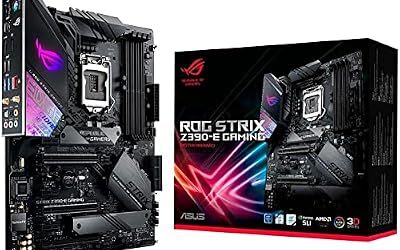
View on AmazonASUS ROG Strix Z890-E Gaming WiFi – Best for a premium Intel gaming build
Z890 · ATX · DDR5 · LGA 1851 · WiFi 7 as listed by the maker
Reviewers name the Strix Z890-E as the best premium Z890 board, a step below the Maximus Hero. A Z890-A Gaming WiFi sits one tier below it in the Strix line.

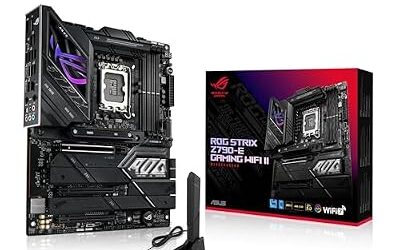
ASUS ROG Strix Z890-E Gaming WiFi Intel® Z890 LGA 1851 ATX Motherboard, Advanced AI PC-Ready, 18+2+1+2 Stages, DDR5, WiFi 7, 7X M.2, Thunderbolt™ 4, USB Type-C®, AI Overclocking, Cooling & Networking
Included for 'Best ASUS Motherboards in 2026: ROG Strix, TUF Gaming, Prime and ProArt' because the listing adds cooling or gel-infused layers, which is the attribute this article compares.
View on AmazonASUS ROG Strix Z790-E Gaming WiFi II – Best for an LGA 1700 premium build
Z790 · ATX · DDR5 · LGA 1700 · WiFi as listed by the maker
For buyers staying on 12th to 14th gen Intel CPUs, a roundup names it the best premium Z790 board for Core i9 and i7 overclocking. LGA 1700 is a mature platform, so availability varies.

ASUS ROG Strix Z790-E Gaming WiFi II LGA 1700(Intel 14th & 13th & 12th Gen)ATX gaming motherboard(DDR5,PCIe 5.0,2.5 Gb LAN,5XM.2 slots,PCIe 5.0 x16,WiFi 7 front-panel connector with PD 3.0 up to 30W.
Included for 'Best ASUS Motherboards in 2026: ROG Strix, TUF Gaming, Prime and ProArt' as a representative home product in this roundup; selection reflects the product set returned for this topic.
View on AmazonBest ASUS TUF Gaming Motherboards
TUF Gaming is the line for people who want a durable, well-cooled board without the ROG price. For the best ASUS gaming motherboards on a normal budget, TUF Gaming is where most buyers land.
ASUS TUF Gaming B850-Plus WiFi – Best for a mid-range AM5 build
B850 · ATX · DDR5 · AM5 · WiFi as listed by the maker
Reviewers describe the TUF Gaming B850-Plus WiFi as a value option for Ryzen 7000 and 9000 chips. It has solid VRM heatsinks, multiple M.2 slots and enough ports for a typical gaming PC.

ASUS TUF Gaming B850-PLUS WiFi AMD AM5 B850 ATX Motherboard, 14+2+1 80A Stages, AI Ready, DDR5, PCIe 5.0, 3X M.2, Wi-Fi 7, 2.5Gb LAN, DisplayPort, HDMI™, USB 10Gbps & 20Gbps Type-C®, BIOS Flashback™
Included for 'Best ASUS Motherboards in 2026: ROG Strix, TUF Gaming, Prime and ProArt' as a representative home product in this roundup; selection reflects the product set returned for this topic.
View on AmazonASUS TUF Gaming X870E-Plus WiFi – Best for a TUF board with the X870E feature set
X870E · ATX · DDR5 · AM5 · WiFi 7 as listed by the maker
For a Ryzen 9 build that needs X870E-class lanes and USB4 support, the TUF X870E-Plus gives those features without the Crosshair price. Check the maker’s spec sheet for the exact port list.

TUF Gaming X870E-PLUS WIFI7 AMD X870E ATX Motherboard with 16+2+1 80A Power Stages, DDR5 Support with AEMP, PCIe 5.0 x16 with PCIe Slot Q-Release Slim, Four M.2 Slots, WiFi 7 with ASUS WiFi Q-Antenna
Included for 'Best ASUS Motherboards in 2026: ROG Strix, TUF Gaming, Prime and ProArt' as a representative home product in this roundup; selection reflects the product set returned for this topic.
View on AmazonASUS TUF Gaming Z790-Plus WiFi – Best for Core i7 builds on LGA 1700
Z790 · ATX · DDR5 · LGA 1700 · WiFi as listed by the maker
Review Consensus names it its best overall Z790 board, and other roundups call it the best choice for most modern Core i7 builds. A DDR4 variant exists in the TUF line, so check the memory type in the name.
ASUS TUF Gaming B760-Plus WiFi – Best for an i5 on LGA 1700
B760 · ATX · DDR5 · LGA 1700 · WiFi as listed by the maker
A reliable mid-range B760 pick for non-K chips. Reviewers note B760 boards limit CPU overclocking, so choose Z790 for an unlocked i7 you plan to tune. Anyone searching for the best ASUS motherboards for an i5 will find this one among the most frequently named.

ASUS TUF Gaming B760-PLUS WiFi Intel B760 LGA1700 DDR5 7200 DP HDMI 3X M2 USB3.2 AX WiFi + BT 2.5Gbit LAN up to ATX 128GB ram Support, ASUS 5X TUF Motherboard Protection III
Included for 'Best ASUS Motherboards in 2026: ROG Strix, TUF Gaming, Prime and ProArt' as a representative home product in this roundup; selection reflects the product set returned for this topic.
View on AmazonBest ASUS Prime Motherboards for Budget Builds
ASUS Prime B850-Plus WiFi – Best for a budget AM5 build
B850 · ATX · DDR5 · AM5 · WiFi as listed by the maker
The Prime B850-Plus WiFi is cited with the TUF B850-Plus as a value option for AM5. It trades the TUF styling and some extras for a lower cost.

ASUS Prime B850-PLUS WiFi AMD AM5 AMD B850 ATX Motherboard, DDR5, PCIe 5.0 Ready, 3X M.2, Wi-Fi 6E, 2.5Gb LAN, DisplayPort, HDMI™, USB 10Gbps Type-A & Type-C®, BIOS Flashback™, Aura Sync, AI Advisor
Included for 'Best ASUS Motherboards in 2026: ROG Strix, TUF Gaming, Prime and ProArt' as a representative home product in this roundup; selection reflects the product set returned for this topic.
View on AmazonASUS Prime Z890-P WiFi – Best for a budget Z890 build
Z890 · ATX · DDR5 · LGA 1851 · WiFi as listed by the maker
Tom’s Hardware picks this as its best budget Z890 board. It keeps overclocking support and PCIe 5.0 graphics in a plain package, suited to a Core Ultra 7 or Core Ultra 5.

ASUS PRIME Z890-P WIFI Z890 LGA 1851 ATX motherboard, Intel® Core™ Ultra Series 2 Ready, Advanced AI PC-ready, 14+1+1+2 power stage, DDR5, PCIe® 5.0, Thunderbolt™ 4 USB Type-C®, 4x M.2, Wi-Fi 7, 2.5Gb
Included for 'Best ASUS Motherboards in 2026: ROG Strix, TUF Gaming, Prime and ProArt' as a representative home product in this roundup; selection reflects the product set returned for this topic.
View on AmazonBest ASUS ProArt Motherboards for Creators
ASUS ProArt X870E-Creator WiFi – Best for creator workstations on AM5
X870E · ATX · DDR5 · AM5 · WiFi 7 · fast wired networking as listed by the maker
The ProArt family drops the gamer look and focuses on lanes and connectivity. Reviewers cite the ProArt X870E-Creator for creators who need two PCIe x16 slots running at x8/x8, and the ProArt B850-Creator WiFi Neo as a lower-cost version. Both handle video editing and 3D rendering workflows with multiple drives.

ASUS ProArt X870E-CREATOR WiFi AMD AM5 X870E ATX Motherboard PCIe® 5.0 x16 Slots with Full Support for Next-gen GPUs, 16+2+2 Power Stages, DDR5, Dual USB4®, 10 Gb & 2.5 Gb LAN, WiFi 7, Four M.2
Included for 'Best ASUS Motherboards in 2026: ROG Strix, TUF Gaming, Prime and ProArt' as a representative home product in this roundup; selection reflects the product set returned for this topic.
View on AmazonASUS ProArt Z890-Creator WiFi – Best for Intel creators who want Thunderbolt 5
Z890 · ATX · DDR5 · LGA 1851 · Thunderbolt 5 · 5x M.2 · 10G plus 2.5G LAN as listed by the maker
A roundup lists these specifications for the ProArt Z890-Creator WiFi, making it a fit for editors with fast external storage and a Core Ultra 9 CPU.
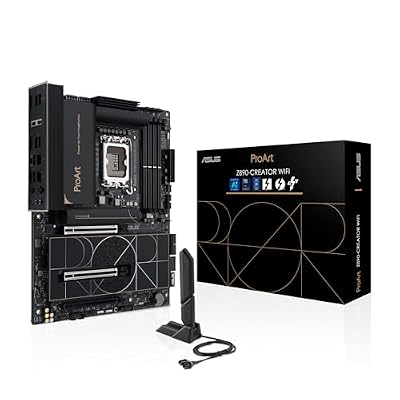
ASUS ProArt Z890-CREATOR WIFI Z890 LGA 1851 ATX Motherboard, Intel® Core™ Ultra Processor Series 2 Ready, 16+2+1+2 stages, PCIe® 5.0, DDR5, Thunderbolt™ 5 Type-C®, 10+2.5 Gb LAN, WiFi 7, 5x M.2, AI OC
Included for 'Best ASUS Motherboards in 2026: ROG Strix, TUF Gaming, Prime and ProArt' as a representative home product in this roundup; selection reflects the product set returned for this topic.
View on AmazonOlder ASUS Boards People Still Search For
Some queries, such as “best asus x370 motherboards”, “best asus z370 motherboards” and “best asus atx motherboards”, point to previous-generation platforms. X370 is an AM4 chipset for Ryzen 1000 and 2000 chips, with Ryzen 5000 support only on boards whose BIOS adds it. Z370 is an LGA 1151 version 2 chipset for 8th gen and some 9th gen Intel chips. Examples include the ASUS ROG Crosshair VI Hero and ROG Strix X370-F Gaming on AM4, and the ROG Strix Z370-E Gaming on LGA 1151. Availability is limited to used stock, and Z370 is not on Microsoft’s list for 7th gen and older chips. If you are building new, choose a current AM5 or LGA 1851 board.
As for “best atx asus motherboards”, ATX is a form factor, not a socket. Most boards listed above are full ATX, which is the standard size for mid-tower cases. ASUS also sells micro-ATX versions, often labelled with an “M” in the name, and mini-ITX ROG Strix models for small cases.
Best ASUS Motherboards With RGB
RGB support depends on the tier. ROG Strix boards usually carry addressable RGB headers and lighting built into the heatsinks and I/O cover, controlled through the ASUS Armoury Crate software and Aura Sync. TUF Gaming boards offer RGB headers and a lighter amount of lighting. Prime boards focus on function, though many still include headers. If you plan to build a lit PC, check the number of addressable and standard RGB headers in the manual, and note that software control of RGB is optional on most boards.
Pick X If… Decision Table
| Pick this | If you… | Skip it if… |
|---|---|---|
| ROG Strix B850-F Gaming WiFi | are building a mainstream AM5 gaming PC with Wi-Fi 7 and RGB | you want the lowest cost |
| TUF Gaming B850-Plus WiFi | want durable cooling at a mid-range tier | you need lots of expansion |
| Prime B850-Plus WiFi | want AM5 on a budget | you want premium styling and RGB |
| ROG Crosshair X870E Hero | want the best AM5 connectivity and VRM | you build with a mid-range chip |
| ROG Strix Z890-E Gaming WiFi | are building around a Core Ultra 7 or 9 | you need to save money |
| Prime Z890-P WiFi | want Intel Core Ultra at a lower cost | you plan to push heavy overclocks |
| TUF Gaming Z790-Plus WiFi | stay on LGA 1700 with a Core i7 | you want the newest Core Ultra CPUs |
| ProArt X870E-Creator WiFi | need two fast PCIe slots and quick networking | you only game |
How to Choose an ASUS Board
Match the socket first
AM5 takes Ryzen 7000, 8000G and 9000 CPUs. LGA 1851 takes Core Ultra 200S. LGA 1700 takes 12th to 14th gen Core. None of these are cross-compatible.
Choose the chipset by needs
On AM5, B850 is the mainstream chipset and X870E is the high-end one. On Intel, Z890 offers overclocking and B860 is the cheaper option. The right chipset depends on how many drives, USB ports and PCIe lanes you need.
Check BIOS support
Some AM5 boards need a BIOS update for newer Ryzen chips. ASUS offers BIOS Flashback on many models, which lets you update from a USB drive without a CPU. Check the maker’s CPU support list before buying.
Read the name carefully
ASUS uses suffixes such as -E, -F, -A, -Plus and II. An -E or -F ROG Strix is typically a step above -A or -H in features, and the model name can point to either a DDR4 or DDR5 board on LGA 1700. Matching the full name to the maker’s page avoids confusion.
Compatibility and Fit Notes
- Memory: AM5 and LGA 1851 are DDR5 only. LGA 1700 boards come in DDR4 and DDR5 versions.
- Coolers: AM5 reuses AM4 cooler mounting on many coolers. LGA 1851 and LGA 1700 differ, so confirm with the cooler maker.
- Case: Full ATX needs a case that lists ATX support. Check GPU length and cooler height limits.
- Power: Follow the board manual for the CPU power connectors, and make sure your power supply has the required 8-pin or 4+4 pin connectors.
- Warranty: Overclocking and BIOS modifications can void warranties and cause instability, so keep settings conservative.
Alternatives to ASUS
MSI
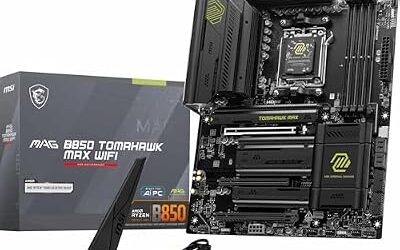
MSI’s MAG Tomahawk and MPG Carbon lines compete directly with TUF and Strix, and reviewers often list them in the same roundups.
Gigabyte
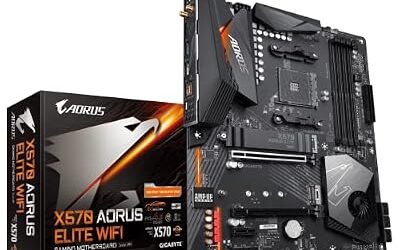
Gigabyte Aorus Elite and Aorus Master boards offer similar tiers, with different BIOS and software design.
ASRock
ASRock’s Steel Legend, Taichi and Riptide models often target value-focused buyers and sometimes undercut other brands.
Frequently Asked Questions
What is the best ASUS motherboard overall?
For most AMD gamers, reviewers point to the ROG Strix B850-F Gaming WiFi or the B850-A as the best balance of price and features. For Intel Core Ultra builds, the ROG Strix Z890-E Gaming WiFi is a common premium pick. The best choice depends on your CPU socket and budget.
What is the difference between ROG Strix and TUF Gaming?
ROG Strix is the upper-mid line with more RGB, stronger VRMs on many models and extra features. TUF Gaming is the mid-range line that focuses on durability and value. Both can run the same CPUs, so the choice is about features and cost.
Are ASUS Prime motherboards good for gaming?
Yes, for budget builds. Prime boards have fewer extras and simpler styling, but they run the same chipsets and CPUs as higher lines. Check VRM and heatsink quality if you pair one with a high-end CPU.
Which ASUS motherboard is best for an i5?
An ASUS TUF Gaming B760-Plus WiFi suits a non-K Core i5 on LGA 1700, while a TUF Gaming B860 board suits a Core Ultra 5 on LGA 1851. B-series chipsets do not support CPU overclocking, which is fine for non-K chips. Choose a Z-series board only if you plan to overclock a K chip.
Are ASUS ProArt motherboards worth it for gaming?
They work for gaming, but their strengths are connectivity and PCIe lanes for creators. Gamers usually get better value from TUF Gaming or ROG Strix. Pick ProArt if you need fast networking, two x16-size slots or Thunderbolt.
Do ASUS motherboards need a BIOS update for new CPUs?
Sometimes. Boards made before a CPU launched may need a newer BIOS, and many ASUS models include BIOS Flashback so you can update with a USB drive and no CPU installed. Check the CPU support list on the maker’s product page for your board and CPU before buying.