🛒 Best Price Today on Amazon
Prime members get fast, free shipping on everything above, plus member-only deals. New members get a 30-day free trial — cancel anytime.
- Quick Comparison of the Best Cable Modems
- DOCSIS 3.1 vs DOCSIS 4.0: What to Buy in 2026
- Match the Modem to Your Speed Tier
- Stand-Alone Modem vs Modem Router Combo
- Check Your Provider’s Approved Device List
- The Best Cable Modems by Tier
- Buy or Rent: Does Owning a Modem Pay Off?
- Common Problems a New Modem Will and Will Not Fix
- Which Router Should Pair With a Stand-Alone Modem?
- Pick X If… Decision Table
- Installation and Activation Notes
- Frequently Asked Questions
Updated November 2026 – The best cable modems for most people are the Arris SURFboard S34 for new setups, the Motorola MB8611 or Arris SURFboard S33 for 2.5G ports, and the Arris SURFboard SB8200 or Netgear CM1000 when provider compatibility is the priority.
The best cable modems in 2026 are DOCSIS 3.1 models, because that is what you can actually buy at retail today. Reviewers report that DOCSIS 4.0 modems are supplied by cable providers rather than sold directly to consumers, so a DOCSIS 3.1 modem with a 2.5 Gigabit Ethernet port is the practical choice for nearly every current cable plan and should keep working when DOCSIS 4.0 reaches your area. This guide explains how to match a stand-alone modem to your speed tier, how to confirm your provider accepts it, and which current models fit which buyer.
Quick Comparison of the Best Cable Modems
| Model | Tier | Best for | Key stated specs | Limits |
|---|---|---|---|---|
| Arris SURFboard SB8200 | Budget | Gigabit plans, provider flexibility | DOCSIS 3.1 · 1G Ethernet · link aggregation support as the maker lists | No multi-gig port |
| Netgear CM1000 | Budget | Gigabit plans on wide approved lists | DOCSIS 3.1 · 1G Ethernet | Older design, no multi-gig port |
| Hitron CODA56 | Mid-range | Value with mid-split support | DOCSIS 3.1 · mid-split as reviewers report | Check provider acceptance |
| Motorola B12 | Mid-range | Compact modem | DOCSIS 3.1 · compact design | Fewer reviews than older models |
| Motorola MB8611 | Mid-range | Multi-gig plans | DOCSIS 3.1 · 2.5G Ethernet port | Not on every provider list |
| Arris SURFboard S33 | Mid-range | Balanced performance and longevity | DOCSIS 3.1 · 2.5G Ethernet port | Needs a 2.5G-capable router to use the port |
| Arris SURFboard S34 | Premium | Best overall for new buyers | DOCSIS 3.1 · 2.5G Ethernet port | Higher cost than older models |
| Netgear Nighthawk CM3000 | Premium | Gaming and faster upload tiers | DOCSIS 3.1 · 2.5G port · mid-split as reviewers report | Premium tier |
DOCSIS 3.1 vs DOCSIS 4.0: What to Buy in 2026
DOCSIS is the standard that cable networks use to carry internet service. DOCSIS 3.1 supports multi-gigabit downloads and is what all the modems above implement. DOCSIS 4.0 is the next generation, designed for faster uploads and symmetrical speeds, and cable providers are rolling it out in stages. Outlets covering the topic report that, as of late 2026, no DOCSIS 4.0 modem is available for retail purchase, and the units that exist are supplied by providers. Buying a DOCSIS 3.1 modem today is therefore reasonable, and reviewers say it keeps working when DOCSIS 4.0 arrives in your area. If your provider publishes a DOCSIS 4.0 timeline or offers a self-install DOCSIS 4.0 device, follow their instructions before purchasing.
Match the Modem to Your Speed Tier
A modem should not be the slowest link in your setup. Use the following guidance, and always compare against the speed listed on your own plan.
| Plan speed | Suitable modem | Notes |
|---|---|---|
| Under about 500 Mbps | DOCSIS 3.1 or even older DOCSIS 3.0 models if your provider still accepts them | Older models may be on retirement lists, so confirm with the provider |
| Around 1 Gbps | Arris SURFboard SB8200, Netgear CM1000 | Gigabit port is enough, but a 2.5G port adds headroom |
| 2 Gbps or multi-gig tiers | Arris SURFboard S33 or S34, Motorola MB8611, Netgear CM3000 | Pair with a router that has a 2.5G or faster WAN port |
| Plans with higher upload tiers | Models with mid-split support such as the CM3000 or Hitron CODA56, per reviewers | Depends on your provider’s rollout |
Stand-Alone Modem vs Modem Router Combo
A stand-alone modem only connects to the cable line and passes the connection to a separate router. A combo unit, such as the Arris SURFboard G36 that roundups suggest for all-in-one setups, includes Wi-Fi in the same box. A combo reduces clutter, but you cannot upgrade the Wi-Fi without replacing the whole unit, and a failure takes down both functions. Searches such as “best cable modem and routers” and “best home modems routers” usually describe this choice. If you want to upgrade your Wi-Fi independently, choose a stand-alone modem and add the router of your preference. If you rent equipment from your provider, remember that the rental modem is almost always a combo, and returning it means supplying your own router too.
What About DSL and ADSL Modems?
Queries for “best dsl modems and routers” or “best adsl modems and routers” describe a different technology. A cable modem will not work on a phone-line connection. DSL and ADSL need a DSL modem, and fiber uses an ONT. If you are on cable, the models in this guide apply; otherwise follow your provider’s list of DSL equipment.
Check Your Provider’s Approved Device List
Cable companies maintain lists of modems they accept, and a modem that is not on the list may fail to activate. Before buying, check your provider’s approved device list. Roundups report that the Arris SB8200 and Netgear CM1000 appear on the lists of several large providers, which makes them lower-risk if you might switch, while the Motorola MB8611 is reported as approved by some providers but not guaranteed everywhere. These notes can change, so the provider’s own list is the final authority.
- Comcast Xfinity: publishes a list of customer-owned modems that it accepts.
- Spectrum, including accounts that began as Time Warner Cable: publishes its own approved modem list. Searches for “best twc modems routers” lead here, since TWC accounts moved to Spectrum.
- Cox: also keeps a list, and searches such as “best cox cable modem routers” should be compared against it.
- Others: smaller cable companies have their own lists, so confirm directly.
The Best Cable Modems by Tier
Budget Picks
Arris SURFboard SB8200 – Best for Provider Flexibility
Specs: DOCSIS 3.1 · 1 Gigabit Ethernet · link aggregation support as the maker lists · stand-alone modem
The SB8200 is a widely accepted DOCSIS 3.1 modem, and roundups list it on several large providers’ approved lists. Its Ethernet port is gigabit, so it suits plans up to about 1 Gbps. It is a sensible choice if you may change provider, or if you want a proven design without paying for a 2.5G port.

ARRIS SURFboard SB8200 DOCSIS 3.1 Cable Modem | Up to 1 Gbps Plans | Two 1 GbE ports deliver up to 2 Gbps wired aggregate; works with Xfinity, Cox, Spectrum; modem only, router required.
Included for 'Best Cable Modems in 2026: DOCSIS 3.1 and 4.0 Compared' as a representative home product in this roundup; selection reflects the product set returned for this topic.
View on AmazonNetgear CM1000 – Best for Gigabit Plans on Wide Approved Lists
Specs: DOCSIS 3.1 · 1 Gigabit Ethernet · stand-alone modem
The CM1000 is an older but still widely listed DOCSIS 3.1 model. Reviewers describe it as a low-risk purchase for gigabit service because many providers accept it. Its single gigabit port means it is not the choice for multi-gig tiers, and it does not carry the newer mid-split features of recent models.

NETGEAR Nighthawk DOCSIS 3.1 Cable Modem CM1000, 1 Gbps, Modem Only | Gigabit, Reliable Performance, Guided Set Up, 1× Gigabit Port, Compatible with Xfinity/Spectrum/Cox, Free Expert Help
Included for 'Best Cable Modems in 2026: DOCSIS 3.1 and 4.0 Compared' as a representative home product in this roundup; selection reflects the product set returned for this topic.
View on AmazonMid-Range Picks
Hitron CODA56 – Best Value With Mid-Split Support
Specs: DOCSIS 3.1 · mid-split support as reviewers report · stand-alone modem
The CODA56 is named by some roundups as a value pick, with support for the mid-split upstream option that some providers are beginning to use for faster uploads. Acceptance varies by provider, so confirm it is listed for your service before buying.

Hitron CODA56 Cable Internet Modem ONLY - DOCSIS 3.1 | 2.5 Gbps | NO WiFi - Requires Router | Xfinity/Spectrum/Cox Compatible | NOT for Fiber/DSL
Included for 'Best Cable Modems in 2026: DOCSIS 3.1 and 4.0 Compared' as a representative home product in this roundup; selection reflects the product set returned for this topic.
View on AmazonMotorola B12 – Best Compact Modem
Specs: DOCSIS 3.1 · compact form factor · stand-alone modem
The B12 is picked in roundups for its small size, which suits shelves, small cabinets and tidy setups. It is newer than the workhorse models, so there is less long-term reviewer history. As with any modem, match its listed capabilities to your plan and your provider’s list.

Motorola B12 - Advanced Compact Cable Modem | Pairs with Any WiFi Router | Supports Comcast Xfinity, Cox, Spectrum | 2500 Mbps Max | DOCSIS 3.1 | 2.5 Gbps Port | Nex Gen MB8611
Included for 'Best Cable Modems in 2026: DOCSIS 3.1 and 4.0 Compared' as a representative home product in this roundup; selection reflects the product set returned for this topic.
View on AmazonMotorola MB8611 – Best for Multi-Gig Plans
Specs: DOCSIS 3.1 · 2.5 Gigabit Ethernet port · stand-alone modem
The MB8611 is a long-running model with a 2.5G port, which suits plans above 1 Gbps when connected to a 2.5G-capable router. Reviewers report that Xfinity and Cox accept it, while its status with Spectrum may differ, so confirm with your provider’s list. Using the 2.5G port requires a router and cable that also support the speed.

Motorola MB8611 DOCSIS 3.1 Multi-Gig Cable Modem | Pairs with Any WiFi Router | Approved for Comcast Xfinity, Cox Gigablast, Spectrum | 2.5 Gbps Port | 2500 Mbps Max Internet Speeds
Included for 'Best Cable Modems in 2026: DOCSIS 3.1 and 4.0 Compared' as a representative home product in this roundup; selection reflects the product set returned for this topic.
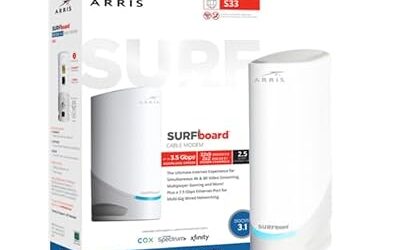
View on AmazonArris SURFboard S33 – Best Balanced Choice
Specs: DOCSIS 3.1 · 2.5 Gigabit Ethernet port · stand-alone modem
Several roundups describe the S33 as a balance of performance, compatibility and longevity. The 2.5G port gives headroom for fast plans, and the design is widely stocked and supported. It is a good fit for buyers who want a safe middle option between the budget SB8200 and the newer S34.

ARRIS Surfboard S33 DOCSIS 3.1 Multi-Gig Cable Modem | Up to 2.5 Gbps | One 2.5 GbE + one 1 GbE port; ideal for Xfinity, Cox, Spectrum gigabit plans; modem only, Wi-Fi router required.
Included for 'Best Cable Modems in 2026: DOCSIS 3.1 and 4.0 Compared' as a representative home product in this roundup; selection reflects the product set returned for this topic.
View on AmazonPremium Picks
Arris SURFboard S34 – Best Overall for New Buyers
Specs: DOCSIS 3.1 · 2.5 Gigabit Ethernet port · stand-alone modem · newer generation of the S33
The S34 is named in multiple 2026 roundups as the best overall DOCSIS 3.1 modem. It suits buyers who want the latest SURFboard design and a 2.5G port for future-proofing. The usual caveats apply: confirm it is on your provider’s list, and pair it with a router that has a matching WAN port.

Arris Surfboard S34 DOCSIS 3.1 Multi-Gig Cable Modem | 2.5Gbps + 1Gbps Ethernet Ports | Compatible with Xfinity, Cox, Spectrum | Next Gen Upstream | Modem Only, Router Required
Included for 'Best Cable Modems in 2026: DOCSIS 3.1 and 4.0 Compared' as a representative home product in this roundup; selection reflects the product set returned for this topic.
View on AmazonNetgear Nighthawk CM3000 – Best for Gaming and Higher Upload Tiers
Specs: DOCSIS 3.1 · 2.5 Gigabit Ethernet port · mid-split support as reviewers report · stand-alone modem
The CM3000 is described by reviewers as a strong match for gamers and heavy uploaders, with mid-split support that helps as providers roll out faster upload tiers. Because the feature depends on provider rollout, it will matter only in areas where mid-split is switched on.

NETGEAR Nighthawk DOCSIS 3.1 Cable Modem CM3000, 2.5 Gbps, Modem Only | Multi-Gig, Reliable Performance, Guided Set Up, 2.5G + 2× 1 Gig Ports, Compatible Xfinity/Spectrum/Cox, Free Expert Help
Included for 'Best Cable Modems in 2026: DOCSIS 3.1 and 4.0 Compared' as a representative home product in this roundup; selection reflects the product set returned for this topic.
View on AmazonNetgear CM1200 – Best for Small Offices
Specs: DOCSIS 3.1 · multi-port design as the maker lists · stand-alone modem
One roundup names the CM1200 for business-style setups. Its current port layout was not confirmed in the sources used for this guide, so read the maker’s product page before choosing it.

NETGEAR Nighthawk Cable Modem CM1200 - Compatible with All Cable Providers Including Xfinity by Comcast, Spectrum, Cox | for Plans Up to 1 Gbps | 4 x 1G Ethernet Ports | DOCSIS 3.1, Black
Included for 'Best Cable Modems in 2026: DOCSIS 3.1 and 4.0 Compared' as a representative home product in this roundup; selection reflects the product set returned for this topic.
View on AmazonBuy or Rent: Does Owning a Modem Pay Off?
Providers typically charge a monthly rental fee for their modem or gateway, and that fee continues for as long as you keep the equipment. Owning a modem removes the recurring charge, so many buyers recoup the purchase over a year or two. Owning also gives you control: you choose the router, you can change Wi-Fi hardware without touching the modem, and you are not locked to a provider’s firmware schedule. The trade-offs are that you are responsible for compatibility, you handle replacement if the unit fails, and some provider support teams offer less help with customer-owned equipment. If you rent a combined gateway today, remember that returning it means you must supply your own router at the same time.
Common Problems a New Modem Will and Will Not Fix
A newer modem can help when the old unit is on a provider’s retirement list, when it has a gigabit-only port on a faster plan, or when it is an early DOCSIS 3.0 design that struggles on modern tiers. It will not fix weak Wi-Fi, because Wi-Fi comes from the router or access point. It will not fix a noisy cable line, a damaged outdoor connector or an overloaded neighborhood node either; those are provider-side matters. If speed tests on a wired computer are close to the plan speed, the modem is doing its job and any remaining slowness is a router or Wi-Fi issue.
- Wired speed is low, Wi-Fi is also low: test with an Ethernet cable directly from the modem or router, then contact the provider if the wired result is still far below the plan.
- Wired speed is fine, Wi-Fi is slow: look at router placement, band choice and interference rather than the modem.
- Frequent disconnects: inspect coax connectors for looseness, remove unnecessary splitters, and ask the provider to review signal levels.
- Modem will not activate: confirm the model is on the provider’s list and that you entered the correct identifiers.
Which Router Should Pair With a Stand-Alone Modem?
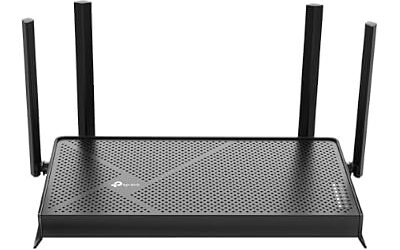
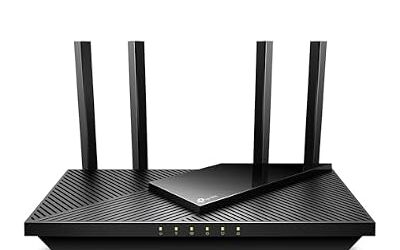
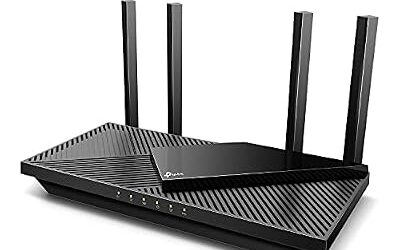
A modem passes the connection to a router, so the pairing matters. A gigabit modem works with any router that has a gigabit WAN port. A 2.5G modem such as the Arris SURFboard S34, S33 or Motorola MB8611 shows its benefit only when the router also has a 2.5G or faster WAN port; otherwise the router becomes the bottleneck. When buying a router, look for Wi-Fi 6E or Wi-Fi 7, a multi-gig WAN port if you have a fast plan, and a maker that publishes regular firmware updates. If you prefer a single box, a combo such as the Arris SURFboard G36 avoids the pairing question altogether, at the cost of flexibility.
Pick X If… Decision Table
| Pick this | If you… |
|---|---|
| Arris SURFboard SB8200 | have a gigabit plan and may change provider |
| Netgear CM1000 | want a proven, widely listed modem for gigabit service |
| Hitron CODA56 | want value plus mid-split support |
| Motorola B12 | need a small modem for a tight space |
| Motorola MB8611 | have a multi-gig plan and your provider lists it |
| Arris SURFboard S33 | want a balanced 2.5G modem |
| Arris SURFboard S34 | want the newest SURFboard for several years of use |
| Netgear Nighthawk CM3000 | game or upload heavily and want mid-split support |
| Arris SURFboard G36 combo | prefer one box and do not mind non-upgradeable Wi-Fi |
Installation and Activation Notes
- Confirm the model is on your provider’s approved device list.
- Connect the coax cable to the modem, then the Ethernet cable to your router’s WAN port.
- Power on the modem and wait for the lights to settle as the manual describes.
- Activate it through the provider’s app, website or phone line, supplying the modem’s identifiers.
- Return the rented equipment promptly so rental fees stop.
Use a short coax run with tight connectors and avoid unnecessary splitters, because poor coax is a frequent cause of dropouts. If you have persistent problems, ask the provider to check line signal levels, because that is something only they can adjust.
Frequently Asked Questions
What is the best cable modem for most people in 2026?
Roundups most often name the Arris SURFboard S34 as the best overall, with the S33 and Motorola MB8611 as strong alternatives. All are DOCSIS 3.1 with 2.5G Ethernet ports, which suit nearly every current cable plan.
Should I wait for a DOCSIS 4.0 modem?
Not usually. Reviewers report that DOCSIS 4.0 modems are not sold at retail and are supplied by providers. A DOCSIS 3.1 modem works on current plans and is expected to keep working as DOCSIS 4.0 rolls out.
Do I need a modem with a 2.5G port?
You need it only if your plan is faster than 1 Gbps and your router can accept 2.5G on its WAN port. For plans around 1 Gbps or below, a gigabit port is enough. A 2.5G port adds headroom if you expect to upgrade.
Can I buy any cable modem and use it with my provider?
No. Providers keep approved lists, and a modem not on the list may not activate. Check your provider’s approved device list before buying, because acceptance differs from one company to another.
Is a modem router combo a good idea?
It is convenient and takes less space, but the Wi-Fi cannot be upgraded separately and one failure affects both functions. A stand-alone modem with your own router is more flexible. Combos such as the Arris SURFboard G36 suit buyers who value simplicity.
Will a cable modem work with DSL or fiber service?
No. Cable modems only work on cable networks. DSL needs a DSL modem and fiber uses an ONT, so follow the equipment guidance of your provider.