🛒 Best Price Today on Amazon
Prime members get fast, free shipping on everything above, plus member-only deals. New members get a 30-day free trial — cancel anytime.
- Best Routers for Xfinity at a Glance
- Own Router With Xfinity: Modem vs Gateway Explained
- Best Compatible Modems and Xfinity Approved Modems List
- Budget Picks: Best 60 Mbps and Light-Plan Xfinity Routers
- Mid-Range Picks: Best Wi-Fi Routers for Xfinity and Best Gaming Routers for Xfinity
- Premium Picks: Best Wi-Fi 7 Routers for Xfinity
- Best Modem Routers for Comcast: Combo Units
- Router Placement and Setup With Xfinity
- Pick X If… Decision Table
- Alternatives Worth Considering
- Which Plan Needs Which Hardware?
- Common Xfinity Router Problems and Fixes
- Mesh Options for Larger Xfinity Homes
- Own Equipment vs Xfinity Gateway: Quick Comparison
- Security and Maintenance Tips
- Frequently Asked Questions
Updated November 2026 – The best routers for Xfinity in 2026 are the TP-Link Archer AXE75 and ASUS RT-AX88U Pro for most homes, the NETGEAR Nighthawk RS700S for Wi-Fi 7, and the TP-Link Archer AX55 or Archer A8 for light plans, paired with a DOCSIS 3.1 modem such as the ARRIS SURFboard S33 or Motorola MB8611 if you want to stop renting the provider’s gateway.
Comcast Xfinity customers can usually bring their own equipment, but the pieces have to fit together: a cable modem that Xfinity supports, and a router that suits your plan and home. This guide explains the modem versus gateway choice, lists modems that sources describe as compatible, and ranks router picks from budget to premium. Always check Xfinity’s own compatible device list before buying a modem, because approval depends on the model and your plan, and some sources are months old.
Best Routers for Xfinity at a Glance
| Product | Type | Best for | Key stated specs | Limits |
|---|---|---|---|---|
| TP-Link Archer A8 | Router (budget) | Light plans, small homes | Wi-Fi 6, dual-band, gigabit ports | No 6 GHz band, basic ports |
| TP-Link Archer AX55 | Router (budget) | Small homes and everyday use | Wi-Fi 6, dual-band AX3000 class | Gigabit ports only |
| TP-Link Archer AXE75 | Router (mid-range) | Wi-Fi 6E on a budget | Wi-Fi 6E, tri-band, 6 GHz band | Older than Wi-Fi 7 |
| ASUS RT-AX88U Pro | Router (mid-range) | Fast plans and gaming | Wi-Fi 6, AX6000 class, 2.5G WAN | No 6 GHz band |
| GL.iNet Flint 2 | Router (mid-range) | Value and VPN use | Wi-Fi 6, 2.5G ports | Different software from mainstream brands |
| NETGEAR Nighthawk RS700S | Router (premium) | Wi-Fi 7 in a larger home | Wi-Fi 7, BE19000 class, 10G port | Large and costly tier |
| ARRIS SURFboard S33 | Modem | Replacing a rented gateway | DOCSIS 3.1, 2.5G Ethernet port per the maker | Modem only, no Wi-Fi |
| Motorola MB8611 | Modem | One-gig plans | DOCSIS 3.1, 2.5G Ethernet port per the maker | Modem only, no Wi-Fi |
| NETGEAR Nighthawk CAX30 | Modem-router combo | One box for modest plans | DOCSIS 3.1 with Wi-Fi 6 AX2700 class | Plan limits listed by the provider |
Own Router With Xfinity: Modem vs Gateway Explained
You can use your own router with Xfinity as long as it connects to a cable modem that Xfinity supports. Xfinity rents its xFi Gateway, which is a modem and router in one box, and reports describe a monthly rental fee. Buying your own equipment can save money over time, according to several guides, though you lose some Xfinity-specific features that depend on the provider’s gateway.
- Gateway: one rented device with modem and Wi-Fi together. Simple, supported by Xfinity, and replaced if it fails.
- Own modem plus own router: two devices that you buy. More control and better Wi-Fi hardware, but you handle activation and troubleshooting steps.
- Own modem-router combo: one purchased box. Convenient, but if the Wi-Fi side ages, you must replace the whole unit.
Cabling and speed tier matter too. Some upgraded areas offer plans that need a modem with a mid or high split, according to one guide, so confirm that your modem supports your plan’s tier on Xfinity’s page.
Best Compatible Modems and Xfinity Approved Modems List
For a best Xfinity routers list to be useful, the modem has to match first. As of the latest summaries, sources list these DOCSIS 3.1 modems as supported: ARRIS SURFboard S33 and S34, NETGEAR CM1000, CM2500 and CM3000, and the Hitron CODA56. Cabletv.com names the ARRIS S33 as a pick for any download speed and the Motorola MB8611 for one-gig plans. These lists can be out of date, so look up the exact model on Xfinity’s compatible device page. Older DOCSIS 3.0 modems may work only on slower plans or not at all.
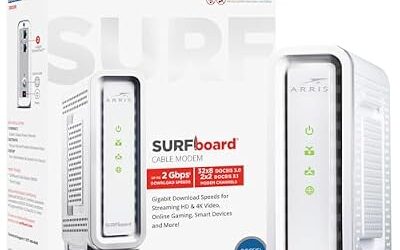
ARRIS SURFboard S33 – Best for Replacing a Rented Gateway
Specs: DOCSIS 3.1 · 2.5G Ethernet port per the maker · modem only.
The S33 is a common recommendation among cable guides for replacing a rented gateway. The 2.5G Ethernet port lets a fast plan reach your router over a multi-gig link when the router also has a 2.5G WAN port. Pair it with a separate router for Wi-Fi.

ARRIS SURFboard S33 DOCSIS 3.1 Multi‑Gig Cable Modem | 2.5Gbps + 1Gbps Ethernet Ports | Works with Xfinity, Cox, Spectrum | For Cable Internet Plans up to 2.5Gbps | Modem Only, Router Required
Included for 'Best Routers for Xfinity and Comcast Internet (Compatible Modem and Router Options)' as a representative home product in this roundup; selection reflects the product set returned for this topic.
View on AmazonMotorola MB8611 – Best for One-Gig Plans
Specs: DOCSIS 3.1 · 2.5G Ethernet port per the maker · modem only.
The MB8611 is listed by cabletv.com as its pick for gigabit service. It is a straightforward, widely sold modem. As always, look up the model on Xfinity’s list before buying and follow Xfinity’s activation steps.

Motorola MB8611 DOCSIS 3.1 Multi-Gig Cable Modem | Pairs with Any WiFi Router | Approved for Comcast Xfinity, Cox Gigablast, Spectrum | 2.5 Gbps Port | 2500 Mbps Max Internet Speeds
Included for 'Best Routers for Xfinity and Comcast Internet (Compatible Modem and Router Options)' as a representative home product in this roundup; selection reflects the product set returned for this topic.
View on AmazonBudget Picks: Best 60 Mbps and Light-Plan Xfinity Routers
For a 60 Mbps plan or another light plan, a budget Wi-Fi 6 router is plenty. A plan of that size does not need multi-gig ports. Wi-Fi 5 AC routers also work for plans like this, so if you already own a Wi-Fi 5 AC router, it can continue to serve a modest plan well, though a newer router handles more devices better.
TP-Link Archer A8 – Best for Light Plans on a Budget
Specs: Wi-Fi 6 · dual-band · gigabit ports · basic TP-Link app control.
Reviews.org names the Archer A8 as its best budget router for Xfinity. It is a good match for a small apartment with a modest plan and a few devices. It lacks a 6 GHz band and faster ports, so heavy households may outgrow it.
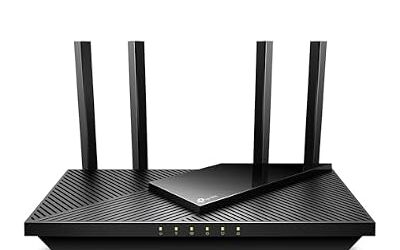
TP-Link Archer AX55 – Best for Everyday Use in Small Homes
Specs: Wi-Fi 6 · dual-band AX3000 class · gigabit ports · USB port per the maker.
Tom’s Guide lists the AX55 as a budget Wi-Fi 6 favourite. It works behind any approved Xfinity modem and offers parental controls and guest networks. It suits plans up to gigabit, with real Wi-Fi speeds lower than the plan on most devices.
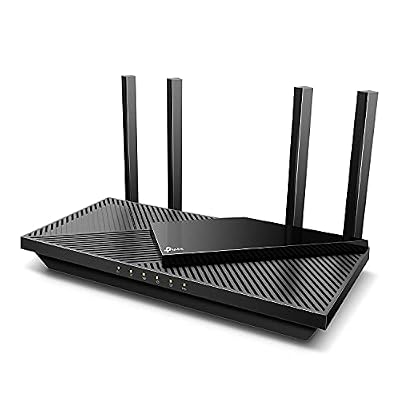
TP-Link Dual-Band AX3000 Wi-Fi 6 Wireless Gigabit Internet Router for Home | EasyMesh, VPN Clients & Server, HomeShield, OFDMA, MU-MIMO, USB 3.0, Secure by Design - Archer AX55
Included for 'Best Routers for Xfinity and Comcast Internet (Compatible Modem and Router Options)' as a representative home product in this roundup; selection reflects the product set returned for this topic.
View on AmazonMid-Range Picks: Best Wi-Fi Routers for Xfinity and Best Gaming Routers for Xfinity
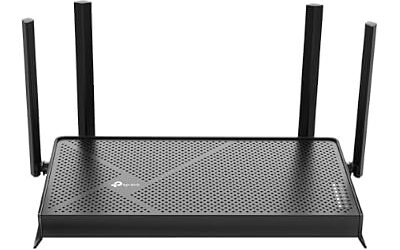
TP-Link Archer AXE75 – Best for Wi-Fi 6E Value
Specs: Wi-Fi 6E · tri-band AXE5400 class · 6 GHz band · gigabit ports.
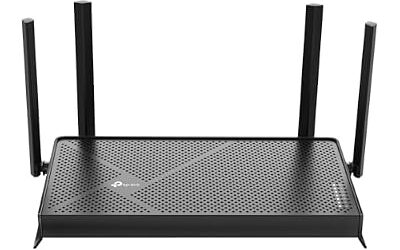
Cybernews lists the Archer AXE75 as its budget option, and BroadbandNow picks it as its top Wi-Fi 6E router. The 6 GHz band gives compatible devices a less crowded lane, which suits phones and laptops in a busy apartment building.

TP-Link AXE5400 Tri-Band WiFi 6E Router, 2025 PCMag Editors' Choice | 2.5Gbps WAN Port for Gaming & Streaming, 6GHz Band, 160MHz, OneMesh, Dual-Core CPU, VPN & WPA3 (Archer AXE75)
Included for 'Best Routers for Xfinity and Comcast Internet (Compatible Modem and Router Options)' as a representative home product in this roundup; selection reflects the product set returned for this topic.
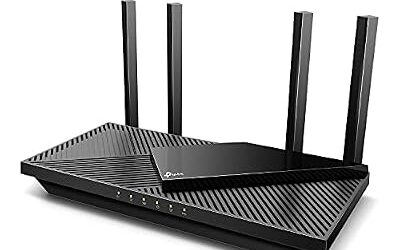
View on AmazonASUS RT-AX88U Pro – Best Gaming Router for Xfinity Plans
Specs: Wi-Fi 6 · AX6000 class · 2.5G WAN port · AsusWRT with game-priority tools.
SpeedtestHQ names it the best all-around pick for Xfinity. For gamers, the 2.5G WAN port pairs with a 2.5G modem such as the S33, and ASUS includes traffic-priority options. Cybernews names the ASUS RT-AXE7800 as its gaming choice, a tri-band Wi-Fi 6E model, if you prefer a 6 GHz band.

ASUS RT-AX88U PRO AX6000 Dual Band WiFi 6 Router, WPA3, Parental Control, Adaptive QoS, Port Forwarding, WAN Aggregation, Lifetime Internet Security and AiMesh Support, Dual 2.5G Port
Included for 'Best Routers for Xfinity and Comcast Internet (Compatible Modem and Router Options)' as a representative home product in this roundup; selection reflects the product set returned for this topic.
View on AmazonGL.iNet Flint 2 – Best Value With Extra Features
Specs: Wi-Fi 6 · 2.5G ports plus gigabit ports · OpenWrt-based firmware.
SpeedtestHQ calls it the best-value Xfinity router. It has two 2.5G ports and VPN client features, and suits people comfortable with a different interface from mainstream brands.

GL.iNet GL-MT6000 Flint 2 Wi-Fi 6 Gaming Router Dual 2.5G Ports | 8-stream Wi-Fi6 at 6 Gbps, dual 2.5G multi-gig ports, Up to 1148 Mbps and 4804 Mbps, pre-installed OpenWrt, OpenVPN WireGuard
Included for 'Best Routers for Xfinity and Comcast Internet (Compatible Modem and Router Options)' as a representative home product in this roundup; selection reflects the product set returned for this topic.
View on AmazonPremium Picks: Best Wi-Fi 7 Routers for Xfinity
NETGEAR Nighthawk RS700S – Best for Wi-Fi 7 in a Larger Home
Specs: Wi-Fi 7 · BE19000 class · 10G port plus multi-gig and gigabit ports · Nighthawk app.
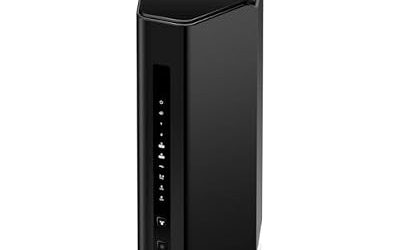
Cybernews names the Nighthawk RS700S as best overall for Xfinity. It makes sense for a large home, an upgraded Xfinity plan and several Wi-Fi 7 devices. For smaller homes, a mid-range model gives similar everyday results at a lower tier.

NETGEAR Nighthawk WiFi 7 Router RS700S, Up to 3,500 sq ft, 19 Gbps | Reliable Performance, Easy Set Up, 200 devices, 1× 10G + 3× Gigabit Ports, Tri Band, BE19000
Included for 'Best Routers for Xfinity and Comcast Internet (Compatible Modem and Router Options)' as a representative home product in this roundup; selection reflects the product set returned for this topic.
View on AmazonBest Modem Routers for Comcast: Combo Units
A combo is one device that does both jobs. It is convenient, but combo units are limited by the Wi-Fi hardware inside and by the speed tiers the provider certifies.
NETGEAR Nighthawk CAX30 – Best Combo for Modest Plans
Specs: DOCSIS 3.1 · Wi-Fi 6 AX2700 class · gigabit ports.
One source calls the CAX30 the highest-rated Xfinity combo, while another lists a certification up to 800 Mbps. That is lower than the top Xfinity tiers, so match the unit to your plan on Xfinity’s list.

NETGEAR Nighthawk DOCSIS 3.1 Modem Router Combo CAX30, WiFi 6, 2.7 Gbps | Multi-Gig, Reliable Performance, Guided Set Up, 4× Gig Ports, Xfinity/Spectrum/Cox Compatible, Dual-band, Free Expert Help
Included for 'Best Routers for Xfinity and Comcast Internet (Compatible Modem and Router Options)' as a representative home product in this roundup; selection reflects the product set returned for this topic.
View on AmazonARRIS G54 – Best Combo for Wi-Fi 7 Experimentation
Specs: DOCSIS 3.1 · Wi-Fi 7 BE18000 class per sources.
A summary of Xfinity-compatible equipment lists the G54 as a Wi-Fi 7 combo. A combo keeps cabling simple but ties modem and router upgrades together.

ARRIS Surfboard G54 DOCSIS 3.1 Multi-Gig Modem & Wi-Fi 7 Router | BE18000 | Supports plans up to 10 Gbps; quad-band Wi-Fi 7 covers 5,000 sq ft; 10 GbE + four 1 GbE ports; Xfinity, Cox, Spectrum.
Included for 'Best Routers for Xfinity and Comcast Internet (Compatible Modem and Router Options)' as a representative home product in this roundup; selection reflects the product set returned for this topic.
View on AmazonRouter Placement and Setup With Xfinity
- Connect the modem to the cable outlet, then run Ethernet from the modem to the router’s WAN port.
- Activate the modem through Xfinity’s instructions, usually with the app or the provider’s activation page.
- Place the router centrally and elevated. If the home is large, add a mesh system or access points.
- If you keep the xFi Gateway, you can still use your router behind it, but double NAT may appear unless you set the gateway to bridge mode. Check Xfinity’s instructions.
- Use Ethernet for TVs and consoles when possible.
Pick X If… Decision Table
| Pick this | If |
|---|---|
| TP-Link Archer A8 | You have a light plan and few devices |
| TP-Link Archer AX55 | You want a budget Wi-Fi 6 router for a small home |
| TP-Link Archer AXE75 | You want 6 GHz Wi-Fi 6E at a mid-range level |
| ASUS RT-AX88U Pro | You game or have a fast plan and a 2.5G modem |
| NETGEAR Nighthawk RS700S | You want Wi-Fi 7 for a large home |
| NETGEAR Nighthawk CAX30 | You prefer one box for a modest plan |
| ARRIS SURFboard S33 or Motorola MB8611 | You want to stop renting the gateway |
Alternatives Worth Considering
NETGEAR Nighthawk RAXE500 – Best for Wi-Fi 6E With Many Ports
Cybernews names this model its pick for Wi-Fi 6E with Xfinity. It is a high-end Wi-Fi 6E router; confirm that it is still sold in your region.

NETGEAR Nighthawk WiFi 6E Router (RAXE500) - Security Features, 12-Stream Gigabit Router AXE11000 Tri-Band Wireless Speed (Up to 10.8Gbps), New 6GHz Band, Coverage up to 3,500 sq. ft, 60 Devices
Included for 'Best Routers for Xfinity and Comcast Internet (Compatible Modem and Router Options)' as a representative home product in this roundup; selection reflects the product set returned for this topic.
View on AmazonASUS RT-AXE7800 – Best Wi-Fi 6E Gaming Pick
Cybernews lists it as best for gaming on Xfinity. It is a tri-band Wi-Fi 6E router with a 6 GHz radio per the maker.

ASUS RT-AXE7800 Tri-Band WiFi 6E (802.11ax) Router, 6GHz Band, ASUS Safe Browsing, Upgraded Network Security, Instant Guard, Built-in VPN Features, Parental Controls, 2.5G Port, AiMesh Support
Included for 'Best Routers for Xfinity and Comcast Internet (Compatible Modem and Router Options)' as a representative home product in this roundup; selection reflects the product set returned for this topic.
View on AmazonNETGEAR CM1000 or CM2500 Modem – Best Alternatives to the S33
Both appear in lists of DOCSIS 3.1 modems used with Xfinity. Confirm your model on Xfinity’s compatible list.
Which Plan Needs Which Hardware?
Match the hardware to the plan rather than to the biggest box. Plans in the tens of megabits run comfortably on any modern router. Plans around several hundred megabits benefit from a Wi-Fi 6 or Wi-Fi 6E router with good range. Gigabit-class plans are where a 2.5G modem port and a router with a 2.5G WAN port start to matter, because a gigabit-only link between them can cap a faster tier. Plans above that, offered in some upgraded areas, may require a modem with a mid or high split, according to one guide, so read Xfinity’s tier requirements.
| Plan size | Router suggestion | Modem note |
|---|---|---|
| Light (around 60 Mbps) | TP-Link Archer A8 or Archer AX55 | Any supported DOCSIS 3.1 modem |
| Mid (a few hundred Mbps) | TP-Link Archer AXE75 | ARRIS SURFboard S33 or similar |
| Gigabit | ASUS RT-AX88U Pro or GL.iNet Flint 2 | Motorola MB8611 or S33 with 2.5G port |
| Faster upgraded tiers | NETGEAR Nighthawk RS700S | Modem that supports the tier, per Xfinity |
Common Xfinity Router Problems and Fixes
- No internet after connecting a new modem. The modem usually needs activation through Xfinity’s process. Restart it after activation.
- Double NAT. If you keep the rented gateway and add a router, devices may sit behind two routers. Putting the gateway into bridge mode, as Xfinity instructs, avoids this.
- Slower Wi-Fi than the plan. Wi-Fi speeds are usually lower than the plan, especially on 2.4 GHz and at a distance. Move the router, use 5 GHz or 6 GHz, or add mesh nodes.
- Features missing. Some Xfinity-exclusive features and app controls belong to the provider’s gateway and do not carry over to your own router.
If problems continue after a restart, contact Xfinity support to check the line, and consult your router maker’s manual for the router side.
Mesh Options for Larger Xfinity Homes
If one router cannot cover your home, a mesh system connects to your modem like any router and adds nodes in far rooms. Reviewers frequently name the TP-Link Deco XE75 for Wi-Fi 6E and the Deco BE63 for Wi-Fi 7, and eero and Google Nest Wifi Pro are simpler app-driven alternatives. A mesh system plugs into the modem the same way as a standalone router, so the modem choices above still apply. When a wired path exists, running Ethernet between nodes improves consistency.
Own Equipment vs Xfinity Gateway: Quick Comparison
| Factor | Own modem and router | Xfinity gateway |
|---|---|---|
| Monthly cost | No rental fee, but you pay upfront | Monthly rental fee reported by guides |
| Wi-Fi hardware | You choose and upgrade | Set by the provider |
| Support | Xfinity supports the line, not third-party routers | Provider supports the whole unit |
| Provider features | Some are unavailable | Full access |
| Setup effort | You activate and configure | Simple |
Security and Maintenance Tips
Change the default admin password during setup, use WPA3 or WPA2 with a strong passphrase, and turn on automatic firmware updates where the maker offers them. Disable remote administration unless you need it, and keep smart-home gadgets on a guest network. Check the maker’s support page occasionally to confirm that your model still receives updates. If a modem or router runs hot, reboots on its own or shows damage, stop using it and contact the maker or Xfinity, and never open a unit while it is plugged in.
Frequently Asked Questions
What is the best router for Xfinity?
The TP-Link Archer AXE75 and ASUS RT-AX88U Pro suit most homes, and the NETGEAR Nighthawk RS700S suits Wi-Fi 7 users. Pair any of them with an Xfinity-compatible DOCSIS 3.1 modem.
Can I use my own router with Comcast Xfinity?
Yes, any router works if it is connected to a modem that Xfinity supports. Xfinity will support its gateway and the connection, but it may not troubleshoot third-party routers.
Do I need a modem or a modem-router combo?
Either works. A separate modem plus router gives better upgrade options, while a combo is simpler. Check Xfinity’s compatible device list for the exact model and your plan tier.
Which modems are compatible with Xfinity?
Sources list the ARRIS SURFboard S33 and S34, Motorola MB8611, NETGEAR CM1000, CM2500 and CM3000, and Hitron CODA56 among DOCSIS 3.1 options. Confirm on Xfinity’s page, since lists change.
What router is best for a 60 Mbps Xfinity plan?
A budget Wi-Fi 6 router such as the TP-Link Archer A8 or Archer AX55 is plenty. A 60 Mbps plan does not need multi-gig ports or Wi-Fi 7.
Is a Wi-Fi 6 AC router fine for Xfinity?
AC means Wi-Fi 5, and it still works for modest plans. A newer Wi-Fi 6 router handles more devices and is a better long-term choice.