🛒 Best Price Today on Amazon
Prime members get fast, free shipping on everything above, plus member-only deals. New members get a 30-day free trial — cancel anytime.
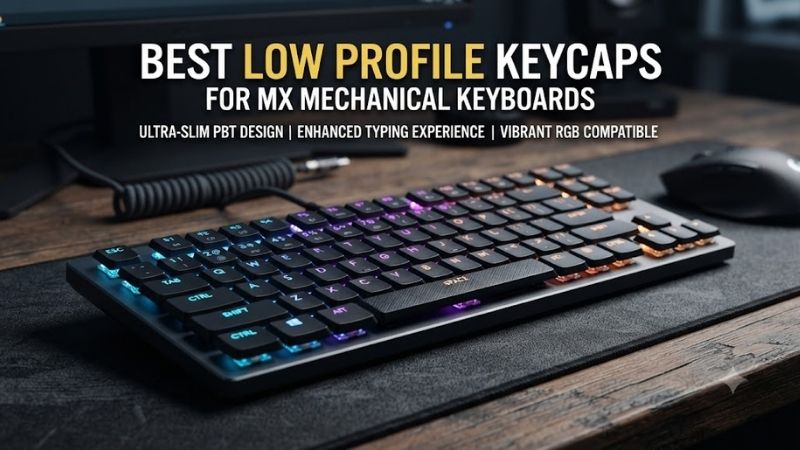
Low-profile keycaps can make a standard mechanical keyboard feel less bulky while giving its appearance a cleaner, more compact character. Finding the best low profile keycaps for MX mechanical keyboards requires more than choosing a thin design. Stem compatibility, layout coverage, typing geometry, and material quality all matter.
Quick Verdict: Which Low-Profile Keycaps Are Best?
For standard-height MX mechanical keyboards, the strongest low-profile options combine a cross-shaped stem mount with sufficient key coverage and a practical typing surface. A low-profile keycap set changes the height above the switch, but it does not automatically convert a full-height mechanical keyboard into a true low-profile keyboard.
Best overall: XVX Skyline R2 Low Profile PBT Keycaps
Best minimalist design: XVX Horizon V2
Best color variety: XVX Skyline Original Series
Best for NuPhy-compatible layouts: NuPhy nSA PBT Keycaps
Best for specialist MX-compatible layouts: FK Low-Profile Keycaps
Best budget alternative: YMDK Ultra-Slim MX Keycaps
Quick Comparison Table
| Keycap set | Profile design | Main advantage |
|---|---|---|
| XVX Skyline R2 | Uniform low profile | Balanced overall choice |
| XVX Horizon V2 | Uniform low profile | Minimalist styling |
| XVX Skyline Original | Low profile | Multiple design options |
| NuPhy nSA | Low-profile spherical | Typing surface comfort |
| FK Low-Profile | Specialized low profile | Compact custom layouts |
| YMDK Ultra-Slim MX | Slim profile | Affordable customization |
How We Selected These Keycaps
The selection emphasizes actual MX stem support, physical keycap geometry, material construction, layout coverage, and intended keyboard compatibility. Low-profile naming alone is insufficient because several manufacturers use proprietary switch mounts or internal keycap structures that are not interchangeable.
For buyers using standard Cherry MX, Gateron, Kailh, or similar switches, the most important initial check is the cross-shaped mounting interface. The second is the keyboard layout, including spacebar width, bottom-row modifiers, and any unusual Shift or Enter keys.
The 6 Best Low Profile Keycaps for MX Mechanical Keyboards
The products below offer different compromises between compact appearance, durability, legend visibility, and typing feel. Buyers should pay particular attention to whether a set is intended for standard-height MX switches, low-profile MX-cross switches, or a manufacturer’s specific keyboard family.
XVX Skyline R2 Low Profile PBT Keycaps – Best Overall
The XVX Skyline R2 is a strong all-around option for users seeking a slimmer keyboard appearance without replacing their existing MX mechanical switches. Its uniform profile keeps keycap height consistent across rows, while its double-shot PBT construction offers a practical combination of durability and everyday usability.
Best for: Standard MX keyboard owners wanting low-profile keycaps.
Key features
-
Uniform low-profile geometry.
-
PBT construction.
-
Double-shot legends.
-
Cherry MX-style stem compatibility.
-
Multiple colorways and kit configurations.
Typing feel and ergonomics
Uniform low-profile caps provide a different finger-guidance experience from traditional sculpted Cherry or OEM profiles. Rather than relying on significant row-to-row height differences, they create a flatter surface that some users prefer for gaming and rapid finger repositioning.
This does not inherently improve response time. The keyboard’s electrical actuation is determined by the switch and its sensing system, not simply by the height of the keycap.
Pros: Durable material, clean styling, broad MX stem compatibility.
Cons: Uniform geometry may require adjustment; variant coverage differs.
Buy if: You want a low-profile PBT upgrade for a standard MX keyboard.
Skip if: You strongly prefer deeply sculpted rows.
XVX Horizon V2 – Best Minimalist Low-Profile Keycaps
The XVX Horizon V2 is designed for users who prefer a restrained visual style and particularly shallow keycap geometry. Its relatively flat profile complements compact mechanical keyboards and minimal desk setups without requiring changes to the underlying switch mechanism.
Best for: Minimalist gaming and productivity setups.
Verified characteristics
-
118-key set.
-
PBT material.
-
Double-shot construction.
-
Approximately 4.5 mm stated keycap height.
-
MX-compatible mounting design.
Practical performance
The shallow design reduces the visual height of the keycap surface. For users accustomed to tall SA or OEM keycaps, the difference may be immediately noticeable in how the fingertips approach neighboring keys.
Nevertheless, keycap height does not directly determine total switch travel. A full-height switch continues to operate according to its original mechanical design, and its housing and plate remain in their existing positions.
Pros: Compact appearance, PBT construction, MX compatibility.
Cons: More limited styling and coverage than some larger kits.
Buy if: You prioritize minimal height and understated appearance.
Skip if: Your keyboard requires uncommon modifier sizes not included in the kit.
XVX Skyline Original Series – Best for Color Variety
The original XVX Skyline low-profile series offers an alternative for users who prioritize visual customization alongside a slim typing surface. Its different designs make it useful for coordinating keycaps with a desk mat, keyboard case, monitor lighting, or broader gaming setup.
Best for: Users who want visually distinctive low-profile MX keycaps.
Design and compatibility
The Skyline series uses a non-sculpted low-profile design and PBT construction. Its MX-cross compatibility makes it relevant to many conventional mechanical keyboards.
However, different colorways can have different numbers of included keys or legend treatments. Buyers should inspect the particular variant instead of assuming every Skyline package contains identical components.
Performance considerations
Uniform-profile keycaps allow users to reposition many key shapes without disrupting row height. This can be useful for some custom layouts, although legends and key sizes still need to match the actual keyboard.
Shine-through options may also behave differently depending on the keyboard’s LED placement.
Pros: Multiple visual designs, compatible mounting geometry, PBT construction.
Cons: Variant-dependent legends and coverage; flatter typing surface.
Buy if: You want an aesthetically coordinated low-profile keyboard.
Skip if: You need a highly sculpted typing experience.
NuPhy nSA PBT Keycaps – Best for Compatible Compact Layouts
NuPhy’s nSA profile takes a different approach to low-profile keyboard ergonomics by combining shallow construction with carefully shaped key surfaces. The result is a distinctive typing geometry intended to maintain fingertip contact without relying on the tall, strongly sculpted structure found in conventional keycap profiles.
Best for: Compatible NuPhy Air-series and selected MX-cross keyboards.
Key design features
The nSA profile uses a relatively shallow arrangement with rounded surfaces. Selected sets, such as NuPhy’s Maya Imprint, use dye-sublimated PBT and include extensive key coverage for supported NuPhy layouts.
The important limitation is compatibility. Official support for a particular NuPhy keyboard does not establish universal fit across all standard-height MX boards.
Practical performance
The shaped upper surfaces can help users locate keys by touch while maintaining a low-profile appearance. Compared with a very flat rectangular cap, the rounded top changes how the fingertip meets the key.
Whether that improves comfort depends on the user’s typing habits, keyboard angle, and hand positioning.
Pros: Distinctive ergonomic geometry, premium appearance, PBT options.
Cons: Layout support and stabilizer compatibility require careful checking.
Buy if: You own a supported NuPhy keyboard or have confirmed fit on another MX-cross board.
Skip if: You need guaranteed support for an unusual full-height mechanical keyboard.
FK Low-Profile Keycaps – Best for Specialized Custom Layouts
FK’s low-profile keycap designs appeal to mechanical keyboard users who prioritize reduced keycap height and specialized layout flexibility. Such products are particularly relevant to compact, split, and experimental keyboards where conventional full-height caps may interfere with the intended ergonomics.
Best for: Custom keyboard builders with confirmed MX-compatible mounting requirements.
Design considerations
A specialized low-profile set should be evaluated through three independent checks: stem shape, keycap footprint, and underside clearance.
A keycap may fit an MX cross stem yet still contact the switch housing or keyboard plate before the mechanism reaches its normal bottom-out position. This becomes especially important when using short mechanical switches and nonstandard plates.
Practical advantages
Specialized caps can make densely packed keyboards more approachable by reducing overall finger travel above the switch. They may also complement split or ortholinear layouts with consistent row geometry.
However, users should confirm whether the selected FK profile includes legends, compatible stabilized key sizes, and the necessary modifiers.
Pros: Specialized geometry, custom-keyboard appeal, compact construction.
Cons: More demanding compatibility checks and potentially narrower layout support.
Buy if: You understand your keyboard’s switch and keycap specifications.
Skip if: You want a simple replacement for a conventional full-size keyboard without checking fit.
YMDK Ultra-Slim MX Keycaps – Best Budget Alternative
YMDK Ultra-Slim MX keycap sets are useful for users exploring a lower keycap profile without immediately investing in a more expensive custom set. The central appeal is straightforward: reducing visible keycap height while preserving compatibility with the intended MX-style mounting interface.
Best for: Budget-conscious mechanical keyboard customization.
Everyday usability
A slim keycap can alter the perceived shape of the keyboard and make neighboring keys easier to approach for some users. However, the typing experience depends on the keytop contour, surface finish, and the switch underneath.
Check the exact YMDK variant carefully because the brand offers multiple profiles, materials, and layout kits. Product names containing “slim” do not establish identical geometry.
Pros: Accessible customization, compact appearance, multiple layout-oriented listings.
Cons: Specifications and material vary between sets.
Buy if: You want an affordable low-profile experiment for a compatible MX keyboard.
Skip if: You require precise enthusiast-grade layout coverage without verification.
Buying Guide: How to Choose Low-Profile MX Keycaps
The most common purchasing error is confusing three separate concepts: low-profile keycaps, low-profile mechanical switches, and complete low-profile keyboards. These components influence overall keyboard height in different ways and cannot always be mixed freely.
Check Stem Compatibility Before Choosing a Profile
Most standard MX mechanical switches have a cross-shaped stem. Keycaps with a matching internal mount may attach correctly, but the stem alone does not guarantee proper underside clearance.
Kailh Choc V1 switches use a different mounting arrangement and should not be treated as universally MX-compatible. Low-profile switch families also differ, so verify support for the exact model.
Understand Uniform Versus Sculpted Profiles
Uniform-profile keycaps maintain similar heights across rows, creating a relatively flat keyboard surface. Sculpted sets use different row shapes to guide finger movement.
Uniform designs can be flexible for custom layouts, but users accustomed to OEM or Cherry profiles may initially make more positioning errors. Comfort is subjective, and neither design guarantees better gaming performance.
Verify Layout Coverage and Stabilizers
A keyboard with an unusual bottom row may require specific modifier sizes. Full-size, 75%, 65%, split-spacebar, and ISO layouts can all differ from the standard configurations shown in product photographs.
Inspect the included key sizes rather than relying only on the advertised number of keys. A 140-key kit can still lack the exact modifier needed for a particular board.
Frequently Asked Questions
Do low-profile keycaps work with Cherry MX switches?
Yes, when they have compatible MX-cross mounts and adequate physical clearance.
Will low-profile keycaps make my keyboard faster?
Not inherently. Switch actuation and keyboard electronics remain the primary factors governing input response.
Are low-profile PBT keycaps better than ABS?
PBT often offers good surface durability, but manufacturing quality, thickness, texture, and personal preference matter more than material alone.
Can I install low-profile keycaps on any gaming keyboard?
No. Switch mount, stabilizers, layout, and clearance must all be compatible.
Final Verdict
The XVX Skyline R2 is a practical starting point for standard MX keyboard owners who want durable, uniform low-profile keycaps. The Horizon V2 suits minimalist setups, while NuPhy nSA is attractive for supported compact keyboards. Confirm stem geometry, modifier sizes, and underside clearance before buying any replacement set.