🛒 Best Price Today on Amazon
Prime members get fast, free shipping on everything above, plus member-only deals. New members get a 30-day free trial — cancel anytime.
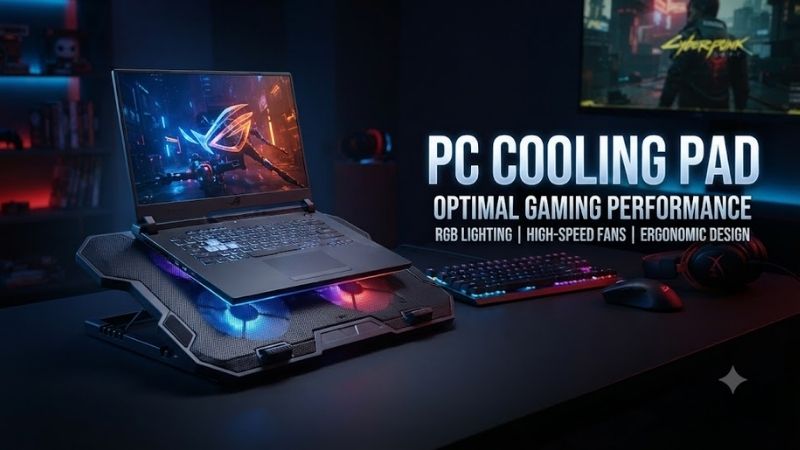
A PC cooling pad can help a gaming laptop move more air, keep bottom intake vents clear, and maintain a more comfortable operating position during long sessions. The best models combine strong airflow, sensible fan placement, stable support, low noise, size compatibility, and enough height adjustment for your desk setup.
Quick Comparison Table
| Product | Best For | Key Advantage | Limitation |
|---|---|---|---|
| IETS GT500 | Best overall cooling | Sealed high-pressure airflow | Loud at higher speeds |
| IETS GT600 | Extreme gaming laptops | Stronger pressure-focused cooling | Large and expensive |
| llano V12 | High-airflow gaming | Foam-sealed design and large fan | Bulky |
| Klim Wind | Budget gaming | Four-fan layout | Less pressure than sealed pads |
| Cooler Master Notepal X3 | Large notebooks | Large central fan | Older design |
| Thermaltake Massive 20 RGB | Large 17–19-inch laptops | Huge surface and 200 mm fan | Takes substantial desk space |
| Havit HV-F2056 | Portable budget use | Thin and lightweight | Limited cooling for high-wattage laptops |
Best PC Cooling Pad Picks
IETS GT500
Best For: Gaming laptops that run hot under sustained CPU and GPU loads.
The IETS GT500 uses a pressure-focused cooling design rather than simply blowing air loosely toward the underside of a laptop. A foam sealing ring helps channel air into the laptop’s bottom intake area, making the pad especially useful for gaming notebooks that rely heavily on underside ventilation.
Key Features:
- High-speed blower-style fan
- Foam sealing structure
- Adjustable fan speed
- Removable dust filter
- Adjustable stand angle
- Integrated USB hub on selected versions
- Support for many gaming-laptop sizes
The sealing system is what separates the GT500 from ordinary open cooling pads. Instead of allowing most airflow to escape around the sides, the foam border creates a more controlled pressure zone beneath the laptop, which can help force more air through compatible intake vents.
What Makes It Different: Many cooling pads rely on several low-pressure fans. The GT500 instead prioritizes pressure and airflow concentration, making it better suited to thick gaming laptops with demanding processors and discrete GPUs.
Performance & Use Case: It makes the most sense for machines that already have bottom intakes and struggle during long gaming or rendering sessions. The main trade-off is noise, because running the blower at high speed can be much louder than a conventional multi-fan cooling stand.
Pros:
- Strong pressure-based cooling
- Dust filter helps reduce intake contamination
- Good fit for demanding gaming laptops
Cons:
- Noticeably loud at high fan speed
- Larger than basic cooling pads
Who Should Buy It: Choose the GT500 if thermal performance matters more than silence and your laptop uses bottom intake vents that align well with the foam-sealed area.
IETS GT600
Best For: High-end laptops that need stronger airflow and pressure than conventional pads provide.
The IETS GT600 follows the same sealed-airflow concept as the GT500 but is designed as a more advanced cooling platform. It uses a large central blower and a foam gasket to direct pressurized air toward the laptop’s underside rather than letting airflow disperse freely across the desk.
Key Features:
- High-pressure central fan
- Foam-sealed cooling chamber
- Variable speed control
- Replaceable dust filtration
- Adjustable viewing angles
- Large laptop support area
- Additional connectivity on some versions
The stronger pressure approach is useful for laptops with powerful mobile GPUs and CPUs that can sustain high package power for long periods. These systems often rely on several intake openings underneath, so a pad that feeds them more effectively can be more useful than one with several low-speed decorative fans.
What Makes It Different: The GT600 is aimed at users who want near-maximum external cooling assistance rather than a thin travel accessory. Its large body and aggressive airflow are built around desktop use.
Performance & Use Case: It is best for gaming, rendering, simulation, long compilation sessions, and other workloads where the laptop remains under heavy load for extended periods. Like the GT500, high airflow comes with increased noise, so it is less suitable for quiet offices.
Pros:
- Very strong airflow potential
- Effective sealed design
- Good for large performance laptops
Cons:
- Expensive compared with simple pads
- Bulky and noisy at maximum output
Who Should Buy It: Choose the GT600 if you own a high-wattage gaming notebook and want stronger cooling support than ordinary open-frame pads can deliver.
llano V12
Best For: Gamers who want a sealed, high-airflow alternative with a large central fan.
The llano V12 is designed around a large high-speed fan and foam sealing system that directs airflow into the laptop’s bottom vents. It follows the same general pressure-cooling principle used by premium gaming pads but adds a broad platform suited to larger gaming notebooks.
Key Features:
- Large central cooling fan
- Foam-sealed air chamber
- Variable speed control
- Dust filtration
- Adjustable stand angle
- Broad laptop support area
- Gaming-oriented design
A large fan can move substantial air while maintaining more uniform coverage than several small fans placed at different points. The foam boundary helps keep that airflow concentrated, which is especially useful when the laptop’s cooling system draws from a large vented section underneath.
What Makes It Different: The V12 combines the pressure concept of enthusiast cooling pads with a wide support surface that works well for larger chassis. It is less focused on portability and more focused on sustained thermal assistance.
Performance & Use Case: It is suitable for long gaming sessions, GPU-accelerated work, and creator workloads. As with all pressure-focused pads, actual effectiveness depends on how closely the laptop intake layout matches the sealed area beneath it.
Pros:
- Strong central airflow
- Good for large gaming notebooks
- Dust-control features
Cons:
- Bulky
- High fan speeds can be loud
Who Should Buy It: Choose the llano V12 if you want strong cooling for a gaming laptop but prefer an alternative to the IETS platform.
Klim Wind
Best For: Budget-conscious gaming and general laptop cooling.
Klim Wind uses a four-fan layout instead of a pressure-sealed chamber. This makes it simpler, thinner, and generally more affordable than enthusiast cooling pads while still providing active airflow beneath the laptop.
Key Features:
- Four cooling fans
- Broad mesh surface
- USB-powered operation
- Adjustable support angle
- Lightweight frame
- Suitable for common gaming-laptop sizes
- Simple fan controls
The multi-fan arrangement spreads airflow across a wide area, which can help laptops with several intake zones. Because the pad does not seal against the chassis, some air escapes around the sides, but the design remains practical for moderate heat loads.
What Makes It Different: Klim Wind focuses on value rather than maximum static pressure. It is easier to recommend for mainstream laptops that need additional airflow but do not justify the size, noise, or cost of a premium blower pad.
Performance & Use Case: It works well for everyday gaming, office work, browsing, and laptops that become warm but do not experience severe thermal throttling. It may be less effective with very high-power gaming systems that respond better to sealed pressure.
Pros:
- Affordable
- Wide airflow coverage
- Easy to use
Cons:
- Lower pressure than sealed designs
- Less effective for extremely hot gaming laptops
Who Should Buy It: Choose Klim Wind if you want a straightforward cooling pad for a normal gaming or productivity laptop without paying for enthusiast-level hardware.
Cooler Master Notepal X3
Best For: Users who want a large single-fan cooling platform with simple controls.
Cooler Master Notepal X3 uses a large central fan beneath a mesh surface. The design aims to move air across a broad section of the laptop’s underside while also raising the computer into a more comfortable position for desk use.
Key Features:
- Large central fan
- Mesh top surface
- Adjustable fan speed
- Angled ergonomic platform
- USB-powered operation
- Front venting design
- Support for large notebooks
The wide fan layout can work well with laptops that have broad intake vents rather than one or two small openings. A large fan also avoids the uneven airflow pattern sometimes created by multiple tiny fans.
What Makes It Different: The Notepal X3 represents a traditional large-fan cooling-pad design. It is less aggressive than sealed pressure systems but provides a good balance between airflow, simplicity, and notebook support.
Performance & Use Case: It is useful for large productivity and gaming laptops that need more breathing room under the chassis. Because the design is open, it works best when the laptop already has reasonably efficient intake vents and simply needs better access to cool air.
Pros:
- Large cooling surface
- Simple fan control
- Good laptop support
Cons:
- Older-style design
- Lower pressure than modern sealed pads
Who Should Buy It: Choose the Notepal X3 if you prefer a large conventional cooling pad and do not need the aggressive airflow of a blower-based system.
Thermaltake Massive 20 RGB
Best For: Large 17-inch and oversized gaming laptops.
Thermaltake Massive 20 RGB is designed around a very large surface area and a 200 mm fan. The broad platform makes it particularly useful for large laptops that can overhang smaller cooling pads or sit awkwardly on narrow stands.
Key Features:
- Large 200 mm fan
- Broad mesh cooling surface
- Adjustable fan speed
- Multiple stand angles
- RGB lighting
- Support for large notebooks
- USB-powered operation
A 200 mm fan can move air across a wide area at relatively moderate rotational speed compared with very small high-RPM fans. That can provide a more relaxed noise profile, although it will not create the same static pressure as a sealed blower pad.
What Makes It Different: Size is the main advantage. Users with 17-inch or larger gaming laptops often struggle to find a cooling pad that supports the full chassis securely, and the Massive 20 is designed with those larger systems in mind.
Performance & Use Case: It suits large gaming notebooks, desktop-replacement systems, and users who want an elevated RGB platform. It is less portable than thinner pads and requires significant desk space.
Pros:
- Excellent for large laptops
- Wide airflow coverage
- Adjustable angles
Cons:
- Large desk footprint
- Cooling is less aggressive than sealed designs
Who Should Buy It: Choose the Massive 20 RGB if laptop size and stability are your main concerns and you want a wide cooling surface with visual customization.
Havit HV-F2056
Best For: Portable everyday cooling on a budget.
Havit HV-F2056 is a thin, lightweight cooling pad built around three fans and a metal mesh surface. It is popular as a simple accessory for users who want to lift the laptop off the desk and add active airflow without carrying a heavy gaming-focused cooling platform.
Key Features:
- Three-fan layout
- Slim portable frame
- Metal mesh surface
- USB-powered operation
- Height adjustment
- Lightweight design
- Additional USB connectivity
The thin design makes it easier to slide into a laptop bag than large enthusiast pads. This is useful for students, remote workers, and users who move between home and office but still want better airflow than a laptop receives when placed flat on a desk.
What Makes It Different: Portability is the main advantage. Instead of maximizing pressure or airflow, the HV-F2056 aims to provide basic cooling and elevation without adding much weight or bulk.
Performance & Use Case: It works best with office laptops, mainstream gaming notebooks, and systems that run warm rather than dangerously hot. High-wattage gaming laptops may benefit more from a larger blower-based pad.
Pros:
- Lightweight
- Affordable
- Easy to carry
Cons:
- Limited cooling pressure
- Not designed for extreme gaming heat
Who Should Buy It: Choose the HV-F2056 if you need basic active cooling that can travel easily with the laptop.
PC Cooling Pad Buying Guide
Match the Pad to Laptop Intake Vents
The most important factor is where the laptop pulls in air. Many gaming laptops use large bottom vents, making them ideal for cooling pads. If the intake is concentrated near the rear or sides, a fan positioned directly beneath the wrong area may provide little benefit even if the cooling pad has impressive specifications.
Choose Pressure or Open Airflow
Sealed pads such as IETS and llano create pressure beneath the laptop and can force more air through compatible vents. Open pads such as Klim Wind or Havit simply increase airflow under the chassis. Pressure designs usually cool better but are larger, louder, and more expensive.
Consider Fan Noise
Cooling performance and noise are closely linked. High-speed blowers can move significantly more air but may become distracting during gaming without headphones or during office work. If silence matters, a large low-speed fan may be preferable even if peak thermal improvement is smaller.
Check Laptop Size
A 17-inch gaming laptop can overhang a cooling pad designed for 14-inch notebooks. Overhang is not always dangerous, but it can reduce stability and prevent the fans from aligning correctly with intake vents. Compare platform dimensions with the actual laptop chassis rather than relying only on screen size.
Look for Dust Filtration
Pressure-focused pads often include replaceable or washable dust filters. These can help reduce the amount of dust pushed directly into the laptop’s cooling system. Filters eventually become clogged, so users need to clean them regularly to maintain airflow.
Consider Height Adjustment
A cooling pad can double as a stand, raising the screen and changing the keyboard angle. Moderate elevation can improve viewing comfort, but aggressive angles can make direct typing less comfortable. Users who raise the laptop substantially should consider an external keyboard and mouse.
Cooling Pad Types and Trade-Offs
Sealed Cooling Pad vs Open Cooling Pad
A sealed cooling pad uses foam or another barrier to keep air from escaping around the laptop. This creates pressure beneath the intake area and usually improves cooling efficiency. Open designs are quieter, thinner, and cheaper but lose more airflow around the sides instead of forcing it through the notebook.
Large Fan vs Multiple Small Fans
Large fans cover more area and can move useful airflow at lower rotational speeds. Multiple small fans can target different intake zones but often create more high-frequency noise. The best design depends on the laptop’s vent pattern rather than the number of fans alone.
Cooling Pad vs Laptop Stand
A normal laptop stand improves passive airflow by lifting the chassis but does not actively push air toward the intake vents. A cooling pad adds fans and can provide greater thermal assistance. Users with cool-running office notebooks may need only a stand, while gaming systems benefit more from active airflow.
FAQ
Does a PC Cooling Pad Really Work?
Yes, when the laptop has bottom intake vents and the pad directs airflow toward them. The amount of improvement varies by chassis design, fan placement, internal cooling system, room temperature, and workload. Sealed high-pressure pads generally provide the strongest results on compatible gaming laptops.
Can a Cooling Pad Increase FPS?
A cooling pad does not directly create more GPU or CPU performance. However, if a laptop is thermal throttling, lower temperatures may help it maintain higher clocks for longer periods. Systems that are already operating below thermal limits may show little or no gaming-performance change.
Are High-Speed Cooling Pads Too Loud?
They can be. Blower-style cooling pads running at maximum speed may produce considerably more noise than normal open-fan models. Most include adjustable controls, so users can lower fan speed for office work and increase it during demanding gaming or rendering sessions.
Is a Cooling Pad Safe for a Gaming Laptop?
Yes, provided it supports the laptop securely and does not block exhaust vents. Avoid unstable stands, extremely soft surfaces, or pads that force the chassis into a position where important ventilation openings are covered. Dust filters should also be cleaned regularly to maintain airflow.
Is One Large Fan Better Than Four Small Fans?
Not necessarily. A large fan provides broad coverage and can run quietly, while several small fans can target multiple intake areas. What matters most is whether the airflow reaches the laptop’s actual cooling vents. Fan count alone is not a reliable measure of cooling effectiveness.
Should I Buy a Cooling Pad or Clean the Laptop First?
If the laptop has accumulated dust or its internal cooling system is already restricted, cleaning should come first. A cooling pad cannot fully compensate for blocked heatsinks, clogged fans, or dried thermal material. External cooling works best when the laptop’s own thermal system is functioning properly.
Conclusion
The best PC cooling pad depends on how much heat your laptop produces and how its intake vents are arranged. IETS GT500 and GT600 lead pressure-based cooling, llano V12 is a strong alternative, while Klim Wind and Havit suit budget users. Thermaltake Massive 20 works especially well for large gaming laptops needing a wider platform.