🛒 Best Price Today on Amazon
Prime members get fast, free shipping on everything above, plus member-only deals. New members get a 30-day free trial — cancel anytime.
- Quick Verdict: Best Computer Power Supply Cables
- Quick Comparison Table: 7 Computer Power Supply Cables
- How We Selected These Computer Power Cables
- 7 Best Computer Power Supply Cables
- Computer Power Supply Cable Buying Guide
- How to Replace Computer Power Supply Cables Safely
- Common Mistakes When Buying PC Power Cables
- Frequently Asked Questions
- Conclusion
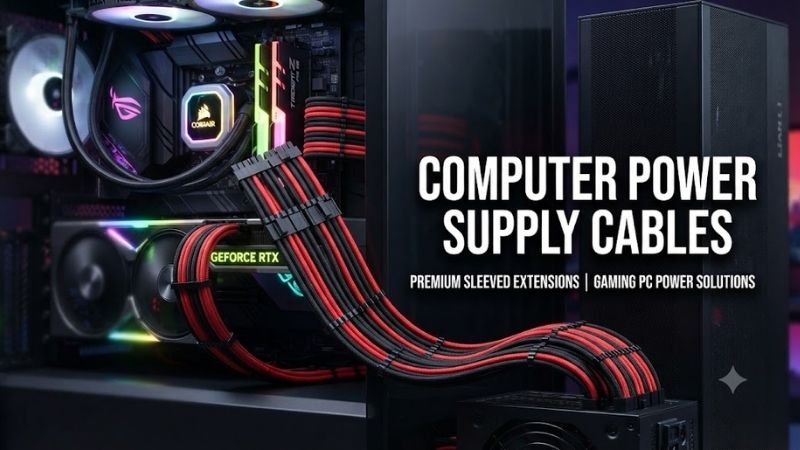
Choosing the right computer power supply cables is essential for safe, reliable power delivery to your desktop PC. Whether you need an external AC cord, a replacement modular PSU cable, or a power connector for a graphics card, compatibility matters more than appearance. This guide compares seven cable options for gaming PCs, office desktops, and custom computer builds.
Quick Verdict: Best Computer Power Supply Cables
Not all computer power cables serve the same purpose. External AC cables deliver electricity from a wall outlet to the power supply, while internal PSU cables distribute regulated DC power to the motherboard, processor, graphics card, and storage devices.
Our recommendations cover both categories, with each product selected for a specific connection requirement.
-
Best Standard AC Power Cord: StarTech PXT101 — A 6-foot NEMA 5-15P to IEC C13 power cord for compatible desktop computers and monitors.
-
Best Heavy-Duty AC Cord: StarTech PXT101146 — A 14AWG cable rated for 15A at 125V, suitable for compatible higher-current equipment.
-
Best Motherboard Power Cable: Corsair Type 4 ATX 24-Pin CP-8920403 — A replacement motherboard cable for specifically supported Corsair power supplies.
-
Best CPU Power Cable: Corsair Type 4 EPS12V CP-8920404 — A 4+4-pin CPU cable designed for compatible Corsair modular PSUs.
-
Best SATA Power Cable: Corsair Type 4 SATA CP-8920186 — A sleeved cable with four SATA power connectors for compatible power supplies.
-
Best Modern GPU Cable: Seasonic 12V-2×6 Cable — A 600W-rated GPU power cable for supported Seasonic modular power supplies.
-
Best Angled GPU Cable: be quiet! 12V-2×6 90° BC073 — A 600W-rated cable for supported be quiet! power supplies and compatible graphics cards.
The most important buying rule: Never assume that two modular PSU cables are interchangeable simply because their connectors fit. PSU-side pin assignments can differ between manufacturers, models, and cable families.
Quick Comparison Table: 7 Computer Power Supply Cables
| Product | Connector Type | Length | Primary Use | Key Consideration |
|---|---|---|---|---|
| StarTech PXT101 | NEMA 5-15P to IEC C13 | 6 ft | Standard AC power | 10A, 125V |
| StarTech PXT101146 | NEMA 5-15P to IEC C13 | 6 ft | Heavy-duty AC power | 15A, 125V |
| Corsair CP-8920403 | Type 4 to ATX 24-pin | 610mm | Motherboard power | Corsair PSU compatibility |
| Corsair CP-8920404 | Type 4 to EPS 4+4-pin | 750mm | CPU power | Correct EPS connector |
| Corsair CP-8920186 | Type 4 to four SATA | 750mm | SSDs and accessories | Compatible Type 4 pinout |
| Seasonic 12V-2×6 | Dual PSU 8-pin to 16-pin GPU | 750mm | GPU power | Supported Seasonic PSUs |
| be quiet! BC073 | PSU connectors to angled 16-pin GPU | 700mm | GPU power and cable routing | Orientation and PSU support |
These cables perform different functions and are not substitutes for one another. Always identify which connection needs replacement before purchasing.
How We Selected These Computer Power Cables
The products were selected using manufacturer documentation, electrical specifications, connector design, and practical desktop-computer requirements. The assessments do not represent original detailed research.
Electrical Ratings and Connector Design
External AC cables require appropriate voltage, current, plug, and equipment-connector ratings.
Internal PSU cables require the correct connector type, wiring configuration, and electrical capacity.
A cable that looks similar to an existing one is not necessarily electrically compatible.
Manufacturer Compatibility
We prioritized identifiable accessories with published manufacturer compatibility guidance.
This is particularly important for modular PSU cables, where connecting an incorrectly wired cable can damage computer components.
Wire Gauge and Construction
Wire gauge affects electrical resistance and current-carrying characteristics.
However, a cable’s suitability also depends on insulation, connector ratings, construction quality, and the conditions under which it is used.
We did not treat thicker wiring as an automatic indicator of superior performance.
Cable Length and Management
Appropriate cable length reduces unnecessary strain and helps keep a PC build organized.
For internal wiring, cable routing must also accommodate case dimensions, airflow, and manufacturer bend-radius guidance.
7 Best Computer Power Supply Cables
1. StarTech PXT101 — Best Standard Computer AC Power Cord
Best For: Desktop computers, monitors, office workstations, and users replacing a conventional North American PC power cord.
Why We Picked It: The StarTech PXT101 offers a widely used NEMA 5-15P to IEC C13 configuration with documented electrical ratings and UL listing.
It is an appropriate choice for many standard desktop PCs that use an IEC C14 power inlet.
Key Specifications
| Feature | Specification |
|---|---|
| Model | PXT101 |
| Wall plug | NEMA 5-15P |
| Equipment connector | IEC 60320 C13 |
| Length | 6 feet (1.8 meters) |
| Wire gauge | 18AWG |
| Maximum rating | 10A, 125V AC |
| Conductors | 3 |
| Jacket | SVT PVC |
| Safety listing | UL listed |
| Color | Black |
Features and Benefits
The StarTech PXT101 is a conventional grounded power cable designed for North American electrical outlets.
Its NEMA 5-15P plug connects to a compatible grounded outlet, while its IEC C13 connector attaches to equipment with a matching C14 inlet.
This configuration is common among desktop power supplies, monitors, and certain office devices.
The 6-foot length provides flexibility for positioning equipment on or beneath a desk.
Fully molded strain-relief connectors help protect the cable where the wiring enters the plug and equipment connector.
The cable uses three copper conductors and carries a manufacturer-specified maximum rating of 10A at 125V.
Performance and Practical Use
For compatible office desktops and many gaming PCs, the PXT101 provides a straightforward replacement when the original external cord is missing or damaged.
It does not increase PSU wattage, improve CPU speed, or change the quality of DC power regulation inside the computer.
Its role is to deliver AC power within its electrical rating.
Buyers should verify that their equipment’s input-current requirement does not exceed the cable rating.
The 125V rating and North American plug design also make this specific model unsuitable as a universal worldwide power cord.
What Makes It Different
Its main strength is a conventional, well-documented configuration suitable for many everyday desktop systems.
Pros
-
Standard C13 connector works with many desktop PSUs.
-
UL-listed construction and molded strain relief.
-
Six-foot length is practical for typical desk setups.
Cons
-
10A rating may be insufficient for equipment requiring a higher-rated cord.
-
North American wall plug is not compatible with every country’s outlet standard.
Buy If: You need a replacement external AC power cable for a compatible North American desktop PC.
Skip If: Your equipment requires an IEC C19 connector, a different wall plug, or a higher current rating.
2. StarTech PXT101146 — Best Heavy-Duty Computer Power Cord
Best For: High-power workstations, compatible desktop power supplies, and users requiring a 15A-rated AC cable.
Why We Picked It: The StarTech PXT101146 uses 14AWG wiring and is rated for 15A at 125V.
Compared with the standard PXT101, it offers a higher manufacturer-specified current rating while retaining the familiar NEMA 5-15P to IEC C13 connector arrangement.
Key Specifications
| Feature | Specification |
|---|---|
| Model | PXT101146 |
| Wall plug | NEMA 5-15P |
| Equipment connector | IEC C13 |
| Length | 6 feet |
| Wire gauge | 14AWG |
| Electrical rating | 15A, 125V |
| Safety listing | UL listed |
| Cable construction | Heavy-duty copper conductors |
| Color | Black |
Features and Benefits
The PXT101146 is designed for users who need an external AC power cable with a higher current rating than a standard 18AWG cord.
Its 14AWG conductors have a larger cross-sectional area than 18AWG conductors.
For the same material and length, larger conductors generally have lower electrical resistance.
However, the cable’s overall safety depends on its certified construction, connector ratings, operating environment, and appropriate equipment compatibility.
Its molded connectors provide strain relief and help maintain durable electrical connections during normal use.
The six-foot length is suitable for connecting a desktop workstation to a nearby grounded electrical outlet.
Performance and Practical Use
A heavy-duty cable may be appropriate for a workstation whose manufacturer specifies a higher-current power cord.
It can also be useful when replacing a damaged original cable that had similar electrical characteristics.
However, a higher cable current rating does not make the computer consume more power or improve its operating performance.
The system’s power supply determines its power requirements.
Users should also ensure that the equipment inlet, wall outlet, and electrical circuit are appropriate for the intended load.
What Makes It Different
The PXT101146 provides a 15A rating and 14AWG construction while retaining a familiar desktop power-cord form factor.
Pros
-
Higher current rating than standard 10A alternatives.
-
Heavy-duty 14AWG construction.
-
UL-listed design for compatible North American equipment.
Cons
-
Thicker cable is generally less flexible than lighter-duty cords.
-
Offers no computing performance advantage when a standard cable already meets the equipment’s requirements.
Buy If: Your compatible workstation or desktop equipment requires a 15A-rated C13 power cord.
Skip If: Your computer already has a suitable, undamaged power cable and does not require a higher-current replacement.
3. Corsair Type 4 ATX 24-Pin CP-8920403 — Best Motherboard Power Cable
Best For: Users replacing the primary motherboard power cable on a specifically compatible Corsair modular PSU.
Why We Picked It: The Corsair CP-8920403 is a manufacturer-identified Type 4 ATX motherboard cable with a 24-pin motherboard connector.
Its compatibility documentation makes it more appropriate than an unverified generic modular replacement.
Key Specifications
| Feature | Specification |
|---|---|
| Product number | CP-8920403 |
| Cable family | Corsair Type 4 |
| Component connector | ATX 24-pin |
| Cable length | 610mm |
| Wire gauge | 18AWG |
| Color | Black |
| Included accessories | Cable comb |
| Intended use | Motherboard power |
| PSU compatibility | Specific Corsair Type 4-compatible models |
Features and Benefits
The 24-pin ATX connector supplies several regulated power rails and control signals required by a conventional ATX motherboard.
A compatible replacement cable is essential because the cable must connect the correct PSU outputs to the corresponding motherboard pins.
The Corsair CP-8920403 is designed for supported Corsair modular PSUs using the appropriate Type 4 motherboard pinout.
Its 610mm length provides room for routing behind the motherboard tray in many desktop cases.
The included cable comb helps organize the cable near visible sections of a build.
Performance and Practical Use
This cable is useful when replacing a lost, damaged, or unsuitable original motherboard power cable.
It may also help improve cable routing in a compatible Corsair-based desktop build.
However, Corsair Type 4 compatibility must be checked for the exact PSU model and revision.
The fact that another cable is labeled Type 4 or fits physically is not enough unless the manufacturer confirms the pinout.
Using an incompatible motherboard power cable can damage the motherboard and other connected components.
What Makes It Different
The manufacturer’s product-specific identification and documented compatibility are the main advantages.
Pros
-
Dedicated replacement for supported Corsair modular PSUs.
-
610mm length supports conventional case routing.
-
Included cable comb improves organization.
Cons
-
Not universally compatible with modular power supplies.
-
Does not improve system performance compared with an electrically suitable original cable.
Buy If: You need a replacement 24-pin motherboard cable for a Corsair PSU specifically listed as compatible.
Skip If: You own a different PSU brand or cannot confirm the exact compatible cable type.
4. Corsair Type 4 EPS12V CP-8920404 — Best CPU Power Cable
Best For: CPU power connections on compatible Corsair modular power supplies.
Why We Picked It: The Corsair CP-8920404 is a dedicated EPS/ATX12V cable with a 4+4-pin CPU-side connector and a documented 750mm length.
It offers the correct connector function for supported motherboard CPU power inputs.
Key Specifications
| Feature | Specification |
|---|---|
| Product number | CP-8920404 |
| Cable family | Corsair Type 4 |
| Component connector | EPS/ATX12V 4+4-pin |
| Length | 750mm |
| Wire gauge | 18AWG |
| Color | Black |
| Included accessories | Cable comb |
| Intended use | CPU power |
| PSU compatibility | Specified Corsair models |
Features and Benefits
Modern desktop motherboards commonly include an EPS12V power connector near the CPU socket.
This connector delivers 12V power to the motherboard’s CPU voltage-regulation circuitry.
The Corsair CP-8920404 uses a split 4+4-pin configuration, making it suitable for compatible 8-pin EPS inputs and certain supported 4-pin arrangements.
Its 750mm length is useful for routing the cable behind the motherboard tray and toward the upper portion of the case.
The included cable comb can help keep visible wiring organized.
Performance and Practical Use
The cable provides a replacement option when an original CPU power cable is missing or damaged.
It is particularly useful for systems using a supported Corsair modular PSU and a motherboard requiring an EPS power connection.
However, an EPS 8-pin connector must not be confused with an 8-pin PCIe graphics-card connector.
Although both can have eight contacts, their intended wiring and connector arrangements differ.
Forcing the wrong cable into a connector can cause equipment damage.
What Makes It Different
Its dedicated EPS design and 750mm length distinguish it from shorter motherboard or GPU power leads.
Pros
-
Designed for CPU power delivery on supported systems.
-
Long enough for many mid-tower and full-tower routing paths.
-
Split 4+4-pin configuration supports appropriate CPU power sockets.
Cons
-
Requires exact Corsair PSU compatibility.
-
Not interchangeable with PCIe graphics-card power cables.
Buy If: You need a supported replacement CPU EPS cable for your Corsair power supply.
Skip If: You need a graphics-card power cable or use an unsupported modular PSU.
5. Corsair Type 4 SATA CP-8920186 — Best SATA Power Cable
Best For: SATA SSDs, hard drives, and compatible accessories requiring SATA power.
Why We Picked It: The Corsair CP-8920186 provides four SATA power connectors on one 750mm sleeved cable.
Its multi-connector arrangement is useful for powering several low-power devices from a compatible Corsair PSU.
Key Specifications
| Feature | Specification |
|---|---|
| Product number | CP-8920186 |
| Cable family | Corsair Type 4 Generation 3 |
| Cable length | 750mm |
| SATA connectors | 4 |
| Sleeving | Triple-layer mesh paracord |
| Connector construction | Heatshrink-free |
| Color | Black variant |
| Intended use | SATA-powered devices |
| PSU compatibility | Supported Corsair Type 4 pinout |
Features and Benefits
SATA power connectors are commonly used with 2.5-inch SATA SSDs, 3.5-inch hard drives, and certain desktop accessories.
The Corsair CP-8920186 includes four power connectors along one cable.
This arrangement can reduce the number of separate cables required in a system containing multiple SATA devices.
Its flexible sleeving assists with routing around drive cages and internal case structures.
The cable also uses a streamlined connector design that can simplify management in suitable desktop cases.
Performance and Practical Use
This cable is practical for storage-heavy systems or users adding SATA drives to an existing desktop.
However, the combined electrical load of connected devices must remain within the supported limits of the PSU cable and power supply.
A four-connector cable does not guarantee that every combination of four devices is appropriate.
Users should also avoid sharply bending SATA connectors or applying sideways force that could damage a drive’s power receptacle.
What Makes It Different
The four SATA power connectors and flexible sleeved design make it particularly useful for computers containing several compatible storage devices.
Pros
-
Four SATA power connectors reduce cable clutter.
-
Flexible sleeving helps with internal cable management.
-
Useful for multiple SATA-powered devices.
Cons
-
Only appropriate for compatible Corsair Type 4 PSU wiring.
-
Connector placement may not align perfectly with every drive layout.
Buy If: You need additional SATA power connections on a supported Corsair modular PSU.
Skip If: You have an incompatible PSU or need a SATA data cable rather than SATA power.
6. Seasonic 12V-2×6 Cable — Best for Modern Graphics Cards
Best For: Supported Seasonic modular PSU owners upgrading to compatible high-performance graphics cards with 12VHPWR or 12V-2×6 inputs.
Why We Picked It: The Seasonic 12V-2×6 cable connects two supported PSU-side 8-pin modular ports to a single 16-pin GPU power connector.
It is rated to support up to 600W under the specified conditions.
Key Specifications
| Feature | Specification |
|---|---|
| Product | Seasonic 12V-2×6 cable |
| PSU-side connectors | 2 × 8-pin modular |
| GPU connector | 16-pin 12V-2×6 |
| Maximum cable rating | 600W |
| Length | 750mm |
| Wire gauge | 16AWG |
| Color | Black |
| Manufacturer warranty | 2 years |
| Compatibility | Supported Seasonic modular PSUs |
Features and Benefits
The Seasonic 12V-2×6 cable is designed for graphics cards requiring a modern 16-pin power connection.
It provides a manufacturer-supported connection option for certain Seasonic power supplies that use dual modular 8-pin PSU outputs.
The two PSU-side connectors must both be installed as specified.
Its 16AWG power conductors and 750mm length are intended for high-power graphics-card installations with suitable cable routing.
The 12V-2×6 connector standard incorporates changes intended to improve connection behavior compared with the earlier 12VHPWR design.
However, proper installation remains essential.
Performance and Practical Use
The cable is relevant to graphics cards with compatible 12VHPWR or 12V-2×6 power sockets.
Its 600W rating refers to the cable’s supported power-delivery capability, not a promise that every connected graphics card will consume or receive 600W.
The PSU must have adequate capacity for the entire system, and the exact Seasonic model must be listed as compatible.
When installing the cable, ensure the GPU connector is fully inserted with no visible gap.
Avoid sharp bends near the connector and maintain appropriate clearance according to Seasonic’s installation instructions.
What Makes It Different
It offers an identifiable manufacturer-supported cable for connecting compatible older Seasonic modular PSUs to newer GPU power interfaces.
Pros
-
Rated for up to 600W with supported hardware.
-
Uses 16AWG wiring and a 750mm cable length.
-
Supports compatible 12VHPWR and 12V-2×6 graphics-card connectors.
Cons
-
Limited to specified Seasonic PSU models.
-
Requires careful routing and full connector insertion.
Buy If: You have a supported Seasonic PSU and need a manufacturer-approved modern graphics-card power cable.
Skip If: Your PSU is incompatible or already has a suitable native cable.
7. be quiet! 12V-2×6 90° BC073 — Best Angled GPU Power Cable
Best For: Compatible gaming PC builds where a straight GPU power connector would create difficult cable-routing conditions.
Why We Picked It: The be quiet! BC073 provides a 90-degree GPU-side 12V-2×6 connector and a 600W-rated design for specified be quiet! power supplies.
Its angled construction can simplify routing in cases with limited clearance beside the graphics card.
Key Specifications
| Feature | Specification |
|---|---|
| Article number | BC073 |
| Product type | 12V-2×6 / 12VHPWR 90° cable |
| GPU-side connector | Angled 16-pin |
| Rated capacity | 600W |
| Length | 700mm |
| Wire gauge | 16AWG |
| Sleeving | Individually sleeved |
| Manufacturer warranty | 3 years |
| Compatibility | Supported be quiet! ATX 3.0/3.1 PSUs |
Features and Benefits
The 90-degree GPU connector changes the direction in which the cable exits the graphics-card socket.
This can be useful in cases where the side panel leaves little room for a conventional straight connector and its required cable bend.
The cable’s individually sleeved black wires provide flexibility and a clean appearance.
The BC073 is designed for specified be quiet! power supplies, including supported models in the Dark Power 13, Straight Power 12, and Pure Power 12 M families.
Users must confirm the exact PSU compatibility before installation.
Performance and Practical Use
The BC073 can improve routing convenience for graphics cards with a compatible 16-pin power socket.
However, angled connectors introduce an additional compatibility consideration: orientation.
Not every GPU’s power socket is positioned the same way.
An angled cable may point toward the cooling assembly or another obstruction instead of toward the intended routing path.
be quiet! provides different connector orientations for this reason.
Buyers should inspect their graphics-card layout and case clearance before purchasing.
The connector must still be inserted fully and without mechanical stress.
What Makes It Different
Its angled GPU-side connector is the central advantage, especially for systems with limited space between the graphics card and side panel.
Pros
-
Angled connector can simplify GPU cable routing.
-
16AWG wiring and 600W rating suit supported high-power GPU connections.
-
Individually sleeved construction provides a clean appearance.
Cons
-
Connector orientation may not suit every graphics card.
-
Compatible only with specified PSU models and appropriate connector arrangements.
Buy If: You need a manufacturer-supported angled GPU power cable for a compatible be quiet! PSU.
Skip If: You cannot confirm the connector orientation or your PSU is not listed as compatible.
Computer Power Supply Cable Buying Guide
Understand the Different Types of PC Power Cables
A desktop computer typically uses several different power connections.
| Cable Type | Function | Typical Connection |
|---|---|---|
| External AC cable | Delivers wall power to PSU | Wall outlet to PSU inlet |
| ATX 24-pin | Powers motherboard circuits | PSU to motherboard |
| EPS 4+4-pin | Supplies CPU power circuitry | PSU to CPU power header |
| PCIe 6+2-pin | Powers compatible GPUs | PSU to graphics card |
| 12V-2×6 | Powers compatible modern GPUs | PSU to 16-pin GPU socket |
| SATA power | Powers storage and accessories | PSU to SATA devices |
| Peripheral 4-pin | Powers certain legacy accessories | PSU to supported peripherals |
Correct identification is essential because connectors that appear similar may serve different electrical functions.
External AC Cords vs Internal PSU Cables
External AC cords and internal PSU cables operate on different sides of the power supply.
The external cable carries mains AC voltage into the PSU.
The PSU then converts that energy into regulated DC outputs for computer hardware.
Internal modular cables distribute those DC outputs to different components.
Replacing an external AC cord is generally simpler when the plug, connector, ratings, and applicable safety requirements match.
Replacing an internal modular cable requires exact wiring compatibility with the PSU.
What Does AWG Mean?
AWG stands for American Wire Gauge.
It identifies conductor size, with lower AWG numbers representing larger conductors.
For example, 14AWG wire has a larger cross-sectional area than 18AWG wire.
Larger conductors generally have lower electrical resistance for the same material and length.
However, current-handling capability depends on more than conductor gauge.
Connector ratings, insulation, cable construction, temperature, and applicable safety standards also matter.
Never determine cable safety from wire gauge alone.
How Long Should a PC Power Cable Be?
For an external AC cord, choose a length that reaches the power outlet without placing tension on the connectors.
A six-foot cable suits many ordinary workstation setups.
For internal cables, consider case size and routing paths.
A mid-tower case may require enough cable length to route behind the motherboard tray, while compact builds may benefit from shorter, less bulky wiring.
Avoid leaving tightly compressed bundles beside hot components or fans.
Modular vs Non-Modular PSU Cables
Non-modular power supplies have their internal component cables permanently attached.
Fully modular PSUs allow compatible cables to be detached.
Semi-modular PSUs typically have some permanently attached cables and additional removable connections.
Modular designs make it easier to install only the cables needed.
However, modular cables are not universal.
Even cables from the same brand may use different PSU-side pinouts between product generations.
Are PSU Cables Universal?
No. Internal modular PSU cables should never be considered universally interchangeable.
The component-side connections, such as standard ATX and PCIe connectors, follow defined electrical arrangements.
The PSU-side modular connectors may use manufacturer-specific wiring.
A cable that fits physically may connect voltage rails incorrectly.
The consequences can include damage to the PSU, motherboard, graphics card, drives, or other components.
Always confirm the cable part number and exact PSU compatibility.
How to Choose a GPU Power Cable
Identify the graphics card’s power connector first.
Some GPUs use conventional PCIe 6-pin or 8-pin connectors.
Others use a 12VHPWR or 12V-2×6 connection.
Next, check the PSU’s available connectors and manufacturer-supported cables.
Do not assume that a standard 8-pin modular PSU socket is wired identically to another manufacturer’s socket.
For a 12V-2×6 installation, verify the cable’s supported rating, required PSU connections, available case clearance, and proper seating instructions.
How to Replace Computer Power Supply Cables Safely
Step 1: Shut Down and Disconnect Power
Turn off the computer completely.
Switch off the PSU when applicable and unplug the external AC cord.
Allow the system to cool before working inside the case.
Do not open the PSU housing. Internal capacitors can retain dangerous electrical energy even after the unit is unplugged.
Step 2: Identify the Existing Cable
Determine whether the cable connects to the motherboard, CPU power header, graphics card, storage drive, or wall outlet.
Check the connector labels and any available PSU documentation.
Step 3: Verify the Replacement Part
For modular cables, confirm the exact replacement against the PSU manufacturer’s compatibility information.
For external AC cables, verify the plug type, equipment connector, voltage rating, current rating, and applicable approvals.
Step 4: Remove the Old Cable Carefully
Release any locking tabs before removing internal connectors.
Avoid pulling directly on individual wires.
If a connector is damaged, melted, or discolored, inspect the mating socket and seek qualified repair advice before installing another cable.
Step 5: Install the Replacement
Route the cable without stretching it or forcing sharp bends.
Make sure each connector is fully inserted and securely latched.
For modern GPU power connectors, pay particular attention to full insertion and manufacturer clearance recommendations.
Step 6: Inspect Before Powering On
Check that all required power connections are installed and that no cables interfere with fans.
Confirm that unused modular connectors are not touching anything hazardous.
Reinstall case panels as appropriate before restoring power.
Step 7: Check for Problems
After starting the system, verify normal operation.
Unexpected shutdowns, unusual smells, visible discoloration, or abnormal connector heating require immediate investigation.
Do not continue using hardware that shows signs of electrical damage.
Common Mistakes When Buying PC Power Cables
Mixing Cables From Different PSU Brands
This is among the most dangerous upgrade mistakes.
A modular cable from one manufacturer may fit another manufacturer’s PSU while using a different pin assignment.
Always purchase a cable specifically approved for the exact PSU model.
Confusing CPU EPS and PCIe GPU Connectors
EPS CPU and PCIe GPU connections can use similar-looking eight-contact arrangements.
However, their pinouts and intended functions differ.
Never force an EPS connector into a PCIe socket or vice versa.
Buying a Cable Based Only on Wattage
A 600W rating does not guarantee compatibility with every graphics card or PSU.
Electrical capacity, connector type, PSU support, and installation conditions all matter.
Ignoring Angled Connector Orientation
A 90-degree graphics-card cable may solve a clearance problem only when the connector faces the correct direction.
Check the GPU socket orientation and available case space before buying.
Using Damaged or Loose Power Connectors
Loose electrical connections can increase contact resistance and generate heat.
Damaged, discolored, or partially inserted connectors should not be used.
Replace affected components or obtain qualified inspection when necessary.
Assuming Sleeved Cables Are Always Better
Decorative sleeving can improve appearance and routing, but it does not automatically improve power quality.
A plain, correctly rated manufacturer-approved cable is preferable to an attractive but incompatible replacement.
Frequently Asked Questions
What power cable does a desktop computer use?
Many North American desktop power supplies use an external cord with a NEMA 5-15P wall plug and an IEC C13 equipment connector.
However, some equipment uses different connector types, current ratings, or region-specific plugs.
Check the PSU inlet and original cable specifications before purchasing.
Can I use any power supply cable for my PC?
Not necessarily.
External AC cables may be interchangeable when the plug, connector, voltage, current rating, and safety requirements match.
Internal modular PSU cables require model-specific wiring compatibility.
Never substitute an unverified modular cable.
Are Corsair PSU cables interchangeable?
Only when Corsair specifically documents compatibility between the cable and the power supply.
Corsair has multiple cable families, including Type 4 and Type 5.
These are not universally interchangeable.
Always check the exact PSU model and replacement cable part number.
What is the difference between an 8-pin CPU cable and an 8-pin GPU cable?
An 8-pin EPS CPU cable supplies power to the motherboard’s CPU voltage-regulation circuitry.
An 8-pin PCIe GPU cable supplies power to a compatible graphics card.
They use different electrical arrangements and are not substitutes for one another.
What is a 12V-2×6 power cable?
A 12V-2×6 cable is designed for compatible modern graphics-card power connections.
The connector uses twelve main power contacts and four smaller signal contacts.
Supported implementations can provide up to 600W, depending on the cable, PSU, graphics card, and signaling configuration.
It is intended to improve connection behavior compared with the earlier 12VHPWR specification, but proper installation remains essential.
Does a better power supply cable improve gaming performance?
A replacement power cable does not directly improve FPS or make a processor faster.
A correctly rated, compatible cable helps provide reliable electrical connections.
If an existing cable is damaged or inadequate, replacing it may address power-related problems, but performance improvements should not be assumed without identifying the actual cause.
Conclusion
The StarTech PXT101 is a practical choice for a standard external computer power supply cable, while the PXT101146 suits compatible equipment requiring a heavier-duty AC cord. For internal connections, Corsair’s Type 4 motherboard, CPU, and SATA cables provide identifiable replacement options for supported Corsair PSUs. The Seasonic 12V-2×6 and be quiet! BC073 are more specialized options for compatible modern graphics-card installations. Above all, choose computer power supply cables based on verified connector requirements, electrical ratings, and exact PSU compatibility—not appearance or assumed interchangeability.