🛒 Best Price Today on Amazon
Prime members get fast, free shipping on everything above, plus member-only deals. New members get a 30-day free trial — cancel anytime.
- Quick Verdict: Is the Logitech H540 USB Headset Good?
- Logitech H540 USB Headset Overview
- Design and Build Quality
- Logitech H540 Sound Quality
- Microphone Quality and Noise Cancellation
- Comfort During Long Work Sessions
- Connectivity and Compatibility
- On-Ear Controls and Everyday Usability
- Logitech H540 Gaming Performance
- Logitech H540 Pros and Cons
- Logitech H540 vs Other Computer Headsets
- Who Should Buy the Logitech H540 USB Headset?
- Who Should Skip the Logitech H540?
- Frequently Asked Questions
- Conclusion
The Logitech H540 USB Headset is a wired stereo headset designed for video calls, online meetings, remote work, and everyday computer audio. With a noise-canceling microphone, convenient on-ear controls, and USB plug-and-play connectivity, it offers a straightforward alternative to wireless headsets and more expensive gaming models.
Quick Verdict: Is the Logitech H540 USB Headset Good?
The Logitech H540 is a practical choice for anyone who primarily needs a comfortable, uncomplicated computer headset for voice communication.
Its strongest features are its USB-A connection, built-in volume and mute controls, adjustable microphone, and stereo audio. The design is particularly suitable for home offices, online classes, and desktop computers used for frequent video meetings.
However, it is not a specialized gaming headset, professional recording microphone, or premium active noise-canceling headphone.
The H540 uses a noise-reducing boom microphone, but it does not provide active noise cancellation for the listener.
Overall assessment: A sensible wired computer headset for users who prioritize convenient voice calls and straightforward operation over advanced audio features.
| Category | Assessment |
|---|---|
| Best For | Video meetings, remote work, online classes |
| Connection | Wired USB-A |
| Audio | Digital stereo |
| Microphone | Adjustable, noise-canceling |
| Controls | Volume and microphone mute on right earcup |
| Comfort | Padded on-ear design |
| Gaming | Suitable for casual gaming |
| Portability | Moderate; wired and not especially compact |
| Main Limitation | Limited connectivity and advanced features |
Buy If: You primarily use a desktop or laptop for calls, want dedicated microphone controls, and prefer a wired device without batteries or pairing.
Skip If: You require wireless connectivity, immersive gaming audio, high-quality music monitoring, or an advanced headset for consistently noisy environments.
Logitech H540 USB Headset Overview
The Logitech H540 belongs to Logitech’s range of wired computer headsets. It is positioned above very basic communication headsets through its padded construction, stereo audio, and convenient controls.
Unlike traditional analog headsets that use separate 3.5mm audio and microphone connections, the H540 connects through a single USB-A plug.
This makes the setup process simple on compatible computers. The computer recognizes the headset as a USB audio device, allowing it to handle both headphone output and microphone input.
Its basic design philosophy emphasizes functionality rather than customization.
There is no battery to charge, no Bluetooth connection to configure, and no requirement for proprietary software during ordinary operation.
That simplicity is a genuine advantage for users who switch between calls, web browsing, recorded lessons, and general desktop use throughout the day.
Verified Technical Specifications
| Specification | Logitech H540 |
|---|---|
| Product Type | Wired USB stereo headset |
| Connection | USB Type-A |
| Wearing Style | On-ear |
| Microphone Type | Bidirectional boom microphone |
| Headphone Frequency Response | 20 Hz–20 kHz |
| Microphone Frequency Response | 100 Hz–16 kHz |
| Headphone Impedance | 20 ohms |
| Headphone Sensitivity | 115 dB ± 3 dB |
| Microphone Sensitivity | -42 dBV/Pa ± 3 dB |
| Cable Length | 1.8 meters (approximately 5.9 feet) |
| Weight | Approximately 120 grams |
| Ear Cushions | Padded leatherette |
| Controls | Volume adjustment and microphone mute |
| Warranty | 2-year limited hardware warranty |
The specifications describe the headset’s stated electrical characteristics and connectivity. They do not independently establish sound quality, microphone clarity, or long-term durability.
What Comes in the Box?
The standard package includes the Logitech H540 USB computer headset and user documentation.
The headset uses a permanently attached USB cable, so buyers do not need an additional audio cable to connect it to a compatible desktop computer.
A USB-C adapter may be required for computers without a USB-A connection.
Design and Build Quality
Appearance and Construction
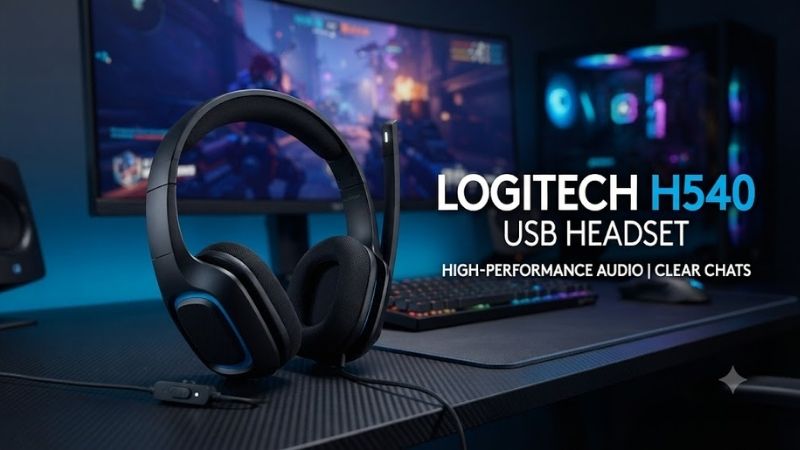
The Logitech H540 uses a conventional office-oriented headset design with black earcups, an adjustable headband, and a microphone mounted on the right side.
Its appearance is understated compared with gaming headsets featuring RGB illumination, large external microphones, or decorative accents.
This makes it visually appropriate for professional video calls and business environments.
The lightweight construction is another practical benefit. At approximately 120 grams, the headset places relatively little weight on the head compared with many heavier gaming models.
However, low weight does not automatically indicate strong durability.
Users should handle the headband adjustment mechanism and microphone boom with reasonable care, particularly if the headset is frequently transported.
Earcup Padding and Headband Adjustment
The H540 includes padded leatherette earcups and a padded headband.
The adjustable structure allows users to change the fit to accommodate different head sizes.
Unlike over-ear headsets that surround the ears, this model rests directly against them.
That arrangement keeps the design relatively compact, but comfort can vary depending on ear shape, clamping pressure, and session length.
People sensitive to pressure on their ears may prefer larger over-ear headphones for extended use.
Microphone Positioning
The microphone is mounted on a boom extending from the right earcup.
Users can position the boom closer to the mouth for voice communication and move it upward when it is not needed.
The microphone can also be tucked into the headband area when not in use.
This is convenient for people who alternate between meetings and listening to audio.
However, the fixed right-side placement provides less flexibility than headsets with detachable microphones or reversible boom designs.
Logitech H540 Sound Quality
Stereo Audio for Everyday Computer Use
The Logitech H540 uses digital stereo audio with laser-tuned drivers and built-in equalization, according to Logitech.
These features are intended to provide balanced sound for conversation, music, movies, and general desktop listening.
The headset’s published frequency response extends from 20 Hz to 20 kHz, covering the conventional audible frequency range.
However, this specification alone cannot establish whether the headset reproduces bass, mids, and treble accurately.
For normal computer activities, the H540’s design emphasizes accessible audio rather than specialist listening requirements.
Performance for Video Calls
Voice communication is the headset’s primary use case.
Stereo playback enables users to hear meeting participants through both earcups, while the dedicated microphone provides a separate channel for capturing speech.
A wired USB connection also eliminates Bluetooth pairing problems and avoids audio interruptions caused by depleted wireless batteries.
However, USB connectivity does not guarantee that internet calls will be uninterrupted. Call quality also depends on software settings, network stability, and the computer’s performance.
For services such as Zoom, Microsoft Teams, and Google Meet, the headset provides the essential hardware needed for two-way communication.
Music Listening Performance
The H540 can reproduce music from common streaming platforms, downloaded files, and desktop media players.
Its stereo configuration is preferable to a single-ear headset for entertainment because both audio channels are reproduced.
Nevertheless, buyers focused primarily on music should consider the limitations of an office-oriented headset.
The H540 is not marketed as a reference monitor, and its specifications do not establish the level of tonal accuracy, bass extension, or instrument separation expected from specialized headphones.
It is best viewed as a convenient all-purpose audio device rather than a dedicated hi-fi product.
Movie and Video Playback
For watching online videos, educational content, and movies, the Logitech H540 offers a straightforward listening experience.
The wired connection means there is no battery anxiety during long playback sessions.
The on-ear controls also let users change listening volume without reaching for their computer’s audio settings.
However, the H540 does not advertise dedicated cinematic surround-sound processing or advanced spatial-audio hardware.
Its basic stereo design is suitable for casual entertainment rather than a premium home-theater experience.
Microphone Quality and Noise Cancellation
How the Noise-Canceling Microphone Works
The Logitech H540 uses a bidirectional microphone designed to reduce unwanted background noise during conversation.
The microphone captures speech through its adjustable boom, allowing users to position it near their mouth.
Proper positioning can improve the relationship between speech volume and surrounding noise.
Logitech describes the microphone as noise-canceling, but this should not be confused with the active noise cancellation commonly found in premium wireless headphones.
The microphone’s noise reduction primarily benefits the person listening to your voice.
It does not actively cancel external noise reaching your ears.
Is the Microphone Good for Online Meetings?
For ordinary meetings and remote work, the H540 offers an appropriate feature set.
A dedicated boom microphone is convenient because it can be positioned consistently during a conversation.
The mute control is also valuable when users need to stop transmitting audio quickly.
However, the published microphone specifications do not demonstrate how effectively the headset suppresses keyboard noise, nearby conversations, or other environmental sounds.
Results depend on microphone positioning, room acoustics, the type of background noise, and additional processing applied by communication software.
Users working in noisy offices may benefit from a headset with stronger independently verified microphone noise suppression.
Can the Logitech H540 Record Podcasts?
The H540 can capture voice recordings through compatible computer software.
However, it is not designed primarily as a professional podcasting or studio microphone.
Its microphone is optimized for convenient communication rather than detailed vocal recording.
For occasional narration, online presentations, or basic voice notes, it can serve as a practical recording device.
For professional voiceovers, broadcast work, or high-quality podcast production, a dedicated microphone offers more appropriate recording controls and upgrade options.
Comfort During Long Work Sessions
Lightweight Design
At approximately 120 grams, the Logitech H540 is lightweight relative to many full-size gaming headsets.
This reduces the amount of weight users must support during prolonged computer sessions.
However, wearing comfort depends on more than weight.
Headband pressure, cushion material, heat buildup, and earcup shape can significantly influence how a headset feels after several hours.
The H540’s on-ear design should be considered carefully by people who dislike pressure directly against their ears.
Leatherette Earcups
The padded leatherette cushions provide a soft contact surface.
Leatherette is also relatively straightforward to wipe clean compared with some fabric-covered cushions.
However, the material can retain warmth and moisture, particularly in hot environments.
Users wearing headsets throughout an entire workday may find breathable fabric cushions or spacious over-ear designs more comfortable.
Is the Logitech H540 Comfortable for Eight Hours?
The H540 is designed with padded contact surfaces and an adjustable fit, but eight-hour comfort cannot be guaranteed from its specifications.
A user who spends most of the day in meetings may appreciate the low weight.
Someone sensitive to ear pressure may prefer an over-ear alternative.
Regular listening breaks and appropriate volume levels are advisable regardless of headset design.
Connectivity and Compatibility
USB-A Plug-and-Play Setup
One of the H540’s primary advantages is its straightforward USB connection.
To connect the headset:
-
Insert its USB-A plug into an available computer port.
-
Allow the operating system to recognize the audio device.
-
Open the computer’s sound settings.
-
Select the Logitech USB headset as the output device.
-
Select its microphone as the input device.
-
Test playback and microphone capture.
Basic functionality generally does not require installing specialized Logitech software.
If the headset is recognized but no sound is audible, confirm that the computer is sending audio to the correct output device.
Windows Compatibility
The Logitech H540 supports Windows computers with a compatible USB connection.
Users can configure playback volume, microphone levels, and default communication devices through Windows sound settings.
Individual applications may maintain their own audio-device selection.
For example, a meeting application may continue using a laptop’s built-in microphone until the user selects the Logitech headset inside the application settings.
macOS Compatibility
The headset also supports macOS.
Users can connect it through a USB-A port or an appropriate adapter and select it in the operating system’s sound settings.
Because many modern Mac computers primarily offer USB-C ports, an adapter or compatible hub may be necessary.
The adapter must support USB data communication, not merely charging.
ChromeOS Compatibility
Logitech lists ChromeOS compatibility and identifies the H540 as Works With Chromebook certified.
This makes the headset suitable for many educational and general productivity environments using compatible Chromebooks.
Users should still verify that their specific device provides a compatible port or supported adapter.
Smartphone and Console Compatibility
The H540 is primarily designed for computers.
It does not include Bluetooth or a traditional analog audio plug.
Some phones, tablets, or gaming devices may recognize USB audio accessories, but compatibility should not be assumed without confirmation for the exact device.
Users looking for a headset that works across a phone, gaming console, and computer may prefer a product explicitly designed for cross-platform compatibility.
On-Ear Controls and Everyday Usability
Volume Adjustment
The headset places volume controls on the right earcup.
This allows users to adjust audio without searching for an on-screen slider.
The design is useful during meetings, presentations, and online lessons when changing application windows would be inconvenient.
Microphone Mute Function
The right earcup also provides a microphone mute control.
A visible indicator on the cable communicates the mute status.
This reduces uncertainty when users want to confirm whether their microphone is transmitting sound.
However, the hardware mute state and an application’s visual microphone indicator are not necessarily identical.
Users should verify their settings before joining important calls.
Cable Length and Desk Setup
The H540 includes a 1.8-meter cable, equivalent to approximately 5.9 feet.
This is generally practical for connecting a headset to a nearby desktop tower, monitor USB hub, or laptop.
However, computers located far below a desk or inside distant equipment cabinets may require additional consideration.
A USB extension cable can sometimes solve reach problems, provided it supports reliable data communication.
The attached cable also means the headset is less convenient for users who prefer completely wireless desks.
Logitech H540 Gaming Performance
Is the Logitech H540 Good for PC Gaming?
The Logitech H540 can function as a basic gaming headset because it provides stereo output and a microphone.
For casual games, cooperative multiplayer sessions, or voice chat, it includes the necessary functionality.
However, it lacks many features associated with dedicated gaming headsets.
These may include advanced spatial-audio processing, game-specific sound profiles, large over-ear cushions, wireless low-latency operation, or specialized microphone tuning.
The H540 should therefore be considered an entry-level gaming option rather than a purpose-built competitive headset.
Competitive FPS Gaming
Games such as Counter-Strike 2, Valorant, and other competitive shooters place considerable emphasis on positional audio.
The H540 offers stereo sound, but its manufacturer specifications do not establish precise positional imaging or competitive performance.
Players who rely heavily on detailed environmental cues should consider gaming headsets with independently documented imaging and frequency-response behavior.
USB connectivity alone does not make one headset more accurate than another.
Gaming Voice Chat
The boom microphone and mute button are useful for voice communication during games.
The headset can be selected as an input and output device in compatible chat software.
For occasional cooperative gaming, this may be sufficient.
However, streamers and competitive players who need highly consistent microphone performance in noisy environments should evaluate more specialized equipment.
Logitech H540 Pros and Cons
| Pros | Cons |
|---|---|
| Simple USB-A plug-and-play connection | No Bluetooth or native 3.5mm connection |
| Adjustable noise-canceling boom microphone | No active noise cancellation for the listener |
| Convenient on-ear volume and mute controls | On-ear fit may create pressure during long sessions |
| Stereo audio for calls and entertainment | Limited advanced gaming features |
| Lightweight padded design | Fixed cable limits portability |
| Supports Windows, macOS, and ChromeOS | USB-C-only computers require an adapter |
| Two-year limited hardware warranty | Not designed for professional audio recording |
Logitech H540 vs Other Computer Headsets
Logitech H540 vs Logitech H390
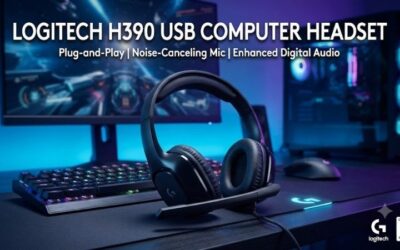
The Logitech H390 is another wired USB headset designed primarily for communication.
Both headsets offer a noise-canceling microphone and practical computer compatibility.
The important distinction lies in their design and control arrangements.
The H540 provides controls on the earcup, while the H390 is associated with inline cable controls.
Users who prefer adjusting sound directly on the headset may favor the H540.
Buyers looking for a simpler or potentially less expensive communication headset may find the H390 sufficient.
Neither should automatically be considered superior without comparing the exact models, prices, and user requirements.
Logitech H540 vs Logitech H340
The Logitech H340 is a more basic USB headset intended for everyday computer communication.
Its lightweight approach may appeal to users who only need occasional calls.
The H540 provides a more feature-oriented design with padded leatherette contact surfaces and on-ear controls.
For buyers who spend significant time in online meetings, these convenience features may justify choosing the H540.
For infrequent communication, the H340 may be adequate.
Logitech H540 vs Gaming Headsets
Dedicated gaming headsets often prioritize features that are less important in office environments.
These may include larger earcups, detailed positional sound reproduction, platform-specific compatibility, and more advanced microphone systems.
The H540 focuses on voice communication and straightforward desktop operation.
It can handle casual gaming, but gamers should consider specialist alternatives when gaming represents their primary use.
Who Should Buy the Logitech H540 USB Headset?
Remote Workers and Office Users
People attending meetings regularly are among the H540’s most relevant buyers.
The combination of a boom microphone, physical mute control, and wired connection supports common workplace communication requirements.
Students and Online Learners
Students participating in virtual classrooms can benefit from its straightforward setup.
The USB connection avoids dependence on separate analog microphone and headphone ports.
Its compatibility with major computer operating systems also makes it practical for many educational environments.
Desktop PC Users
For a desktop computer lacking convenient analog audio connections, the H540 offers a complete USB audio solution.
It can provide both microphone capture and stereo playback through one connection.
Casual Gamers
Users who occasionally play multiplayer games may find the H540 adequate for voice communication and basic audio.
However, anyone purchasing a headset primarily for competitive gaming should evaluate dedicated gaming models.
Who Should Skip the Logitech H540?
The Logitech H540 is less appropriate for users requiring advanced features.
People who frequently move between rooms may prefer Bluetooth or wireless USB headsets.
Professional broadcasters and podcast creators may need a dedicated microphone with greater recording flexibility.
Competitive gamers may benefit from headsets specifically designed for detailed spatial imaging and extended gaming sessions.
Users working in persistently noisy environments should also compare professional communication headsets with more advanced microphone noise suppression.
Finally, people with USB-C-only devices who prefer avoiding adapters may find a native USB-C model more convenient.
Frequently Asked Questions
Does the Logitech H540 USB Headset Have Noise Cancellation?
Yes, the H540 includes a noise-canceling microphone designed to reduce unwanted background sound during voice communication.
However, it does not provide active noise cancellation for the headphones themselves.
The microphone feature should not be confused with systems that electronically reduce noise heard by the listener.
Does the Logitech H540 Work With Windows 11?
The H540 is a standard USB audio headset compatible with Windows systems, including Windows 11.
Most users can connect the headset and select it through Windows sound settings without specialized drivers.
Application-specific audio settings may need adjustment.
Is the Logitech H540 Good for Zoom and Microsoft Teams?
Yes, the H540 provides the stereo playback and microphone functionality needed for common video-conferencing applications.
Its physical mute and volume controls are useful during calls.
However, compatibility does not mean the headset necessarily carries every platform-specific enterprise certification.
Does the Logitech H540 Have a 3.5mm Jack?
No. The Logitech H540 uses a USB-A connection.
It is not intended to plug directly into a traditional 3.5mm headphone or microphone socket.
Can I Use the Logitech H540 With a USB-C Adapter?
Yes, a compatible USB-C-to-USB-A adapter can allow the headset to connect to computers equipped only with USB-C ports.
The adapter must support USB data transfer and the host device must support compatible USB audio operation.
Is the Logitech H540 Better Than a Wireless Headset?
It depends on the intended use.
The H540 avoids battery charging and wireless pairing, making it convenient for stationary computer setups.
Wireless headsets provide greater freedom of movement and can be more practical for users who frequently stand or move during calls.
Neither connection type automatically guarantees better sound quality.
Conclusion
The Logitech H540 USB Headset is a practical wired audio solution for people who spend much of their computer time in online meetings, remote work, virtual classes, and everyday communication. Its USB-A plug-and-play connection, adjustable noise-canceling microphone, stereo audio, and accessible on-ear controls provide useful functionality without unnecessary complexity. Although it lacks wireless connectivity, active noise cancellation, and advanced gaming features, these omissions are reasonable for its office-oriented design. Buyers seeking a straightforward, lightweight computer headset should consider the H540, while users focused on professional recording, competitive gaming, or noise-intensive workplaces may be better served by more specialized alternatives.