🛒 Best Price Today on Amazon
Prime members get fast, free shipping on everything above, plus member-only deals. New members get a 30-day free trial — cancel anytime.
- Best SSD SATA 1TB Drives: Quick Comparison
- 1. Samsung 870 EVO 1TB – Best Overall SATA SSD
- 2. Kingston KC600 1024GB – Best for Multitasking and Security
- 3. WD Blue SA510 1TB – Best for Everyday Gaming
- 4. TEAMGROUP T-Force Vulcan Z 1TB – Best Budget Gaming SSD
- How to Choose the Best SSD SATA 1TB Drive
- SATA SSD Gaming Performance: What Actually Matters?
- Installing a 1TB SATA SSD in a Gaming PC
- FAQ
- Conclusion
Choosing an SSD SATA 1TB drive can improve game loading, Windows responsiveness, and everyday file transfers without replacing your motherboard. Whether upgrading an older gaming PC or expanding your storage, the right 2.5-inch SATA SSD delivers dependable capacity, practical speeds, and long-term usability.
Quick answer: For most people in 2026, the best ssd sata 1tb drives for gaming and pc upgrades 2026 is the SSD Model — our #1 rated choice. See the full ranked comparison, alternatives and buying advice below.
Best SSD SATA 1TB Drives: Quick Comparison
A 1TB SATA SSD remains a practical upgrade for desktops and laptops that lack an available NVMe slot. Although SATA cannot match modern PCIe storage speeds, replacing a mechanical hard drive reduces storage-related delays considerably. The best choice depends on endurance, cache design, warranty coverage, and price.
| SSD Model | Best For | Max Read | Max Write | Endurance |
|---|---|---|---|---|
| Samsung 870 EVO 1TB | Best overall | 560 MB/s | 530 MB/s | 600 TBW |
| Kingston KC600 1024GB | Heavy multitasking | 550 MB/s | 520 MB/s | 600 TBW |
| WD Blue SA510 1TB | Everyday gaming | 560 MB/s | 520 MB/s | 400 TBW |
| TEAMGROUP T-Force Vulcan Z 1TB | Budget gaming storage | 550 MB/s | 500 MB/s | 200 TBW |
Speeds are manufacturer-rated maximum sequential figures, not independently measured benchmarks. Endurance figures apply to the specific capacities shown.
These four drives share the SATA interface but target different priorities. Samsung emphasizes balanced performance and supporting software, Kingston adds security features, WD provides a straightforward mainstream upgrade, and TEAMGROUP concentrates on accessible gaming storage without a dedicated DRAM cache.
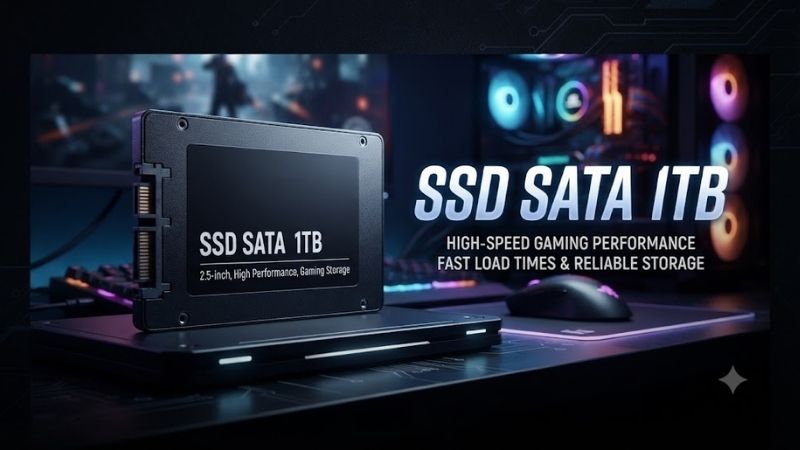
1. Samsung 870 EVO 1TB – Best Overall SATA SSD
Best For
The Samsung 870 EVO 1TB suits gamers who want a dependable system drive for Windows, frequently played games, and everyday applications. Its combination of TLC NAND, DRAM caching, and Samsung’s software ecosystem makes it particularly appealing when upgrading a primary drive rather than adding inexpensive secondary storage.
Key Features
-
Capacity: 1TB
-
Interface: SATA III 6Gb/s
-
Form factor: 2.5-inch
-
Sequential read: Up to 560 MB/s
-
Sequential write: Up to 530 MB/s
-
NAND: Samsung V-NAND TLC
-
Cache: DRAM with Intelligent TurboWrite technology
-
Endurance: 600 TBW
-
Warranty: Five-year limited warranty
Samsung rates the 870 EVO near the practical sequential speed ceiling of SATA III. Its Intelligent TurboWrite caching helps accelerate incoming writes under supported conditions. That matters during software installation, game updates, and routine file copying, although sustained performance depends on cache availability and workload.
What Makes It Different?
Samsung combines its controller, flash memory, firmware, and management software within one storage ecosystem. Samsung Magician provides drive information, diagnostics, and firmware support. These features give users convenient maintenance tools, although they do not eliminate the need for backups or guarantee freedom from hardware failures.
The 600 TBW endurance rating is another meaningful advantage over lower-endurance options. It represents the amount of host data written under the manufacturer’s warranty terms rather than an exact failure threshold. For players who frequently reinstall large games, the additional rated write endurance offers useful headroom.
Pros and Cons
Pros
-
Fast manufacturer-rated SATA performance
-
TLC NAND and DRAM caching
-
600 TBW endurance rating
-
Samsung Magician management software
-
Five-year limited warranty
Cons
-
SATA interface limits peak transfer speeds
-
Premium pricing may reduce its value
-
No NVMe-level throughput
Use Case
Consider the 870 EVO when replacing a desktop’s mechanical boot drive or upgrading a laptop equipped with a 2.5-inch SATA bay. Windows startup, application launches, and asset loading can become more responsive compared with an HDD. Improvements will be smaller if the computer already uses a competent SATA SSD.
Who It’s For
The 870 EVO is especially appropriate for gamers retaining an older but capable system. It also fits users who value maintenance software and higher write endurance. However, buyers with an available PCIe NVMe slot should compare total prices before spending extra on a SATA drive whose interface limits maximum performance.
2. Kingston KC600 1024GB – Best for Multitasking and Security
Best For
The Kingston KC600 appeals to users who combine gaming with productivity, content creation, and the storage of sensitive files. Its DRAM cache, TLC flash, and hardware encryption features distinguish it from basic SATA alternatives. It is particularly relevant for a PC that handles both personal entertainment and work-related data.
Key Features
-
Capacity: 1024GB
-
Interface: SATA III 6Gb/s
-
Form factor: 2.5-inch
-
NAND: 3D TLC
-
Controller: Silicon Motion SM2259
-
DRAM cache: Yes
-
Sequential read: Up to 550 MB/s
-
Sequential write: Up to 520 MB/s
-
Endurance: 600 TBW
-
Security: XTS-AES 256-bit, TCG Opal 2.0, and eDrive support
-
Warranty: Five-year limited warranty
The KC600 uses a DRAM-equipped controller design that supports efficient address mapping during storage operations. Its sequential specifications are close to those of the Samsung 870 EVO. For ordinary gaming, differences between their advertised maximum speeds should not be interpreted as directly measurable differences in loading times.
What Makes It Different?
Hardware-based encryption is the KC600’s defining feature. Support for TCG Opal 2.0 and related security technologies provides options for protecting stored information when configured with compatible software and hardware. These capabilities matter more for shared workstations and sensitive files than for a dedicated gaming library.
Its 600 TBW endurance rating matches the Samsung 870 EVO at this capacity. That creates an attractive alternative for buyers who prioritize write endurance alongside integrated security. However, encryption configuration adds complexity, and unsupported systems may not benefit from the KC600’s additional protection features.
Pros and Cons
Pros
-
DRAM cache and TLC NAND
-
600 TBW rated endurance
-
Hardware encryption support
-
Five-year limited warranty
-
Strong SATA sequential specifications
Cons
-
Security capabilities require compatible configuration
-
SATA performance ceiling remains unchanged
-
May cost more than basic gaming SSDs
Use Case
A gaming desktop that also serves as a development or office workstation is a sensible match for the KC600. The drive can hold operating-system files, applications, games, and active project data. Users planning encrypted storage should verify motherboard, firmware, and management compatibility before relying on the security features.
Who It’s For
Choose the KC600 when gaming is only one part of your computer’s workload and data protection matters. It is also worth considering when priced competitively against the Samsung 870 EVO. Gamers who simply want additional space for downloaded titles may find the encryption features unnecessary for their storage requirements.
3. WD Blue SA510 1TB – Best for Everyday Gaming
Best For
The WD Blue SA510 1TB targets mainstream computer upgrades and secondary game storage. It is particularly relevant for users replacing an older hard drive or installing additional space in an existing desktop. Its conventional 2.5-inch design works with compatible SATA systems without requiring an NVMe-capable motherboard.
Key Features
-
Capacity: 1TB
-
Interface: SATA
-
Form factor: 2.5-inch
-
Sequential read: Up to 560 MB/s
-
Sequential write: Up to 520 MB/s
-
Endurance: 400 TBW
-
Warranty: Five-year limited warranty
-
Verified model: WDS100T5B0A-00LMP0
The SA510 offers sequential read specifications comparable with more expensive SATA alternatives. This makes it a reasonable candidate for storing games, launching common applications, and reducing delays associated with older mechanical drives. However, advertised sequential performance does not establish how quickly every game will load.
What Makes It Different?
WD positions the SA510 as a mainstream storage upgrade rather than a specialized high-end workstation drive. Its 400 TBW endurance rating sits below the 600 TBW specifications of Samsung and Kingston. That difference is worth evaluating for write-heavy applications but does not automatically make the SA510 unsuitable for ordinary gaming.
The five-year limited warranty is reassuring for buyers seeking longer manufacturer coverage. Nevertheless, the warranty period and endurance limit are separate conditions, and coverage depends on the applicable terms. Buyers should also verify the exact model number because specifications may differ across generations and capacity variants.
Pros and Cons
Pros
-
Competitive rated SATA read speed
-
Suitable for mainstream gaming storage
-
400 TBW endurance specification
-
Five-year limited warranty
-
Standard 2.5-inch installation
Cons
-
Lower endurance than Samsung and Kingston
-
No meaningful advantage over NVMe throughput
-
Performance varies with workloads and system configuration
Use Case
The SA510 fits desktops where a primary SSD is running out of space and additional SATA ports remain available. It can store frequently played titles, downloaded content, and less demanding applications. Keeping games on a separate SSD also simplifies operating-system maintenance without requiring users to reinstall their entire library.
Who It’s For
This drive makes sense for gamers seeking a recognizable mainstream storage option without paying for features they will rarely use. Its appeal depends heavily on the price difference from competing models. When premium TLC drives cost only slightly more, comparing endurance and caching characteristics becomes increasingly worthwhile.
4. TEAMGROUP T-Force Vulcan Z 1TB – Best Budget Gaming SSD
Best For
The TEAMGROUP T-Force Vulcan Z 1TB is designed for users prioritizing affordable solid-state storage over advanced caching features. It is particularly useful for adding capacity to an existing gaming PC. Replacing an HDD-based game library with this SATA SSD can reduce mechanical seek delays without requiring expensive platform upgrades.
Key Features
-
Capacity: 1TB
-
Interface: SATA III 6Gb/s
-
Form factor: 2.5-inch
-
Sequential read: Up to 550 MB/s
-
Sequential write: Up to 500 MB/s
-
DRAM cache: No
-
Endurance: 200 TBW
-
Warranty: Three-year limited warranty
-
Model: T253TZ001T0C101
The Vulcan Z uses a DRAM-less design that helps distinguish its positioning from the premium drives above. Its advertised sequential speeds remain near the SATA interface ceiling, but large sustained writes and mixed workloads may behave differently. For a library dominated by reading installed game files, its basic design can still be practical.
What Makes It Different?
Price-oriented positioning is the main reason to consider this model. Gamers who already use an SSD for Windows may not require another premium drive simply to hold downloaded games. However, the 200 TBW endurance rating and shorter warranty create meaningful trade-offs against alternatives with higher endurance specifications.
The Vulcan Z should not be confused with TEAMGROUP’s similarly named Vulcan models, which have different specifications. Buyers should check the complete model identifier and capacity before ordering. This precaution is particularly important when marketplace listings combine multiple product families under a similar name.
Pros and Cons
Pros
-
DRAM-less design aimed at budget storage
-
Manufacturer-rated read speed up to 550 MB/s
-
Standard desktop and laptop SATA compatibility
-
Useful as secondary game storage
-
Straightforward upgrade from an HDD
Cons
-
No dedicated DRAM cache
-
200 TBW endurance rating
-
Three-year limited warranty
-
Less appealing for sustained write-heavy work
Use Case
Use the Vulcan Z as a secondary drive for Steam libraries, single-player games, and titles that are installed once and updated periodically. Its storage role is less demanding than regularly transferring large video projects. Gamers who routinely write hundreds of gigabytes should assess alternatives with stronger endurance specifications.
Who It’s For
The Vulcan Z is most compelling when its selling price is substantially lower than the other drives in this roundup. It is not automatically the best value simply because it targets budget buyers. If a higher-end model is available for a small premium, better endurance, caching, and warranty coverage may justify upgrading.
How to Choose the Best SSD SATA 1TB Drive
1. Confirm SATA Compatibility
Before buying, inspect the computer’s available storage connections. A 2.5-inch SATA SSD generally requires a SATA data connection and power connection in a desktop, while compatible laptops use their internal drive connectors. An available motherboard M.2 slot does not automatically support a conventional 2.5-inch drive.
2. Understand SATA Speed Limits
SATA III provides a theoretical interface rate of 6Gb/s, with actual storage throughput limited by protocol overhead and drive performance. Most modern SATA SSDs advertise sequential reads near 550MB/s. Consequently, small differences in maximum advertised speeds should rarely determine a gaming purchase alone.
3. Evaluate DRAM and Cache Design
DRAM helps an SSD manage information about where data resides in flash memory. Drives without dedicated DRAM may use different controller strategies to reduce costs. While both categories can handle gaming, sustained writing and complex mixed workloads are better reasons to examine cache architecture than headline read speeds.
4. Compare Endurance Ratings
Terabytes written, or TBW, represents a manufacturer-defined write-endurance specification used in warranty terms. A higher figure provides more rated write headroom but does not guarantee a longer real-world lifespan. Consider frequent large downloads, game reinstalls, recordings, and creative workloads when comparing endurance specifications.
5. Consider Warranty and Support
A longer warranty provides additional coverage, but only under the manufacturer’s conditions. Confirm whether the product is genuine, which regional warranty applies, and whether the seller is authorized. Used drives, unusual marketplace listings, and suspiciously cheap inventory deserve extra scrutiny before purchase.
6. Compare Value Rather Than Speed Alone
Because SATA SSDs operate within similar interface limits, buying decisions should account for more than sequential benchmarks. Compare current prices, NAND type, DRAM availability, endurance, warranty, and software support. A modest price increase can be worthwhile when it delivers noticeably stronger long-term specifications.
SATA SSD Gaming Performance: What Actually Matters?
Game Loading and Texture Streaming
Moving a game from a mechanical hard drive to SATA solid-state storage can significantly reduce delays associated with accessing scattered files. Modern games frequently request many small assets during loading. However, CPU processing, decompression, memory capacity, and game-engine behavior also affect the final loading experience.
Frame Rates and Stuttering
A faster storage drive does not directly increase graphics processing power or transform average FPS. However, games that struggle to retrieve assets from slow storage can experience delays during streaming. Replacing an HDD may reduce certain storage-related interruptions, but it cannot resolve GPU bottlenecks or inadequate RAM.
Large Game Installations
Game installation and patching involve downloading, decompressing, reading, and writing data. A SATA SSD reduces storage delays compared with an HDD, although internet bandwidth and CPU performance may remain limiting factors. Drives with different caching designs can also vary during particularly large sustained write operations.
SATA SSD Versus NVMe SSD
An NVMe SSD connected through PCIe can provide substantially greater throughput than SATA storage. However, the difference in everyday game loading depends on software and system behavior. If a computer lacks NVMe support, a quality 1TB SATA SSD remains an effective upgrade instead of requiring a new motherboard.
Installing a 1TB SATA SSD in a Gaming PC
Desktop Installation
Shut down the PC, disconnect power, and mount the SSD in a compatible 2.5-inch position. Connect a SATA data cable to an available motherboard port and a SATA power connector from the power supply. After startup, verify that firmware detects the drive before initializing and formatting it within Windows.
Laptop Installation
Check the laptop’s service documentation before opening its case. Confirm that a compatible 2.5-inch bay, connector, and mounting hardware are present. Some thin laptops use only M.2 storage and cannot accept these drives. Back up important files and follow appropriate battery-disconnection precautions before replacing internal hardware.
Setting Up Windows
A newly installed secondary SSD may require initialization through Disk Management. Select the appropriate partition style, create a volume, and format it with a suitable filesystem such as NTFS. If replacing the operating-system drive, cloning or a clean installation requires a separate migration plan and verified backups.
FAQ
Is a 1TB SATA SSD good for gaming in 2026?
Yes. A 1TB SATA SSD remains useful for systems with compatible SATA connections, especially when upgrading from mechanical storage. It offers responsive game loading and enough space for several installed titles. However, gamers with available NVMe connectivity should compare prices before selecting an older-interface drive.
How many games can a 1TB SATA SSD hold?
The number depends on installation sizes, updates, downloadable content, and reserved free space. A collection of smaller games can occupy far less storage than several enormous modern releases. Check the storage requirements of your preferred titles and allow room for temporary files, updates, and operating-system overhead.
Is Samsung 870 EVO better than WD Blue SA510?
The Samsung 870 EVO offers a higher rated endurance figure at 1TB and explicitly documented TLC NAND with DRAM caching. The WD Blue SA510 provides competitive advertised sequential speeds and a five-year warranty. Samsung is attractive for heavier workloads, while WD may offer better value at a sufficiently lower price.
Does a SATA SSD improve FPS?
A SATA SSD does not normally raise average FPS directly because frame rendering relies primarily on the CPU and GPU. It can improve loading responsiveness and reduce some delays caused by slow asset retrieval. If the game is already running from an SSD, switching SATA models is unlikely to produce a substantial frame-rate improvement.
Can I use a SATA SSD and NVMe SSD together?
Yes, provided the motherboard supports both drives and has the necessary connections available. A common configuration uses NVMe storage for Windows and demanding applications while keeping a SATA SSD for additional games. Consult the motherboard manual because some systems share bandwidth or disable specific SATA ports when certain slots are occupied.
Is a DRAM-less SATA SSD worth buying?
A DRAM-less SATA SSD can be worthwhile for secondary game storage when pricing makes it attractive. Reading installed game files generally places different demands on the drive than sustained video editing or large data transfers. Buyers should compare endurance, warranty coverage, and real workload needs rather than rejecting every DRAM-less design.
Conclusion
The best SSD SATA 1TB drive depends on workload and budget. Samsung 870 EVO offers balanced performance, Kingston KC600 adds security features, WD Blue SA510 supports mainstream upgrades, and TEAMGROUP Vulcan Z targets budget storage. Check compatibility, endurance, warranty, and current pricing before choosing.
Ready to decide? Our #1 pick for 2026 is the SSD Model.
Live price & availability on Amazon.