🛒 Best Price Today on Amazon
Prime members get fast, free shipping on everything above, plus member-only deals. New members get a 30-day free trial — cancel anytime.
The SanDisk Extreme Portable SSD 1TB combines up to 1,050 MB/s read speed, 1,000 MB/s write speed, USB 3.2 Gen 2 connectivity, IP65 protection, and a compact silicone-covered body. It remains a strong portable storage option, but Samsung, Crucial, and Kingston offer compelling alternatives for durability, sustained performance, size, and gaming use.
Quick answer: For most people in 2026, the best sandisk extreme portable ssd 1tb is the Portable SSD — our #1 rated choice. See the full ranked comparison, alternatives and buying advice below.
Best 1TB Portable SSDs Compared
| Portable SSD | Best For | Max Read | Max Write | Protection |
|---|---|---|---|---|
| SanDisk Extreme Portable SSD 1TB | Best Overall Balance | 1,050 MB/s | 1,000 MB/s | IP65, 3m drop |
| Samsung T7 Shield 1TB | Best Rugged Alternative | 1,050 MB/s | 1,000 MB/s | IP65, 3m drop |
| Crucial X9 Pro 1TB | Best for Sustained Transfers | 1,050 MB/s | Up to 975 MB/s sustained | IP55, 2m drop |
| Kingston XS1000 1TB | Best Compact Value | 1,050 MB/s | 1,000 MB/s | Compact shell |
These drives all use a 10Gbps USB interface, so their peak transfer specifications are similar. Real differences appear in physical size, drop protection, water resistance, sustained transfer behavior, software support, encryption, warranty, and how easily each drive connects to USB-C and USB-A devices.
For gaming, a portable SSD can store large game libraries, move installations between PCs, and provide much faster transfers than a traditional portable hard drive. However, USB storage does not normally increase frame rate. Its main benefits are portability, fast copying, shorter loading than HDD storage, and convenient expansion without opening the computer.
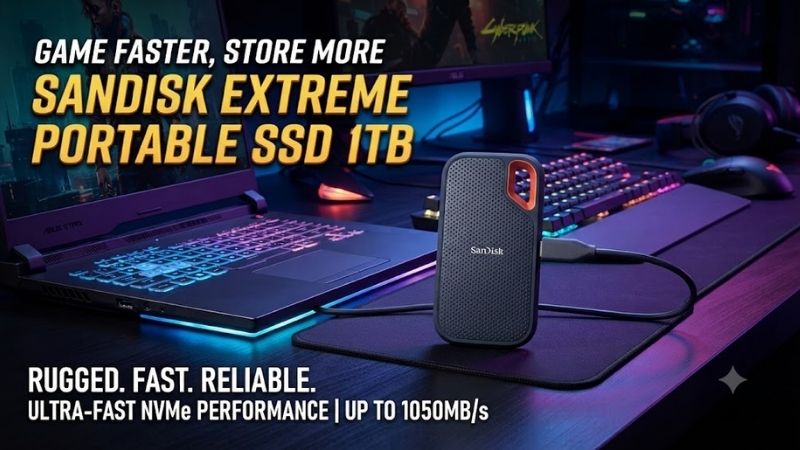
SanDisk Extreme Portable SSD 1TB – Best Overall Balance
Best For: Users who want a rugged, compact SSD for gaming, travel, media, and everyday backup
The SanDisk Extreme Portable SSD 1TB uses USB 3.2 Gen 2 and is rated for sequential read speeds up to 1,050 MB/s and write speeds up to 1,000 MB/s. SanDisk supplies a USB-C cable and USB-C-to-USB-A adapter, allowing the drive to connect to both modern and older computers.
The enclosure measures about 3.97 × 2.07 × 0.38 inches, making it small enough to carry in a laptop sleeve or pocket. SanDisk surrounds the drive with a silicone shell and includes a loop that can be attached to a bag or carabiner, which is useful for people who regularly transport storage between locations.
Key Features
- 1TB capacity
- USB 3.2 Gen 2 interface
- Up to 1,050 MB/s sequential read
- Up to 1,000 MB/s sequential write
- USB-C connectivity
- USB-A adapter included
- IP65 water and dust resistance
- Up to three-meter drop protection
- 256-bit AES password protection
- Five-year limited warranty
- Compact silicone-covered enclosure
What Makes It Different
Physical durability is one of the SanDisk’s strongest features. SanDisk specifies IP65 protection against water and dust and states that the current Extreme Portable SSD can withstand drops of up to three meters under its testing conditions. That makes it better suited to backpacks, field work, travel, and mobile gaming than an unprotected external SSD.
The drive also supports password protection using 256-bit AES encryption on compatible Windows and macOS systems. This is useful when carrying work documents, project files, photos, or other sensitive information outside the home. Encryption is less important for a drive used exclusively as a public game library.
Performance
A rated 1,050 MB/s read speed places the Extreme near the practical limit of a 10Gbps USB 3.2 Gen 2 connection after protocol overhead. To approach those speeds, the computer, port, cable, and storage workload must all support the necessary throughput. An older 5Gbps USB port will restrict performance significantly.
For game storage, these speeds are more than adequate for transferring large installations between systems. Copying a 100GB game can be dramatically faster than using a portable HDD, although actual transfer rates may decline during very long writes depending on cache behavior, temperature, source-drive speed, and file type.
Pros
- Fast 10Gbps-class performance
- Excellent portability
- Strong IP65 protection
- Three-meter drop rating
- USB-C and USB-A compatibility
- Hardware-based encryption support
- Five-year warranty
- Useful attachment loop
Cons
- Faster 20Gbps portable SSDs are available
- Peak specifications require a suitable host port
- 1TB can fill quickly with AAA games
- External SSDs remain easy to lose because of their size
Use Case
The SanDisk Extreme is particularly useful for laptop gamers, photographers, creators, and users who frequently move files between PCs. It can hold a Steam library, large project folders, recorded gameplay, RAW images, or backups while remaining far easier to transport than an external desktop hard drive.
Who It’s For
Choose the SanDisk Extreme if ruggedness and portability are as important as speed. It offers a particularly strong balance for users who travel with storage and do not need the additional bandwidth of a 20Gbps USB 3.2 Gen 2×2 drive.
Samsung T7 Shield 1TB – Best Rugged Alternative
Best For: Users who prioritize durability, thermal management, and Samsung’s storage software
Samsung T7 Shield 1TB also uses USB 3.2 Gen 2 and reaches up to 1,050 MB/s sequential reads and 1,000 MB/s sequential writes. Samsung combines an NVMe-based internal design with Dynamic Thermal Guard to manage temperature during demanding transfers.
The drive measures 59 × 88 × 13mm and weighs approximately 98g. It is therefore heavier and thicker than minimalist portable SSDs, but its rubberized exterior is designed around rugged use rather than achieving the smallest possible dimensions.
Key Features
- 1TB capacity
- USB 3.2 Gen 2
- Up to 1,050 MB/s reads
- Up to 1,000 MB/s writes
- IP65 rating
- Drop resistance up to three meters
- AES 256-bit hardware encryption
- Dynamic Thermal Guard
- Samsung Magician compatibility
- Three-year limited warranty
What Makes It Different
Samsung combines physical protection with thermal management. Its technical documentation specifies IP65 water and dust resistance plus drop resistance up to three meters. This places the T7 Shield in the same rugged category as the SanDisk Extreme rather than treating durability as an afterthought.
The other major advantage is Samsung Magician. Users familiar with Samsung internal SSDs can monitor drive information, check firmware, and manage supported storage functions through a mature software environment. This can be useful for owners who prefer one storage-management ecosystem across internal and external drives.
Performance
Peak transfer speeds essentially match the SanDisk Extreme because both drives use a 10Gbps interface. Samsung requires a host with USB 3.2 Gen 2 and UASP support to achieve its maximum advertised throughput, and real speeds vary according to the computer, cable, temperature, and workload.
The T7 Shield is particularly attractive for long file transfers because its thermal design is explicitly intended to maintain stable performance under heavier workloads. That does not guarantee identical speed throughout every copy operation, but temperature management is valuable when moving hundreds of gigabytes at once.
Pros
- Excellent rugged construction
- IP65 protection
- Three-meter drop resistance
- Fast read and write ratings
- Hardware encryption
- Samsung Magician support
- Strong thermal-management design
Cons
- Heavier than Kingston XS1000
- Three-year warranty is shorter than some rivals
- No performance advantage over other good 10Gbps SSDs in many everyday tasks
- Rubber shell attracts dust more easily than smooth metal
Use Case
The T7 Shield is ideal for travel, outdoor work, gaming laptops, and creators who regularly carry storage in a bag. Its rugged housing can also make sense for a shared external game library that moves between multiple PCs or consoles.
Who It’s For
Choose the Samsung if you value physical durability and established SSD-management software. It competes directly with the SanDisk Extreme, so price at the time of purchase may ultimately determine which rugged drive represents better value.
Crucial X9 Pro 1TB – Best for Sustained Transfers
Best For: Video editors, photographers, creators, and users who transfer large files frequently
The Crucial X9 Pro 1TB is a compact USB 3.2 Gen 2 portable SSD rated for up to 1,050 MB/s transfer performance. Crucial also specifies sustained performance of up to 1,050 MB/s reads and 975 MB/s writes across the drive’s capacity, which makes the X9 Pro particularly interesting for heavier workflows.
Its enclosure uses anodized aluminum with a rubberized soft-touch base. At approximately 65 × 50mm, it occupies very little desk or bag space, yet Crucial still gives it IP55 dust and splash resistance plus a drop rating of up to two meters.
Key Features
- 1TB capacity
- USB 3.2 Gen 2
- Up to 1,050 MB/s transfer speed
- Up to 975 MB/s sustained write
- IP55 protection
- Two-meter drop resistance
- Aluminum construction
- Password protection
- Windows, Mac, Android, Linux, and iPad support
- PlayStation and Xbox compatibility
What Makes It Different
Sustained-performance specification is the key attraction. Many portable SSDs advertise maximum burst speed but provide less information about long transfers. Crucial specifically highlights high sustained throughput across the drive’s capacity, making the X9 Pro easier to recommend for editing media directly from external storage.
Compatibility is another advantage. Crucial lists Windows, Mac, Android, iPad, Linux, PlayStation, and Xbox support. Reformatting may still be necessary depending on how a specific platform uses external storage, but the broad device support makes the drive useful in mixed gaming and productivity environments.
Pros
- Strong sustained-transfer specification
- Compact aluminum chassis
- IP55 resistance
- Two-meter drop protection
- Broad platform compatibility
- Good fit for creators
- Fast USB 3.2 Gen 2 interface
Cons
- IP55 protection trails IP65 rivals
- Lower drop rating than SanDisk and Samsung
- Peak write rating is not meaningfully faster than competitors
- USB-C-only supplied cable may require an adapter on older PCs
Use Case
The X9 Pro is especially good for users editing photos or video directly from external storage. It also works as a fast game library, backup drive, and portable project disk when files need to move regularly between laptops and desktop PCs.
Who It’s For
Choose the X9 Pro if sustained transfers matter more than maximum ruggedness. It strikes a strong balance between creator-focused performance and gaming compatibility while remaining physically smaller than many rugged drives.
Kingston XS1000 1TB – Best Compact Value
Best For: Users who want the smallest practical high-speed 1TB external SSD
The Kingston XS1000 1TB uses USB 3.2 Gen 2 and is rated for up to 1,050 MB/s reads and 1,000 MB/s writes. Kingston uses 3D NAND and offers the drive in 1TB and 2TB capacities, putting it in the same performance class as the SanDisk Extreme and Samsung T7 Shield.
Its biggest advantage is physical size. The XS1000 measures just 69.54 × 32.58 × 13.5mm and weighs only 28.7g. The enclosure combines metal and plastic, resulting in a drive small enough to disappear into a pocket or laptop-accessory pouch.
Key Features
- 1TB capacity
- USB 3.2 Gen 2
- Up to 1,050 MB/s reads
- Up to 1,000 MB/s writes
- 3D NAND
- 28.7g weight
- Compact 69.54mm chassis
- USB-C and USB-A compatibility
- Five-year limited warranty
- Windows, macOS, Linux, Android, Chrome OS, and iOS support
What Makes It Different
The XS1000 provides essentially the same headline transfer rate as the larger rugged drives while weighing less than 30g. Kingston also includes a USB Type-A host cable and USB-A-to-USB-C adapter, giving users flexibility across desktops, laptops, tablets, and other supported devices.
Kingston backs the drive with a five-year limited warranty and free technical support. That is notable for a compact value-oriented SSD because warranty length can be an important tie-breaker when several portable drives advertise nearly identical performance.
Pros
- Extremely lightweight
- Very compact
- 1,050/1,000 MB/s rated speeds
- Five-year warranty
- Broad operating-system compatibility
- USB-A and USB-C connectivity
- Easy to carry with gaming laptops
Cons
- No IP65 rugged rating
- Less physical protection than SanDisk or Samsung
- Tiny size makes the drive easier to misplace
- No major performance advantage over other 10Gbps models
Use Case
The XS1000 is an excellent game-library drive for laptops because it adds 1TB of storage without adding noticeable bulk to a bag. It is equally useful for general backups, transporting work files, or keeping media available across several devices.
Who It’s For
Choose the Kingston if portability and price matter more than rugged protection. Users who regularly work outdoors or expose storage to water, dust, and drops should favor SanDisk or Samsung instead.
How to Choose a 1TB Portable SSD
Check the USB Interface
All four drives use USB 3.2 Gen 2, which provides a theoretical 10Gbps connection. A computer with only USB 3.2 Gen 1 or older USB standards can still recognize many of these drives, but maximum transfer rates will be limited by the slower port.
USB-C describes the connector shape, not the actual speed. A USB-C port may operate at 5Gbps, 10Gbps, 20Gbps, USB4, or another supported mode. Check the PC or motherboard specification before assuming every Type-C connector can deliver the drive’s full performance.
Consider Durability
If the SSD stays permanently on a desk, rugged features may provide limited value. When the drive travels daily, however, IP protection and drop resistance become much more important.
SanDisk and Samsung both offer IP65 protection and up to three-meter drop resistance on their current rugged models. Crucial provides IP55 and two-meter protection, while the Kingston XS1000 emphasizes small size instead of a formal rugged rating.
Think About Capacity
One terabyte is enough for backups, documents, photos, and several large games, but modern AAA titles can consume 100GB or more each. Players who want an entire game library on one external drive should compare the price per terabyte of 2TB models before buying.
Portable SSD vs External HDD
An HDD offers more capacity per dollar, but it relies on spinning mechanical platters and is much slower for random access and large transfers. Portable SSDs are smaller, quieter, more resistant to movement, and better suited to frequently transported gaming or work setups.
Using a Portable SSD for Gaming
On PC, an external SSD can store and run many games directly when the launcher supports the chosen location. Load times are normally much better than from a mechanical external HDD, although a fast internal NVMe SSD still avoids the limitations of the USB interface.
Console behavior varies. PlayStation and Xbox systems impose their own rules for storing or directly running current-generation games, so users should verify the console’s storage requirements rather than assuming any USB SSD can replace the internal expansion system.
FAQ
Is the SanDisk Extreme Portable SSD 1TB Fast?
Yes. SanDisk rates it for up to 1,050 MB/s reads and 1,000 MB/s writes using USB 3.2 Gen 2. Actual performance depends on the host port, cable, files, temperature, and system configuration.
Is SanDisk Extreme Portable SSD Waterproof?
It is rated IP65, meaning it is designed for dust protection and resistance to defined water exposure rather than complete underwater operation. The drive should be clean and dry before normal use after exposure.
SanDisk Extreme or Samsung T7 Shield?
Both provide similar 1,050/1,000 MB/s speed ratings, IP65 protection, and three-meter drop resistance. SanDisk offers a five-year warranty, while Samsung emphasizes Dynamic Thermal Guard and Samsung Magician software.
Is 1TB Enough for an External Gaming SSD?
It is enough for a moderate collection, but several modern AAA games can fill it quickly. If the cost difference is reasonable and you dislike uninstalling games, 2TB provides significantly better long-term convenience.
Can I Use a Portable SSD as My Main Backup?
Yes, but it should not be the only copy of important files. Any SSD can fail, be lost, stolen, or physically damaged. Critical data should exist in multiple locations, ideally including another local copy and an off-site or cloud backup.
Conclusion
The SanDisk Extreme Portable SSD 1TB remains an excellent balance of speed, portability, and ruggedness with 1,050 MB/s reads, IP65 protection, and a five-year warranty. Samsung T7 Shield is a strong rugged alternative, Crucial X9 Pro excels in sustained workloads, while Kingston XS1000 delivers similar speed in a remarkably compact design.
Ready to decide? Our #1 pick for 2026 is the Portable SSD.
Live price & availability on Amazon.