🛒 Best Price Today on Amazon
Prime members get fast, free shipping on everything above, plus member-only deals. New members get a 30-day free trial — cancel anytime.
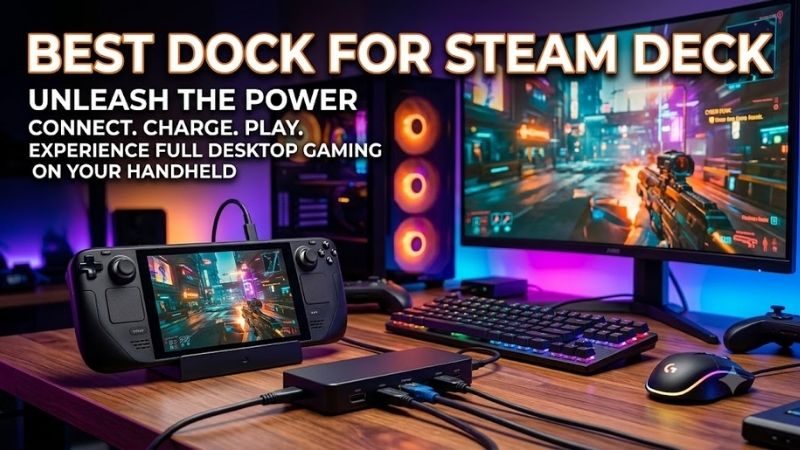
Choosing the best dock for Steam Deck means balancing display output, Ethernet, USB speed, charging, storage expansion, and physical fit. A good dock should turn the handheld into a practical desktop or TV gaming system without blocking airflow, creating unstable connections, or limiting the accessories you use every day.
Quick answer: For most people in 2026, the best dock for steam deck is the Steam Deck Dock — our #1 rated choice. See the full ranked comparison, alternatives and buying advice below.
Best Steam Deck Docks Compared
Steam Deck works with standard USB-C hubs, but dedicated docks provide a stand plus ports in one package. Some emphasize official support and dual displays, while others provide faster HDMI modes, storage expansion, or additional USB connections. The right choice depends on whether you primarily use a monitor, TV, or desktop setup.
| Steam Deck Dock | Best For | Video Output | Ethernet | USB | Power Input |
|---|---|---|---|---|---|
| Valve Steam Deck Docking Station | Official integration | HDMI + DisplayPort | Gigabit | 3 x USB-A 3.1 Gen 1 | USB-C |
| JSAUX HB0603S | High-refresh HDMI | Up to 4K120 HDMI | Gigabit | 3 x USB-A 3.0 | Up to 100W PD |
| UGREEN 9-in-1 Steam Deck Dock | Port selection | Up to 4K60 HDMI | Gigabit | USB-C + USB-A | Up to 100W PD |
| Sabrent DS-SDNV | Extra SSD storage | Up to 4K60 HDMI | Gigabit | 3 USB ports | USB-C PD |
| JSAUX HB0609 | USB-C peripherals | Up to 4K120 HDMI | Gigabit | 2 x USB-A + USB-C | Up to 100W PD |
Valve Steam Deck Docking Station
Best For: Official Steam Deck integration
Valve’s Steam Deck Docking Station is the first option to consider if official hardware support matters more than maximizing the number of ports. It provides HDMI, DisplayPort, Gigabit Ethernet, three USB-A ports, and USB-C power, giving the Deck enough connectivity to function as a television console or compact Linux desktop.
Unlike many third-party models that provide only HDMI, Valve includes both HDMI and DisplayPort outputs. The dock can therefore work with a broader range of monitors and allows connection to as many as two external displays. This flexibility is useful when the Steam Deck doubles as a desktop computer rather than only a living-room gaming system.
The three USB-A 3.1 Gen 1 ports provide connections for keyboards, mice, controllers, external drives, and other accessories. A dedicated Gigabit Ethernet port adds wired networking, which is useful for downloading large games or reducing the wireless variability that can occur during multiplayer sessions or in congested homes.
Another advantage is Valve’s direct involvement in SteamOS dock compatibility. Valve has specifically developed and updated SteamOS with docking behavior in mind, although the company also notes that other standard USB-C docks can work. The official model therefore appeals most to users who value a first-party accessory and straightforward support.
What makes the Valve dock different is DisplayPort support and first-party integration rather than unusually high HDMI refresh rates. It is a sensible workstation option because monitors commonly offer DisplayPort alongside HDMI. Third-party docks can provide more specialized features, but official hardware remains attractive for simplicity.
Key Features:
- Official Valve accessory
- HDMI output
- DisplayPort output
- Support for up to two external displays
- Three USB-A 3.1 Gen 1 ports
- Gigabit Ethernet
- USB-C power connection
- Designed for Steam Deck and SteamOS
Pros:
- First-party compatibility
- HDMI and DisplayPort
- Three fast USB ports
- Gigabit Ethernet
- Strong desktop versatility
Cons:
- Fewer specialized features than some third-party docks
- No integrated SSD slot
Use Case: Desktop gaming, television play, productivity, and dual-display setups where official Steam Deck hardware is preferred.
Who It’s For: Steam Deck owners who prioritize Valve support, DisplayPort connectivity, and a straightforward docking experience.
JSAUX HB0603S
Best For: High-refresh HDMI output
The JSAUX HB0603S is a six-in-one Steam Deck dock built around HDMI 2.1 output, three USB-A 3.0 ports, Gigabit Ethernet, and a USB-C power input supporting up to 100W PD. It is compatible with both Steam Deck LCD and OLED while also supporting several other Windows gaming handhelds.
Its headline feature is HDMI output up to 4K120 on compatible hardware and displays. Steam Deck will not run demanding modern games at native 4K120, but higher display bandwidth is still useful for lighter games, desktop use, lower resolutions at higher refresh rates, and future handhelds that may share the same dock.
Three USB-A 3.0 ports each provide connections for devices such as controllers, keyboards, mice, external SSDs, or wireless dongles. Having three full-speed peripheral ports is useful at a desk because the dock can remain permanently connected instead of requiring accessories to be unplugged whenever another storage device is attached.
The 100W PD input provides more charging headroom than Steam Deck itself requires. The handheld will still charge according to its own supported power limits, so a 100W label does not mean the Deck suddenly receives 100 watts. The extra headroom mainly makes the dock flexible with higher-powered handheld PCs and compatible chargers.
What makes HB0603S different is its combination of HDMI 2.1 bandwidth and three USB-A 3.0 ports in a relatively simple dock. It does not provide the DisplayPort output of Valve’s station or the SD readers of UGREEN’s larger dock, but it targets gamers who want fast HDMI and several conventional peripherals.
Key Features:
- HDMI 2.1 output
- Up to 4K120 output
- Three USB-A 3.0 ports
- 5 Gbps USB data
- Gigabit Ethernet
- USB-C PD input
- Up to 100W PD support
- Steam Deck LCD and OLED compatibility
Pros:
- High-refresh HDMI support
- Three USB-A 3.0 ports
- Gigabit Ethernet
- Wide handheld compatibility
Cons:
- No DisplayPort
- No integrated storage slot
Use Case: Steam Deck connected to a high-refresh television or monitor with several USB peripherals attached.
Who It’s For: Gamers who prioritize HDMI bandwidth and peripheral connectivity over DisplayPort or card readers.
UGREEN 9-in-1 Steam Deck Dock
Best For: Maximum everyday connectivity
UGREEN’s 9-in-1 Steam Deck Docking Station focuses on expanding the handheld into a more complete workstation. Its ports include HDMI 2.0, USB-C data, USB-A data connections, Gigabit Ethernet, SD and TF card readers, and a USB-C power input, giving users more options than a basic gaming-only dock.
The HDMI port supports output up to 4K60, while lower resolutions can operate at higher refresh rates. UGREEN specifies support up to 144Hz at 1440p and 240Hz at 1080p. Those modes can be useful for lightweight games or desktop use even though the Steam Deck GPU cannot drive every modern title at such high frame rates.
Two of the data ports support transfer speeds up to 10 Gbps, giving the dock more bandwidth for external SSDs than common 5 Gbps designs. Additional USB-A 2.0 ports can handle low-bandwidth peripherals such as keyboards, mice, controllers, or wireless receivers without occupying the faster ports needed by storage devices.
The integrated SD and TF card readers are especially useful for creators or users who frequently move files between cameras, PCs, and Steam Deck. Steam Deck already has a microSD slot, but placing additional readers on the dock makes media transfers easier when the handheld is being used like a compact desktop computer.
What makes this UGREEN dock different is its adjustable and foldable stand combined with nine connection functions. The stand can adapt to different handheld sizes while avoiding rear cooling vents. The trade-off is a larger and heavier structure than minimalist docks, so it is better suited to a desk than constant travel.
Key Features:
- Nine-in-one connectivity
- HDMI 2.0
- Up to 4K60 output
- Up to 1440p144
- Up to 1080p240
- 10 Gbps USB-C data
- 10 Gbps USB-A data
- Gigabit Ethernet
- SD and TF card readers
- Up to 100W PD input
Pros:
- Excellent port selection
- Fast 10 Gbps data ports
- Memory-card readers
- Adjustable stand
- Gigabit Ethernet
Cons:
- Larger than simple Steam Deck docks
- No DisplayPort
Use Case: Steam Deck desktop stations involving external storage, memory cards, keyboards, mice, Ethernet, and a large monitor.
Who It’s For: Users who treat Steam Deck as both a gaming handheld and a compact multipurpose computer.
Sabrent DS-SDNV Docking Station
Best For: Expanding Steam Deck storage
Sabrent’s DS-SDNV distinguishes itself with an internal M.2 slot that accepts compatible NVMe or SATA SSDs. Instead of attaching a separate external drive through one of the USB ports, users can install additional storage directly inside the dock and keep a larger game or media library permanently connected at the desk.
The dock includes HDMI 2.0 output supporting resolutions up to 4K60. This is sufficient for televisions and conventional 60Hz 4K monitors, while Steam Deck games can be configured at lower rendering resolutions if native 4K places too much demand on the GPU. The dock therefore targets desktop convenience more than high-refresh HDMI specifications.
Gigabit Ethernet provides a wired network connection up to 1000 Mbps, which is useful when installing large Steam libraries onto the dock’s optional SSD. Wired networking can also provide more predictable connectivity than Wi-Fi when downloading games, transferring files across a local network, or playing competitive multiplayer titles.
Three USB ports provide connections for common accessories, while the dock supports Windows, macOS, and Linux devices that expose compatible USB-C DisplayPort Alt Mode. That broader compatibility can make the Sabrent dock useful beyond Steam Deck if you also own another USB-C laptop, tablet, or gaming handheld.
What makes DS-SDNV different is storage integration. Other docks may provide faster display outputs or more data ports, but an internal SSD slot turns the dock itself into a storage expansion system. The limitation is that the SSD must be purchased separately, adding cost if you do not already have a compatible drive.
Key Features:
- Internal M.2 storage slot
- Supports compatible NVMe and SATA SSDs
- HDMI 2.0
- Up to 4K60 output
- Gigabit Ethernet
- Three USB ports
- USB-C connectivity
- Windows, macOS, and Linux support
Pros:
- Integrated M.2 expansion
- 4K60 HDMI
- Gigabit Ethernet
- Useful for large game libraries
Cons:
- SSD is an additional purchase
- No high-refresh 4K120 output
- No DisplayPort
Use Case: A fixed Steam Deck desk station where extra games or media can remain stored on a dedicated dock-mounted SSD.
Who It’s For: Users who want storage expansion without leaving a separate portable SSD and cable connected to the dock.
JSAUX HB0609
Best For: USB-C peripherals and flexible docks
The JSAUX HB0609 is a six-in-one multifunctional dock with HDMI output, Gigabit Ethernet, two USB-A ports, one USB-C data port, and USB-C PD input. It supports Steam Deck LCD and OLED along with ROG Ally, Legion Go, and other handheld devices, making it useful if several portable gaming PCs share one desk.
HDMI output reaches up to 4K120 with compatible source hardware, cable, and monitor. As with other high-refresh docks, this should be viewed as available display bandwidth rather than an expectation that Steam Deck will render major AAA games at native 4K120. Lower resolutions and lighter games make better use of high refresh rates.
The standout difference from HB0603S is its port mix. Instead of three USB-A ports, HB0609 provides two USB-A 3.2 Gen 1 ports plus one USB-C 3.2 Gen 1 data port. All three support up to 5 Gbps, making the dock more convenient for portable SSDs and accessories that now use USB-C cables.
Gigabit Ethernet covers wired networking, while the USB-C PD port accepts up to 100W input. JSAUX also uses a detachable stand-style design with a silicone pad for fitting different handhelds. This can be useful when a protective case changes the effective thickness of the Steam Deck or when multiple handheld models use the same dock.
What makes HB0609 different is the additional USB-C data port combined with high-bandwidth HDMI. Many handheld docks dedicate their only USB-C socket to charging, forcing USB-C accessories to use adapters. HB0609 keeps a separate data-capable Type-C connection available while maintaining power input and Ethernet.
Key Features:
- HDMI output up to 4K120
- Two USB-A 3.2 Gen 1 ports
- One USB-C 3.2 Gen 1 data port
- Up to 5 Gbps USB data
- Gigabit Ethernet
- Up to 100W USB-C PD input
- Detachable dock and stand design
- Steam Deck OLED and LCD support
Pros:
- USB-C data port
- High-refresh HDMI support
- Gigabit Ethernet
- Flexible handheld compatibility
Cons:
- No DisplayPort
- No integrated card reader or SSD
Use Case: Modern desktop setups using USB-C storage alongside traditional USB-A peripherals and an HDMI monitor.
Who It’s For: Steam Deck users who own several USB-C accessories and want more than the usual USB-A-only peripheral selection.
Which Steam Deck Dock Fits Different Setups?
The Valve Steam Deck Docking Station is the natural choice when official compatibility and dual video outputs matter most. DisplayPort makes it particularly useful for desktop monitors, while HDMI suits televisions. Three USB-A ports and Gigabit Ethernet cover normal gaming accessories without turning the dock into an overly complicated hub.
JSAUX HB0603S makes more sense when the setup revolves around HDMI and several USB-A peripherals. Its 4K120-capable HDMI interface provides extra display bandwidth, while the three 5 Gbps USB-A ports can stay connected to storage, a keyboard, controller adapter, or mouse without requiring another hub.
UGREEN’s 9-in-1 model is better for productivity. Fast USB-C and USB-A data connections, SD and TF readers, HDMI, Ethernet, and an adjustable stand create a more laptop-like docking environment. It is particularly useful for creators who move files between memory cards, SSDs, and Steam Deck at the same desk.
Sabrent’s dock is the specialized option for storage. Installing an M.2 SSD inside the dock creates a fixed game library that becomes available whenever the Deck is connected. That approach is convenient if the handheld has limited internal storage but you do not need every game to remain available while traveling.
JSAUX HB0609 fits users with newer Type-C accessories. A dedicated USB-C data port makes attaching portable SSDs easier without an adapter, while two USB-A ports remain available for traditional devices. It therefore offers a practical middle ground between a basic gaming dock and a larger workstation-oriented hub.
How to Choose the Best Dock for Steam Deck
Match Video Output to Your Display
Start with the monitor or television you actually use. A standard 4K60 TV does not require a 4K120 dock, while a high-refresh monitor may benefit from greater HDMI bandwidth at 1080p or 1440p. DisplayPort is valuable for PC monitors, so the official Valve dock remains particularly useful in desktop-oriented setups.
Do Not Assume 4K120 Means 4K120 Gaming
A dock can transport a 4K120 signal without giving Steam Deck enough GPU performance to render demanding games at that resolution and frame rate. Display output and game rendering are separate limits. High-bandwidth docks are most useful for desktop interfaces, media, lightweight games, or lower resolutions at higher refresh rates.
Check Ethernet
Gigabit Ethernet is worth prioritizing if the dock will remain on a desk or television stand. Steam game downloads can be large, and wired networking avoids Wi-Fi signal changes caused by distance and interference. Ethernet is also helpful for Steam Remote Play or competitive games where a stable local connection is desirable.
Count the USB Ports You Actually Need
A keyboard, mouse, controller receiver, external SSD, microphone, and webcam can quickly consume several USB ports. USB 2.0 is fine for many input devices, while external SSDs benefit from 5 or 10 Gbps connections. Choose the port mix around your equipment rather than simply buying the dock with the largest port count.
Understand USB-C PD Ratings
A dock rated for 100W PD does not force 100W into Steam Deck. USB Power Delivery negotiates an appropriate charging level with the connected hardware. Higher-rated inputs mainly provide compatibility with other handheld PCs that can draw more power. The charger and cable must also support the required PD profile.
Consider External Storage
If internal Steam Deck storage is limited, a dock can simplify expansion. Standard docks allow USB SSDs, while Sabrent’s model integrates an M.2 slot into the chassis. External dock storage works best for games played primarily at a desk because the files become unavailable when the Deck is removed and used independently.
Check Physical Fit With Cases
Protective cases can make Steam Deck too thick for narrow docking slots. Adjustable stands such as UGREEN’s design may provide more flexibility, while fixed cradles can require removing a bulky case before docking. Also confirm that the stand does not obstruct the Deck’s rear intake or top exhaust vents during demanding gaming.
FAQ
Does Steam Deck Need the Official Dock?
No. Valve states that other USB-C hubs and docks can work with Steam Deck, and SteamOS improvements made for the official Docking Station can also benefit third-party hardware. The official model provides first-party support and DisplayPort, while third-party docks may offer different ports, storage, or display capabilities.
Can Steam Deck Output 4K Through a Dock?
Yes, compatible docks can output a 4K video signal. However, rendering demanding games natively at 4K can be beyond the practical performance target of Steam Deck. Many users connect to a 4K display while running games at a lower resolution, allowing the display or system to scale the image appropriately.
Can Steam Deck Run 120Hz on a Dock?
Steam Deck can output high-refresh signals in supported configurations, depending on the dock, display interface, resolution, monitor, and cable. Third-party HDMI 2.1 docks can advertise output up to 4K120, but game performance determines whether the handheld can actually render a particular game at 120 frames per second.
Does a Steam Deck Dock Improve Performance?
A dock does not add CPU or GPU performance to Steam Deck. Its purpose is connectivity, charging, display output, networking, and peripheral expansion. Docked games may actually need more graphics power if you increase output resolution, so using sensible resolutions and graphical settings remains important on an external monitor.
Can I Connect Keyboard and Mouse to Steam Deck?
Yes. USB keyboards and mice can connect through a dock, while Bluetooth peripherals can connect directly to Steam Deck. A dock makes desktop mode significantly easier to use because the handheld can behave more like a conventional computer with a monitor, full-size keyboard, mouse, storage, and wired networking.
Is Ethernet Worth Using With Steam Deck?
Gigabit Ethernet is useful for large game downloads, local transfers, Remote Play, and multiplayer sessions where consistent connectivity matters. It will not reduce the physical distance to a game server, but it removes the wireless hop between Steam Deck and router, avoiding local interference and changing Wi-Fi signal strength.
Conclusion
The best dock for Steam Deck depends on how you use the handheld off the couch. Valve offers official support and DisplayPort, JSAUX HB0603S targets high-refresh HDMI, UGREEN provides extensive connectivity, Sabrent adds M.2 storage, and HB0609 adds USB-C data. Choose around your display, peripherals, Ethernet, and storage needs.
Ready to decide? Our #1 pick for 2026 is the Steam Deck Dock.
Live price & availability on Amazon.