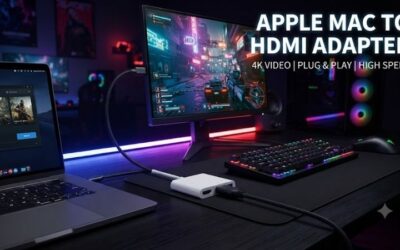
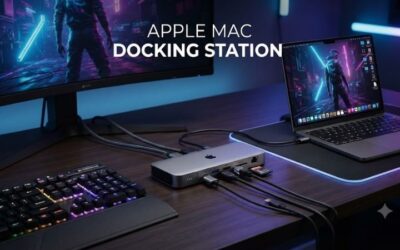
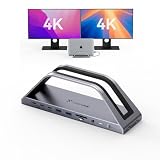
- Top Pick: MacBook Pro Docking Station Dual Monitor 4K@60Hz for M5/M4/M3 Pro & Max
- Best Value: MacBook Pro Docking Station Dual Monitor MacBook Pro HDMI Adapter, 9 in 1 USB C Adapters for MacBook Pro Air Mac HDMI Dock Dongle Dual USB C to Dual HDMI Ethernet 3USB SD Card Reader 100W PD
- Premium Choice: iVANKY 12-in-2 FusionDock 1 for M5 MacBook Pro Docking Station
A MacBook Pro is a superb machine, but its lean port selection means anyone building a serious desk setup quickly runs into limits. A good docking station transforms that sleek laptop into a full workstation, adding external displays, wired networking, extra USB ports, card readers, and pass-through charging through a single cable. For creators, developers, and hybrid workers, it is one of the most practical accessories you can buy.
We reviewed a spread of MacBook Pro docks, from compact travel hubs to hefty desktop stations built for the latest M4 and M5 chips, to help you find the right expansion for your workflow. Here is our assessment.
As an Amazon Associate we earn from qualifying purchases at no extra cost to you.





🎮 Get More From Your Setup — Free
Prime Gaming gives you free PC games every month, in-game loot, and a free Twitch channel sub — plus fast free shipping on all the gear above. New members get a 30-day free trial.
Watch: Dock Station Apple Macbook Pro: Review & Buyer’s Guide — Video Review
Design & Build
Docks in this category split into two camps. Larger desktop stations like the iVANKY 12-in-2 FusionDock 1, the TobenONE 18-in-2, and the dedicated 16-inch MacBook Pro Thunderbolt 4 dock use aluminum housings and substantial port arrays designed to live permanently on your desk. Compact hubs such as the Anker 7-in-2 and the 9-in-1 dual-HDMI adapter prioritize portability, plugging directly into the MacBook’s USB-C ports for travel or hot-desking. Both approaches feel appropriately built for their purpose.
Performance
What matters most is display support and bandwidth. The premium docks deliver dual-monitor output, with several supporting 4K at 60Hz across two screens for M-series MacBooks, plus Gigabit Ethernet, high-wattage power delivery, and Thunderbolt 4 throughput. The dedicated 16-inch dock leans on two Thunderbolt 4 USB-C ports for reliable dual-display performance. Compact hubs like the Anker 7-in-2 handle a single 4K display, Ethernet, and charging well, making them ideal companions rather than full desktop replacements.
Pros & Cons
- Pro: Turns a port-limited MacBook Pro into a full multi-display workstation.
- Pro: High-wattage power delivery charges the laptop through the same cable.
- Pro: Options range from pocketable travel hubs to expansive desktop docks.
- Pro: Adds wired Ethernet, card readers, and abundant USB in one connection.
- Con: Full-featured Thunderbolt docks command a premium price.
- Con: Multi-monitor support varies by MacBook chip, so compatibility must be checked.
Alternatives to Consider
If you only need one external display and a few ports, a simple USB-C hub is far cheaper and lighter than a full dock. Users who want the absolute best display bandwidth should look at certified Thunderbolt 4 or 5 docks from established brands. And for a purely mobile setup, a slim multiport adapter that lives in your bag may serve better than any desktop station.
Frequently Asked Questions
Will a dock let me run dual monitors on my MacBook Pro?
It depends on your chip. M4 and M5 Pro and Max models handle multiple external displays well, while base M-series chips have stricter limits, so verify compatibility before buying.
Can a dock charge my MacBook Pro?
Yes, most desktop docks provide power delivery, often up to 100W, charging the laptop through the same cable that carries data and video.
Do I need Thunderbolt or is USB-C enough?
Thunderbolt offers higher bandwidth for demanding multi-display and fast-storage setups. USB-C hubs are fine for single-display use and general connectivity.
Is a big desktop dock overkill for travel?
For travel, a compact hub like the Anker 7-in-2 is more practical. Reserve the large stations for a permanent desk setup.
Verdict
For a permanent workstation, a full desktop dock like the iVANKY 12-in-2 FusionDock or the TobenONE 18-in-2 delivers the ports and dual-4K output power users crave. Travelers and hot-deskers are better served by the compact Anker 7-in-2 hub. Match the dock to your MacBook’s chip and your display needs and it will pay for itself daily.