🛒 Best Price Today on Amazon
Prime members get fast, free shipping on everything above, plus member-only deals. New members get a 30-day free trial — cancel anytime.

APC BR1500MS2 Pure Sine Wave UPS Battery Backup & Surge Protector | 1500VA/900W Back-UPS Pro sinewave UPS for PC, Gaming, electronics. 10 Outlets. USB-C charging. UL & Energy Star certified
Included for 'Best UPS for Gaming PC: Reliable Backup Power Options 2026' because the listing specifies 1500VA/900W Back-UPS Pro sinewave UPS for PC and Gaming, details this guide uses to compare options.
View on Amazon
APC UPS 1000VA/600W Pure Sine Wave UPS for Computer, Electronics, BR1000MS | Back-UPS Pro Sinewave UPS for PC, gaming & home offices. Surge protection, AVR, USB-C charging, User-replaceable battery
Included for 'Best UPS for Gaming PC: Reliable Backup Power Options 2026' because the listing specifies Electronics and BR1000MS, details this guide uses to compare options.
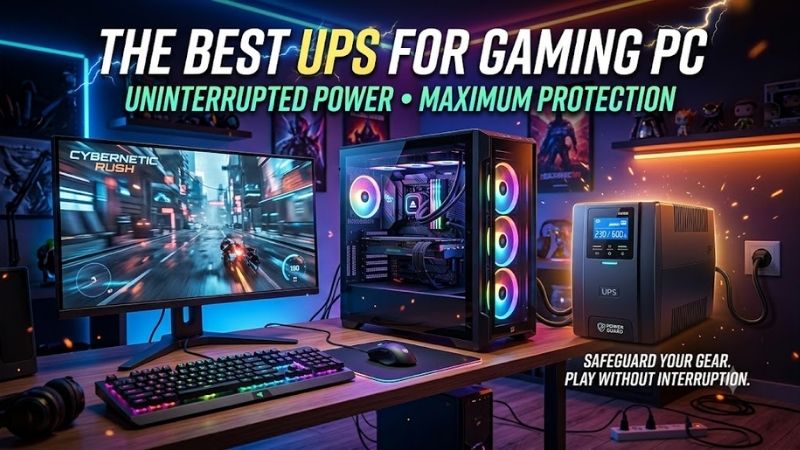
View on AmazonThe best UPS for gaming PC setups should protect expensive hardware from blackouts, voltage drops, and sudden shutdowns without struggling under GPU power spikes. A good unit needs enough real watt capacity, clean battery output, AVR, useful runtime, and software that can shut the system down safely.
Best UPS for Gaming PC Setups Compared
| UPS | Best For | Capacity | Topology | Battery Output |
|---|---|---|---|---|
| CyberPower CP1500PFCLCD | Best Overall | 1500VA / 1000W | Line-interactive | Sine wave |
| Eaton 5SC1500 | High-power gaming PCs | 1440VA / 1080W | Line-interactive | Sine wave |
| APC Back-UPS Pro Gaming | Gaming-focused setups | 1500VA / 900W | Line-interactive | Sine-wave focused |
| CyberPower OR1500PFCLCD | High-capacity alternative | 1500VA / 1050W | Line-interactive | Sine wave |
CyberPower CP1500PFCLCD
Best For: Overall gaming PCs with active PFC power supplies
CyberPower CP1500PFCLCD combines a 1500VA rating with 1000 watts of real output capacity, making it suitable for many powerful gaming PCs plus a monitor. Its line-interactive design produces sine-wave battery output and is specifically intended for equipment using active PFC power supplies.
The 1000W limit matters more than the larger 1500VA number when sizing the UPS for a gaming PC. A system pulling 600 to 750 watts while gaming leaves significantly more operating headroom than it would on a 600W UPS, reducing the chance that a sudden GPU or CPU load pushes the backup into overload protection.
Key Features
- 1500VA / 1000W output
- Line-interactive topology
- Sine-wave battery output
- 12 NEMA 5-15R outlets
- Automatic voltage regulation
- 4 ms typical transfer time
- USB-A charging port
- USB-C charging port
- Multifunction color LCD
- PowerPanel management software
- User-replaceable battery
What Makes It Different
CyberPower specifically markets the PFC Sinewave line for computers and workstations that use active PFC power supplies. That is relevant to modern gaming PCs because high-quality ATX power supplies increasingly use active PFC circuitry, and clean sine-wave battery output avoids the compatibility concerns associated with cheaper simulated-wave units.
The UPS also includes automatic voltage correction, so modest input-voltage problems can be handled without switching immediately to battery operation. That protects battery capacity for genuine outages while helping stabilize a gaming system in locations where incoming mains voltage occasionally rises or falls outside its normal range.
Pros
- 1000W real output capacity
- Sine-wave battery power
- Designed for active PFC systems
- 12 AC outlets
- AVR
- USB-C and USB-A charging
- Color LCD
- Strong monitoring software
Cons
- Large and heavy compared with basic UPS units
- 1000W limit may still be tight for extreme multi-GPU-class loads
- Battery runtime falls quickly near maximum load
Use Case and Who It’s For
CP1500PFCLCD fits a high-end gaming desktop using a modern active-PFC PSU, one monitor, networking equipment, and essential peripherals. Its objective is not to keep an RTX-class system gaming through a long blackout; it provides enough time to finish critical work, exit a match, save progress, and shut Windows down cleanly.
Eaton 5SC1500
Best For: Gaming PCs that need higher watt capacity
Eaton 5SC1500 provides up to 1080 watts of output from its 1440VA platform, giving it slightly more real power capacity than the CyberPower CP1500PFCLCD. Eaton’s 5SC family uses a line-interactive topology and sine-wave output, making it appropriate for sensitive PC power supplies and workstation-class equipment.
That additional wattage can be useful with gaming PCs built around power-hungry graphics cards, high-core-count processors, several drives, pumps, or other demanding hardware. A UPS should not normally operate continuously at its maximum rating, so choosing additional headroom can provide a more comfortable margin for transient system loads.
Key Features
- 1440VA rating
- 1080W output capacity
- Line-interactive topology
- Sine-wave output
- Eight AC outlets on the US model
- LCD status display
- USB communication
- Serial communication
- User-replaceable batteries
- Eaton ABM battery management
- Automatic shutdown support
What Makes It Different
Eaton’s ABM battery technology uses a controlled charging approach designed to manage battery health and provide advance replacement warnings. Gaming users may keep a UPS for several years, so battery-management quality matters because sealed lead-acid batteries eventually lose capacity even when the electronics remain fully functional.
The 5SC1500 also favors conventional UPS functionality over decorative gaming features. Its LCD and communication interfaces focus on load, battery, and system management rather than RGB lighting. That makes it particularly attractive for users who care more about electrical performance and replaceable batteries than gaming-room aesthetics.
Pros
- 1080W output capacity
- Sine-wave output
- Suitable for high-end PCs
- User-replaceable batteries
- LCD interface
- USB monitoring
- Strong battery-management system
Cons
- Larger and heavier than consumer UPS models
- Limited gaming-oriented design features
- Fewer outlets than the CyberPower CP1500PFCLCD
Use Case and Who It’s For
Eaton 5SC1500 makes sense for a performance-focused gaming workstation where the actual measured load approaches the limits of ordinary 900W UPS products. It is also useful for gamers who use the same computer for rendering, development, video production, or other workloads capable of keeping both the CPU and GPU heavily loaded.
APC Back-UPS Pro Gaming
Best For: Gaming-focused desks and visible setups
APC Back-UPS Pro Gaming is built specifically around gaming environments, offering a 1500VA and 900W rating with ten surge-protected outlets. Six outlets provide battery backup, while the unit also includes two USB-A ports and one USB-C port for charging controllers, phones, headsets, and other accessories.
APC emphasizes high-quality sine-wave power for gaming equipment, which is important when the connected computer uses a modern active-PFC PSU. Its 900W output rating is lower than the CyberPower and Eaton options above, but it remains sufficient for many single-GPU gaming desktops when the complete wall-power draw stays comfortably below that figure.
Key Features
- 1500VA / 900W capacity
- Ten surge-protected outlets
- Six battery-backup outlets
- Two USB-A charging ports
- One USB-C charging port
- Gaming-oriented status lighting
- Runtime display system
- Sine-wave-focused gaming design
- Automatic voltage regulation
- Gaming PC and console support
What Makes It Different
The circular status indicator is designed to show remaining backup power at a glance while the user remains focused on the screen. APC also uses lighting to indicate power anomalies such as voltage dips, surges, or wiring problems, giving the unit a more gaming-oriented interface than traditional UPS products with small monochrome LCD panels.
APC estimates approximately 13 minutes for its example gaming PC and monitor configuration, with router and modem included in its stated test setup. Real runtime will vary substantially with the actual PC load, display power consumption, battery condition, and peripheral usage, so the figure should be treated as an example rather than a guarantee.
Pros
- Purpose-built gaming design
- 900W output
- Ten protected outlets
- Six battery-backed outlets
- USB-A and USB-C charging
- Clear power-status lighting
- AVR
- Useful runtime indicators
Cons
- Lower watt capacity than 1000W+ competitors
- Gaming styling will not appeal to every setup
- Runtime depends heavily on actual PC power draw
Use Case and Who It’s For
APC Back-UPS Pro Gaming fits users who want the UPS positioned visibly beside a gaming desk rather than hidden beneath it. Its 900W capacity is appropriate for many premium PCs, but owners of very high-power GPUs should measure system draw before purchasing instead of choosing it only because the PSU label says 850W or 1000W.
CyberPower OR1500PFCLCD
Best For: High-wattage gaming and workstation setups
CyberPower OR1500PFCLCD offers 1500VA and 1050W of output capacity, positioning it between the CP1500PFCLCD and Eaton 5SC1500 in real wattage. It uses line-interactive topology, automatic voltage regulation, and sine-wave battery output intended for equipment that benefits from clean power during outages.
CyberPower specifies eight battery-and-surge-protected outlets, with every outlet backed by the battery. The UPS also uses a replaceable sealed lead-acid battery cartridge and lists a typical transfer time of four milliseconds, allowing connected devices to transition from mains to battery operation during an outage.
Key Features
- 1500VA / 1050W capacity
- Line-interactive topology
- Sine-wave battery output
- Eight battery-backed outlets
- Automatic voltage regulation
- 4 ms typical transfer time
- Replaceable battery cartridge
- LCD monitoring
- USB communication
- Network surge protection
What Makes It Different
CyberPower rates the OR1500PFCLCD for approximately four minutes at full load and 12.5 minutes at half load. Those figures demonstrate why UPS runtime should always be evaluated alongside wattage: a heavily loaded gaming system may have only enough battery time for a controlled shutdown rather than extended gameplay.
The 1050W output rating creates useful headroom for demanding computers, but users should still avoid sizing a UPS exactly to their maximum measured load. Keeping some margin helps accommodate sudden changes in GPU or CPU consumption and leaves capacity for a monitor or network device that also needs to remain powered during an outage.
Pros
- 1050W output capacity
- Pure sine-wave battery output
- Eight battery-backed outlets
- AVR
- Replaceable battery
- Published half- and full-load runtime figures
- Suitable for active-PFC equipment
Cons
- Physically substantial
- No USB charging ports
- Full-load runtime is short
Use Case and Who It’s For
OR1500PFCLCD works well for a powerful gaming PC that regularly approaches 700 to 800 watts at the wall and needs additional headroom for a display. It also makes sense for workstation-gaming hybrids where rendering or compute workloads can keep power consumption high for extended periods rather than producing only occasional gaming spikes.
How to Choose the Best UPS for a Gaming PC
Look at Watts, Not Only VA
The watt rating tells you how much real load the UPS can deliver, while VA represents apparent power capacity. A product advertised as 1500VA may support 900W, 1000W, 1050W, or another figure depending on its design, so comparing UPS units only by the large VA number can lead to an undersized purchase.
For a gaming computer, estimate or measure the power drawn by the entire equipment group that will use battery backup. That normally includes the PC and primary monitor and may include the router or modem. Speakers, printers, decorative lights, and secondary displays can usually remain on surge-only outlets instead.
Leave Power Headroom
A PC with an 850W power supply does not constantly consume 850 watts. The PSU rating describes its maximum output capability, while actual wall draw depends on the components and workload. Conversely, a gaming PC can produce short transient spikes that make choosing a UPS with very little spare capacity unnecessarily risky.
A useful approach is to measure peak wall consumption during a demanding game or benchmark and choose a UPS with meaningful capacity above that figure. A system drawing roughly 600 watts is much more comfortable on a 900W or 1000W UPS than on a model whose maximum output sits only slightly above the measured load.
Prefer Sine Wave for Modern PSUs
Modern high-quality gaming power supplies commonly use active power factor correction. A sine-wave UPS provides battery power that more closely resembles normal utility AC and avoids the compatibility uncertainty that can occur when certain active-PFC PSUs receive coarse simulated or stepped waveforms during battery operation.
This does not mean every PC instantly fails on simulated sine wave, but a gaming PC is expensive enough that saving a small amount on waveform quality is difficult to justify. CyberPower’s PFC Sinewave series and Eaton’s 5SC line explicitly provide sine-wave output, making them straightforward choices for modern enthusiast systems.
Understand Line-Interactive UPS Design
Line-interactive UPS models normally power equipment from utility AC while using automatic voltage regulation to correct certain voltage fluctuations. The battery and inverter take over during an outage. This architecture provides a practical balance of efficiency, protection, runtime, and cost for most gaming desktops.
An online double-conversion UPS provides even tighter power isolation because connected equipment continuously runs through the inverter, but it is generally more expensive, less efficient, and often noisier. For a normal home gaming PC, a properly sized line-interactive sine-wave UPS is usually the more practical solution.
Automatic Voltage Regulation Matters
AVR can raise or lower incoming voltage without consuming battery capacity for every minor fluctuation. That is valuable in areas where voltage occasionally sags when air conditioners, appliances, or other equipment start. The UPS can compensate within its supported range instead of repeatedly switching to battery mode.
Frequent battery cycling accelerates wear, so AVR helps preserve battery capacity for actual outages. It also provides a more stable environment for the PSU and monitor during brownouts or overvoltage events. This feature should therefore rank near watt capacity and waveform when choosing a gaming-oriented UPS.
Runtime Is for Shutdown, Not Long Gaming
A UPS should normally be viewed as enough time to save work, finish a safe stopping point, and shut down rather than as a substitute for a generator. High-end gaming PCs can consume several hundred watts, and battery runtime falls rapidly as load approaches the UPS’s maximum output capacity.
CyberPower, for example, rates the OR1500PFCLCD at four minutes at full load and 12.5 minutes at half load. APC’s gaming example reports around 13 minutes for its selected PC, monitor, router, and modem configuration. Different hardware can produce substantially different results.
Connect Only Essential Equipment
The gaming PC and primary display should normally receive battery-backed outlets. The router can also be useful if you need network connectivity while shutting down. Decorative RGB lights, printers, large speakers, secondary monitors, and other nonessential equipment consume battery capacity that could otherwise keep the computer running.
Many UPS models provide both battery-backed and surge-only outlets for exactly this reason. Place critical equipment on battery outputs and accessories on surge-only connections. Never connect high-current appliances, heaters, or laser printers to a consumer gaming UPS unless the manufacturer explicitly supports that use.
Use Automatic Shutdown Software
USB communication allows the UPS to tell Windows when utility power has failed and how much battery remains. Compatible management software can then trigger a controlled shutdown if the outage continues while you are away from the desk, preventing the battery from eventually reaching zero while the PC is still running.
CyberPower provides PowerPanel software, while Eaton supports its Intelligent Power software ecosystem. Automatic shutdown is particularly useful for gaming PCs that also operate as workstations, servers, or download machines because outages can occur while the monitor is off and nobody is nearby to react manually.
Plan for Battery Replacement
UPS batteries are consumable components. Their usable capacity gradually declines with age, heat, repeated discharge cycles, and storage conditions. Buying a model with a documented replacement cartridge can extend the service life of the UPS electronics instead of forcing you to replace the entire unit when the battery becomes weak.
Periodically test the UPS and watch for battery-replacement warnings. A unit that worked perfectly several years ago may provide far less runtime today even though it still appears normal during utility operation. Keeping the UPS in a reasonably cool location can also help reduce unnecessary battery degradation.
What Size UPS Does a Gaming PC Need?
A midrange gaming PC drawing around 300 to 500 watts during play can often work comfortably with a quality 1000VA-class UPS, provided its real watt rating leaves sufficient margin. Adding a high-refresh monitor increases the load, so measure the full system rather than estimating from the CPU and GPU alone.
High-end builds using power-hungry GPUs are better candidates for 1500VA units with approximately 900 to 1080 watts of output. Systems that genuinely exceed those limits require larger UPS hardware rather than simply connecting a 1500VA consumer model and hoping transient spikes remain below its overload threshold.
FAQ
Do I really need a UPS for a gaming PC?
A UPS is not mandatory, but it protects against sudden shutdowns and gives you time to shut down safely when utility power fails. It can also provide surge protection and voltage regulation. The value increases with expensive gaming hardware, unstable local power, important unsaved work, or frequent short outages.
Is 1500VA enough for a gaming PC?
For many systems, yes, but the watt rating is more important than VA alone. A 1500VA unit may support anything from roughly 900 to more than 1000 watts depending on the model. Measure your PC, monitor, and critical peripherals and confirm their combined load remains comfortably below the UPS watt limit.
Should a gaming PC use a pure sine-wave UPS?
A sine-wave UPS is the safer choice for modern gaming computers, particularly systems using active-PFC power supplies. It provides cleaner battery output and reduces waveform compatibility concerns. CyberPower’s PFC Sinewave models and Eaton’s 5SC series are examples designed around sine-wave output.
Can a UPS power my gaming PC during a blackout?
Yes, but usually only for a limited time. High-performance PCs consume substantial power, so a consumer UPS is primarily intended to bridge short interruptions or provide enough time for shutdown. Runtime becomes shorter as load increases, which is why maximum UPS wattage should never be confused with long-duration battery capacity.
Should I connect my monitor to the UPS?
Yes, the primary monitor should usually connect to a battery-backed outlet. Keeping the PC powered while the monitor immediately shuts off makes it harder to save work and shut Windows down manually. Secondary monitors can remain on surge-only outputs when maximizing battery runtime is more important than maintaining the full desktop.
Can a UPS protect a gaming PC from power surges?
UPS products generally include surge protection, but protection specifications differ between models. A UPS also provides the additional benefit of battery backup and, on line-interactive models, automatic voltage regulation. Severe electrical events can exceed consumer protection systems, so proper building wiring and grounding still matter.
Conclusion
The best UPS for gaming PC setups should match real system wattage rather than PSU label size. CyberPower CP1500PFCLCD balances 1000W capacity and sine-wave output, Eaton 5SC1500 raises capacity to 1080W, APC adds gaming-focused controls, and CyberPower OR1500PFCLCD offers a strong 1050W alternative.