🛒 Best Price Today on Amazon
Prime members get fast, free shipping on everything above, plus member-only deals. New members get a 30-day free trial — cancel anytime.
- Sustained GPU wattage: the number that actually matters
- Chassis material and flex: what you’re actually feeling
- Panel brightness: the spec that predicts daily usability
- RAM and SSD upgrade access: where budget laptops quietly cost you more later
- Weight and charger size: the daily-carry tax
- Decision matrix: which one fits your situation
The extra $400-600 you pay for an HP Omen 16 over a budget 15-16 inch gaming laptop goes almost entirely into three things: sustained power delivery that avoids thermal throttling after the first 20-30 minutes, a chassis and hinge that survive daily transport without flexing or loosening, and a brighter panel that stays usable in normal indoor lighting without maxing out the backlight. None of that shows up clearly on a spec sheet, because a budget laptop and an Omen 16 can list the same GPU model and look identical on paper while performing very differently once the chassis heats up.
Sustained GPU wattage: the number that actually matters
Laptop GPUs don’t run at one fixed wattage. A mobile RTX-class GPU might have a rated range of 60W to 140W depending on how the manufacturer tunes it, and that tuning is where budget laptops cut corners. The GPU model name tells you the ceiling; it says nothing about where the laptop actually settles once the chassis saturates with heat.

HP OMEN 16 Gaming Laptop | 16" WQXGA 240Hz IPS 100% sRGB | AMD Ryzen AI 9 365 (50 NPU Tops) | 32GB DDR5 1TB SSD | GeForce RTX 5070 8 GB GDDR7 DLSS 4 | RGB Backlit Wi-Fi 6E Win11 w/DLCA Accessory
Included for 'HP Omen 16 vs Budget Gaming Laptops: Where the Extra Money Goes' because the listing specifies 16" WQXGA 240Hz IPS 100% sRGB and AMD Ryzen AI 9 365 (50 NPU Tops), details this guide uses to compare options.
View on Amazon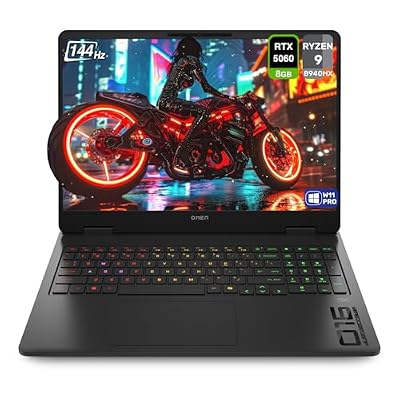
HP OMEN Gaming Laptop, AMD Ryzen 9-8940HX, 32 GB DDR5 RAM, 1 TB PCIe SSD, 16" 2K (1920x1200) 144Hz Display, Nvidia G-Force RTX 5060, Backlit Keyboard, W11 Pro, Shadow Black
Included for 'HP Omen 16 vs Budget Gaming Laptops: Where the Extra Money Goes' because the listing specifies AMD Ryzen 9-8940HX and 32 GB DDR5 RAM, details this guide uses to compare options.
View on Amazon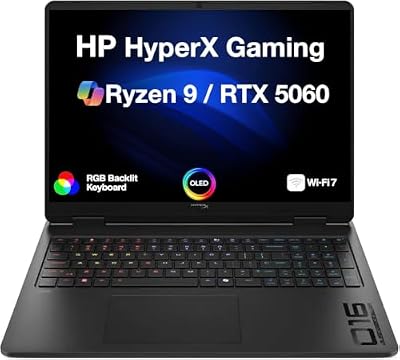
HP OMEN HyperX 5060 Gaming Laptop 16.0" 165Hz OLED WQXGA Display, Ryzen 9
Included for 'HP Omen 16 vs Budget Gaming Laptops: Where the Extra Money Goes' because the listing specifies Ryzen 9, details this guide uses to compare options.
View on Amazon
HP OMEN 16 Slim RTX 5070 Intel Ultra 9-285H 240Hz QHD+ RGB Gaming Laptop
Included for 'HP Omen 16 vs Budget Gaming Laptops: Where the Extra Money Goes' as a relevant option in this category; details come from the product listing.
View on AmazonIn practice, this is what separates the two categories:
- Budget 15-16 inch laptops (usually $700-$1000): often ship the same GPU tuned to 60-80W sustained, with a boost clock that holds for the first 10-15 minutes before dropping 15-25% as thermal limits kick in.
- HP Omen 16 (usually $1100-$1600 depending on configuration): typically runs the same GPU tier at 95-140W sustained, with a vapor chamber or larger dual-fan setup that holds clocks within 5-10% of boost for 30+ minutes of continuous load.
Here’s a worked example using a mid-tier mobile GPU as the baseline, assuming a game that’s GPU-bound at 1080p:
| Metric | Budget laptop (75W sustained) | Omen 16 (115W sustained) |
|---|---|---|
| Average FPS, first 5 minutes | 92 fps | 98 fps |
| Average FPS, minute 30 | 71 fps (-23%) | 90 fps (-8%) |
| GPU temp at steady state | 84-88°C | 75-80°C |
| Fan noise at steady state | 38-42 dB | 42-46 dB |
The budget machine isn’t slower on paper, it’s slower in practice, specifically in longer sessions, ranked matches, or anything past a quick demo. If you play in 15-20 minute bursts, this gap barely matters. If you play 1-2 hour sessions, it’s the single biggest reason the Omen feels faster even with a “same” GPU listed.
Chassis material and flex: what you’re actually feeling
Most budget gaming laptops use a plastic (ABS or polycarbonate blend) deck and lid, sometimes with a brushed-texture coating to look metallic in photos. The Omen 16 uses an aluminum lid over a reinforced plastic chassis, which is a middle ground, not full unibody metal, but noticeably stiffer than an all-plastic build.
The practical test: grip the lid corner and twist gently. On most budget units you’ll see visible flex and sometimes hear a faint creak near the hinge. On the Omen 16 the lid resists twisting with much less give, which matters less for benchmarks and more for how the laptop survives being shoved into a backpack between a water bottle and a textbook for two years.
Hinge and keyboard durability over time
Budget laptop hinges are usually rated (by component suppliers, not always disclosed by brand) around 20,000-30,000 open/close cycles. The Omen line typically specs closer to 30,000-40,000 cycles with a tighter tolerance, which translates to less wobble at the one-year mark. If you open and close your laptop 4-6 times a day, 20,000 cycles is roughly 9-13 years of use in theory, but hinge looseness and screen wobble typically show up well before mechanical failure because of play building up in the mechanism, not outright breakage. This is a “feels loose and cheap by year two” problem more than a “stops working” problem on budget units.
Keyboards follow the same pattern. Budget laptops often use membrane switches rated for 5-10 million keystrokes with 1.2-1.5mm of travel; the Omen 16 typically uses a slightly deeper travel (1.5-1.8mm) with a more consistent actuation force across the deck, which reduces the “mushy in the middle, stiff at the edges” feeling common on cheaper keyboard decks.
Panel brightness: the spec that predicts daily usability
This is one of the clearest line-item differences. Budget 15-16 inch gaming laptops commonly ship 250-300 nit panels. The Omen 16 typically ships 300-400 nit panels, with higher-tier configurations reaching 400+ nits on QHD options.
Why this matters concretely: a 250 nit panel is noticeably dim in a room with a window behind you or under standard office fluorescent lighting, forcing you to run brightness at 90-100% just to see shadow detail, which also drains battery faster. A 350-400 nit panel gives you headroom to run at 60-70% brightness in the same room while still looking punchy, extending battery life and reducing eye strain over a multi-hour session.
- 250-300 nits: fine in a dark room, washes out near windows or bright ceiling lights.
- 350-400 nits: comfortable in normal indoor lighting without maxing brightness.
- 400+ nits: usable even in moderately bright rooms, better HDR highlight detail if the panel supports it.
RAM and SSD upgrade access: where budget laptops quietly cost you more later
This is the one area where “cheaper now” can mean “more expensive over two years.” Many budget gaming laptops solder 8GB of RAM directly to the motherboard and leave only a single SO-DIMM slot free, meaning you’re stuck at 8GB soldered + whatever you add, often capping realistic upgrades at 24GB total. Some budget models solder all RAM, leaving zero upgrade path.
The Omen 16 generally ships with dual-channel SO-DIMM slots (both user-accessible) and no soldered memory, so you can upgrade from 16GB to 32GB later for the cost of two RAM sticks instead of replacing the whole laptop.
Storage access follows a similar pattern:
| Component | Typical budget laptop | HP Omen 16 |
|---|---|---|
| RAM slots | 1 slot + 8GB soldered (common) | 2 open SO-DIMM slots |
| Max practical RAM | 16-24GB | 32-64GB |
| M.2 SSD slots | 1, sometimes 2 | 2, both accessible |
| Bottom panel access | Often requires removing more screws/clips around battery | Single bottom panel, straightforward screw layout |
If you plan to buy once and never open the laptop again, this gap won’t bother you. If you expect to add RAM or a second SSD in year two, check the specific budget model’s teardown or service manual before buying, because “upgradeable” varies a lot between budget brands and even between generations of the same model.
Weight and charger size: the daily-carry tax
This is the category most reviews skip because it doesn’t show up in benchmarks. Budget 15-16 inch gaming laptops typically weigh 4.9-5.5 lbs with a charger brick around 180-230W, often a bulky external brick. The Omen 16 typically weighs 5.1-5.7 lbs, similar in laptop weight, but the real difference is charger design: HP’s Omen chargers in this class are often more compact for the same wattage, and some configurations support USB-C charging at lower wattages for everyday use, letting you leave the big brick at home for light work and only bring it for gaming sessions.
Total daily carry weight (laptop + charger) typically works out to:
- Budget laptop + 200W brick: roughly 6.8-7.3 lbs combined
- Omen 16 + charger: roughly 6.9-7.4 lbs combined, but with USB-C fallback charging available on some models for days you’re not gaming
The raw numbers are close. The practical difference is flexibility: being able to grab a smaller USB-C charger for a day of classes or meetings and save the gaming brick for home use.
Decision matrix: which one fits your situation
| Your situation | Better fit | Why |
|---|---|---|
| Play in short 15-20 min sessions, tight budget | Budget laptop | Thermal throttling won’t kick in before you stop playing anyway |
| Play 1+ hour sessions, ranked/competitive titles | Omen 16 | Sustained wattage keeps frame rates stable instead of dropping 20%+ after 30 minutes |
| Laptop lives on a desk, rarely moved | Budget laptop | Chassis flex and hinge wear matter less without daily transport stress |
| Carried daily in a backpack, used in bright rooms | Omen 16 | Stiffer chassis and brighter panel both matter for daily real-world use |
| Plan to upgrade RAM/SSD in 1-2 years | Omen 16 | Accessible dual-channel slots vs. soldered memory on many budget units |
| One-time purchase, no upgrade plans, strict budget cap | Budget laptop | You’re paying for durability and headroom you won’t use |
The core trade-off is simple once you strip away marketing: budget laptops are built to hit a price point on a spec sheet, and the Omen 16 is built to hold its advertised performance and physical condition over years of actual use. If your usage pattern lines up with short sessions and minimal daily handling, the budget option is a legitimately smart buy. If you game long sessions or carry the laptop daily, the extra money on the Omen 16 is going toward problems you would otherwise run into around month six to twelve, not before.