🛒 Best Price Today on Amazon
Prime members get fast, free shipping on everything above, plus member-only deals. New members get a 30-day free trial — cancel anytime.
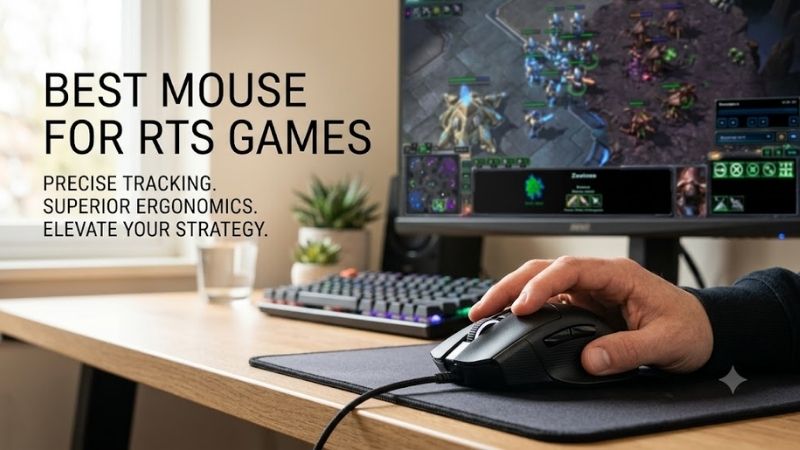
The best mouse for RTS games should combine accurate tracking, quick access to commands, and a shape you can control for long matches. For StarCraft II, Age of Empires IV, Warcraft III, and similar titles, extra buttons can reduce keyboard travel while a stable sensor keeps rapid camera and unit selection consistent. RTS play rewards speed, repeatable clicks, and efficient control more than extreme DPI. A useful mouse should make common actions easy to reach without forcing your thumb to hunt for buttons. The four picks below cover lightweight multi-button designs, ergonomic command-heavy options, and dense key grids for macro-focused players.
Quick answer: For most people in 2026, the best mouse for rts games is the Logitech G502 X — our #1 rated choice. See the full ranked comparison, alternatives and buying advice below.
Best Mouse for RTS Games Compared
| Mouse | Connection | Programmable Controls | Sensor | Weight |
|---|---|---|---|---|
| Logitech G502 X | Wired | 13 | HERO 25K | 89 g |
| Razer Basilisk V3 35K | Wired | 11 | Focus Pro 35K Gen-2 | 101 g |
| SteelSeries Aerox 5 Wireless | 2.4 GHz / Bluetooth | 9 | TrueMove Air | 74 g |
| Corsair Scimitar Elite Wireless SE | 2.4 GHz / Bluetooth | 16 | MARKSMAN S 33K | 114 g |
Logitech G502 X — Best for Balanced RTS Controls
The Logitech G502 X is a strong fit for RTS players who want many inputs without moving to a full MMO-style side grid. Logitech lists 13 programmable controls, a HERO 25K sensor, five onboard memory profiles, and an 89 g wired chassis. The tilt wheel also adds two programmable directions for extra commands.
Its main advantage is control density in a familiar right-handed shape. You can map camera locations, control groups, idle-worker keys, or production shortcuts to reachable buttons, then keep profiles on the mouse. The trade-off is that 89 g is not ultralight, so players who favor very low-sensitivity sweeping may prefer a lighter design.
Best For: RTS players who want extra commands without a thumb grid
Key Features: 13 programmable controls, HERO 25K, onboard profiles
What Makes It Different: Dual-mode tilt wheel and removable DPI-shift button
Use Case: Camera controls, control groups, production shortcuts
Who It’s For: StarCraft II, Age of Empires IV, and mixed-genre players
Pros
- High number of accessible controls
- Onboard profile storage
- Programmable wheel tilt
- No battery charging
Cons
- Heavier than ultralight alternatives
- Right-handed ergonomic layout
Razer Basilisk V3 35K — Best for Ergonomic RTS Play
The Razer Basilisk V3 35K suits RTS players who prefer a substantial ergonomic mouse with flexible controls. Razer specifies 11 programmable buttons, five onboard profiles, a Focus Pro 35K Optical Sensor Gen-2, and a four-way HyperScroll tilt wheel. Its wired design also removes battery management from long ladder sessions.
For strategy games, the Basilisk stands out because the wheel and side trigger can handle secondary actions without crowding the thumb. You can reserve the main side buttons for high-frequency commands and use tilt or wheel functions for camera, control groups, or interface tasks. At 101 g, however, it favors stability over featherweight speed.
Best For: Players prioritizing ergonomic control
Key Features: 11 programmable buttons, Focus Pro 35K Gen-2, five profiles
What Makes It Different: Four-way HyperScroll tilt wheel
Use Case: Long RTS sessions with several secondary mouse commands
Who It’s For: Palm and relaxed-grip players who prefer a substantial mouse
Pros
- Flexible programmable controls
- Multiple onboard profiles
- Tilt and free-spin wheel functions
- Wired power
Cons
- 101 g chassis
- Designed for right-handed use
SteelSeries Aerox 5 Wireless — Best Lightweight RTS Mouse
The SteelSeries Aerox 5 Wireless is the lightest option here while still offering more controls than a basic FPS mouse. SteelSeries lists a 74 g weight, nine programmable buttons, 2.4 GHz wireless plus Bluetooth, a TrueMove Air sensor, and up to 180 hours of battery life. The side panel includes a distinctive up/down flick switch.
That balance makes the Aerox 5 Wireless appealing for RTS players who combine rapid pointer movement with a modest set of mouse-bound commands. Nine buttons are enough for a few control groups, camera functions, or utility actions without creating a dense thumb grid. The open-shell design and fewer total inputs may not suit macro-heavy users.
Best For: Fast cursor movement with several extra commands
Key Features: 74 g design, nine buttons, TrueMove Air sensor
What Makes It Different: Lightweight multi-button layout
Use Case: Rapid minimap movement and essential RTS shortcuts
Who It’s For: Players who want FPS-like mobility in strategy games
Pros
- Lightweight for a multi-button mouse
- 2.4 GHz and Bluetooth connectivity
- Nine programmable controls
- Long rated battery life
Cons
- Fewer controls than MMO-style mice
- Open-shell construction may not appeal to everyone
Corsair Scimitar Elite Wireless SE — Best for RTS Macros
The Corsair Scimitar Elite Wireless SE is the command-heavy choice for players who want many shortcuts on the mouse itself. Corsair specifies 16 customizable buttons, including a repositionable 12-button Key Slider, plus a MARKSMAN S 33K sensor and low-latency SLIPSTREAM wireless. Three onboard profiles can store button assignments.
Its adjustable thumb grid is useful when you want production buildings, control groups, camera jumps, or utility keys under one hand. The benefit is command density; the cost is a steeper learning curve and more thumb movement than on simpler mice. It makes the most sense for players who deliberately practice and memorize a custom layout.
Best For: RTS players moving many keyboard commands to the mouse
Key Features: 16 programmable buttons, 12-button adjustable grid
What Makes It Different: Repositionable Key Slider thumb panel
Use Case: Production groups, camera locations, macros, utility commands
Who It’s For: Players willing to build muscle memory around many bindings
Pros
- Very high command density
- Adjustable side-button position
- 2.4 GHz and Bluetooth
- Up to three onboard profiles
Cons
- 114 g weight
- Dense layout requires practice
How to Choose a Mouse for RTS Games
Button Layout and Shortcut Access
Button count matters, but placement matters more. RTS players repeatedly hit a small number of critical commands, so those actions should sit on buttons you can reach without changing grip. A mouse with nine well-placed inputs may feel faster than one with a larger grid if you only bind camera, control groups, and two or three production shortcuts.
Mouse Weight
Weight affects how quickly you can sweep between the minimap, army, and base, especially at lower sensitivity. Lighter mice reduce inertia, while heavier ergonomic models can feel steadier during precise selection. Neither approach is automatically superior for RTS play; choose the balance that matches your sensitivity, desk space, and grip style.
Sensor and DPI
Sensor quality matters because fast camera movement and box selection should track consistently, but headline DPI is not the goal. Most RTS players benefit more from predictable tracking and repeatable sensitivity. Once the sensor is reliable, shape, button layout, and software flexibility usually have a larger effect on daily use.
Wired vs Wireless
Wireless can simplify a desk and remove cable drag, while wired mice avoid charging entirely. For RTS, either connection can work well when the mouse is designed for gaming. If you play long sessions, compare battery life and charging habits; if you never want to think about power, a wired model such as the G502 X or Basilisk V3 35K is simpler.
FAQ
How Many Mouse Buttons Do You Need for RTS Games?
For most RTS players, six to nine usable buttons are enough because the keyboard still handles most hotkeys. Extra buttons become valuable when you want camera locations, control groups, idle-worker selection, production buildings, or push-to-talk on the mouse. A 12-button grid is an optional control scheme rather than a requirement.
Is a Lightweight Mouse Better for RTS?
A lightweight mouse can help if you make frequent large cursor movements or play at lower sensitivity, but weight alone does not determine RTS performance. Stable clicks, a comfortable shape, and reachable side buttons matter just as much. A heavier ergonomic mouse may suit players who use higher sensitivity and keep movement mostly in the wrist.
Are MMO Mice Good for RTS Games?
MMO mice can work well for RTS because their side grids provide many programmable inputs. The downside is that closely packed buttons take practice and may slow you down until muscle memory develops. They are most useful for players who intentionally move control groups, camera locations, or production commands from the keyboard to the thumb.
What DPI Should You Use for RTS Games?
For RTS games, set mouse DPI to a level that lets you cross the screen comfortably without sacrificing precise unit selection. There is no universal best number because monitor resolution, in-game sensitivity, desk space, and grip all change the result. Keep the setting consistent long enough to build muscle memory before making small adjustments.
Does Onboard Memory Matter for an RTS Mouse?
Onboard memory is useful if you play on multiple PCs, attend LAN events, or want your button map available without reconfiguring software each time. It can also separate profiles for different RTS titles. The exact number of stored profiles matters less than whether your preferred button assignments and sensitivity settings can be saved reliably.
Conclusion
The best mouse for RTS games depends on how many commands you want under your mouse hand. The Logitech G502 X and Razer Basilisk V3 35K emphasize ergonomic control, the Aerox 5 Wireless favors lighter movement, and the Scimitar Elite Wireless SE offers the deepest button layout. Match the shape and controls to your own hotkey style.
Ready to decide? Our #1 pick for 2026 is the Logitech G502 X.
Live price & availability on Amazon.