🛒 Best Price Today on Amazon
Prime members get fast, free shipping on everything above, plus member-only deals. New members get a 30-day free trial — cancel anytime.
- Best Mouse for MOBA Games: Quick Comparison
- Razer Naga V3 Pro — Best Adaptable MOBA Mouse
- SteelSeries Aerox 9 Wireless — Best Lightweight Multi-Button Pick
- Logitech G502 X LIGHTSPEED — Best for Moderate Button Needs
- Corsair Scimitar Elite Wireless — Best Adjustable Button Grid
- Razer Naga V2 HyperSpeed — Best Long-Runtime Multi-Button Option
- How to Choose the Best Mouse for MOBA Games
- Suggested MOBA Mouse Button Layout
- FAQ
- Conclusion
Choosing the best mouse for MOBA games means balancing fast clicks, precise tracking, comfortable ergonomics, and useful side buttons. For League of Legends, Dota 2, and similar titles, the right mouse should make item use, pings, camera control, and repeated commands easier without adding unnecessary complexity.
Quick answer: For most people in 2026, the best mouse for moba games is the Razer Naga V3 Pro — our #1 rated choice. See the full ranked comparison, alternatives and buying advice below.
Best Mouse for MOBA Games: Quick Comparison
| Mouse | Control Layout | Connectivity | Best For |
|---|---|---|---|
| Razer Naga V3 Pro | Three swappable 12-, 6-, and 2-button side plates; up to 23 programmable buttons | HyperSpeed wireless, Bluetooth | Players switching between MOBA, MMO, and FPS |
| SteelSeries Aerox 9 Wireless | 18 programmable buttons with 12-button side panel | 2.4 GHz wireless, Bluetooth | Lightweight multi-button control |
| Logitech G502 X LIGHTSPEED | 13 programmable controls | LIGHTSPEED wireless | Moderate button count and flexible binds |
| Corsair Scimitar Elite Wireless | 16 programmable buttons with adjustable 12-button panel | 2.4 GHz, Bluetooth, USB | Adjustable thumb-button positioning |
| Razer Naga V2 HyperSpeed | 19 programmable buttons | HyperSpeed wireless, Bluetooth | Long-runtime multi-button setups |
Razer specifically positions the Naga V3 Pro’s six-button plate for MOBA and battle royale games, while SteelSeries describes the Aerox 9 Wireless as an MMO/MOBA mouse with an 89 g chassis and eighteen programmable buttons.
Razer Naga V3 Pro — Best Adaptable MOBA Mouse
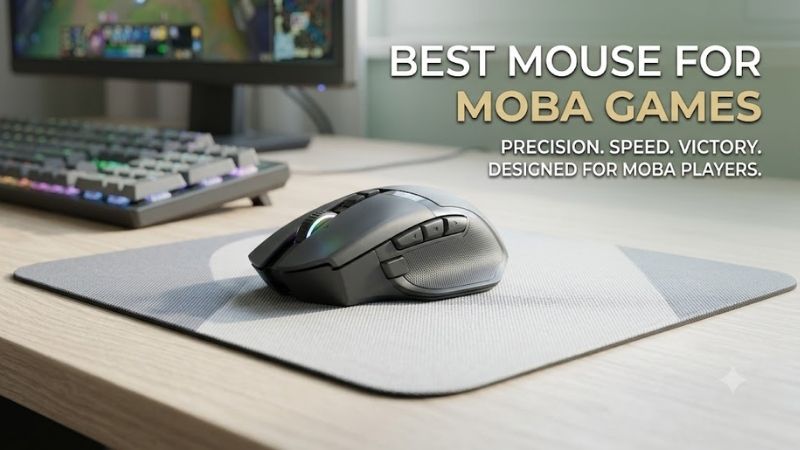
Razer’s Naga V3 Pro is the most adaptable option here because its magnetic side plates let one mouse move between a six-button MOBA layout, a twelve-button MMO grid, and a two-button everyday or FPS layout. The six-button plate reduces thumb travel while still leaving enough controls for items, pings, modifiers, or target commands.
Best For: MOBA players who also play MMO, battle royale, or FPS games.
Key Features:
- Three magnetic side plates with 12-, 6-, and 2-button layouts.
- Six-button side plate specifically designed for MOBA and battle royale use.
- Up to 23 programmable buttons depending on configuration.
- Five onboard memory profiles.
- Razer Focus Pro 50K Optical Sensor Gen-3.
- Up to 155 hours over HyperSpeed Wireless or 280 hours over Bluetooth.
What Makes It Different: The six-button hex layout gives MOBA players more direct thumb controls without requiring them to learn the full twelve-button grid. Swapping plates also prevents you from being locked into an MMO-style configuration when moving to another genre.
Pros:
- Dedicated six-button MOBA layout.
- Three control configurations in one mouse.
- Extensive remapping options.
- Onboard profiles for different games.
- Strong fit for multi-genre players.
Cons:
- More controls and configuration options than minimalist players need.
- Right-handed ergonomic design will not suit left-handed users.
- Full twelve-button layout requires more thumb memorization.
Use Case: Assign active items, pings, attack-move modifiers, target controls, or camera functions to the six-button plate while keeping core abilities on the keyboard.
Who It’s For: Players who want one configurable mouse for League of Legends, Dota 2, MMOs, and shooters rather than maintaining several genre-specific mice.
SteelSeries Aerox 9 Wireless — Best Lightweight Multi-Button Pick
The SteelSeries Aerox 9 Wireless targets players who want a large command set without the heavy feel associated with many multi-button mice. Its 89 g design, eighteen programmable buttons, and twelve-button side panel give Dota 2 or League players room for items, pings, camera functions, and macros while preserving faster hand movement.
Best For: Players who want many MOBA bindings without choosing a particularly heavy multi-button mouse.
Key Features:
- 89 g design.
- 18 programmable buttons.
- 12-button thumb panel.
- TrueMove Air optical sensor.
- 2.4 GHz wireless and Bluetooth.
- More than 180 hours of stated battery life.
- SteelSeries provides example League of Legends and Dota 2 button layouts.
What Makes It Different: Multi-button mice frequently prioritize large ergonomic shells. The Aerox 9 instead combines a twelve-button side grid with a weight closer to many mainstream gaming mice.
Pros:
- High number of programmable controls.
- Lower weight than several large MMO-style designs.
- Wireless plus Bluetooth connectivity.
- Enough buttons for inventory, pings, targeting, and camera commands.
- Official MOBA-oriented button examples.
Cons:
- Twelve closely grouped side buttons demand muscle memory.
- Players needing only two or three extra commands may find the layout excessive.
- Honeycomb construction feels different from conventional solid-shell mice.
Use Case: Useful for Dota 2 players who want inventory slots and secondary commands under the thumb or League players who move pings, items, champion targeting, and profile controls away from the keyboard.
Who It’s For: MOBA players who want extensive button access but still value quick mouse repositioning and lower overall weight.
Logitech G502 X LIGHTSPEED — Best for Moderate Button Needs
The Logitech G502 X LIGHTSPEED suits MOBA players who prefer a smaller set of deliberate extra inputs instead of a dense thumb grid. Its thirteen programmable controls, tilting dual-mode wheel, adjustable DPI-shift control, and HERO 25K sensor support item binds, pings, profile functions, and precision cursor movement without MMO-style complexity.
Best For: League or Dota players who want more controls than a standard gaming mouse without using a twelve-button thumb grid.
Key Features:
- 13 programmable controls.
- HERO 25K optical sensor.
- Adjustable and reversible DPI-shift button.
- Dual-mode scroll wheel.
- Left and right wheel tilt can act as programmable controls.
- Logitech G HUB configuration.
What Makes It Different: Controls are distributed around the mouse rather than concentrated in one large thumb keypad. That can make individual commands easier to distinguish when only a handful of MOBA actions need remapping.
Pros:
- Moderate number of programmable controls.
- Multiple distinct button positions.
- Programmable scroll-wheel tilt.
- Adjustable DPI-shift control.
- Avoids a dense twelve-button thumb grid.
Cons:
- Fewer dedicated thumb controls than MMO-style alternatives.
- Not designed specifically around MOBA inventory layouts.
- Players seeking six or more thumb-accessible item binds may prefer a larger side panel.
Use Case: Map wards, pings, an active item, champion targeting, or camera commands to the extra controls while leaving QWER and major abilities on the keyboard.
Who It’s For: Players who primarily use keyboard abilities and want several convenient secondary commands on the mouse without dramatically changing their existing control habits.
Corsair Scimitar Elite Wireless — Best Adjustable Button Grid
The Corsair Scimitar Elite Wireless is built around an adjustable twelve-button Key Slider side panel, useful if fixed button grids sit too far forward or backward for your thumb. Sixteen programmable buttons provide broad binding space, while wireless, Bluetooth, and wired modes make it flexible for a gaming desktop or secondary system.
Best For: Players who like a twelve-button grid but need to adjust where that grid sits beneath the thumb.
Key Features:
- 16 programmable buttons.
- Repositionable 12-button Key Slider side panel.
- 2.4 GHz SLIPSTREAM wireless.
- Bluetooth connectivity.
- USB wired operation while charging.
- Up to three onboard profiles.
- 114 g stated weight.
What Makes It Different: Instead of forcing your thumb to adapt to a fixed keypad position, Corsair lets you slide the twelve-button panel forward or backward to match your hand.
Pros:
- Adjustable thumb-panel position.
- Plenty of controls for item-heavy layouts.
- Three connection options.
- Onboard profile storage.
- Contoured right-handed form.
Cons:
- 114 g weight is considerably higher than the Aerox 9 Wireless.
- Twelve side buttons take time to memorize.
- Players who rely mainly on keyboard commands may not use the full grid.
Use Case: Position the keypad so your thumb naturally reaches the buttons assigned to common items, pings, courier controls, camera groups, or modifiers.
Who It’s For: Players who like dense MMO-style control grids but have struggled with fixed side-button positions on other mice.
Razer Naga V2 HyperSpeed — Best Long-Runtime Multi-Button Option
The Razer Naga V2 HyperSpeed is a practical choice for players who want many bindings and long wireless runtime without paying for swappable side plates. It offers nineteen programmable buttons, HyperSpeed 2.4 GHz wireless, Bluetooth, and Razer HyperScroll technology, making it well suited to item-heavy or macro-heavy MOBA layouts.
Best For: Players who want a large fixed button layout and extended wireless battery life.
Key Features:
- 19 programmable buttons.
- Razer HyperSpeed 2.4 GHz wireless.
- Bluetooth connectivity.
- Razer HyperScroll technology.
- Up to 250 hours of stated battery life over HyperSpeed Wireless.
What Makes It Different: It delivers the traditional high-button Naga approach without the modular side plates used by the Pro models, making it more straightforward for players who already know they want many controls.
Pros:
- High programmable-button count.
- Long stated wireless runtime.
- Bluetooth available for secondary devices.
- Strong fit for item-heavy control schemes.
- Extensive thumb-accessible commands.
Cons:
- Fixed button configuration is less adaptable than the Naga V3 Pro.
- Dense controls require practice.
- More buttons than many League players will realistically need.
Use Case: Bind item slots, shop functions, pings, target commands, camera actions, or utility macros while keeping primary ability casting on the keyboard.
Who It’s For: Players committed to a high-button MOBA setup who prioritize wireless runtime over interchangeable control layouts.
How to Choose the Best Mouse for MOBA Games
Decide How Many Extra Buttons You Need
Start with the number of commands you genuinely want on the mouse. Players who keep abilities on the keyboard may need only a few side buttons for wards, pings, items, or camera functions. If you regularly use six active items, target controls, modifiers, and communication binds, a larger grid can reduce keyboard travel but takes more practice.
Prioritize Shape and Thumb Reach
Button access is useless if the mouse shape makes your hand tense during long matches. Check whether your grip reaches the first and last side buttons without shifting your palm. Adjustable panels can help, while lighter shells may favor repositioning. The trade-off is that high-button ergonomic designs are often larger than simple FPS mice.
Check Remapping and Profile Features
Remapping software is important for MOBA play because the value comes from assigning practical commands, not simply owning extra buttons. Look for game profiles, onboard memory, modifier support, and clear button identification. Keep frequent actions on the easiest buttons while reserving awkward positions for commands you rarely use.
Choose the Right Wireless Setup
Modern MOBA mice commonly offer low-latency 2.4 GHz wireless, while some also include Bluetooth for general use. Battery life matters during long sessions, but connectivity should not outweigh ergonomics or button placement. Wired operation can still be useful as a charging fallback, especially for mice with rechargeable batteries.
Suggested MOBA Mouse Button Layout
A useful MOBA layout keeps the highest-frequency secondary commands closest to the natural resting position of your thumb. Avoid filling every available button simply because it exists.
| Button Position | Possible League of Legends Use | Possible Dota 2 Use |
|---|---|---|
| Easy thumb button 1 | Active item | Item slot |
| Easy thumb button 2 | Ward | Item slot |
| Easy thumb button 3 | Ping wheel | Courier or item |
| Easy thumb button 4 | Target champions only | Camera command |
| Secondary thumb button | Recall or shop | Shop |
| Wheel tilt | Profile, ping, or camera | Camera or utility |
| Less accessible button | Low-frequency command | Low-frequency command |
FAQ
How Many Mouse Buttons Are Best for MOBA Games?
For most MOBA players, two to six extra buttons are enough for pings, items, wards, camera controls, or modifiers. A twelve-button grid becomes more useful when you actively bind many inventory slots and secondary commands. More buttons are not automatically faster; clear separation and muscle memory usually matter more than the maximum count.
Is a Lightweight Mouse Better for League of Legends or Dota 2?
A lightweight mouse can help players who make frequent map corrections or prefer fast, low-effort cursor movement, but MOBA games do not demand ultra-low weight in the same way as tactical shooters. Comfort and button access usually matter more. An 89 g multi-button mouse can feel agile, while heavier ergonomic models may feel steadier in the hand.
Are MMO Mice Good for MOBA Games?
Yes. MMO mice can work very well for MOBAs because their side grids provide enough inputs for items, camera commands, pings, target controls, and macros. The downside is learning a dense layout. Players who need only a few extra commands may find a six-button plate or several scattered controls faster to master and easier to press accurately.
What DPI Should I Use for MOBA Games?
For MOBA use, DPI should be high enough for comfortable screen movement without making precise clicks difficult. There is no single correct number because monitor size, Windows settings, in-game sensitivity, and personal control affect the result. Choose a stable setting and build consistency instead of changing it often.
Is a Wireless Mouse Good for Competitive MOBA Gaming?
Wireless is a strong fit for MOBA games when the mouse uses a gaming-focused 2.4 GHz connection and the receiver is positioned reliably. Bluetooth is better treated as a convenience mode. The practical priorities are consistent input, sufficient battery life, and a shape that lets you reach assigned buttons without shifting your grip.
Conclusion
The best mouse for MOBA games depends on how many commands you want under your thumb. The Razer Naga V3 Pro offers the most adaptable control layout, the Aerox 9 Wireless combines many buttons with lower weight, while the G502 X LIGHTSPEED favors simpler binds. Match button density to your habits, then prioritize shape and reach.
Ready to decide? Our #1 pick for 2026 is the Razer Naga V3 Pro.
Live price & availability on Amazon.