🛒 Best Price Today on Amazon
Prime members get fast, free shipping on everything above, plus member-only deals. New members get a 30-day free trial — cancel anytime.
- Best Flat Gaming Monitors at a Glance
- ASUS ROG Swift OLED PG27AQDP — Best for Maximum Refresh Rate
- Alienware AW2725DF — Best QD-OLED Flat Gaming Monitor
- LG UltraGear 27GR83Q-B — Best IPS Flat Gaming Monitor
- Gigabyte M27Q X Rev. 2.0 — Best for Gaming and Multi-Device Desks
- Flat Gaming Monitor Comparison
- How to Choose the Best Flat Gaming Monitor
- FAQ
- Conclusion
The best flat gaming monitor should deliver speed, clarity, and predictable geometry without the wraparound feel of a curved screen. For competitive and mixed-use gaming, flat 27-inch QHD models are especially versatile, while OLED options add faster pixel response and stronger contrast for players who value motion clarity.
Quick answer: For most people in 2026, the best flat gaming monitor is the ASUS ROG Swift OLED PG27AQDP — our #1 rated choice. See the full ranked comparison, alternatives and buying advice below.
Best Flat Gaming Monitors at a Glance
| Monitor | Panel | Resolution | Max Refresh Rate | Best For |
|---|---|---|---|---|
| ASUS ROG Swift OLED PG27AQDP | WOLED | 2560 x 1440 | 480Hz | High-level competitive gaming |
| Alienware AW2725DF | QD-OLED | 2560 x 1440 | 360Hz via DisplayPort | Gaming plus OLED image quality |
| LG UltraGear 27GR83Q-B | IPS | 2560 x 1440 | 240Hz | PC and console versatility |
| Gigabyte M27Q X Rev. 2.0 | SS IPS | 2560 x 1440 | 240Hz | Gaming and multi-device desks |
ASUS ROG Swift OLED PG27AQDP — Best for Maximum Refresh Rate
Best For: Competitive PC gamers prioritizing motion clarity and extremely high refresh rates.
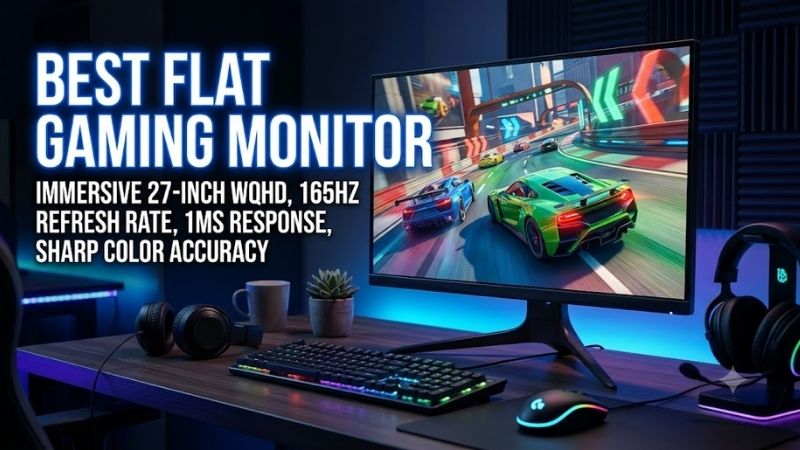
The ASUS ROG Swift OLED PG27AQDP targets players who want extreme refresh rates without moving to a curved panel. Its 26.5-inch WOLED display combines 2560 x 1440 resolution with up to 480Hz refresh and a 0.03ms rated response time, making it especially relevant for esports titles where motion clarity matters most.
Key Features
- 26.5-inch WOLED panel
- 2560 x 1440 QHD resolution
- Up to 480Hz refresh rate
- 0.03ms rated gray-to-gray response time
- 99% DCI-P3 coverage
- HDR10 support
- FreeSync Premium
- G-SYNC Compatible
- Anti-glare display surface
What Makes It Different
Most QHD gaming monitors stop at 240Hz or 360Hz. The PG27AQDP raises that ceiling to 480Hz while retaining QHD resolution instead of dropping to 1080p. That combination targets players with powerful PCs running lightweight competitive games such as Counter-Strike 2, Valorant, Overwatch 2, and similar high-frame-rate titles.
Pros
- 480Hz ceiling for exceptionally high-frame-rate gaming
- OLED pixel response is well suited to fast motion
- QHD offers more detail than 1080p esports displays
- Variable refresh support for AMD and NVIDIA GPUs
- Deep OLED blacks improve dark scenes
Cons
- 480Hz requires extremely high GPU and CPU performance to exploit fully
- OLED requires more consideration around prolonged static desktop elements
- Extra refresh capability provides less benefit in demanding AAA games
Use Case
This model makes the most sense in a high-end competitive setup where frame rates can regularly reach several hundred FPS. QHD also makes the monitor more versatile outside esports than a 24-inch or 25-inch 1080p display, particularly for single-player games, browsing, editing, and everyday desktop work.
Who It’s For
Choose the PG27AQDP if competitive gaming is your priority and your PC can drive unusually high QHD frame rates. Players who spend most of their time below 200 FPS can save money with a 240Hz monitor without sacrificing the core advantages of a fast flat display.
Alienware AW2725DF — Best QD-OLED Flat Gaming Monitor
Best For: Players who want competitive speed and OLED contrast without needing 480Hz.
Alienware’s AW2725DF is a flat 26.7-inch QD-OLED built around QHD resolution and a 360Hz DisplayPort refresh ceiling. The panel also carries a 0.03ms rated gray-to-gray response time, so it suits fast shooters while offering OLED contrast for cinematic games. HDMI is limited to QHD at 144Hz on this model.
Key Features
- 26.7-inch QD-OLED panel
- 2560 x 1440 native resolution
- Up to 360Hz over DisplayPort
- Up to 144Hz over HDMI
- 0.03ms rated gray-to-gray response time
- 1.5-million:1 stated contrast ratio
- HDR True Black 400 mode
- Two DisplayPort 1.4 connections
- HDMI connection with HDR and VRR support
What Makes It Different
The AW2725DF sits between mainstream 240Hz QHD monitors and the 480Hz ASUS model. Its 360Hz ceiling remains highly relevant for competitive games, while the QD-OLED panel combines fast transitions with strong contrast. The main connectivity trade-off is that HDMI does not provide the monitor’s full 360Hz capability.
Pros
- QHD and 360Hz suit high-end competitive gaming
- QD-OLED delivers very deep blacks
- Fast rated pixel response supports clear motion
- DisplayPort can run the display at its full native refresh rate
- Strong fit for gamers mixing esports and cinematic titles
Cons
- HDMI is capped below the panel’s maximum refresh rate
- OLED panel care matters for heavy static desktop use
- 360Hz is unnecessary if the system rarely exceeds 200 FPS
Use Case
The AW2725DF works particularly well for a gaming PC that handles both multiplayer shooters and visually rich single-player games. Competitive titles benefit from 360Hz over DisplayPort, while horror games, RPGs, space titles, and dark cinematic scenes benefit from OLED’s ability to produce much deeper blacks than typical IPS panels.
Who It’s For
Consider the AW2725DF if you want OLED image characteristics but do not specifically need the ASUS model’s 480Hz ceiling. It is especially logical for players whose systems can deliver roughly 200 to 360 FPS in competitive games while still being used for demanding titles that run at substantially lower frame rates.
LG UltraGear 27GR83Q-B — Best IPS Flat Gaming Monitor
Best For: Gamers wanting 240Hz QHD, HDMI 2.1, and an IPS panel.
The LG UltraGear 27GR83Q-B is a practical flat IPS option for gamers who want QHD at 240Hz without OLED-specific concerns. Its 27-inch panel supports 1ms GtG, G-SYNC Compatible operation, FreeSync Premium, DisplayHDR 400, and HDMI 2.1, giving it strong flexibility for both high-refresh PCs and modern consoles.
Key Features
- 27-inch IPS panel
- 2560 x 1440 QHD resolution
- Up to 240Hz refresh rate
- 1ms rated GtG response time
- 95% DCI-P3 coverage
- VESA DisplayHDR 400
- NVIDIA G-SYNC Compatible
- AMD FreeSync Premium
- Two HDMI 2.1 inputs
- DisplayPort
- Height, tilt, and pivot adjustment
What Makes It Different
The 27GR83Q-B gives up OLED black levels and sub-millisecond OLED transitions in exchange for a conventional IPS panel and broad connectivity. HDMI 2.1 is particularly important here because LG states that a compatible DisplayPort 1.4 or HDMI 2.1 graphics source can support refresh rates up to 240Hz.
Pros
- 240Hz provides substantial headroom for competitive gaming
- QHD is sharp enough for gaming and productivity
- HDMI 2.1 improves device flexibility
- Adaptive sync supports both major GPU ecosystems
- IPS avoids OLED burn-in concerns
- Fully adjustable stand is useful for long sessions
Cons
- IPS cannot reproduce OLED-like black levels
- 240Hz is below newer 360Hz and 480Hz esports monitors
- HDR400 should not be confused with high-end local-dimming HDR
Use Case
This is one of the more balanced choices for a desk that handles gaming, work, and multiple gaming platforms. A capable PC can target high-refresh QHD through DisplayPort or HDMI 2.1, while consoles can use the HDMI connections without forcing the owner to buy an OLED panel primarily for occasional gaming sessions.
Who It’s For
The LG fits gamers who value speed but also spend many hours viewing browsers, documents, software interfaces, or other static content. It is also worth considering when HDMI 2.1 connectivity matters more than OLED contrast or when 240Hz is already above the frame rates your gaming system normally produces.
Gigabyte M27Q X Rev. 2.0 — Best for Gaming and Multi-Device Desks
Best For: Gamers who regularly switch between two computers or gaming and work systems.
Gigabyte’s M27Q X Rev. 2.0 pairs a flat 27-inch SuperSpeed IPS panel with 2560 x 1440 resolution and a 240Hz refresh rate. Its standout feature is the built-in KVM, which can switch one keyboard and mouse between multiple connected systems. That makes it useful for gamers who share a desk with a work laptop or second PC.
Key Features
- 27-inch SuperSpeed IPS panel
- 2560 x 1440 QHD resolution
- Up to 240Hz refresh rate
- 94% DCI-P3 coverage
- HDR400 support
- Built-in KVM functionality
- Adaptive-Sync support
- GameAssist
- Aim Stabilizer Sync
- OSD Sidekick
- Built-in speakers
What Makes It Different
The KVM is the defining feature. Instead of keeping separate keyboards and mice for a gaming PC and another computer, the M27Q X can act as part of a shared peripheral setup. That makes its feature set more relevant to hybrid desks than monitors focused almost entirely on maximum refresh rate or OLED picture quality.
Pros
- 240Hz QHD combination suits fast gaming
- IPS panel works well for mixed gaming and office use
- Built-in KVM can simplify a two-computer setup
- Wide color coverage adds versatility for content
- Gaming-specific OSD tools are included
Cons
- IPS contrast is lower than OLED
- KVM functionality adds little value for single-device setups
- 240Hz is not aimed at users specifically seeking 360Hz or 480Hz
Use Case
The M27Q X is especially useful in a home office where one desk serves a gaming PC and a work machine. High-refresh QHD covers the gaming role, while KVM functionality addresses a practical productivity problem. It therefore competes less on extreme specifications and more on how efficiently it can handle a mixed-device setup.
Who It’s For
Buy the M27Q X if you frequently switch systems and want the monitor to help manage peripherals. Gamers using only one PC may prefer the LG for its connectivity mix or an OLED option for deeper blacks, but multi-device users can gain more daily utility from Gigabyte’s integrated KVM feature.
Flat Gaming Monitor Comparison
| Feature | ASUS PG27AQDP | Alienware AW2725DF | LG 27GR83Q-B | Gigabyte M27Q X Rev. 2.0 |
|---|---|---|---|---|
| Panel | WOLED | QD-OLED | IPS | SS IPS |
| Size | 26.5-inch | 26.7-inch | 27-inch | 27-inch |
| Resolution | 2560 x 1440 | 2560 x 1440 | 2560 x 1440 | 2560 x 1440 |
| Max Refresh | 480Hz | 360Hz DisplayPort | 240Hz | 240Hz |
| Rated Response | 0.03ms GtG | 0.03ms GtG | 1ms GtG | 1ms-class gaming specification |
| VRR | FreeSync Premium, G-SYNC Compatible | VRR support | G-SYNC Compatible, FreeSync Premium | Adaptive-Sync |
| Standout Feature | 480Hz WOLED | 360Hz QD-OLED | HDMI 2.1 | Built-in KVM |
| Main Trade-Off | Demanding hardware needs | HDMI limited to 144Hz | IPS black levels | Lower peak refresh than OLED picks |
How to Choose the Best Flat Gaming Monitor
OLED vs IPS
Panel type changes the trade-offs more than the flat shape itself. OLED delivers near-instant pixel transitions and very deep blacks, which helps dark scenes and fast motion, but long-term static-content care still matters. IPS avoids OLED burn-in concerns and usually costs less, though black levels are not as deep.
OLED makes particular sense when gaming is the monitor’s primary workload. IPS can be the more comfortable decision for users who spend most of the workday in spreadsheets, browsers, IDEs, editing software, or static desktop applications and then game during evenings or weekends.
240Hz vs 360Hz vs 480Hz
Refresh rate should match both your games and your GPU. A 240Hz QHD monitor already suits fast competitive play, while 360Hz and 480Hz models make more sense when your system can sustain very high frame rates in esports titles. Buying more refresh than your PC can feed may add cost without a visible benefit in heavier games.
For graphically demanding games, frame rate often falls well below these ceilings even on powerful hardware. A player focused on Cyberpunk-style single-player games may benefit more from OLED contrast or image quality, while a Valorant or Counter-Strike player can make much more practical use of 360Hz or 480Hz.
Screen Size and QHD Resolution
For most desktop setups, 27-inch QHD is a strong fit for a flat gaming monitor because it keeps the whole image easy to scan without requiring a wide curve. It also offers noticeably finer detail than 1080p at the same size. Larger flat panels can work well, but they need more viewing distance to remain comfortable.
The four monitors compared here remain close to the 27-inch class because that size pairs naturally with 2560 x 1440. Competitive gamers can see HUD information and peripheral movement without excessive eye travel, while single-player users still gain enough screen area for detailed environments and general desktop multitasking.
Adaptive Sync
Variable refresh rate synchronizes monitor updates more closely with the frames produced by the GPU. That can reduce visible tearing when frame rates fluctuate below the monitor’s maximum refresh. G-SYNC Compatible, FreeSync Premium, and Adaptive-Sync implementations differ by model, so verify support for your specific connection and GPU.
A 240Hz or faster panel does not make adaptive sync irrelevant. Competitive titles may run close to the refresh ceiling, but demanding games can fluctuate considerably as scenes become heavier. VRR is therefore useful for anyone who plays both fast multiplayer games and visually demanding single-player releases.
Connectivity
Connectivity matters when one monitor serves several devices. HDMI 2.1 is useful for consoles and high-refresh PC inputs, while DisplayPort remains common for maximum refresh on gaming GPUs. USB hubs and KVM switching can reduce desk clutter, but port capabilities vary by model, so check the exact refresh limit for each input.
The Alienware AW2725DF illustrates why input specifications require attention: Dell lists 360Hz at QHD through DisplayPort but only 144Hz at QHD through HDMI. LG’s 27GR83Q-B, by contrast, includes HDMI 2.1 and explicitly supports up to 240Hz with appropriate HDMI 2.1 or DisplayPort 1.4 hardware.
GPU Performance
A high-refresh monitor cannot create frames that the graphics card and processor are not producing. Before moving from 240Hz to 360Hz or 480Hz, check realistic performance in the specific competitive games you play. CPU performance becomes particularly important when targeting extremely high frame rates at QHD.
Players using mainstream graphics hardware may get more practical value from a strong 240Hz monitor than an extreme-refresh OLED. High-end esports systems, however, can make meaningful use of the additional refresh headroom in lightweight games, especially when graphics settings are configured around frame rate rather than visual quality.
FAQ
Are flat monitors good for competitive gaming?
Yes. A flat gaming monitor is often easier to use for competitive games because straight lines remain visually consistent across the screen and the entire image is easy to scan from a centered seating position. Curved displays can feel more immersive at larger sizes, but curvature is not required for fast or accurate gameplay.
What size flat gaming monitor is best?
For most gamers, 27-inch QHD is the safest size and resolution combination for a flat display. It provides sharper text and game detail than 1080p while remaining compact enough for typical desks. Players who sit farther away may prefer a larger screen, while esports-focused users may still favor smaller 24- to 25-inch panels.
Is OLED better than IPS for flat gaming monitors?
OLED is not automatically the best choice for every flat gaming monitor buyer. It offers much faster pixel response and stronger black levels, but IPS remains attractive for mixed gaming and productivity because it avoids OLED burn-in concerns. Your choice should depend on game type, desktop use, budget, and tolerance for panel-care habits.
Is 240Hz enough for competitive gaming?
A 240Hz flat monitor is enough for most competitive players, especially at 1440p. Moving to 360Hz or 480Hz can further reduce frame persistence and improve motion clarity, but the gains are most useful when a powerful system can produce similarly high frame rates. For slower games, resolution and contrast often matter more.
Should I choose QHD or 4K for a flat gaming monitor?
QHD usually offers a stronger balance for competitive gaming because it requires less GPU power than 4K while providing considerably more detail than 1080p. A 4K monitor is more attractive when image detail takes priority over very high frame rates, particularly in slower single-player games or productivity-heavy setups.
Do I need HDMI 2.1 on a gaming monitor?
HDMI 2.1 is most useful when you connect consoles or devices that need high refresh rates over HDMI, but it is not mandatory for every PC gamer. DisplayPort can provide the monitor’s maximum refresh on many gaming displays. Always check the supported resolution and refresh combination for each individual input before buying.
Conclusion
The best flat gaming monitor depends on how you balance refresh rate, panel type, connectivity, and daily use. The ASUS PG27AQDP and Alienware AW2725DF prioritize OLED speed, while the LG 27GR83Q-B and Gigabyte M27Q X offer high-refresh IPS flexibility. Match the display to your GPU, games, and desk rather than chasing one headline spec.
Ready to decide? Our #1 pick for 2026 is the ASUS ROG Swift OLED PG27AQDP.
Live price & availability on Amazon.