🛒 Best Price Today on Amazon
Prime members get fast, free shipping on everything above, plus member-only deals. New members get a 30-day free trial — cancel anytime.
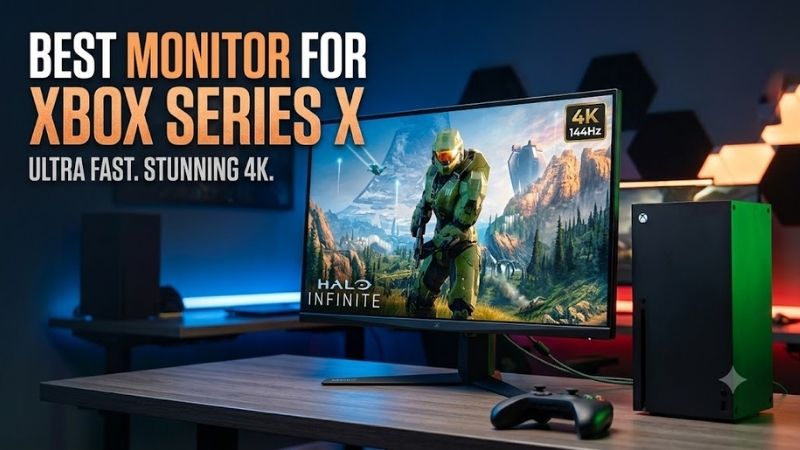
The best monitor for Xbox Series X should match the console’s strongest display features: 4K resolution, up to 120 fps, HDMI 2.1, variable refresh rate, and low-latency gaming. This roundup focuses on monitors that fit those needs, from premium OLED screens to brighter Mini LED and value-focused IPS options.
Quick answer: For most people in 2026, the best monitor for xbox series x is the LG UltraGear 32GS95UE-B — our #1 rated choice. See the full ranked comparison, alternatives and buying advice below.
What Matters Most for an Xbox Series X Monitor?
Xbox Series X can output true 4K gaming at up to 120 fps, while also supporting HDMI variable refresh rate and AMD FreeSync. That makes a 4K 120Hz-or-faster monitor with HDMI 2.1 the most complete match. Faster 165Hz, 240Hz, or 480Hz modes matter mainly if the same display will also serve a gaming PC.
A 32-inch 4K monitor is especially well suited to Xbox Series X because it combines high pixel density with a larger, more console-like viewing area. A 27-inch model can work well at a desk, but 32 inches gives cinematic games, split-screen play, and HUD elements more room without requiring the viewing distance of a television.
Best Monitors for Xbox Series X Compared
| Monitor | Panel | Resolution | Max Refresh | HDMI 2.1 | Best For |
|---|---|---|---|---|---|
| LG UltraGear 32GS95UE-B | OLED | 3840 × 2160 | 240Hz | Yes | Xbox plus high-end PC |
| BenQ MOBIUZ EX321UX | Mini LED IPS | 3840 × 2160 | 144Hz | Yes | Bright HDR gaming |
| Samsung Odyssey OLED G8 G80SD | OLED | 3840 × 2160 | 240Hz | Yes | Gaming and smart features |
| Gigabyte M32U | IPS | 3840 × 2160 | 144Hz | Yes | Practical 4K 120Hz setup |
| Gigabyte MO32U | OLED | 3840 × 2160 | 165Hz | Yes | Console-focused OLED setup |
LG UltraGear 32GS95UE-B
Best For: Xbox Series X owners who also use a powerful gaming PC.
Key Features
- 31.5-inch 4K OLED panel
- 3840 × 2160 resolution
- Up to 240Hz at 4K
- Dual Mode with FHD up to 480Hz
- 0.03ms GtG response time
- HDMI 2.1
- FreeSync Premium Pro
- DisplayHDR True Black 400
- Pixel Sound with DTS Virtual:X
The LG UltraGear 32GS95UE-B combines a 31.5-inch 4K OLED panel with HDMI 2.1, a 240Hz maximum refresh rate, and a 0.03ms GtG response time. Xbox Series X cannot use the monitor’s full 240Hz ceiling, but it can benefit from its 4K resolution, fast pixel response, deep OLED blacks, and variable refresh support.
What Makes It Different
What makes the LG different is its Dual Mode design, which switches between 4K at up to 240Hz and Full HD at up to 480Hz for PC use. That extra flexibility is unnecessary for console-only buyers, yet valuable for players sharing one display between Xbox Series X and a high-end gaming PC. Pixel Sound also reduces the need for desk speakers.
Pros
- OLED black levels and contrast
- HDMI 2.1 connectivity
- Fast 0.03ms GtG response
- Useful integrated audio
- Dual Mode adds PC versatility
Cons
- Xbox cannot use 240Hz or 480Hz modes fully
- Premium features may be unnecessary for console-only setups
Use Case: One premium display for Xbox Series X, competitive PC games, cinematic games, and everyday entertainment.
Who It’s For: Players who want OLED image quality without buying separate monitors for console and high-refresh PC gaming.
BenQ MOBIUZ EX321UX
Best For: Xbox Series X HDR gaming in bright or moderately lit rooms.
Key Features
- 31.5-inch 4K IPS panel
- 1,152-zone Mini LED backlight
- 144Hz refresh rate
- 1ms GtG response time
- DisplayHDR 1000
- Three HDMI 2.1 connections, including one eARC port
- DisplayPort 2.1
- USB-C with 65W power delivery
The BenQ MOBIUZ EX321UX uses a 31.5-inch 4K IPS panel with a 1,152-zone Mini LED backlight, 144Hz refresh rate, HDMI 2.1 connectivity, and DisplayHDR 1000 support. Its key advantage is HDR brightness: bright highlights can stand out more strongly than on many OLED monitors, while 4K 120Hz fits Xbox Series X well.
What Makes It Different
Mini LED is useful for players who game in brighter rooms, watch HDR-heavy titles, or prefer an LCD panel for long static sessions. The trade-off is that local dimming cannot match OLED’s per-pixel black control, so halos can appear around bright objects on dark backgrounds. Its 65W USB-C port also adds value for laptop users.
Pros
- Strong HDR brightness capability
- 1,152-zone Mini LED backlighting
- 4K resolution with 144Hz refresh
- Multiple HDMI 2.1 inputs
- Useful USB-C connectivity
Cons
- Local dimming may produce blooming
- Cannot deliver OLED-style pixel-level blacks
Use Case: HDR-focused Xbox gaming, daytime gaming, mixed laptop use, and setups where higher screen brightness matters.
Who It’s For: Players who prioritize HDR impact and room-light performance over OLED’s absolute black level.
Samsung Odyssey OLED G8 G80SD
Best For: Xbox players who want an OLED monitor with entertainment features built in.
Key Features
- 32-inch 4K OLED display
- 240Hz refresh rate
- Two HDMI 2.1 ports
- DisplayPort 1.4
- FreeSync Premium Pro
- G-SYNC Compatible support
- Tizen smart platform
- Wi-Fi and Bluetooth
- Integrated speakers
The Samsung Odyssey OLED G8 G80SD pairs a 32-inch 4K OLED display with a 240Hz refresh rate, HDMI 2.1, FreeSync Premium Pro, and built-in smart features based on Tizen. For Xbox Series X, the practical strengths are 4K clarity, OLED contrast, fast motion response, and VRR support rather than the unused refresh headroom above 120Hz.
What Makes It Different
Samsung distinguishes the G80SD with smart-TV functions, Wi-Fi, Bluetooth, speakers, and Gaming Hub support in selected regions. That makes it more self-contained than a typical monitor when the Xbox is off. The extra software helps with media and cloud services, though buyers wanting simplicity may prefer a conventional monitor interface.
Pros
- 4K OLED image quality
- HDMI 2.1 connectivity
- FreeSync Premium Pro
- Built-in speakers
- Smart entertainment functions
Cons
- 240Hz exceeds Xbox Series X requirements
- Smart interface adds complexity for monitor-only users
Use Case: Xbox gaming, streaming, cloud services, and entertainment from one display without relying on a connected PC.
Who It’s For: Console players who want a monitor that can also behave more like a compact smart television.
Gigabyte M32U
Best For: A straightforward 4K 120Hz-class Xbox Series X gaming setup.
Key Features
- 31.5-inch SS IPS panel
- 3840 × 2160 resolution
- 144Hz maximum refresh rate
- 120Hz console mode
- Two HDMI 2.1 ports
- DisplayPort 1.4 with DSC
- USB-C
- KVM switch
- DisplayHDR 400
- Two 3W speakers
The Gigabyte M32U remains a practical 31.5-inch 4K IPS option for Xbox Series X, with a 144Hz maximum refresh rate, two HDMI 2.1 inputs, DisplayPort 1.4, USB-C, and a KVM switch. Gigabyte specifically lists support for Xbox Series X at 4K 120Hz, making its console use case unusually clear compared with monitors built mainly for PCs.
What Makes It Different
Its main compromise is HDR. The M32U carries VESA DisplayHDR 400 support and a typical 1,000:1 contrast ratio, so dark-room black levels and HDR highlights are less dramatic than OLED or Mini LED alternatives. In return, it offers a straightforward IPS image, useful productivity connectivity, and no OLED-specific burn-in concern.
Pros
- Explicit 4K 120Hz Xbox support
- Two HDMI 2.1 inputs
- 4K IPS panel
- Integrated KVM switch
- USB-C and built-in speakers
Cons
- Limited HDR capability compared with Mini LED
- IPS black levels are weaker than OLED
Use Case: Xbox Series X gaming combined with office work, a desktop computer, or another device sharing the same keyboard and mouse.
Who It’s For: Buyers who want the core 4K 120Hz console experience without prioritizing premium OLED or Mini LED image characteristics.
Gigabyte MO32U
Best For: Xbox gamers who want OLED without needing a 240Hz-focused display.
Key Features
- 31.5-inch OLED panel
- 3840 × 2160 resolution
- 165Hz maximum refresh rate
- 0.03ms GtG response time
- Two HDMI 2.1 ports
- DisplayPort 1.4
- USB-C
- DisplayHDR True Black 400
- Two 5W speakers
- KVM switch
The Gigabyte MO32U is a 31.5-inch 4K OLED monitor with a 165Hz refresh rate, two HDMI 2.1 ports, DisplayPort 1.4, USB-C, built-in 5W speakers, and KVM functionality. Its refresh ceiling is lower than 240Hz OLED rivals, but that matters little on Xbox Series X because the console itself targets up to 120 fps.
What Makes It Different
For console-first buyers, the MO32U is appealing because less of its specification is wasted on extreme PC refresh rates. OLED delivers strong black depth and fast transitions, while integrated speakers simplify a compact setup. Its USB-C power delivery is modest, so laptop charging is not its main strength.
Pros
- 4K OLED panel
- HDMI 2.1
- 165Hz is already beyond Xbox requirements
- Integrated speakers
- KVM and USB-C connectivity
Cons
- Lower refresh ceiling than 240Hz OLED monitors
- USB-C charging capability is limited
Use Case: A compact Xbox Series X desk setup focused on OLED contrast, fast motion, and integrated audio.
Who It’s For: Console-first gamers who want OLED benefits without making extreme PC refresh rates the main buying priority.
How to Choose the Best Monitor for Xbox Series X
Prioritize HDMI 2.1
For Xbox Series X, HDMI 2.1 is the most important connection to prioritize because it is the console’s display output and is used for high-bandwidth 4K gaming. A monitor should also support the refresh and VRR behavior you want over HDMI, not only over DisplayPort. DisplayPort features may be irrelevant unless a PC shares the screen.
120Hz Is the Important Refresh Target
A 120Hz-capable display is enough to use the console’s maximum advertised frame-rate target in supported games. Buying 144Hz or 165Hz is common because many monitors use those PC-oriented refresh classes, while 240Hz is mainly future-facing for a gaming PC. Do not pay for a higher refresh rate unless its other features also justify the cost.
OLED vs Mini LED vs IPS
OLED is the strongest choice for deep blacks, high contrast, and rapid pixel response, which suits dark cinematic games and fast shooters. Mini LED can deliver stronger brightness and punchier HDR highlights in brighter rooms. IPS is usually the simpler value option, but its native contrast and black depth are typically weaker than OLED.
Variable Refresh Rate
VRR helps the monitor track changing frame rates, reducing visible tearing when a game does not hold a fixed performance target. Xbox Series X supports HDMI VRR and AMD FreeSync, so compatibility over HDMI matters more than a monitor’s PC-focused G-SYNC label. Check the exact model and input behavior before buying for console use.
FAQ
Is a 4K 120Hz monitor worth it for Xbox Series X?
Yes. Xbox Series X is designed for true 4K gaming and can target up to 120 fps in supported games, so a 4K monitor with 120Hz-or-higher refresh support is the best match. A 1440p monitor can still work well, but it gives up native 4K detail and makes less use of the console’s strongest video capability.
Does Xbox Series X support 240Hz monitors?
No. A 240Hz monitor can work with Xbox Series X, but the console does not output games at 240 fps. The benefit is mainly for a connected gaming PC, while Xbox gameplay tops out at the console’s supported 120 fps target. Buy 240Hz for OLED quality, features, or dual-device use rather than expecting 240Hz Xbox output.
Is OLED or Mini LED better for Xbox Series X?
OLED is ideal if you value deep blacks, high contrast, and very fast pixel response, especially for dark games and evening play. Mini LED is often better for bright rooms and high-impact HDR brightness. IPS makes sense when you want 4K 120Hz-class capability at a lower cost and do not need the strongest black levels.
Is 32 inches too large for Xbox Series X?
A 32-inch 4K monitor is a strong size for Xbox Series X at a desk because it provides more immersion than 27 inches while preserving sharp text and game detail. It also suits split-screen and controller play better at a slightly longer distance. Smaller desks may still favor 27 inches, especially for competitive shooters.
Does VRR matter on Xbox Series X?
VRR is worth having because it lets the display adapt to changing frame rates, which can reduce tearing and judder in games with variable performance. Xbox Series X supports HDMI variable refresh rate and AMD FreeSync, so the useful question is whether the monitor supports VRR correctly through its HDMI inputs at your chosen resolution.
Conclusion
The best monitor for Xbox Series X is one that prioritizes 4K, HDMI 2.1, 120Hz-class support, and reliable VRR rather than chasing PC-only refresh rates. Choose OLED for black depth and speed, Mini LED for brighter HDR, or IPS for value. The LG 32GS95UE-B, BenQ EX321UX, Samsung G80SD, M32U, and MO32U each fit a different setup.
Ready to decide? Our #1 pick for 2026 is the LG UltraGear 32GS95UE-B.
Live price & availability on Amazon.