🛒 Best Price Today on Amazon
Prime members get fast, free shipping on everything above, plus member-only deals. New members get a 30-day free trial — cancel anytime.
- Best Monitors for Streamers Compared
- ASUS ROG Swift OLED PG32UCDP — Best Overall
- Alienware AW3225QF — Best for Cinematic Streams
- LG UltraGear 32GS95UE-B — Best for 4K and Esports
- Samsung Odyssey OLED G8 G80SD — Best for Gaming and Media
- Dell G2724D — Best Budget QHD Monitor for Streamers
- How to Choose the Best Monitor for Streaming
- FAQ
- Conclusion
The best monitor for streamers should balance smooth gameplay, sharp text, accurate color, and enough screen space for OBS, chat, alerts, and browser tools. The right choice depends on whether you stream competitive games, cinematic titles, console footage, or a mixed PC setup that also handles editing.
Quick answer: For most people in 2026, the best monitor for streamers is the ASUS ROG Swift OLED PG32UCDP — our #1 rated choice. See the full ranked comparison, alternatives and buying advice below.
Best Monitors for Streamers Compared
| Monitor | Best For | Resolution | Max Refresh Rate | Panel | Standout Feature |
|---|---|---|---|---|---|
| ASUS ROG Swift OLED PG32UCDP | Best overall | 3840 × 2160 | 240Hz at 4K / 480Hz at FHD | WOLED | Dual Mode, KVM, USB-C |
| Alienware AW3225QF | Cinematic streaming | 3840 × 2160 | 240Hz | QD-OLED | Curved 4K OLED, Dolby Vision |
| LG UltraGear 32GS95UE-B | Competitive + 4K gaming | 3840 × 2160 | 240Hz at 4K / 480Hz at FHD | OLED | Dual Mode, Pixel Sound |
| Samsung Odyssey OLED G8 G80SD | Gaming and media | 3840 × 2160 | 240Hz | OLED | Gaming Hub and smart features |
| Dell G2724D | Budget QHD streaming | 2560 × 1440 | 165Hz DP / 144Hz HDMI | Fast IPS | Lower GPU load and strong value |
ASUS ROG Swift OLED PG32UCDP — Best Overall
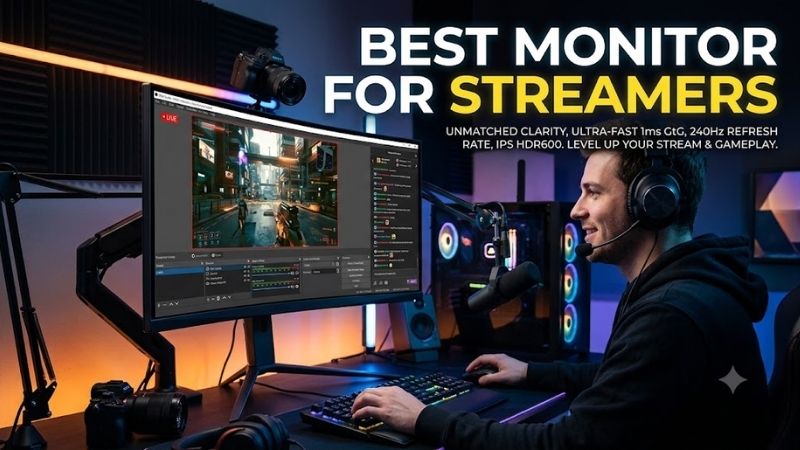
For streamers who want one premium display for gaming and production, the ASUS ROG Swift OLED PG32UCDP stands out with a 31.5-inch 4K WOLED panel, 240Hz refresh rate, and a Dual Mode that can switch to Full HD at 480Hz. That flexibility suits both high-detail games and fast competitive sessions on the same desk.
Its USB-C input supports DisplayPort Alt Mode and up to 90W power delivery, while a built-in KVM switch can simplify a two-system desk. Two HDMI 2.1 ports and DisplayPort 1.4 DSC cover modern PCs and consoles, making the PG32UCDP especially practical for creators who stream from multiple gaming and work devices.
Best For: Streamers using one display for esports, AAA games, editing, and multi-device production.
Key Features:
- 31.5-inch 3840 × 2160 WOLED
- Up to 240Hz at 4K
- Dual Mode with up to 480Hz at Full HD
- DisplayPort 1.4 DSC
- Two HDMI 2.1 ports
- USB-C with DisplayPort Alt Mode and 90W power delivery
- Integrated KVM switch
- 99% DCI-P3 coverage
What Makes It Different: Dual Mode combines a detailed 4K workspace with an extremely high-refresh Full HD gaming option, while USB-C and KVM functions make multi-system streaming desks easier to manage.
Pros:
- 4K and 480Hz Full HD modes
- KVM for dual-computer setups
- USB-C video and laptop charging
- OLED response characteristics
- Strong PC and console connectivity
Cons:
- Premium feature set may be unnecessary for casual streaming
- 480Hz mode requires dropping to Full HD
- OLED still requires sensible handling of static interfaces
Use Case: Run OBS, browser tools, editing software, and 4K games during creator work, then switch into the 480Hz Full HD mode when competitive frame rate matters more than resolution.
Who It’s For: PC streamers, esports creators, and users operating gaming and production computers from the same workstation.
Alienware AW3225QF — Best for Cinematic Streams
The Alienware AW3225QF targets streamers who value cinematic image quality without giving up high refresh rates. Its 31.6-inch curved QD-OLED panel runs at 3840 × 2160 and 240Hz, with a 0.03ms gray-to-gray response specification. The curve adds immersion, though some creators may prefer a flat panel for editing.
Connectivity includes DisplayPort 1.4 and two HDMI 2.1 inputs, with one HDMI port supporting eARC. That is useful if your streaming desk also feeds an AV receiver or compatible audio device. The monitor also includes USB downstream ports, but it does not offer the same laptop-friendly USB-C display input found on ASUS’s model.
Best For: Story-driven games, RPGs, racing games, and streamers who prioritize contrast and HDR presentation.
Key Features:
- 31.6-inch 4K QD-OLED
- Up to 240Hz
- 0.03ms GTG specification
- Curved 16:9 panel
- Dolby Vision
- Two HDMI 2.1 inputs
- DisplayPort 1.4
- HDMI eARC support
- USB hub connectivity
What Makes It Different: The curved QD-OLED panel emphasizes immersive gaming and rich HDR imagery rather than workstation-oriented additions such as USB-C video or a KVM switch.
Pros:
- 4K resolution at 240Hz
- QD-OLED contrast and color
- HDMI 2.1 for modern sources
- Dolby Vision support
- eARC for compatible audio setups
Cons:
- Curved screen may not suit every editing workflow
- No USB-C display input
- Less focused on multi-PC desk management
Use Case: Stream visually demanding single-player games while using the same screen for HDR media, video review, console gaming, and high-refresh PC play.
Who It’s For: Streamers who put image presentation and immersion ahead of integrated workstation connectivity.
LG UltraGear 32GS95UE-B — Best for 4K and Esports
The LG UltraGear 32GS95UE-B is another strong fit for streamers who switch between visually rich games and esports. Its 32-inch OLED panel supports 4K at up to 240Hz or Full HD at up to 480Hz through Dual Mode. That means you can prioritize sharpness for story games and speed for titles such as Valorant or Counter-Strike 2.
LG also integrates Pixel Sound, which produces audio from the display rather than relying on conventional external monitor speakers. Streamers will still usually prefer headphones or dedicated speakers for monitoring, but the built-in audio can keep a clean desk usable for casual playback, console setup, or quick production checks.
Best For: Streamers alternating between competitive shooters and high-detail 4K games.
Key Features:
- 32-inch OLED
- 3840 × 2160 resolution
- Up to 240Hz at 4K
- Up to 480Hz at Full HD
- Dual Mode
- 0.03ms GTG specification
- NVIDIA G-SYNC Compatible support
- Pixel Sound
What Makes It Different: Its defining feature is the ability to change between 4K/240Hz and Full HD/480Hz while retaining a 32-inch OLED platform for general gaming and creator work.
Pros:
- Two useful resolution and refresh-rate modes
- Fast OLED pixel response
- Large 4K workspace
- Integrated display-based audio
- Well matched to mixed gaming genres
Cons:
- 480Hz requires Full HD
- 32 inches can feel large on shallow desks
- Static streaming interfaces need OLED-conscious use
Use Case: Play AAA releases in 4K, then switch to the Full HD high-refresh mode before streaming ranked FPS sessions where responsiveness takes priority.
Who It’s For: Competitive streamers who also play visually demanding games and do not want separate high-resolution and high-refresh monitors.
Samsung Odyssey OLED G8 G80SD — Best for Gaming and Media
Samsung’s 32-inch Odyssey OLED G8 G80SD combines 4K resolution, a 240Hz refresh rate, a flat OLED panel, and HDMI 2.1 connectivity. It also includes Samsung Gaming Hub and Tizen smart features in supported regions, making it appealing for streamers who want one screen for PC gaming, console play, and media between broadcasts.
Its flat 16:9 shape is easier to frame around standard streaming layouts than an ultrawide monitor, and Samsung specifies 99% DCI-P3 coverage. The trade-off is that its smart-TV functions add features some PC-only streamers may never use. Buyers focused strictly on desk productivity may prefer a simpler display with USB-C or KVM support.
Best For: Streamers combining PC gaming, console gaming, and entertainment on one screen.
Key Features:
- 32-inch flat OLED
- 3840 × 2160 resolution
- Up to 240Hz
- 0.03ms GTG specification
- 99% DCI-P3 coverage
- HDMI 2.1
- HDR10 and HDR10+ Gaming
- Gaming Hub
- Tizen smart platform
- FreeSync Premium Pro
What Makes It Different: Smart-TV and gaming-platform functions give it more standalone entertainment capability than conventional desktop gaming monitors.
Pros:
- 4K OLED at 240Hz
- Flat 16:9 design
- HDMI 2.1 support
- Integrated gaming and streaming apps
- Wide DCI-P3 coverage
Cons:
- Smart features may be unnecessary for PC-only users
- No dual 480Hz gaming mode
- Productivity connectivity is less extensive than the ASUS model
Use Case: Move between PC games, consoles, streaming applications, and media consumption without dedicating the desk to a conventional monitor-only workflow.
Who It’s For: Creators who want their streaming monitor to double as an entertainment display when they are off-air.
Dell G2724D — Best Budget QHD Monitor for Streamers
The Dell G2724D is the value-focused option in this roundup. Its 27-inch Fast IPS panel runs at 2560 × 1440, reaching 165Hz over DisplayPort and 144Hz over HDMI. That resolution is easier on the GPU than 4K, which can help a single-PC streaming setup preserve frame rate while OBS is encoding in the background.
Dell lists VESA Adaptive-Sync, NVIDIA G-SYNC Compatible support, and AMD FreeSync Premium, plus 99% sRGB coverage. It lacks OLED contrast, HDMI 2.1, USB-C, and integrated USB hub features, so it is best for streamers who already own separate peripherals and want a straightforward QHD gaming display.
Best For: Budget-conscious PC streamers and single-PC setups targeting QHD gaming.
Key Features:
- 27-inch Fast IPS panel
- 2560 × 1440 resolution
- Up to 165Hz over DisplayPort
- Up to 144Hz over HDMI
- VESA Adaptive-Sync
- NVIDIA G-SYNC Compatible
- AMD FreeSync Premium
- 99% sRGB coverage
- DisplayHDR 400 certification
What Makes It Different: Instead of adding OLED, 4K, or smart features, the G2724D concentrates on QHD resolution and a high enough refresh rate for mainstream gaming.
Pros:
- QHD is less demanding than 4K
- 165Hz DisplayPort refresh rate
- Adaptive-sync support
- 27-inch size fits smaller desks
- IPS avoids OLED static-image concerns
Cons:
- HDMI is limited to 144Hz
- No USB hub or USB-C
- No HDMI 2.1
- Lower contrast than OLED alternatives
Use Case: Run a game at 1440p while OBS handles streaming or recording on the same PC, reducing graphics workload compared with native 4K gaming.
Who It’s For: New streamers, budget builds, and creators who would rather invest more of their setup budget in the GPU, microphone, lighting, or capture hardware.
How to Choose the Best Monitor for Streaming
Resolution and GPU Load
Resolution affects both gameplay load and workspace density. A 4K monitor gives OBS panels, browser sources, editing timelines, and chat more room, but it also demands more GPU power in games. QHD is often the better balance for single-PC streamers using midrange graphics hardware, especially when high frame rates matter more than pixel density.
Refresh Rate
Refresh rate matters most when the game itself benefits from fast motion clarity. A 240Hz or 480Hz display can feel responsive in competitive shooters, but your stream output will usually run at a lower frame rate than the monitor. Choose high refresh for your own gameplay experience, not because viewers will receive every displayed frame.
OLED vs IPS
OLED delivers deep blacks and very fast pixel response, which makes dark games and fast camera movement look clean. The limitation is long-term image retention risk from static interface elements. Streamers who leave OBS panels, chat windows, or overlays visible for many hours should use panel-care features and vary static layouts when practical.
Ports, USB-C, and KVM Switching
Connectivity can shape the whole streaming desk. HDMI 2.1 is useful for current consoles and high-bandwidth 4K signals, while DisplayPort remains common for gaming PCs. USB-C with video and power delivery helps laptop users, and a KVM switch can reduce clutter when one keyboard and mouse need to control a gaming PC and a second production machine.
16:9 vs Ultrawide for Streaming
A 16:9 monitor is the safest choice for streamers because most game capture, video platforms, and standard broadcast layouts are designed around that aspect ratio. Ultrawide displays can be excellent for local multitasking, but they may require cropping, letterboxing, or custom scene design before the image fits a conventional 16:9 stream.
FAQ
Do You Need a 4K Monitor for Streaming?
A 4K monitor is not required for streaming. QHD can be a smarter choice when your GPU must both render the game and support the streaming workload, because it reduces rendering demand while still giving more workspace than 1080p. Choose 4K when you also value sharper desktop text, editing space, and high-detail single-player games.
Is a 240Hz Monitor Worth It for Streamers?
A 240Hz monitor can be worthwhile for streamers who play competitive games at high frame rates. The benefit is mainly local responsiveness and motion clarity for the player; it does not mean the livestream itself is delivered at 240 fps. For slower games, 144Hz to 165Hz can already feel smooth and may leave more budget for audio or lighting.
Is OLED Good for Streaming?
OLED is a strong option for streamers because it combines fast pixel response, high contrast, and strong HDR presentation. However, static dashboards, chat windows, and creator tools can remain on screen for hours, so long sessions need more care than IPS. Panel-maintenance features and varied window placement can limit static exposure.
Do Streamers Need Two Monitors?
A second monitor is not mandatory, but it can make streaming easier by separating the game from OBS, chat, alerts, and moderation tools. If desk space or budget is limited, a 32-inch 4K monitor can hold more windows on one screen. Competitive players may still prefer the game on a dedicated high-refresh display with tools placed elsewhere.
What Monitor Size Is Best for Streaming?
For most streamers, 27 inches at QHD or 32 inches at 4K are practical sizes. A 27-inch panel keeps eye movement compact for competitive games, while 32 inches gives more room for editing and production windows. The better size depends on viewing distance, desk depth, and whether the monitor must serve as both the gaming screen and workspace.
Conclusion
The best monitor for streamers depends on how you split gaming, broadcasting, and creator work. ASUS and LG offer flexible 4K/480Hz dual-mode designs, Alienware emphasizes curved QD-OLED image quality, Samsung adds smart features, and Dell keeps costs lower with QHD IPS. Match the display to your GPU, desk, and stream workflow.
Ready to decide? Our #1 pick for 2026 is the ASUS ROG Swift OLED PG32UCDP.
Live price & availability on Amazon.