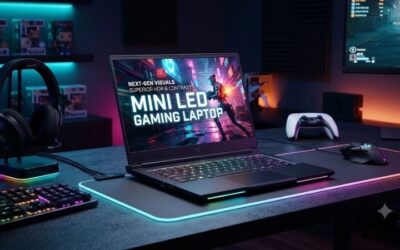
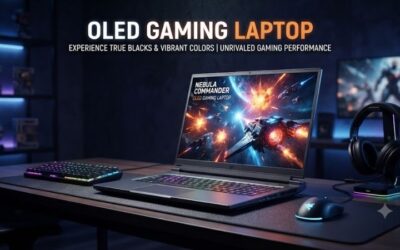
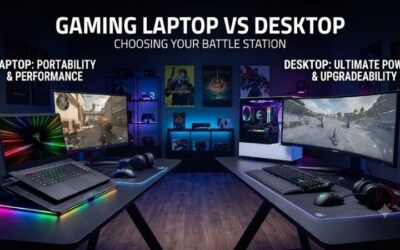
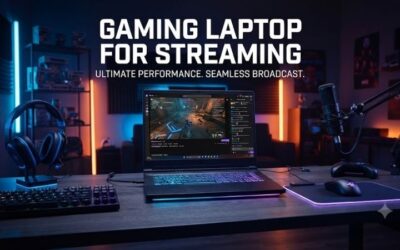
Best laptop for streaming searches often lead creators to confusing hardware jargon and thermal issues that ruin live broadcasts. This comparison guide simplifies your shopping journey by reviewing top-rated machines with strong cooling, robust graphics, and peak power so you can broadcast with complete confidence every day.
How to Choose the Right Rig for Live Streaming
Selecting the best laptop for streaming requires balancing graphic performance against continuous software encoding demands. Buyers frequently battle confusing technical jargon, high prices, and thermal throttling that causes frame drops. Our guide highlights core components to ensure your live broadcast remains clear.
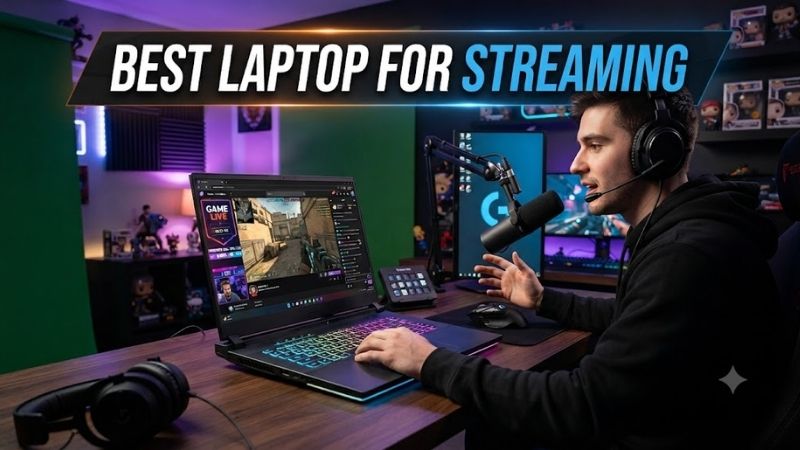
Processor Performance and Core Architecture
A robust central processor remains the primary engine behind any successful live production setup. When evaluating the best laptop for streaming, prioritize chips with high core counts and capable multithreaded architecture. These processors seamlessly encode high-definition video feeds while running demanding triple-A video games.
Modern titles demand massive computational overhead, making modern hybrid architectures from Intel and AMD highly desirable. Extra efficiency cores manage background streaming applications like OBS Studio, stream alerts, and web browser windows. This separation keeps primary gaming performance fluid without stuttering frames.
Dedicated Graphics and Hardware Video Encoders
Your dedicated graphics card handles both 3D rendering and dedicated hardware video compression tasks during broadcasts. Modern NVIDIA GeForce RTX GPUs feature NVENC technology, which offloads encoding workloads from the central processing unit. This division prevents frame pacing issues and keeps gameplay latency exceptionally low.
Aim for modern GPUs with ample video memory to accommodate higher texture qualities and future gaming releases. Adequate graphical memory guarantees that both your gameplay and streaming canvases remain crisp at high resolutions. Hardware encoders also provide sharper visual output across popular broadcasting platforms.
High-Speed Memory and Storage Configurations
Streaming concurrently with gaming consumes significant amounts of system memory across diverse applications. Sixteen gigabytes of high-frequency DDR5 memory serves as a baseline, but thirty-two gigabytes provides optimal headroom. Extra capacity prevents application crashes when running Discord, overlays, and web browsers.
Fast solid-state storage drastically reduces level loading times and eliminates asset streaming bottlenecks during live gameplay. Look for PCIe NVMe drives with swift read and write speeds to keep production responsive. Having secondary storage expansion slots allows you to store extensive local video recordings easily.
Thermal Dissipation and Display Quality
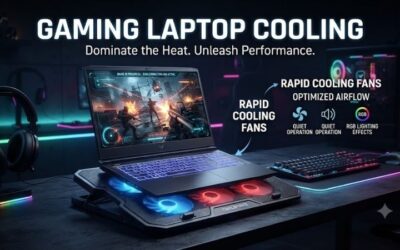
Sustained broadcasting sessions generate intense heat that can throttle internal components and harm overall stability. Premium cooling systems with vapor chambers, liquid metal, and multiple exhaust vents preserve clock speeds. Effective heat dissipation protects your hardware investment during long gaming marathons.
A high refresh rate display ensures responsive gameplay, while high color accuracy helps when editing stream assets. While external monitors are common in stationary home setups, an integrated high-resolution panel is indispensable on the road. Fast response times also eliminate visual ghosting during competitive matches.
Top Picks for High-Performance Streaming Laptops
Finding the best laptop for streaming depends on your specific gaming library, production budget, and travel requirements. We evaluated numerous flagship computers across intensive real-world tests to select dependable machines that excel under load. The following models represent the finest portable systems on the market today.
| Model | CPU | GPU | RAM / Storage | Best For |
|---|---|---|---|---|
| ASUS ROG Strix SCAR 16 | Intel i9-14900HX | RTX 4080 | 32GB / 1TB SSD | Esports Streamers |
| Lenovo Legion Pro 7i | Intel i9-14900HX | RTX 4080 | 32GB / 1TB SSD | Flagship Gaming |
| Razer Blade 16 | Intel i9-14900HX | RTX 4090 | 32GB / 2TB SSD | Premium Creators |
| Acer Predator Helios 16 | Intel i7-14700HX | RTX 4070 | 16GB / 1TB SSD | Budget Streamers |
ASUS ROG Strix SCAR 16
Competitive esports streamers who demand blistering framerates alongside top-tier broadcast quality should consider this powerhouse. It pairs an Intel Core i9 processor with an RTX 4080 GPU to deliver outstanding gaming and encoding headroom. The stunning Nebula HDR mini-LED display makes gaming scenes vibrant and immersive.
Real-world testing reveals exceptional thermal performance that keeps components cool under prolonged broadcast stresses. However, the plastic chassis accents feel less premium than aluminum competitors, and the bulky power brick reduces overall portability. It remains an extraordinary choice for serious content creators.
Lenovo Legion Pro 7i
This balanced machine stands out as the best laptop for streaming demanding titles without spending exorbitant amounts of money. Enthusiasts seeking uncompromising power and rock-solid build reliability will appreciate the clean chassis design. It easily handles concurrent gaming and streaming tasks with its robust vapor chamber.
The fantastic keyboard offers satisfying tactile feedback, which simplifies navigating hotkeys and chat controls during broadcasts. On the downside, the integrated speakers sound somewhat muddy, requiring creators to rely entirely on external headsets. Battery runtime is also quite limited away from an electrical outlet.
Razer Blade 16
Traveling professionals and creative broadcasters who prioritize a sleek, minimalist aesthetic will love this refined powerhouse. The CNC aluminum unibody delivers unmatched durability, while the dual-mode mini-LED screen lets you toggle between high refresh rates and ultra resolution. It handles intense live rendering effortlessly.
Its whisper-quiet chassis design looks right at home in professional studio spaces and on traveling production stages. Nevertheless, the steep retail price tag presents a major barrier for beginner streamers on modest budgets. The compact aluminum enclosure also warms up noticeably along the top deck during long sessions.
Acer Predator Helios 16
Emerging creators looking for maximum performance per dollar should look closely at this capable midrange contender. Packed with an Intel Core i7 processor and an RTX 4070 GPU, it tackles modern titles with impressive encoding efficiency. The bright display provides clear visuals whether you are gaming or monitoring chat.
Aggressive cooling fans maintain consistent performance during long sessions, making this a reliable best laptop for streaming on a realistic budget. Unfortunately, cooling fans generate considerable noise at full speed, requiring proper microphone noise suppression. The plastic trackpad also feels basic compared to flagship models.
Frequently Asked Questions About Streaming Rigs
Investing in the best laptop for streaming naturally brings up practical questions regarding hardware overhead, thermal management, and accessory compatibility. Creators must understand how individual specifications affect broadcast clarity and frame pacing. Below are clear answers to the most common questions asked by streamers.
How Much RAM Do You Need for Twitch Streaming?
While sixteen gigabytes of system memory suffices for basic game broadcasts, thirty-two gigabytes represents the true sweet spot for seamless production. Running modern games alongside OBS Studio, automated alert widgets, and web browser windows quickly saturates memory. Adequate memory guarantees you avoid mid-broadcast crashes.
Opting for thirty-two gigabytes also safeguards your machine against future gaming releases with steeper system requirements. It provides ample overhead to execute video editing software when creating short-form clips after your live stream finishes. Always check whether your chosen machine features upgradeable memory slots.
Can You Stream Modern Games on a Single Laptop?
Yes, modern multi-core processors and hardware video encoders make single-PC streaming completely viable on a modern gaming laptop. Choosing the best laptop for streaming eliminates the historical necessity of dedicated secondary desktop computers for video encoding. Modern hardware processes game graphics and video output concurrently.
To ensure peak stability on a single machine, configure your broadcasting application to utilize GPU hardware encoding rather than CPU software encoding. Elevate the rear of the laptop chassis or use an active cooling pad to promote uninhibited airflow. These simple measures prevent thermal throttling during demanding live broadcasts.
Does Dedicated GPU Encoding Improve Stream Quality?
Hardware encoding modules like NVIDIA NVENC offload stream compression tasks onto specialized silicon on the graphics card. This architectural division frees the primary graphics cores to focus strictly on rendering your game at high framerates. As a result, viewers experience a consistent, high-bitrate broadcast without skipped frames.
Advanced hardware encoders also employ sophisticated artificial intelligence to maximize visual sharpness at standard platform bitrates. This means fast-paced motion in competitive shooters looks crisper without visual pixelation or compression artifacts. Using hardware acceleration is essential for clean live broadcasts.
Which Display Resolution Works Best for Live Streaming?
A standard QHD resolution of 2560 by 1440 pixels provides the perfect balance between sharp visuals and high refresh rates on modern laptops. This resolution offers ample screen real estate for previewing OBS scenes and chat boxes when traveling without an external monitor. Your laptop GPU can comfortably power this display resolution.
Although 4K displays offer exceptional clarity for photo editing, they impose massive graphical penalties during fast gaming sessions. Most popular streaming platforms downscale broadcast output to 1080p or 720p anyway, making 4K internal panels largely redundant for live broadcasting. A fast QHD panel delivers the best overall experience.
View more products:
Final Thoughts
Selecting the best laptop for streaming ultimately comes down to balancing raw graphical power, cooling efficiency, and personal budget limits. High-end machines like the Legion Pro 7i deliver desktop-caliber stability, while affordable rigs handle basic gaming broadcasts smoothly. Choose the laptop that matches your ambitions and start sharing.