Short answer: put about half the budget into the machine itself, then a decent screen, then a chair that supports a growing spine. A current-generation console is the safest choice if you do not follow gaming hardware; a prebuilt gaming PC costs more but doubles as a schoolwork computer. Everything else can wait.
- First Gaming Setup: What Actually Matters, In Order
- Step 1: Choosing the Machine
- Step 2: The Screen
- Step 3: Chair and Desk — Posture Beats RGB
- Step 4: A Headset With a Microphone
- Step 5: Keyboard and Mouse
- Budget to Sensible Setup
- What Not to Overspend On First
- How to Avoid Buying Something That Cannot Run Their Friends’ Games
- The Extras Parents Forget
- Worth Setting Up on Day One
- Frequently Asked Questions
First Gaming Setup: What Actually Matters, In Order
The mistake almost every first-time buyer makes is spreading the money evenly. A teenager with a strong machine and a plain desk will be happy for years; one with a glowing keyboard, a racing-style chair and a console too weak to play what their friends play will be disappointed by February. Buy in the order below.
| Priority | What to buy | Rough share of budget | Why it comes here |
|---|---|---|---|
| 1 | The machine (console or PC) | 45-60% | Decides which games are possible at all. Nothing else can compensate. |
| 2 | Screen (monitor or TV) | 15-25% | Affects every minute of use; a bad screen wastes a good machine. |
| 3 | Chair and desk | 10-20% | Posture during the teenage growth years. Boring, and the thing they will thank you for later. |
| 4 | Headset with a microphone | 5-10% | Gaming is social now. No mic means they play alone. |
| 5 | Keyboard and mouse (PC only) | 5-10% | Matters, but the cheap ones are genuinely fine at first. |
| 6 | Extras: surge protection, cables, lighting | 5% | Cheap, dull, and protects everything above it. |
Step 1: Choosing the Machine
This is the only decision that is hard to undo, so take your time. There are three honest options, and the right one depends less on the money and more on what the teenager’s friends are already using.
A current console
A console is the lowest-stress purchase for a parent who does not know the jargon. It works out of the box, every game sold for it runs on it, parental controls are built into the system menus, and it plugs into a TV you may already own. The trade-offs: an annual fee for online multiplayer, no upgrades, and it is not a homework machine. If the teenager plays mostly with school friends on the same console, this is usually the right answer.
A prebuilt gaming PC
A desktop costs more for equivalent performance, but it is one machine for games, essays, coding class and video editing. It upgrades a piece at a time, and PC games are discounted far more aggressively than console games, which quietly claws back the higher entry price. The trade-offs: more setup, more to go wrong, and more freedom to install whatever they like. Our guide to sensible budget builds explains which parts genuinely matter if you go this route.
A gaming laptop
Buy a gaming laptop for portability, not for value. For the same money it is meaningfully slower than a desktop, runs hotter and has a shorter useful life. It makes sense if the teenager moves between two homes or has no room for a desk; otherwise it is the weakest choice per dollar. If you do choose one, budget for a real mouse.
| Console | Prebuilt PC | Gaming laptop | |
|---|---|---|---|
| Ease for a non-gamer buyer | Easiest | Moderate | Moderate |
| Doubles as a schoolwork machine | No | Yes | Yes |
| Ongoing costs | Online subscription, full-price games | None required, frequent game sales | None required, frequent game sales |
| Upgradeable later | No | Yes, piece by piece | Barely (storage and memory only) |
| Useful life before it feels slow | Long, tied to the console generation | Long, extendable with upgrades | Shortest |
| Best for | Friends all on console; simple household | One machine for everything | Two homes, small rooms, travel |
Step 2: The Screen
For a console, a TV you already own is fine to start. For a PC, buy a monitor rather than reusing an old office screen. The specification that matters most is refresh rate, measured in hertz: an office monitor updates 60 times a second, a gaming monitor 120 to 165 times, and the difference is immediately visible in fast games. Resolution matters second, size third. A 24 to 27 inch monitor at 1080p or 1440p with a high refresh rate is the sweet spot, and our explainer on refresh rate and response time goes deeper without the marketing noise.
Step 3: Chair and Desk — Posture Beats RGB
Teenagers grow fast and sit badly. A chair with adjustable height, a supportive lower back and armrests that let the elbows rest at roughly ninety degrees is worth more than any lighting kit. The dramatic racing-style chairs marketed at gamers are often worse than a plain adjustable office chair at the same price, because the bucket shape is built for looks rather than a body that changes size every six months.
The desk needs to be deep enough that the screen sits an arm’s length away and set so wrists stay flat; a keyboard tray or a cheap footrest fixes a desk that is too high. Our desk and seating setup guide covers sensible measurements for a shared bedroom.
Step 4: A Headset With a Microphone
Modern gaming is a phone call with a game attached, so a headset with a boom microphone is the difference between playing with school friends and watching them play. Look for a clamp that is not too tight, a microphone that can be physically muted, and a connection that matches the machine you bought. Comfort and mic clarity matter more than the sound claims on the box; wired models are cheaper and never run out of battery.

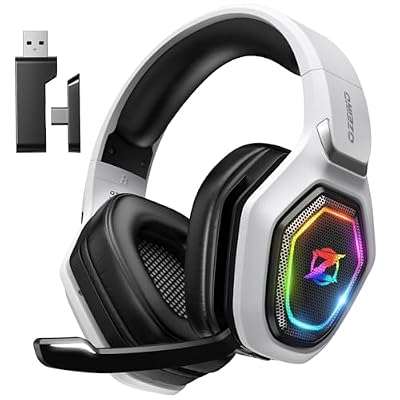


Over-ear headsets get hot during long sessions, so prioritise breathable fabric earcups over leatherette in a warm room. Our headset buying breakdown compares the wired and wireless trade-offs.
Step 5: Keyboard and Mouse
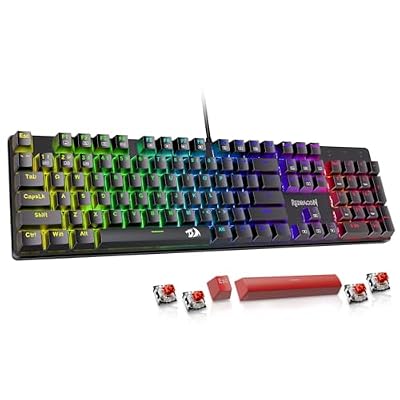
The keyboard and mouse bundled with a prebuilt are usually poor but functional. Replace the mouse first: one shaped for the teenager’s hand size makes far more difference than a mechanical keyboard does. Keyboards are mostly preference, and a first-time player has none yet. Let them use the boxed one for a few months, then buy a mechanical keyboard once they know whether they want quiet switches or clicky ones. That also makes a very easy birthday present later.
Budget to Sensible Setup
Prices move constantly, so treat these as bands rather than promises, and check current pricing before committing. Sales around major holidays and back-to-school periods genuinely do shift what each band buys.
| Total budget band | Sensible setup | What you compromise |
|---|---|---|
| Entry | Current-generation console (the cheaper digital or S-class model) on the family TV, wired headset, surge protector | No dedicated screen or desk; shared living-room space; digital-only game library |
| Mid | Console or entry prebuilt PC, 24-27in 120Hz+ monitor, adjustable office chair, wired headset with boom mic | Mid-range graphics settings on the newest releases; stock keyboard and mouse |
| Upper mid | Prebuilt gaming PC, 1440p high-refresh monitor, proper ergonomic chair, wireless headset, decent mouse | Little; this is where the money stops buying obvious improvements |
| High | Everything above plus faster graphics, larger storage, second monitor for schoolwork and chat | Diminishing returns; consider putting the extra into the chair and desk instead |
What Not to Overspend On First
Lighting strips, custom keycaps, a streaming microphone, a capture card, a racing wheel, and a chair with a brand logo on the headrest. None of these change whether the games run or whether the teenager enjoys them, which makes them excellent later gifts. Also skip expensive cables: a basic certified HDMI cable performs identically to a premium one.
How to Avoid Buying Something That Cannot Run Their Friends’ Games
This is the failure mode that genuinely ruins a gift, and two questions solve it. First, ask which specific games their friends play and on which platform, because cross-platform play is common but not universal and friend groups cluster on one system. Second, compare those games’ system requirements against the machine you are considering, aiming to exceed the “recommended” specification rather than meet the “minimum”. If you cannot do that confidently, a current console removes the risk entirely.
Be careful with heavily discounted PCs sold in supermarket electronics aisles: machines without a dedicated graphics card look like bargains and will struggle with the exact games teenagers want. Check that a separate graphics card is named in the specification, not just the processor. Our console versus PC comparison lists the traps.
The Extras Parents Forget
- Surge protection. A decent surge protector with a joule rating costs a fraction of the setup it protects. Use one, not a bare extension lead.
- Cable management. Velcro ties and a cable tray stop the desk becoming a trip hazard and make cleaning possible. Ten dollars, huge quality-of-life difference.
- Where the setup goes. A shared or semi-open space beats a closed bedroom for supervision and for noise. Check the room has enough outlets and reasonable Wi-Fi; consider a wired connection or powerline adapter if the router is far away.
- Ventilation. Do not put a PC on carpet in a closed corner; leave air space at the back.
- Storage. Modern games are enormous. An extra drive is a cheap, genuinely useful add-on.
Worth Setting Up on Day One
None of this needs to be a lecture, and it is far easier to configure at setup than to impose later. Every console and PC platform has a family account option: create it during setup, not after an argument. Three settings do most of the work. An age rating filter keeps purchases and downloads where you are comfortable. Screen-time limits, or at least the weekly activity report, are informative rather than restrictive. Finally, limit voice and text chat to accepted friends, and show your teenager how to mute, block and report someone.
One more step: turn off one-click purchasing and require a password for store transactions. In-game currency is where first setups quietly become expensive. Agreeing up front on where the machine lives and when it is switched off is also far easier on day one than in week six. Our setup and habits guide covers screen breaks and eye strain.
Frequently Asked Questions
Is a console or a gaming PC better for a teenager’s first setup?
For most families, a console is the safer first purchase: it works immediately, every game sold for it is guaranteed to run, and parental controls are built into the system. Choose a gaming PC instead if you want one machine that also handles schoolwork, coding or video editing, if the teenager’s friends play on PC, or if you want the option to upgrade parts gradually rather than replacing everything at once.
How much should I actually spend on a first gaming setup?
Spend what is comfortable, but allocate it properly rather than spreading it thin. Roughly half should go on the machine, a quarter on the screen, and the remainder on a supportive chair and a headset with a microphone. A modest, well-allocated setup will please a teenager far more than an expensive one where the money went into lighting, a branded chair and accessories while the machine itself struggles.
Do I need a gaming monitor, or will our TV work?
A TV is completely fine for a console, especially to begin with, and most recent TVs handle console gaming well. A PC really should have its own monitor at a desk, because sitting an arm’s length from a large TV is uncomfortable and text is hard to read for schoolwork. If you are buying a monitor, prioritise a refresh rate of 120Hz or higher over extra size or resolution.
What should I buy first if I can only afford part of the setup now?
Buy the machine and a headset with a microphone, and use whatever screen, desk and chair you already have. Those two items are what make the setup work and make it social. Screens, chairs and desks are easy to upgrade later, make obvious birthday or holiday presents, and are frequently discounted. Never compromise on the machine to afford accessories you can add any time.
How do I set up parental controls without making it a fight?
Configure everything during initial setup, before the machine is handed over, so the settings are simply how it works rather than a punishment imposed later. Be transparent about what you have enabled and why, focus on purchase protection and chat safety rather than blanket time restrictions, and agree the ground rules together. Teenagers accept safety settings far more readily when they are explained and not discovered.
Top picks from this guide
OzeinoOzeino Wireless Gaming Headset for PS5, PC, Switch| Lossless Audio-40H…$30 \xc2\xb7 98/100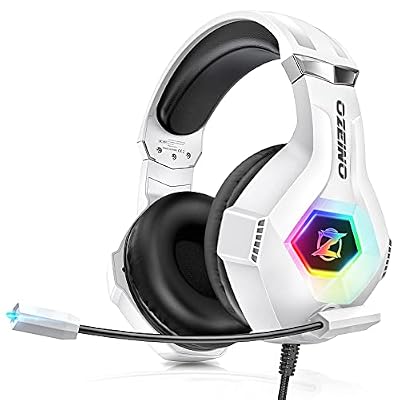 OzeinoOzeino Gaming Headset for PC, Ps4, Ps5, Xbox Headset with…$24 \xc2\xb7 98/100AOCAOC Wireless Gaming Headset for PS5, PS4, Nintendo Switch, PC-…$40 \xc2\xb7 96/100BENGOOGaming Headset for Xbox Series X|S Xbox One PS5 PS4…$18 \xc2\xb7 96/100