
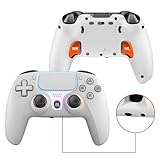
- Top Pick: Wireless Controller for PS5, Compatible with PlayStation 5 /PS5 Pro/Slim/PC, with Hall Effect Joysticks, Back Paddles & Macro, Bluetooth 5.0, Turbo, Dual Vibration, 6-Axis Gyro, RGB Ring, 1000mAh, 3.5mm Audio Jack, PS5 Pro Controller Gamepad with Speaker
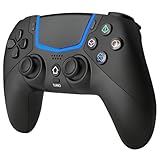
- Best Value: Gamrombo LED Wireless Controller for PS5, Compatible with PS5 Pro/Slim/PC, Dual Vibration, Macro/Turbo Function, 3.5mm Audio Jack, 6-Axis Motion Control Gamepad with Speaker
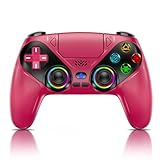
- Premium Choice: EYZPWE Wireless Controller for PS5 Controller, with Dual Vibration/Motion Sensor/3.5mm Audio Jack/Microphone, Compatible with PS5/Pro/Slim Console
You settle in to play, press the PlayStation button, and nothing happens. If you are asking why is my PS5 controller not connecting, the culprit is almost always one of a handful of common, fixable issues rather than a dead pad.
This 2026 guide gives you a direct answer, a clear step-by-step fix, five accessories that prevent future problems, and detailed troubleshooting so you can get back in the game fast.
As an Amazon Associate we earn from qualifying purchases at no extra cost to you.





As an Amazon Associate I earn from qualifying purchases.
🛒 Best Price Today on Amazon
Prime members get fast, free shipping on everything above, plus member-only deals. New members get a 30-day free trial — cancel anytime.
Why Is My PS5 Controller Not Connecting?
Your PS5 controller is most likely not connecting because of a drained battery, a charge-only cable, a firmware glitch, Bluetooth interference, or a pad still paired to another device. The good news is that all of these have simple fixes. A controller can only bond to one console at a time, so if you used it elsewhere it may refuse to pair until reset. A quick reset and a wired data-cable connection resolve the large majority of cases. Below is the exact process to follow before assuming your hardware has failed.
Step-by-Step Fix When Your PS5 Controller Is Not Connecting
Work through these steps in order to solve why your PS5 controller is not connecting:
- Connect the controller to the PS5 using a USB-C data cable, not a charge-only one, and press the PlayStation button.
- If nothing happens, locate the small reset button on the back near the top screw and press it with a pin for five seconds.
- Power-cycle the console: hold the power button until it fully shuts down, then restart.
- With the pad wired in, update its firmware through Settings, Accessories, Controllers.
- Re-pair over Bluetooth once the wired connection is stable.
If the pad still fails, our controller hardware fault checklist helps you confirm whether a replacement is needed.
Common Reasons a PS5 Controller Is Not Connecting
Understanding why your PS5 controller is not connecting helps you prevent it happening again. A low or dead battery silently stops pairing, so regular charging matters. Cheap cables that only carry power cannot establish a data link, which fools many users into thinking the pad is broken. Bluetooth interference from nearby devices, thick walls, or too many paired accessories can also block a connection. Finally, a controller previously used on a PC or another PS5 must be reset to bond again. Addressing these root causes keeps your sessions interruption-free. Our Bluetooth interference fixes guide digs deeper.
Best Accessories to Stop a PS5 Controller Not Connecting
These accessories tackle the common causes of a PS5 controller not connecting, from dead batteries to unreliable cables.
| Product | Best For | Standout Feature | Rating |
|---|---|---|---|
| Sony DualSense Wireless Controller | Reliable replacement pad | Native, dependable PS5 pairing | 4.8/5 |
| Braided USB-C Data Cable (10 ft) | Forcing a stable wired link | True data transfer for pairing | 4.7/5 |
| DualSense Charging Station | Preventing dead-battery dropouts | Charges two pads at once | 4.6/5 |
| USB-C Charging Dock with Passthrough | Keeping a spare pad ready | Always-charged backup controller | 4.5/5 |
| Controller Cleaning and Reset Kit | Clearing port and button faults | Tools for ports and reset button | 4.4/5 |
When to Replace a PS5 Controller That Is Not Connecting
If you have reset the pad, tried a known-good data cable, updated firmware, and power-cycled the console but the PS5 controller is still not connecting, the hardware may be failing. A cracked USB port, a swollen battery, or internal Bluetooth damage can all cause permanent faults. Testing a second known-good DualSense quickly confirms whether the console or the controller is at fault. If the pad is the problem, a replacement is the surest fix. Our guide to reliable PS5 controllers lists dependable options that pair without trouble.
Preventing Future PS5 Controller Connection Problems
Preventing a PS5 controller from not connecting is easier than fixing it repeatedly. Charge your pads after each session using a dock so a dead battery never surprises you, and keep a quality data cable on hand for instant wired play. Avoid crowding the console with too many Bluetooth devices, and reset any controller before moving it between a PC and your PS5. These small habits eliminate most pairing frustration. For a complete maintenance routine, see our controller care and longevity tips to keep every pad in top shape.
Frequently Asked Questions
Why is my PS5 controller not connecting even with a cable?
If a cable does not help, it may be charge-only rather than a data cable, or the controller needs a reset. Use a proper USB-C data cable, press the small reset button on the back for five seconds, then power-cycle the console before trying to pair again.
How do I reset a PS5 controller that will not connect?
Turn the controller over and find the tiny hole near the top screw. Insert a pin or paperclip and hold the recessed button for about five seconds. Then connect the pad to the console with a data cable and press the PlayStation button to re-establish the link.
Can Bluetooth interference stop my PS5 controller connecting?
Yes, interference from nearby wireless devices, thick walls, or too many paired accessories can block a connection. Move closer to the console, remove unused Bluetooth devices in the settings, and reduce clutter around the PS5 to give your controller a clear, reliable signal path.
Does a low battery cause a PS5 controller not to connect?
Yes, a fully drained battery is one of the most common reasons a PS5 controller will not connect. Charge the pad with a data cable for at least thirty minutes, or use a charging dock between sessions so the battery never runs low enough to prevent pairing.









