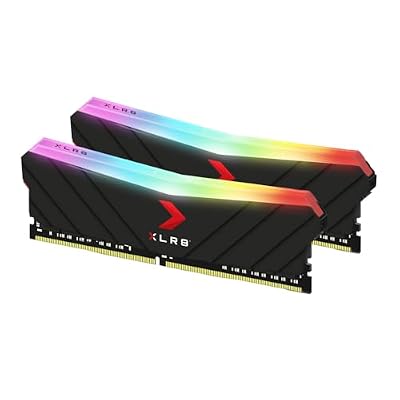
Short answer: Under $1,000 in 2026, a white gaming PC realistically means a current 6-to-8-core CPU, 16–32GB of DDR5, a 1TB NVMe SSD and a 1080p-to-1440p GPU in the RTX 5060 / RX 9060 XT / Arc B580 class, wrapped in a white mesh case. Expect the all-white treatment to add roughly 5–10% versus the same specs in black.
- What $1,000 Actually Buys in a White Gaming PC in 2026
- Why All-White Builds Cost Slightly More
- Best White Gaming PCs Under $1,000: Prebuilt Options Compared
- Building It Yourself: A White Parts List at the Same Budget
- White Mesh vs White Glass: The Airflow Trade-off
- Matching Peripherals, Cables and Keeping White From Yellowing
- Troubleshooting: Common White-Build Regrets
- Frequently Asked Questions
That premium is real but small, and it is almost entirely paid in the case, cooler, RAM and cables — not in performance. The trap at this budget is a seller who funds the white paint by quietly downgrading the power supply, the RAM speed or the drive. Here is what to buy, what to build, and what to check before you click order.

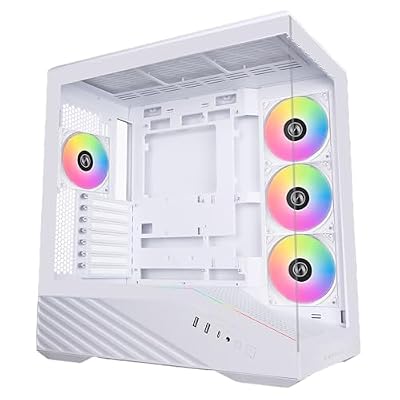
What $1,000 Actually Buys in a White Gaming PC in 2026
A thousand dollars buys a very good 1080p machine and a competent 1440p machine if you use upscaling. It does not buy a 4K card, and any listing suggesting otherwise is counting on you not knowing the GPU stack.
The GPU tier is the whole conversation
At this price the graphics card is usually an RTX 5060 (8GB), an RX 9060 XT (8GB, occasionally the 16GB version if the rest of the build is trimmed), or an Arc B580 (12GB). All three handle 1080p at high settings comfortably, and 1440p with DLSS, FSR or XeSS doing some of the work. The meaningful split is VRAM: 8GB cards already show texture-streaming stutter in some recent releases at 1440p with high texture packs, so if the machine needs to last three or four years, a 12GB or 16GB card is worth giving up CPU tier or RGB for. Our comparison of this year’s budget GPUs has the full tier-by-tier picture.
Where prebuilts cut corners at this price
Four places, almost always the same four:
- Power supply. The single most common corner. Unbranded units with no 80 Plus tier listed, sized right at the edge of the system’s draw, are routine under $1,000, and that is how a machine develops mysterious reboots in month six. Insist on a named unit with a stated efficiency rating — our notes on choosing a power supply cover what the ratings actually mean.
- RAM speed and configuration. “32GB DDR5” tells you nothing. A single 32GB stick runs in single channel and can cost you 10–20% of your frame rate versus a matched pair. Low-speed DDR5-4800 in an AMD build also leaves performance on the table when DDR5-6000 is the sweet spot.
- Storage. A 500GB drive is not enough for two large modern games. Some builders also fit DRAM-less QLC drives that feel fine in benchmarks and sluggish when you are writing a big download while playing.
- Case airflow and fan count. Pretty white glass-front cases often ship with two fans and a front panel that chokes intake. This matters more in white builds than most people expect, because white cases skew toward the decorative end of the market.
Why All-White Builds Cost Slightly More
White is a low-volume finish. Black is the default production run and white is the variant, so white SKUs carry thinner discounting, go out of stock more often and appear on sale less. White parts also need better finishing, because a white panel shows every blemish black hides.
The parts that are genuinely hard to source in white, in rough order of difficulty:
- Graphics cards. The scarcest item by far. Only a handful of board partners make white variants each generation, usually at the premium end of a GPU’s lineup. Most sub-$1,000 white builds accept a black card behind tinted glass, or use a white backplate or shroud wrap.
- Power supplies. White units exist across most major brands, but rarely in the budget wattages, and they are the part most likely to be substituted with a black one.
- Motherboards. White and silver-white boards exist at the mid range — ASRock’s Steel Legend line, Gigabyte’s Ice series, ASUS Prime boards with light heatsinks — but true white entry-level boards are uncommon.
- Storage heatsinks and cables. Easy to fix cheaply with white M.2 heatsinks and cable extensions.
Best White Gaming PCs Under $1,000: Prebuilt Options Compared
Configurations and prices at this tier change weekly, and — this is the important part — system integrators swap components under the same model name. The “same” model you read about in a review two months ago may now ship a different PSU, a different RAM kit or a smaller SSD. Always read the current spec sheet on the listing itself rather than trusting the model name.
| Option type | Typical GPU tier | Best for | Trade-off | Verify before buying |
|---|---|---|---|---|
| Big-box system integrator white build (Skytech, iBUYPOWER, CyberPowerPC) | RTX 5060 / RX 9060 XT 8GB | Getting the most GPU per dollar in white | PSU and RAM are the usual savings | PSU brand and wattage, RAM as 2 sticks, SSD capacity |
| Boutique/brand-house white build (NZXT and similar first-party systems) | RTX 5060 class | Cable management, uniform white finish, support | Lower GPU tier for the same money | Whether the GPU itself is white or black |
| Marketplace white “gaming PC” listings | Varies wildly; often last-gen | Nothing, usually | Recycled parts, vague specs, thin warranty | Exact GPU model, generation and VRAM |
| Barebones white build plus your own GPU | Whatever you buy | Reusing an existing card | Requires a little assembly | PSU wattage headroom and connector type |
| Full DIY white build | RX 9060 XT 16GB / Arc B580 12GB feasible | Best parts quality and more VRAM | Your time; no single-point warranty | White availability of each part at order time |
If your budget has any flex above this ceiling, the jump in GPU tier is steep and worth understanding before you commit — see what changes in a higher-budget build.
Building It Yourself: A White Parts List at the Same Budget
DIY is where white budgets stop hurting, because you choose exactly which parts pay the white tax and which do not. The allocation below is expressed as a share of a $1,000 budget rather than fixed prices, since street pricing moves constantly.
| Component | What to target | White availability | Rough share of budget |
|---|---|---|---|
| GPU | RX 9060 XT 16GB, RTX 5060, or Arc B580 12GB | Limited; black card behind glass is fine | ~35–40% |
| CPU | Ryzen 5 7600/9600X or Core i5-class | N/A (hidden) | ~15% |
| Motherboard | B650 / B760-class, WiFi if you need it | Good at mid range (Steel Legend, Ice, Prime) | ~12% |
| RAM | 2×16GB DDR5-6000 CL30 | Excellent — every major brand has white kits | ~8% |
| Storage | 1TB Gen4 NVMe with DRAM | Add a white M.2 heatsink | ~7% |
| Case | White mesh-front mid tower | Excellent | ~8% |
| PSU | 650–750W, 80 Plus Gold, named brand | Limited in white at this wattage | ~8% |
| Cooler & fans | White dual-tower air cooler, 3–4 intake fans | Excellent | ~5% |
Skip the white PSU if it forces you into an unrated unit; a shroud hides it anyway. Spend the saving on fans instead. If this is your first build, work through a step-by-step assembly walkthrough before you open a single box.
White Mesh vs White Glass: The Airflow Trade-off
White cases split into two camps and the split matters thermally. Mesh-front designs pull cool air straight onto the GPU and let a $1,000 build run at sane temperatures with stock fans. Glass-front designs draw air through narrow side slots instead, and in a sealed white glass box a budget GPU can sit 8–15°C hotter under load, which shows up as higher fan speed and lower sustained clocks rather than crashes.
There is also a look-specific catch: white interiors reflect light, so dust is far more visible than in a black case. Positive pressure — more intake than exhaust — with filters on the intakes keeps the inside looking clean far longer. Three intakes and one exhaust is a good default. Our case airflow primer explains why that pressure balance works.
Matching Peripherals, Cables and Keeping White From Yellowing
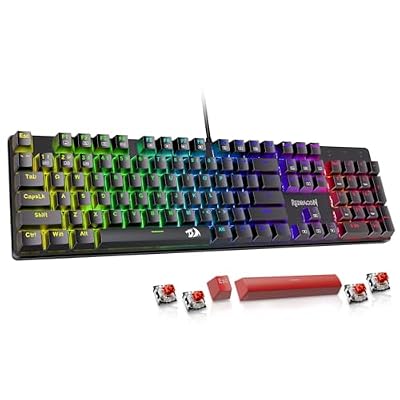
A white tower next to black peripherals looks unfinished, and matching the desk is cheaper than matching the PC. White mice, mousepads and white mechanical keyboards are widely available, and a white monitor matters most because it takes up the largest share of the desk — check current 1440p panel options for white or silver variants.
Inside the case, white cable extensions are the highest-impact $20–30 you can spend: stock black PSU cables ruin an otherwise clean white build more than any other single detail. Buy extensions with a comb, not just sleeves.
Why white plastic yellows, and how to slow it down
Painted steel and aluminium panels do not yellow. White ABS plastic does — front trim, fan blades, PSU shrouds, cable sleeves and keycaps. The cause is a combination of UV exposure and the bromine-based flame retardants in the plastic oxidising over time, accelerated by heat. Mitigations: keep the tower out of direct sunlight, prefer PBT keycaps over ABS, choose cases whose white surfaces are painted steel rather than raw plastic, and run positive-pressure airflow so internal plastics stay cooler. Nicotine smoke and cooking grease accelerate it dramatically, and isopropyl alcohol removes surface film but will not reverse oxidation once set.
Troubleshooting: Common White-Build Regrets
Three regrets come up repeatedly. The GPU arrives black when the listing photo showed a white system — check the card model in the spec sheet, not the render. The build runs hot because the buyer picked a glass front and kept two stock fans; two extra intakes fix most of it cheaply. And the PSU cables were never addressed, so the interior looks half-done. Weighing white against plain black at the same price, our budget build comparison frames it honestly: same performance, modest aesthetic tax, a fine trade as long as you know you are making it.
Frequently Asked Questions
Is a white gaming PC more expensive than a black one?
Yes, but only slightly. Expect roughly 5–10% more for the same performance, concentrated in the case, cooler, RAM kit and cables rather than in any component that affects frame rates. White graphics cards and white power supplies carry the biggest premiums, which is why most builds under $1,000 use a black card behind tinted glass and hide the power supply under a shroud. Skipping those two white parts removes most of the extra cost.
Do white PC cases get hotter than black ones?
The colour itself makes no meaningful difference at PC temperatures — the paint finish has a negligible effect on heat transfer. What does matter is that white cases are disproportionately sold as decorative glass-front designs rather than mesh-front airflow designs. A white mesh case with three intake fans will run cooler than a black glass case, and hotter than nothing else. Judge the front panel and fan count, not the colour.
What GPU should I expect in a white prebuilt under $1,000 in 2026?
Realistically an RTX 5060 with 8GB, an RX 9060 XT with 8GB, or occasionally an Arc B580 with 12GB. Anything advertising a significantly higher tier at this price is either using a previous-generation card, cutting the power supply and storage severely, or is a temporary promotional configuration. Confirm the exact model name, generation and VRAM figure on the listing before ordering, because integrators substitute cards frequently.
How do I stop my white PC from turning yellow?
Keep it out of direct sunlight, since ultraviolet exposure is the main driver of the oxidation that yellows white ABS plastic. Prefer cases whose white surfaces are painted steel rather than bare plastic, keep internal temperatures down with good intake airflow, and avoid smoking or cooking near the machine. Painted metal panels essentially never yellow; plastic trim, fan blades and cable sleeves are what discolour first, and they are individually replaceable.
Should I buy a white prebuilt or build one myself at this budget?
Build it yourself if you are comfortable with a few hours of assembly, because DIY lets you spend the white premium only where it is visible and put the savings into more VRAM, a better power supply and extra fans. Buy a prebuilt if you want a single warranty contact, immediate delivery, or if a sale price undercuts the parts total, which does happen with graphics-card-heavy configurations.
Top picks from this guide
 Lian LiLian Li O11 Vision Compact ATX PC Case, Back-Connect, White…$125 \xc2\xb7 99/100
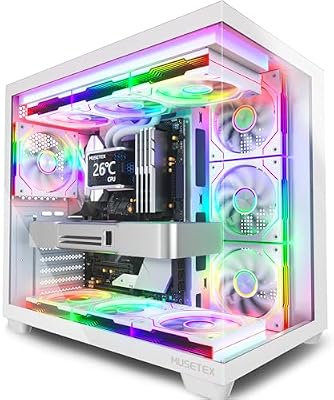 MUSETEXMUSETEX Y6 PC Case, Pre-Installed 7 Infinity Mirror PWM ARGB…$90 \xc2\xb7 99/100
 HYXNHYXN H1 HYXN ATX PC Case - Pre-Installed with 7…$80 \xc2\xb7 99/100CorsairCORSAIR 3500X RS ARGB Panoramic Mid-Tower PC Case – White$80 \xc2\xb7 98/100