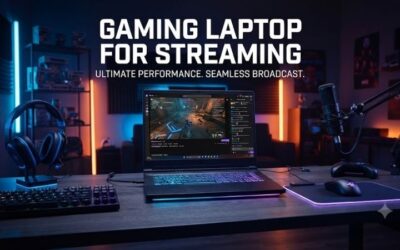
A laptop’s built-in microphone has never been great, and in 2026 it still is not. You end up on video calls sounding hollow, or your YouTube audio carries every click of your keyboard and hum of your fan. A dedicated external microphone fixes this, but the market is flooded with cheap USB mics that promise studio sound and deliver nothing but noise floor and distortion.
The real question is not whether an external microphone improves your audio — it does — but which one handles your specific use case without wasting your money. We compared the published specifications and owner-reported experiences across eight budget-friendly options to find where each model actually excels and where it falls short. The differences are meaningful: a mic that sounds clean on a quiet podcast recording can fall apart in a noisy dorm room, and one that works flawlessly on a Mac may trigger driver complaints on Windows.
As an Amazon Associate we earn from qualifying purchases at no extra cost to you. Product prices and availability are accurate as of the date shown and are subject to change.





Quick Picks
| Product | Best for | Price |
|---|---|---|
| CMTECK G009 | Podcasters and streamers on a tight budget | $15.29 |
| Mini USB Microphone | Simple plug-and-play recording | $9.99 |
| AIRHUG USB Microphone | Users who want zero speaker feedback | $23.39 |
| CMTECK Plug-and-Play | Home studio starters | $13.99 |
| FIFINE K054 | Zoom and Twitch streaming | $21.99 |
| CHANGEEK Mini USB | Remote work and online classes | $16.99 |
| FIFINE K669B | Vocal recording and meetings | $29.99 |
| MillSO Gooseneck | Desktop setups needing flexible positioning | $16.99 |
How We Picked
We evaluated these microphones on four criteria that matter most in this price range. First, pickup pattern and noise rejection: a cardioid pattern with solid isolation from ambient noise separates a usable mic from one that captures everything in the room. Second, driver and platform compatibility, because plug-and-play on Windows does not guarantee the same experience on macOS. Third, build quality and positioning flexibility — goosenecks, shock mounts, and mute buttons all affect daily usability. Fourth, the consistency of owner feedback around long-term durability, since a mic that degrades after a few months is not worth the savings.
The 8 Best External Microphone For Laptop in 2026
CMTECK G009
The G009 targets podcasters and streamers who need a desktop mic with real noise-cancelling capability without spending above fifteen dollars. Owners consistently report that it suppresses room noise better than similarly priced options, and the built-in mute function is a practical addition for live calls. The condenser capsule handles speech and vocals with enough warmth for casual content creation.
- Pro: Effective noise-cancelling for its price tier
- Pro: Convenient mute function reduces accidental audio leaks during recordings
- Con: Some Windows users report initial recognition delays that require replugging
Skip it if you need a microphone that works on the first plug-in every single time without any troubleshooting patience.
Mini USB Microphone for Laptop & Desktop
At under ten dollars, this is the most straightforward option for anyone who simply needs better-than-built-in audio for online classes or occasional voice memos. The form factor is compact enough to clip to a monitor edge without dominating desk space, and it requires no software installation.
- Pro: Genuinely plug-and-play with no driver hassles on either platform
- Pro: Smallest and least obtrusive footprint in this roundup
- Con: Audio quality is noticeably flat and lacks depth for anything beyond speech
Skip it if your recordings involve music, vocals, or anything where tonal character matters.
AIRHUG USB Microphone No Speaker
The “No Speaker” design is the entire selling point here. This mic eliminates any possibility of feedback loops or speaker bleed, making it ideal for users who record voiceovers while wearing headphones and want absolute isolation. At $23.39 it sits in the middle of the price range, and owners note solid build quality for the money.
- Pro: Zero feedback risk due to absence of a speaker element
- Pro: Sturdy desktop base resists tipping on cluttered desks
- Con: No gain or volume control on the mic itself, forcing software adjustments
Skip it if you prefer hardware-level control over your input level and do not want to dig into system settings.
CMTECK Plug-and-Play Studio-Quality
CMTECK’s second entry markets itself on “studio-quality” at $13.99, which is an overstatement, but it delivers noticeably cleaner audio than the truly cheapest options. It works well for home studio beginners recording vocals or acoustic instruments at moderate levels. Owners appreciate the metal housing, which adds durability without inflating weight.
- Pro: Metal construction feels durable for the price bracket
- Pro: Reliably recognized by both Windows and Mac without driver installation
- Con: Lacks any onboard controls, so all adjustments happen in software
Skip it if you frequently switch between recording environments and need quick hardware mute or gain tweaks.
FIFINE K054
The K054 is FIFINE’s compact condenser aimed squarely at the Zoom-and-Twitch crowd. Its LED mute indicator is a small but genuinely useful feature for streamers who need to verify at a glance that their mic is off. Owners on Amazon highlight consistent performance across Windows and macOS, and the included stand is stable enough for a laptop desk setup.
- Pro: Mute button with LED indicator eliminates guesswork during live calls
- Pro: Well-suited for both YouTube recording and Twitch streaming without adjustments
- Con: Cardioid pickup still allows moderate keyboard noise from directly in front
Skip it if you type mechanically during calls and need maximum rejection of frontal noise sources.
CHANGEEK Mini USB Microphone with Gooseneck
This one pairs a gooseneck arm with a universal USB sound card, making it a strong fit for remote workers and educators who need to position the mic precisely while maintaining compatibility across multiple machines. At $16.99 the included sound card adds value for anyone whose laptop USB audio port is unreliable. Owners report that the gooseneck holds its position well over months of use.
- Pro: Gooseneck enables precise aiming at your mouth for consistent pickup
- Pro: Bundled sound card removes compatibility concerns across different computers
- Con: Condenser capsule is sensitive to background noise, so quiet rooms are essential
Skip it if your workspace has constant ambient noise like fans, traffic, or chatter.
FIFINE K669B
At $29.99 this is the most expensive pick in the group, and it earns that position. The K669B is a full-size condenser designed for vocal recording and professional meetings, with a noticeably richer and more detailed sound than the smaller models. Owners frequently mention that it punches above its weight for acoustic guitar and voiceover work.
- Pro: Full condenser design produces the richest audio quality in this roundup
- Pro: Robust stand and build feel appropriate for permanent desk setups
- Con: Larger footprint makes it impractical for small desks or frequent relocation
Skip it if you need a portable or low-profile mic for shared or tight workspaces.
MillSO USB Microphone Gooseneck
MillSO offers another gooseneck option at the same $16.99 price as the CHANGEEK, with a slightly slimmer profile. It targets users who want flexible positioning without the bulk of a full desktop stand. Owners note reliable recognition on both Windows and Mac, and the thin neck allows placement close to the mouth while staying out of camera frames during video calls.
- Pro: Slim gooseneck stays out of video call frames while remaining close to the mouth
- Pro: No software or drivers needed, works immediately on both platforms
- Con: Base is lightweight and can slide on smooth surfaces without repositioning
Skip it if your desk surface is slick and you cannot anchor the mic with a mat or tape.
Buying Guide
Pickup Pattern and Noise Rejection
Every mic in this list uses a cardioid or supercardioid pattern, meaning it favors sound from the front while reducing side and rear noise. For laptop use, this matters most with keyboard clicks, laptop fans, and room reverberation. A gooseneck mic lets you minimize distance to your mouth, which naturally improves signal-to-noise ratio. If your environment is uncontrolled, prioritize models where owners specifically mention noise handling rather than just frequency range.
Platform Compatibility and Driver Behavior
“Plug-and-play” on the box does not always mean identical behavior on Windows and macOS. Some mics are recognized instantly on both, while others require a replug cycle or a brief system audio reset. The universal sound card included with the CHANGEEK sidesteps this entirely. If you use both operating systems, check owner reviews filtered by your exact OS version before purchasing.
Onboard Controls vs. Software Adjustment
A mute button is the single most useful onboard feature for anyone doing live calls or streaming. An LED indicator adds certainty that the mute is actually engaged. Gain knobs on the mic body are rarer at these prices but save time when switching between recording and meeting modes. If a mic has no hardware controls, you will rely entirely on your operating system’s input level slider, which can be inconvenient mid-session.
Our Verdict
The FIFINE K669B is the top pick for anyone whose primary use is vocal recording or professional meetings, offering the clearest and most detailed sound in this group. The Mini USB Microphone at $9.99 is the budget pick — it will not impress anyone tonally, but it solves the built-in-mic problem for under ten dollars. If your laptop runs both Windows and macOS and you want zero compatibility headaches, the CHANGEEK Mini USB with its bundled sound card wins on that specific criterion alone.
FAQ
Do I need an external microphone if my laptop has a built-in one?
Yes, if audio quality matters for your work or content. Built-in mics sit near fans and hard-drive noise sources, and their capsules are too small to capture natural vocal tone. Even the cheapest option in this list produces noticeably cleaner results than any current laptop’s onboard mic.
Will a USB microphone work on both Windows and Mac?
Most do, but the experience can differ. Some models are recognized instantly on both platforms while others may need a brief audio-reset cycle on macOS. Always filter owner reviews by your operating system before committing to a specific model.
Is a condenser mic better than a dynamic mic for laptop use?
For this price range and use case, a condenser is the practical choice. It requires no additional gain stage beyond what USB provides and captures speech with more detail. Dynamic mics need significantly more input volume, which most laptop USB interfaces cannot supply cleanly without a dedicated preamp.
Can I use these microphones for gaming and streaming?
Several models here work well for streaming, especially those with mute buttons and LED indicators like the FIFINE K054. For gaming with heavy mechanical keyboard use, prioritize a mic you can position close to your mouth via gooseneck to maximize your voice relative to key noise.