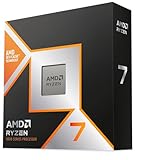
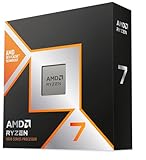
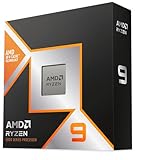
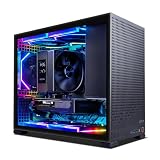
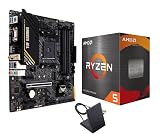
The Ryzen 7 7800X3D spent nearly two years as the default recommendation for anyone building a gaming PC, and for good reason: 3D V-Cache turned an ordinary eight-core chip into a frame-rate machine that regularly embarrassed CPUs costing twice as much. Its successor, the Ryzen 7 9800X3D, took that formula and fixed its two biggest weaknesses — clock speed and overclocking — by moving the stacked cache underneath the compute die instead of on top of it.
In 2026 both chips are still very much on the table. The AMD Ryzen 7 7800X3D has aged into a value pick that frequently appears in discounted bundles, while the AMD Ryzen 7 9800X3D remains the mainstream gaming performance leader on socket AM5. Because both drop into the same platform and AMD has committed to AM5 well beyond this generation, the decision is less about future-proofing your motherboard and more about how much you’re willing to pay per frame — and whether your GPU and monitor can actually cash the check.
As an Amazon Associate we earn from qualifying purchases at no extra cost to you.








⚡ Save on Your Next PC — Amazon Prime
Prime members get fast free shipping on the systems above, plus early access to Prime Day & Black Friday PC deals. New members get a 30-day free trial.
Watch: Ryzen 7 9800X3D vs 7800X3D: Upgrade in 2026? — Video Review
Quick Verdict
Buy the Ryzen 7 9800X3D if you’re pairing a high-end GPU with a 1440p or 1080p high-refresh monitor, play CPU-bound titles like simulators, MMOs, or competitive shooters, or want the best all-round chip that also handles streaming and content creation without compromise. Buy the Ryzen 7 7800X3D if you’re gaming at 4K, running a mid-range or last-gen GPU, or building to a fixed budget — it delivers the large majority of the 9800X3D’s gaming performance and the savings are often better spent on graphics.
Key Differences
- Architecture: The 7800X3D uses Zen 4, while the 9800X3D moves to Zen 5 with roughly 10–16% higher instructions per clock in most workloads.
- Cache placement: AMD’s second-generation 3D V-Cache sits below the cores on the 9800X3D rather than above them, dramatically improving heat transfer to the cooler.
- Clock speeds: The 7800X3D tops out around 5.0GHz boost from a 4.2GHz base; the 9800X3D pushes to roughly 5.2GHz boost from a much higher 4.7GHz base.
- Overclocking: The 7800X3D is effectively locked to Curve Optimizer undervolting, whereas the 9800X3D is fully unlocked with multiplier and voltage control.
- Gaming performance: Expect roughly 8–15% more average FPS from the 9800X3D at 1080p and 1440p, with larger gaps in simulation and strategy titles and near-parity at 4K on most GPUs.
- Power and cooling: Both are 120W TDP parts on AM5, but the 9800X3D draws noticeably more under load and rewards a stronger cooler, while the 7800X3D is famously efficient in games.
AMD Ryzen 7 7800X3D: The Value Champion
The 7800X3D’s 96MB of combined L3 cache is still the reason it punches so far above its specification sheet. Games that thrash memory — open-world titles, flight and city simulators, large-scale strategy — see enormous gains simply because the working set fits on the chip. Even in 2026, it comfortably feeds an upper-mid-range GPU at 1440p and rarely becomes the bottleneck at 4K, which is exactly where most gamers with a single high-end card actually play.
Its other advantage is efficiency. The chip commonly sits well under 90W during gaming, meaning a decent tower air cooler is plenty and your case stays quiet. That makes bundles genuinely appealing: the AMD Ryzen 7 7800X3D AM5 kit with the Cooler Master Hyper Spectrum V3 air cooler removes a purchasing decision, and the Micro Center 7800X3D bundle with a GIGABYTE B850 Gaming WF motherboard gets you a modern, PCIe 5.0-capable board without hunting for compatibility. The trade-offs are the locked multiplier and the fact that this is a two-generation-old part — fine today, but with less headroom as GPUs continue to outpace CPUs.
AMD Ryzen 7 9800X3D: The Performance Pick
The 9800X3D is what happens when AMD removes the thermal handicap from 3D V-Cache. With the cache layer relocated beneath the cores, the silicon runs cooler where it matters, so AMD could raise clocks substantially and finally unlock the chip. The result is a CPU that no longer trades productivity performance for gaming performance: it’s meaningfully quicker than the 7800X3D in rendering, compiling, and encoding while still leading in games.
Where you’ll feel the difference most is at high refresh rates. If you’re chasing 240Hz at 1080p or driving a flagship GPU at 1440p, the extra frames are real and consistent, particularly in 1% lows. For streamers and anyone who alternates between gaming and creative work, it’s the more sensible long-term purchase. Budget for adequate cooling — a good dual-tower air cooler or a 240mm AIO — and check that your motherboard is on a current BIOS before installation.
Which Should You Buy?
- For 1080p/1440p high-refresh competitive gaming: pick the 9800X3D — CPU-bound frame rates are exactly where it earns its premium.
- For 4K gaming with a single GPU: pick the 7800X3D and put the difference toward graphics; you’ll rarely see the gap.
- For gaming plus streaming, editing, or code compilation: pick the 9800X3D for its stronger multi-threaded and single-thread throughput.
- For the cheapest complete build: pick a 7800X3D bundle, or consider the Ryzen 7 7700X if pure value per dollar outranks peak gaming performance.
- For a balanced non-X3D build: the Ryzen 7 9700X offers Zen 5 efficiency and solid all-round speed, though neither it nor the 7700X matches X3D chips in cache-sensitive games.
Frequently Asked Questions
Do the 7800X3D and 9800X3D use the same motherboard?
Yes. Both are socket AM5 and work with B650, X670, B850, and X870 boards. The 9800X3D requires a reasonably recent BIOS, so buy a board that ships with Zen 5 support or one that offers BIOS flashback.
Is the 9800X3D worth the upgrade from a 7800X3D?
Generally no. A 10–15% gain rarely justifies the cost if you already own a 7800X3D — that money almost always does more in a GPU upgrade. The 9800X3D makes far more sense for new builds or upgrades from older AM4 systems.
How much RAM should I pair with either chip?
32GB of DDR5-6000 CL30 in a two-stick kit is the sweet spot for both. Large cache reduces memory sensitivity, so there’s little benefit in chasing exotic high-speed kits.
Do I need liquid cooling?
Not necessarily. The 7800X3D is happy on a mid-range air cooler. The 9800X3D runs hotter under sustained load, so a quality dual-tower air cooler or 240mm AIO is recommended, especially if you plan to overclock.
Final Verdict
The Ryzen 7 9800X3D is the better processor in essentially every measurable way and the right choice if you’re building a high-refresh gaming rig or a machine that works as hard as it plays — but the Ryzen 7 7800X3D remains one of the smartest value buys in PC gaming, and at 4K or with a mid-range GPU, most players genuinely will not notice the difference. Match the chip to your monitor and graphics card rather than to the benchmark charts, and either one will serve you well for years on AM5.