- Top Pick: Meta Quest 3S 128GB | VR Without Wires — Gorilla Tag Cardboard Monkenaut Bundle — Amazon Exclusive —Access to 100+ Games with a 3-Month Trial of Meta Horizon+ Included
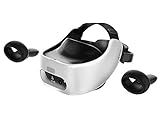
- Best Value: HTC Vive Focus Vision Wired Bundle — XR Headset with DisplayPort PC VR Streaming Kit
- Premium Choice: Pimax Crystal Super VR Headset, 3840×3840 per Eye, Ultrawide, 140° FOV, Eye- Tracking, Ultra-Sharp for Flight & Racing Simulators & Gaming, DP Connection with PC
Diving into SteamVR opens up an enormous library of PC virtual reality games, from room-scale adventures to demanding flight and racing simulators. But getting the best experience depends heavily on the headset you strap on. Today’s options range from wireless all-in-one units that also tether to a PC, to high-resolution enthusiast headsets built purely for sharp, immersive PC VR.
This review examines the standout SteamVR-compatible headsets available now, comparing their displays, comfort, and connectivity so you can find the right match for your rig and your play style. Whether you want convenience or the crispest visuals possible, there is a headset here for you.
As an Amazon Associate we earn from qualifying purchases at no extra cost to you. Product prices and availability are accurate as of the date shown and are subject to change.


🎮 Get More From Your Setup — Free
Prime Gaming gives you free PC games every month, in-game loot, and a free Twitch channel sub — plus fast free shipping on all the gear above. New members get a 30-day free trial.
Watch: Steam Vr Headset: Review & Buyer’s Guide — Video Review
Design & Build
The headsets in this lineup take noticeably different approaches. The Meta Quest 3 and 3S are self-contained, lightweight, and comfortable for long sessions, with the freedom to run standalone or connect to a PC for SteamVR. The HTC Vive Focus Vision and XR Elite emphasize mixed reality and premium materials, feeling more substantial on the head but offering refined balance and adjustable optics. The Pimax Crystal Super is the enthusiast’s choice, a larger, heavier headset engineered around image quality rather than portability. Comfort varies with fit and included straps, so pay attention to head shape and whether a deluxe strap is bundled.
Performance
Visual clarity is where these headsets separate. The Pimax Crystal Super leads with a striking 3840×3840 per eye resolution, a wide 140-degree field of view, and eye tracking, making it exceptional for flight and racing sims where reading distant instruments matters. The HTC Vive Focus Vision with its DisplayPort PC VR streaming kit delivers sharp wired PC VR, while the Quest 3 512GB and Quest 3S offer excellent value and strong performance either wirelessly via Link or over a cable. All connect to SteamVR, but the wired enthusiast headsets demand a powerful GPU to drive their high pixel counts smoothly.
Pros & Cons
- Full SteamVR library access across every headset here.
- Options for every budget, from value Quest units to premium Pimax.
- High-resolution choices for simulation and detail-critical gaming.
- Mixed reality features on the HTC and Quest models add versatility.
- Enthusiast headsets require a strong PC and DisplayPort connection.
- Heavier premium models can fatigue during marathon sessions.
- Wireless PC VR depends on a solid Wi-Fi setup for best results.
Alternatives to Consider
If value and flexibility matter most, the Meta Quest 3S and Quest 3 are the easy recommendations, doubling as standalone and PC VR headsets. Simulation fans with capable rigs should look at the Pimax Crystal Super for its unmatched clarity and field of view. Those wanting a premium wired-and-mixed-reality experience will find the HTC Vive Focus Vision and XR Elite compelling, especially with their deluxe packs.
Frequently Asked Questions
Can the Meta Quest run SteamVR games?
Yes. The Quest 3 and 3S connect to a PC via cable or wireless Link to play the full SteamVR library, in addition to their standalone games.
Do I need a powerful PC for these headsets?
The higher the resolution, the more GPU power you need. The Pimax Crystal Super in particular benefits from a high-end graphics card.
Which headset is best for flight and racing sims?
The Pimax Crystal Super, thanks to its very high per-eye resolution, wide field of view, and eye tracking that helps you read instruments clearly.
Is wireless PC VR good enough?
With a strong Wi-Fi setup, wireless PC VR on the Quest is impressive. For zero-compromise clarity, a wired DisplayPort connection is still best.
Verdict
The right SteamVR headset depends on your priorities and your PC. The Meta Quest 3 and 3S deliver outstanding all-round value and flexibility, the Pimax Crystal Super is the clarity king for simulators, and the HTC Vive Focus Vision and XR Elite serve buyers who want premium mixed reality with wired PC VR. Match the headset to your GPU and play style, and SteamVR’s huge library is yours to explore.