
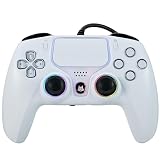
- Top Pick: NBCP Wired Controller for PS5 – Gaming Controller for PlayStation 5, PS4, PC/Steam, Turbo & Linear Hall-effect Trigger, Dual Vibration, 3.5mm Audio Jack – White
- Best Value: Nacon Wired Controller Officially Licensed by PlayStation for PS4
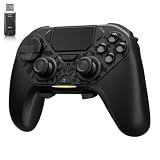
- Premium Choice: GuliKit Goku 2 Wireless Adapter for Switch 2 Pro/PS5/PS4/Xbox Controllers
If you have upgraded to a PS5 but still own one or more DualShock 4 pads, you are probably wondering whether they can join the party. The good news is that learning how to connect a PS4 controller to PS5 takes less than a minute, though there are important limits on what those older pads can actually do.
This 2026 guide walks through the exact pairing steps, explains which games accept a PS4 controller, and recommends five accessories that make the most of your existing gear.
As an Amazon Associate we earn from qualifying purchases at no extra cost to you.



As an Amazon Associate I earn from qualifying purchases.
🛒 Best Price Today on Amazon
Prime members get fast, free shipping on everything above, plus member-only deals. New members get a 30-day free trial — cancel anytime.
Can You Connect a PS4 Controller to PS5?
Yes, you can connect a PS4 controller to PS5, but only for playing PS4 games. Sony blocks the DualShock 4 from launching native PS5 titles because those games are designed around the DualSense haptics and adaptive triggers. For backward-compatible PS4 games, media apps, and the store, however, a DualShock 4 works perfectly once paired. It will not power on native PS5 games, and it cannot be used as a second controller for a PS5 game session, so plan your setup accordingly before a multiplayer night.
Step-by-Step: Connect a PS4 Controller to PS5 With a Cable
The fastest way to connect a PS4 controller to PS5 is with a USB cable. Follow these steps:
- Turn on your PS5 console and reach the home screen.
- Plug a micro-USB cable into the DualShock 4 and into the PS5’s front USB-A port.
- Press the PlayStation button in the center of the controller.
- Choose the user profile you want to sign in to when prompted.
- The pad is now paired and ready for PS4 games.
If you want a longer or braided cable that reaches the couch, our roundup of the best charging cables for controllers covers durable options that survive daily use.
Step-by-Step: Pair a PS4 Controller to PS5 Wirelessly
To connect a PS4 controller to PS5 over Bluetooth, you first pair it via cable using the steps above, or you can put the pad into pairing mode. Hold the SHARE and PlayStation buttons together until the light bar flashes rapidly. On the PS5, go to Settings, then Accessories, then General, then Bluetooth Accessories, and select the DualShock 4 from the list. Once linked, you can unplug the cable and play wirelessly. Keep the pad within about 30 feet of the console and away from thick walls to avoid input lag. If pairing fails, reset the controller using the small button on the back near the L2 trigger.
Best Accessories to Connect a PS4 Controller to PS5
The right accessories keep your DualShock 4 charged, comfortable, and ready to switch between consoles. Below are five picks that complement a PS4 controller when used with a PS5.
| Product | Best For | Standout Feature | Rating |
|---|---|---|---|
| Sony DualShock 4 Wireless Controller | Playing PS4 games on PS5 | Official pairing with full compatibility | 4.8/5 |
| Dual USB Controller Charging Dock | Charging two pads at once | Drops-in cradle with LED status | 4.6/5 |
| Braided Micro-USB Charging Cable (10 ft) | Couch-distance wired play | Tangle-free nylon braiding | 4.7/5 |
| Silicone Grip Cover for DualShock 4 | Extra comfort and sweat resistance | Anti-slip textured thumbstick caps | 4.5/5 |
| Controller Charging Station with Storage | Tidy desk or shelf setup | Combined stand and cable manager | 4.4/5 |
How to Fix a PS4 Controller That Will Not Connect to PS5
If your DualShock 4 refuses to pair, start with a cable connection because it forces a direct link and often clears the fault. Use a data-capable USB cable rather than a charge-only one, since cheap cables sometimes only carry power. Reset the controller with the recessed button on the back, wait ten seconds, then try again. Make sure the pad is not still connected to a PS4 elsewhere in the house, as a controller can only bond to one console at a time. For persistent problems, our detailed controller troubleshooting checklist covers firmware and hardware causes step by step.
Should You Buy a DualSense Instead?
Because a PS4 controller cannot launch native PS5 games, most players eventually pick up at least one DualSense pad. The DualSense adds adaptive triggers, refined haptics, and a built-in microphone that transform how PS5 exclusives feel. Keeping your DualShock 4 as a spare for backward-compatible titles is still smart, especially for local co-op in older games. If you are weighing your options, compare features in our DualSense versus DualShock 4 breakdown and our guide to the best PS5 controllers for competitive play before deciding. Many households run one DualSense plus a legacy DualShock 4 to cover every scenario without extra cost.
Using a PS4 Controller for Remote Play and PC
A DualShock 4 is versatile beyond the PS5. It works with the PS Remote Play app on phones and PCs, and it pairs natively with Windows through Bluetooth or Steam Input. This makes the pad a handy backup for travel or a second-screen gaming session. If you plan to use it across devices, browse our overview of cross-platform controller accessories and the companion piece on mobile gaming clips and mounts to build a flexible kit that follows you from the living room to the road.
Frequently Asked Questions
Can a PS4 controller play PS5 games?
No, a PS4 controller cannot launch native PS5 games because those titles require the DualSense features. It only works for backward-compatible PS4 games, media apps, and navigating the console menus, so you will still need a DualSense for exclusives.
Why does my PS4 controller keep disconnecting from PS5?
Frequent disconnects usually come from a low battery, Bluetooth interference, or a controller still bonded to another console. Charge the pad fully, keep it within about 30 feet of the PS5, and reset it with the small rear button before re-pairing to solve most dropout issues.
Do I need a special cable to connect a PS4 controller to PS5?
You need a standard micro-USB cable that supports data transfer, not just charging. Many bundled cables carry power only, which prevents pairing. A quality braided data cable ensures the console recognizes the controller instantly and gives you the option of reliable wired play whenever you want it.
Can I use two PS4 controllers on PS5 at once?
Yes, you can pair multiple DualShock 4 pads for local multiplayer in backward-compatible PS4 games. Each controller pairs the same way, either by cable or Bluetooth. Remember that this only applies to PS4 titles, since native PS5 games will not accept a DualShock 4 as any player’s controller.











