🛒 Best Price Today on Amazon
Prime members get fast, free shipping on everything above, plus member-only deals. New members get a 30-day free trial — cancel anytime.
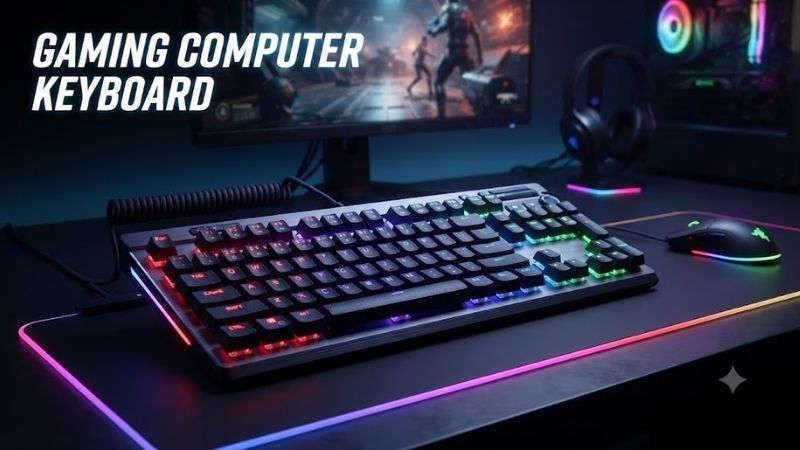
A gaming computer keyboard can improve how precisely you control movement, execute commands, and interact with your favorite games. From rapid-trigger keyboards for competitive FPS players to wireless mechanical models for everyday gaming, this guide compares seven options to help you choose the right switches, layout, connectivity, and features.
Quick answer: For most people in 2026, the best gaming computer keyboard is the Gaming Keyboard — our #1 rated choice. See the full ranked comparison, alternatives and buying advice below.
Quick Verdict: Best Gaming Computer Keyboards
The best gaming keyboard is not necessarily the one with the highest polling rate or the most expensive switch technology. Layout, typing comfort, software support, and game compatibility can matter just as much.
These seven keyboards target different gaming preferences.
-
Best Overall: Wooting 80HE — Excellent for competitive gaming, with Hall effect switches, Rapid Trigger, customizable actuation, and 8,000Hz polling.
-
Best for FPS Gaming: Razer Huntsman V3 Pro Tenkeyless 8KHz — Combines analog optical switches, adjustable actuation, and high polling capability in a compact esports-oriented design.
-
Best for Esports Players: Logitech G PRO X TKL RAPID — Provides magnetic analog switches, Rapid Trigger functionality, and dedicated media controls in a familiar tenkeyless layout.
-
Best Full-Size Gaming Keyboard: Corsair K70 MAX RGB — Offers magnetic switches, customizable actuation, dedicated media controls, and a numeric keypad.
-
Best Wireless Customizable Keyboard: Keychron Q1 HE — Combines magnetic switches with wireless connectivity, configurable actuation, and a premium mechanical-keyboard design.
-
Best Compact Premium Keyboard: SteelSeries Apex Pro TKL Gen 3 — Features adjustable OmniPoint magnetic switches and a gaming-focused tenkeyless layout.
-
Best Traditional Mechanical Keyboard: HyperX Alloy Origins Core — A straightforward wired TKL keyboard for players who prefer conventional mechanical switches.
Quick Verdict: Best Gaming Computer Keyboards
Quick Comparison Table
| Gaming Keyboard | Layout | Switch Technology | Connectivity | Main Advantage | Trade-Off |
|---|---|---|---|---|---|
| Wooting 80HE | 80% | Hall effect magnetic | Wired USB | Advanced Rapid Trigger customization | No wireless mode |
| Razer Huntsman V3 Pro TKL 8KHz | TKL | Analog optical | Wired USB | Adjustable actuation and 8KHz polling | Premium feature set |
| Logitech G PRO X TKL RAPID | TKL | Magnetic analog | Wired USB | Esports controls and media keys | No wireless connectivity |
| Corsair K70 MAX RGB | Full-size | Magnetic MGX | Wired USB | Numpad and adjustable switches | Large desk footprint |
| Keychron Q1 HE | 75% | Magnetic Hall effect | Wired, 2.4GHz, Bluetooth | Wireless flexibility and customizable keys | Heavy construction |
| SteelSeries Apex Pro TKL Gen 3 | TKL | OmniPoint adjustable magnetic | Wired USB | Rapid Trigger and compact layout | Advanced features add complexity |
| HyperX Alloy Origins Core | TKL | Conventional mechanical | Wired USB | Simple, durable gaming design | No adjustable actuation |
How We Selected These Gaming Keyboards
These recommendations consider the specifications and practical advantages of each keyboard rather than treating every gaming feature as equally important.
The selection criteria include switch responsiveness, actuation customization, layout, connectivity, build quality, software capabilities, and suitability for different types of PC games.
Magnetic and analog optical keyboards receive particular attention because their adjustable actuation and Rapid Trigger features can improve input flexibility in supported gaming situations.
Traditional mechanical keyboards remain relevant because many players do not require adjustable key activation distances.
The comparisons use manufacturer specifications and published product information rather than claiming original detailed research. Actual latency and performance depend on configuration, firmware, computer settings, and the game being played.
7 Best Gaming Computer Keyboards Reviewed
1. Wooting 80HE — Best Overall Gaming Keyboard
Best For: Competitive FPS players, experienced PC gamers, and enthusiasts seeking precise control over keyboard actuation.
Why We Picked It: The Wooting 80HE combines Hall effect magnetic switches, Rapid Trigger technology, adjustable actuation, and true 8,000Hz polling.
Its customization capabilities make it particularly attractive for players who want to tune keyboard behavior to different games and personal preferences.
Key Specifications
-
Layout: 80%
-
Switches: Wooting Lekker L60 V2
-
Switch technology: Hall effect magnetic
-
Connectivity: Wired USB-C
-
Maximum polling rate: 8,000Hz
-
Adjustable actuation: Yes
-
Rapid Trigger: Yes
-
Configuration software: Wootility
-
RGB lighting: Yes
-
Case options: ABS-based plastic or zinc alloy
Features & Benefits
Hall effect switches measure key movement through magnetic sensing rather than relying on conventional electrical contacts.
This allows the keyboard to recognize different levels of key travel.
The Wooting 80HE supports adjustable actuation, enabling users to choose how far a key must move before registering an input.
Rapid Trigger dynamically adjusts key activation and reset behavior according to movement. Instead of waiting for a fixed reset position, a key can reset as it moves upward.
This feature can help players execute repeated movement inputs without fully releasing a key.
Wooting also includes Rappy Snappy, a feature designed to prioritize inputs based on key travel when configured for supported key combinations.
Performance & Practical Use
The keyboard is particularly well suited to games involving repeated movement commands.
In Counter-Strike 2, Valorant, and similar tactical shooters, responsive input handling can make movement controls feel more immediate.
However, using Rapid Trigger does not automatically improve reaction time or aiming ability.
Extremely shallow actuation settings can also cause accidental keypresses, especially for players transitioning from conventional mechanical keyboards.
The 8,000Hz polling capability reduces the theoretical interval between keyboard reports to 0.125 milliseconds, but that figure is not equivalent to total end-to-end input latency.
What Makes It Different
The Wooting 80HE stands out through its software flexibility and analog input capabilities.
Its 80% layout retains important navigation controls while occupying less horizontal desk space than a full-size keyboard.
It also offers considerable flexibility in case materials and switch-related customization.
Pros
-
Extensive actuation and Rapid Trigger customization.
-
True 8,000Hz polling support.
-
Compact layout with strong enthusiast-oriented features.
Cons
-
Wired-only connectivity.
-
Specialized layout may require some adjustment.
Buy If: You play competitive games frequently and want detailed control over keyboard response.
Skip If: You primarily want an inexpensive, traditional mechanical keyboard or need wireless connectivity.
2. Razer Huntsman V3 Pro Tenkeyless 8KHz — Best for FPS Gaming
Best For: Competitive shooter players who want responsive optical switches and convenient on-keyboard adjustment.
Why We Picked It: The Huntsman V3 Pro Tenkeyless 8KHz combines Razer’s second-generation analog optical switches with Rapid Trigger, adjustable actuation, and an 8,000Hz maximum polling rate.
Key Specifications
-
Layout: Tenkeyless
-
Switches: Razer Analog Optical Gen-2
-
Maximum polling rate: 8,000Hz
-
Adjustable actuation: 0.1–4.0mm
-
Rapid Trigger: Supported
-
Connectivity: Wired USB-C
-
Keycaps: Doubleshot PBT
-
Lighting: Razer Chroma RGB
-
Software: Razer Synapse 4
-
Wrist rest: Magnetic, included
Features & Benefits
Analog optical switches use optical sensing to detect key movement.
This allows the keyboard to support adjustable actuation points and other functions not available on many conventional mechanical switches.
The Huntsman V3 Pro Tenkeyless 8KHz offers a particularly wide actuation adjustment range.
Players can configure shallow activation for keys used during rapid movement and deeper activation for commands they do not want to trigger accidentally.
The keyboard also provides convenient adjustments for Rapid Trigger and actuation settings, reducing the need to open configuration software for every change.
Performance & Practical Use
For competitive FPS gaming, customizable actuation is useful when players want precise control over movement keys.
Rapid Trigger can simplify repeated activation and release patterns during directional movement.
The keyboard also includes Snap Tap functionality, which prioritizes certain directional inputs according to its configuration.
Players should check game-specific rules before using advanced input-prioritization features. Some competitive games and tournaments restrict keyboard-assisted directional input behavior.
What Makes It Different
Unlike magnetic Hall effect keyboards, this Razer model uses analog optical sensing.
It also combines its advanced switch capabilities with a familiar TKL layout, dedicated controls, and an included wrist rest.
The 8KHz version should not be confused with the original Huntsman V3 Pro Tenkeyless, which has a lower maximum polling specification.
Pros
-
Adjustable 0.1–4.0mm actuation range.
-
Rapid Trigger and 8,000Hz polling.
-
Included wrist rest and dedicated controls.
Cons
-
Wired-only design.
-
Advanced software features require careful configuration.
Buy If: You mainly play competitive shooters and want extensive control over key activation.
Skip If: You prefer wireless gaming or do not need analog switch functionality.
3. Logitech G PRO X TKL RAPID — Best for Esports Players
Best For: Tournament-oriented players and gamers who want an esports keyboard with a conventional TKL arrangement.
Why We Picked It: The Logitech G PRO X TKL RAPID combines magnetic analog switches with adjustable actuation, Rapid Trigger, and Logitech’s KEYCONTROL customization system.
Key Specifications
-
Layout: Tenkeyless
-
Switches: Magnetic analog
-
Connectivity: Wired USB-C
-
Adjustable actuation: Yes, in 0.1mm increments
-
Rapid Trigger: Yes
-
Report rate: 1ms
-
Lighting: LIGHTSYNC RGB
-
Software: Logitech G HUB
-
Media controls: Dedicated controls and volume roller
-
Programmable functions: KEYCONTROL
Features & Benefits
The G PRO X TKL RAPID provides magnetic switch technology designed to recognize adjustable activation distances.
Rapid Trigger allows keys to reset dynamically as they move upward, supporting repeated inputs without requiring the full travel associated with conventional fixed-reset switches.
Logitech’s KEYCONTROL system expands how users configure keyboard inputs.
The keyboard also supports multi-point actions, allowing different commands to be assigned according to keypress depth.
This flexibility is useful for players who want specific controls available without changing physical keyboard layout.
Performance & Practical Use
The standard TKL design is a practical advantage for players accustomed to conventional gaming keyboards.
It retains arrow keys and navigation controls while eliminating the numeric keypad.
This can improve mouse movement space compared with a full-size keyboard, particularly for gamers using low mouse sensitivity.
Magnetic switches and customizable actuation also make the keyboard suitable for movement-heavy competitive games.
However, the Logitech’s published 1ms report rate differs from the 8,000Hz maximum polling specifications advertised for the Wooting and Razer models.
Polling rate alone should not determine a purchase because switch behavior, processing, and total input delay also matter.
What Makes It Different
The G PRO X TKL RAPID emphasizes a familiar keyboard arrangement combined with advanced esports-oriented input customization.
Dedicated media controls and a volume roller also improve convenience outside gaming.
Pros
-
Adjustable magnetic switches and Rapid Trigger.
-
Familiar tenkeyless layout.
-
Dedicated media controls and customizable inputs.
Cons
-
No wireless connectivity.
-
Advanced settings depend on Logitech G HUB for configuration.
Buy If: You want a gaming-focused TKL keyboard with magnetic switches and convenient everyday controls.
Skip If: Your priority is wireless connectivity or the highest available polling specification.
4. Corsair K70 MAX RGB — Best Full-Size Gaming Keyboard
Best For: Gamers who want a numeric keypad, dedicated media controls, and adjustable magnetic switches.
Why We Picked It: The Corsair K70 MAX RGB provides a full-size layout with MGX magnetic-mechanical switches, Rapid Trigger, dual-point actuation, and up to 8,000Hz polling.
Key Specifications
-
Layout: Full-size, 104-key US configuration
-
Switches: Corsair MGX magnetic-mechanical
-
Connectivity: Wired USB
-
Maximum polling rate: 8,000Hz
-
Adjustable actuation: Yes
-
Rapid Trigger: Supported
-
Dual-point actuation: Supported
-
Keycaps: PBT doubleshot
-
Lighting: Per-key RGB
-
Software: Corsair iCUE
-
Wrist rest: Included magnetic palm rest
-
Media controls: Dedicated keys and volume roller
Features & Benefits
The primary advantage of the K70 MAX RGB is combining analog-style gaming features with the convenience of a full-size keyboard.
Its numeric keypad makes it suitable for users who frequently enter numbers, work with spreadsheets, or rely on numpad controls in certain games.
Corsair MGX switches support adjustable activation distances, allowing individual keys to respond according to user preferences.
Dual-point actuation enables different actions to be assigned at different stages of a keypress.
The included magnetic wrist rest provides an additional comfort feature for longer desktop sessions.
Performance & Practical Use
The K70 MAX RGB can accommodate competitive gaming while remaining practical for general productivity.
Its full-size design is useful for strategy games, simulation titles, and software workflows that benefit from additional physical keys.
However, the larger layout requires more horizontal desk space.
For FPS players using a large mousepad, a TKL keyboard may allow more comfortable mouse positioning.
Its high maximum polling rate also provides diminishing practical returns beyond a certain point, depending on the overall input-processing environment.
What Makes It Different
Most keyboards in this roundup use compact layouts, but the Corsair retains a complete numeric keypad.
It is therefore better suited to buyers who want one keyboard for gaming, work, and general desktop use.
Pros
-
Full-size layout with numeric keypad.
-
Adjustable magnetic switches and Rapid Trigger.
-
Dedicated media controls and included wrist rest.
Cons
-
Occupies more desk space.
-
Wired-only connectivity.
Buy If: You need a full-size keyboard and want advanced magnetic gaming features.
Skip If: Your gaming setup prioritizes maximum mouse space or portability.
5. Keychron Q1 HE — Best Wireless Customizable Gaming Keyboard
Best For: Gamers who also care about typing comfort, keyboard construction, and wireless versatility.
Why We Picked It: The Keychron Q1 HE combines Hall effect magnetic switches with a compact 75% layout and multiple connectivity modes.
It appeals to buyers who want gaming features without sacrificing the qualities associated with customizable mechanical keyboards.
Key Specifications
-
Layout: 75%
-
Switches: Gateron double-rail magnetic
-
Connectivity: USB-C, 2.4GHz wireless, Bluetooth
-
Wired polling rate: Up to 1,000Hz
-
2.4GHz polling rate: Up to 1,000Hz
-
Rapid Trigger: Supported
-
Adjustable actuation: Supported
-
Hot-swappable switches: Compatible magnetic switch types
-
RGB lighting: South-facing
-
Construction: Metal case
-
Compatibility: Windows, macOS, Linux
Features & Benefits
The Keychron Q1 HE uses magnetic switches that allow adjustable actuation and Rapid Trigger functionality.
This enables players to customize key activation according to gaming requirements.
Its 75% layout retains arrow keys and commonly used navigation functions while reducing the keyboard’s overall width.
The metal construction and enthusiast-oriented design also make it appealing to buyers who value typing feel and keyboard acoustics.
Wireless connectivity is another important advantage.
The 2.4GHz mode is more appropriate for gaming than standard Bluetooth when minimizing input delay is a priority.
Bluetooth remains useful for switching between computers or connecting to compatible devices for routine typing.
Performance & Practical Use
For users alternating between gaming and professional work, the Q1 HE offers a practical combination of features.
The keyboard can remain connected through its dedicated wireless receiver during gaming, while Bluetooth provides flexibility for other devices.
Its magnetic switches also allow different actuation settings for gaming and typing.
However, the keyboard’s metal construction makes it relatively heavy, reducing portability.
Another limitation is switch compatibility. Hall effect hot-swappable keyboards generally require compatible magnetic switches rather than ordinary mechanical switches.
What Makes It Different
The Q1 HE combines enthusiast keyboard construction with gaming-oriented magnetic switch features and multiple connectivity options.
It is especially suitable for buyers who want one compact keyboard for several environments.
Pros
-
Wired, 2.4GHz, and Bluetooth connectivity.
-
Adjustable Hall effect magnetic switches.
-
Compact 75% layout and substantial construction.
Cons
-
Heavy compared with lightweight gaming keyboards.
-
Switch replacement options are more restricted than on conventional mechanical hot-swap boards.
Buy If: You want a compact wireless keyboard for both gaming and everyday typing.
Skip If: You prioritize lightweight portability or require a full numeric keypad.
6. SteelSeries Apex Pro TKL Gen 3 — Best Compact Premium Keyboard
Best For: Competitive gamers who want magnetic switch customization in a traditional tenkeyless format.
Why We Picked It: The SteelSeries Apex Pro TKL Gen 3 combines adjustable OmniPoint magnetic switches with Rapid Trigger functionality and gaming-focused customization.
Key Specifications
-
Layout: Tenkeyless
-
Switches: OmniPoint 3.0 adjustable magnetic
-
Connectivity: Wired USB
-
Adjustable actuation: Supported
-
Rapid Trigger: Supported
-
RGB lighting: Per-key
-
Software: SteelSeries GG
-
Display: Integrated OLED Smart Display
-
Wrist rest: Included
-
Media controls: Integrated controls
Features & Benefits
The Apex Pro TKL Gen 3 uses magnetic switch technology to allow users to configure key activation distance.
This provides flexibility for competitive gaming and everyday typing.
Shallower activation points can be applied to frequently used movement keys, while deeper settings can help reduce unwanted commands.
Rapid Trigger allows more dynamic key reset behavior than traditional fixed-reset mechanical switches.
The keyboard also includes dedicated features for managing profiles and settings.
Its integrated OLED display provides an additional way to access information and configurations without relying exclusively on desktop software.
Performance & Practical Use
The TKL layout makes the keyboard suitable for games where generous mouse movement space is important.
Its adjustable switches can be especially useful in competitive shooters, though the most aggressive settings may require an adaptation period.
SteelSeries GG enables detailed configuration, allowing different profiles for different games.
As with other keyboards offering advanced directional input features, players should check whether specific modes are permitted in their preferred competitive titles.
What Makes It Different
The Apex Pro TKL Gen 3 combines magnetic input customization with convenience features such as the integrated display and hardware controls.
It offers a balance between competitive functionality and a relatively familiar desktop keyboard experience.
Pros
-
Adjustable OmniPoint magnetic switches.
-
Rapid Trigger functionality.
-
Compact layout with integrated controls.
Cons
-
Wired-only design.
-
Advanced customization can be unnecessary for casual gaming.
Buy If: You want a premium TKL gaming keyboard with customizable magnetic inputs.
Skip If: You prefer traditional switches or need wireless connectivity.
7. HyperX Alloy Origins Core — Best Traditional Mechanical Gaming Keyboard
Best For: Casual gamers, students, and players who want a durable keyboard without complex analog switch features.
Why We Picked It: The HyperX Alloy Origins Core uses a straightforward tenkeyless design, conventional mechanical switches, and a sturdy aluminum construction.
It is a practical option for gamers who prioritize familiar typing behavior and simple controls.
Key Specifications
-
Layout: Tenkeyless
-
Switches: HyperX mechanical switches, depending on configuration
-
Connectivity: Wired USB-C
-
Frame: Aluminum
-
RGB lighting: Per-key
-
Software: HyperX NGENUITY
-
Anti-ghosting: Supported
-
N-key rollover: Supported
-
Cable: Detachable
Features & Benefits
Unlike the magnetic and analog optical models in this guide, the Alloy Origins Core uses conventional mechanical switches.
These switches activate through fixed physical switching mechanisms rather than continuously measuring key travel.
This provides a familiar, consistent response suitable for gaming and typing.
The keyboard’s aluminum body contributes to structural rigidity, while its TKL layout saves desk space.
Per-key RGB lighting allows users to customize appearance and improve key visibility in darker rooms.
Performance & Practical Use
The Alloy Origins Core provides the essential features needed for everyday PC gaming.
It is suitable for action games, multiplayer titles, strategy games, and general desktop applications.
Its conventional mechanical design does not provide adjustable actuation or dynamic Rapid Trigger functionality.
However, gamers who do not need these features may appreciate the simpler experience.
The choice of switch variant also influences typing feel.
Linear switches offer a smoother travel sensation, while tactile variants provide a noticeable bump during actuation.
Buyers should confirm the exact switch configuration before purchasing.
What Makes It Different
The HyperX emphasizes conventional mechanical design rather than sophisticated input customization.
This makes it suitable for users who want a straightforward gaming keyboard without learning additional software features.
Pros
-
Sturdy aluminum construction.
-
Compact tenkeyless layout.
-
Familiar mechanical switches and RGB customization.
Cons
-
No magnetic adjustable actuation.
-
No Rapid Trigger functionality.
Buy If: You want a straightforward wired gaming keyboard with traditional mechanical switches.
Skip If: Adjustable actuation, analog input, or wireless connectivity are essential requirements.
Gaming Computer Keyboard Buying Guide
Mechanical vs. Optical vs. Magnetic Switches
Gaming keyboards use different technologies to detect keypresses.
Understanding those technologies can help buyers avoid paying for features that do not benefit their intended use.
| Switch Type | How It Works | Main Benefit | Limitation |
|---|---|---|---|
| Conventional mechanical | Physical electrical contacts | Familiar feel and broad switch variety | Usually fixed actuation |
| Optical | Light-based sensing | Contactless detection and specialized gaming features | Switch compatibility varies |
| Hall effect magnetic | Magnetic position sensing | Adjustable actuation and Rapid Trigger | Compatible replacement switches may be limited |
Traditional mechanical switches remain suitable for most gaming activities.
Magnetic and analog optical switches become more attractive when players want to customize activation depth or repeatedly trigger movement commands with minimal key travel.
Understanding Gaming Keyboard Sizes
Keyboard size directly affects desk space and accessibility.
Full-size keyboards usually include a numeric keypad, function row, arrow keys, and navigation controls. They are ideal for users who combine gaming with frequent numerical data entry.
Tenkeyless keyboards remove the numeric keypad while retaining most familiar desktop controls.
75% keyboards compress navigation keys into a smaller layout while preserving important functions.
60% keyboards remove or relocate many navigation and function keys, creating a particularly compact design.
For many PC gamers, a TKL or 75% layout provides a useful balance between functionality and mouse space.
What Is Rapid Trigger?
Rapid Trigger changes how a keyboard recognizes key release and reactivation.
Traditional mechanical switches usually have predetermined actuation and reset positions.
With Rapid Trigger, compatible magnetic or analog optical switches can dynamically reset according to key movement.
This reduces the need to return to a fixed reset position before another input can register.
The feature can be valuable for rapid directional adjustments and repeated actions.
However, Rapid Trigger does not eliminate computer processing delay, network latency, or game-engine limitations.
Its practical benefits also depend on how carefully the keyboard is configured.
Is an 8,000Hz Gaming Keyboard Worth It?
A keyboard’s polling rate indicates how frequently it can report input information to a connected computer.
For example:
| Polling Rate | Nominal Reporting Interval |
|---|---|
| 125Hz | 8 milliseconds |
| 500Hz | 2 milliseconds |
| 1,000Hz | 1 millisecond |
| 4,000Hz | 0.25 milliseconds |
| 8,000Hz | 0.125 milliseconds |
These values describe the time between polling opportunities, not total keyboard latency.
The actual response also depends on switch sensing, internal processing, USB communication, operating system scheduling, and game behavior.
An 8,000Hz keyboard may offer measurable advantages under certain conditions, but the practical difference compared with a well-designed 1,000Hz model is often small.
Most casual gamers should prioritize switch feel, build quality, and layout before choosing a keyboard exclusively because of its polling rate.
Wired vs. Wireless Gaming Keyboards
Wired keyboards offer a simple, consistent connection without battery management.
They are particularly convenient for fixed desktop setups and tournament environments.
Wireless keyboards provide greater placement flexibility and reduce visible cable clutter.
A quality 2.4GHz wireless connection can provide responsive gaming performance, while Bluetooth is often more appropriate for general computing and multi-device convenience.
Wireless buyers should evaluate connection stability, battery endurance, charging options, and interference conditions.
The best connectivity method depends on how the keyboard will actually be used.
Keyboard Build Quality and Keycaps
Keyboard construction influences how stable and comfortable a keyboard feels.
Aluminum cases and rigid mounting structures can reduce unwanted flex.
Plastic cases may provide lighter weight and lower cost.
Keycaps also affect comfort, texture, and long-term appearance.
PBT keycaps are often valued for resistance to surface shine, while ABS keycaps can offer different textures and manufacturing options.
Neither material automatically guarantees better gaming performance.
The keyboard’s overall construction, stabilizers, switch consistency, and ergonomics are more important than material labels alone.
Software and Customization
Gaming keyboard software allows users to manage lighting, macros, actuation settings, and profiles.
Common configuration platforms include Wootility, Razer Synapse, Logitech G HUB, Corsair iCUE, and SteelSeries GG.
When comparing software, consider whether the keyboard supports onboard profiles and whether settings remain active without the configuration application running.
Users who move between multiple computers may benefit from reliable onboard storage.
Competitive players should also avoid macros or input features prohibited by their games or tournament organizers.
Common Mistakes When Buying a Gaming Keyboard
Choosing the Smallest Layout Without Considering Missing Keys
Compact keyboards save desk space but may remove frequently used functions.
Some games and productivity applications rely on navigation keys, function keys, or a numeric keypad.
Buyers should review the physical layout before selecting a 60% or 75% keyboard.
Assuming Magnetic Switches Automatically Improve Skill
Magnetic switches offer flexible actuation and reset behavior.
They do not automatically improve aiming accuracy, decision-making, or reaction speed.
Their value comes from configurable input behavior, particularly in workloads involving repeated or precise key activation.
Setting Actuation Too Shallow
Extremely sensitive actuation settings can cause unwanted keypresses.
This is especially common when resting fingers on movement keys.
Players should experiment with moderate activation distances before switching to very shallow settings.
Ignoring Keyboard Software Compatibility
Some advanced keyboard functions require compatible configuration software.
Before purchasing, check whether the manufacturer’s software supports your operating system.
Also consider whether essential settings are stored onboard or depend on a continuously running application.
Overlooking Ergonomics
A keyboard with excellent specifications can still become uncomfortable during prolonged use.
Keyboard height, typing angle, wrist positioning, and desk arrangement all influence comfort.
A wrist rest may improve support in some setups, but users should avoid sustained pressure on the wrists and take regular breaks.
Frequently Asked Questions
What Is the Best Gaming Computer Keyboard for PC?
The Wooting 80HE is a compelling overall choice for competitive PC gaming because it offers magnetic switches, adjustable actuation, Rapid Trigger, and extensive configuration options.
However, the best choice depends on gaming habits.
The Corsair K70 MAX RGB is more appropriate for users who need a full-size layout, while the Keychron Q1 HE offers wireless flexibility.
Are Mechanical Keyboards Better for Gaming?
Mechanical keyboards are popular because they provide consistent physical key feedback and a wide selection of switch characteristics.
However, magnetic and analog optical keyboards can offer additional features such as adjustable actuation and Rapid Trigger.
The best technology depends on whether the user prioritizes traditional typing feel or advanced input customization.
What Keyboard Size Is Best for FPS Gaming?
Tenkeyless and 75% keyboards are particularly practical for FPS gaming.
They preserve frequently used controls while leaving more desk space for mouse movement than a full-size keyboard.
Smaller 60% keyboards can save additional space but require greater reliance on secondary key functions.
Do Gaming Keyboards Improve FPS?
A keyboard does not directly increase the number of frames rendered by a graphics card.
It can influence how quickly and consistently player inputs are registered.
Some keyboard features may improve movement control, but they do not increase the computer’s graphics processing capability.
Is a Wireless Gaming Keyboard as Good as a Wired One?
A well-designed 2.4GHz wireless gaming keyboard can provide responsive input suitable for demanding games.
Connection quality, battery condition, and interference can influence performance.
Wired keyboards remain attractive for users who want a direct connection without managing battery charging.
How Long Does a Gaming Keyboard Last?
A well-built gaming keyboard can remain functional for several years.
Longevity depends on switch construction, usage intensity, spills, environmental conditions, cable durability, and maintenance.
Replaceable keycaps and supported switch replacement options can help extend practical usability.
Switch lifespan ratings, where provided, should not be interpreted as guarantees of the entire keyboard’s service life.
Conclusion
The best gaming computer keyboard should match your preferred games, desk space, typing comfort, and need for customization. The Wooting 80HE is a strong overall choice for competitive players, while the Razer Huntsman V3 Pro Tenkeyless 8KHz and Logitech G PRO X TKL RAPID offer advanced esports-oriented controls. Corsair’s K70 MAX RGB suits full-size setups, the Keychron Q1 HE provides wireless versatility, and the SteelSeries Apex Pro TKL Gen 3 delivers premium magnetic switch features. For gamers who prefer conventional mechanical switches, the HyperX Alloy Origins Core remains a practical alternative. Choose the keyboard that fits your daily use rather than paying for specifications you may never need.
Ready to decide? Our #1 pick for 2026 is the Gaming Keyboard.
Live price & availability on Amazon.