🛒 Best Price Today on Amazon
Prime members get fast, free shipping on everything above, plus member-only deals. New members get a 30-day free trial — cancel anytime.
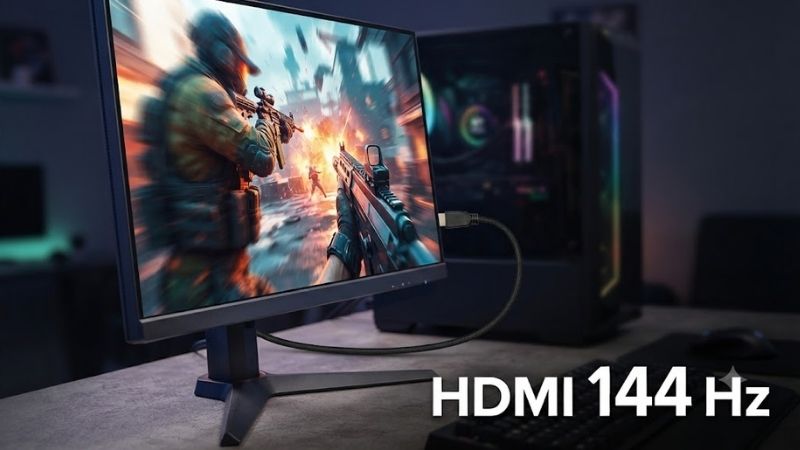
An HDMI 144 Hz monitor can deliver substantially smoother motion than a conventional 60 Hz display, but HDMI version, resolution, GPU output, and monitor port limitations all affect whether 144 Hz is actually available. These six monitors cover 1440p and 4K gaming, including HDMI 2.0 and HDMI 2.1 options for PCs and modern consoles.
Quick answer: For most people in 2026, the best hdmi 144 hz is the Gigabyte M32U — our #1 rated choice. See the full ranked comparison, alternatives and buying advice below.
Quick Verdict
Gigabyte M32U is the strongest all-around recommendation for buyers who want a large 4K gaming monitor with 144 Hz refresh and HDMI 2.1 connectivity. Its 32-inch-class format works particularly well for desktop gaming when the GPU is powerful enough to drive 4K at high frame rates.
LG UltraGear 27GR93U-B is the better choice for buyers who want a more compact 27-inch 4K 144 Hz display. Its HDMI 2.1 connectivity also makes it suitable for modern game consoles as well as high-end gaming PCs.
ASUS TUF Gaming VG28UQL1A is another strong 4K choice for users who prioritize broad gaming connectivity. MSI MAG 274UPF offers a similar 27-inch 4K category and can suit buyers who want high pixel density without moving to a larger 32-inch screen.
For 1440p gaming, LG UltraGear 27GP850-B remains relevant because its lower resolution is easier for GPUs to drive at high frame rates. It is particularly appropriate for PC gamers who value responsiveness more than 4K sharpness.
Samsung Odyssey G7 G70B rounds out the list as another 4K high-refresh option with HDMI connectivity suited to gaming PCs and modern consoles.
Quick Comparison Table
| Product | Best For | Resolution / Refresh Class | HDMI | Main Advantage | Trade-Off |
|---|---|---|---|---|---|
| Gigabyte M32U | Best overall | 4K / 144 Hz | HDMI 2.1 | Large 32-inch-class 4K gaming display | Requires powerful GPU for high-FPS 4K |
| LG UltraGear 27GR93U-B | Best 27-inch 4K | 4K / 144 Hz | HDMI 2.1 | Sharp, compact high-refresh display | Smaller than 32-inch alternatives |
| ASUS TUF VG28UQL1A | Console and PC gaming | 4K / 144 Hz | HDMI 2.1 | Broad gaming connectivity | Premium over basic 1440p monitors |
| MSI MAG 274UPF | High-density 4K gaming | 4K / 144 Hz | HDMI 2.1 | 27-inch 4K and high refresh | 4K demands substantial GPU power |
| LG UltraGear 27GP850-B | 1440p PC gaming | 2560×1440 / 165 Hz class | HDMI 2.0 | Easier high-FPS gaming | Lower resolution than 4K |
| Samsung Odyssey G7 G70B | 4K gaming setup | 4K / 144 Hz | HDMI 2.1 class connectivity | PC and console versatility | Feature set can exceed basic needs |
How We Selected These HDMI 144 Hz Monitors
The monitors were selected around a specific requirement: they must belong to high-refresh categories capable of at least 144 Hz while offering HDMI connectivity appropriate to their target resolution. That distinction matters because a monitor can advertise 144 Hz or higher yet provide its maximum refresh only through DisplayPort.
Resolution was also considered because HDMI bandwidth requirements increase sharply as pixel count rises. A 1440p monitor can reach 144 Hz over HDMI 2.0 when the monitor and graphics source support the required timing, while 4K at 144 Hz generally calls for a newer high-bandwidth HDMI implementation such as HDMI 2.1.
The recommendations intentionally include both 1440p and 4K models. Competitive gamers often benefit more from 1440p because high frame rates are easier to sustain, while buyers with powerful GPUs may prefer the image sharpness of 4K.
No fixed pricing is included because monitor prices change substantially according to retailer, promotions, region, and product lifecycle. The correct buying decision depends more on resolution, HDMI capability, panel characteristics, adaptive sync, and GPU compatibility than a temporary discount.
Best HDMI 144 Hz Monitor Picks
Gigabyte M32U — Best Overall HDMI 144 Hz Monitor
Best For: 4K PC gaming, current-generation consoles, and users who want a larger desktop display.
Why We Picked It: Gigabyte M32U combines a 4K resolution, 144 Hz refresh rate, HDMI 2.1 connectivity, and a 32-inch-class screen size. That combination makes it one of the most balanced choices for users who want high pixel density without shrinking desktop elements as much as a smaller 4K display can.
Key Specifications
- 3840×2160 resolution
- 144 Hz refresh class
- HDMI 2.1 connectivity
- DisplayPort connectivity
- IPS-type panel
- Adaptive-sync support
- USB connectivity
- KVM functionality
- 32-inch-class screen
Features & Benefits: The larger screen makes 4K particularly useful because text, game interfaces, and productivity windows gain more physical space while remaining sharp. It also allows the monitor to serve double duty for gaming and desktop productivity.
HDMI 2.1 is important for users connecting current-generation consoles or modern GPUs. It provides substantially more bandwidth than HDMI 2.0, although actual supported combinations depend on the source device and monitor implementation.
The integrated KVM functionality is also valuable for users who share one monitor, keyboard, and mouse between multiple computers.
Performance & Practical Use: Driving modern games at native 4K and very high frame rates requires a powerful GPU. Users with midrange graphics cards may need upscaling technologies, reduced image settings, or lower frame-rate targets.
What Makes It Different: M32U combines high-refresh 4K gaming with a practical larger screen and productivity-oriented connectivity.
Pros
- 4K at 144 Hz class
- HDMI 2.1
- Large screen for gaming and work
- Useful KVM functionality
Cons
- Demanding GPU requirements
- Takes more desk space than 27-inch monitors
Buy If: You want one monitor for high-end gaming, console use, and productivity.
Skip If: Your GPU is primarily intended for 1080p or entry-level 1440p gaming.
LG UltraGear 27GR93U-B — Best 27-Inch 4K HDMI 144 Hz Monitor
Best For: Gamers who want 4K sharpness in a conventional 27-inch desktop size.
Why We Picked It: LG UltraGear 27GR93U-B combines a 27-inch 4K panel with a 144 Hz refresh rate and HDMI 2.1 connectivity. It is especially attractive to users who sit relatively close to the monitor and want high pixel density without moving to a large 32-inch display.
Key Specifications
- 3840×2160 resolution
- 144 Hz refresh rate
- 27-inch-class display
- HDMI 2.1
- DisplayPort
- IPS panel technology
- Adaptive-sync support
- Gaming-oriented response features
Features & Benefits: A 27-inch 4K screen provides very high pixel density. Text and UI elements can look extremely sharp, making the monitor useful not only for gaming but also for coding, photo work, productivity, and general Windows use.
HDMI 2.1 also makes the monitor more flexible than older HDMI 2.0 4K displays. Modern consoles can take advantage of high-refresh 4K modes supported by their software and hardware, while PCs can use HDMI or DisplayPort depending on GPU output.
Performance & Practical Use: The biggest challenge remains GPU performance. Native 4K contains more than twice as many pixels as 1440p, so reaching 144 frames per second in demanding games can require substantially more graphics power.
What Makes It Different: It delivers a high-refresh 4K experience in a relatively compact desktop footprint.
Pros
- Sharp 27-inch 4K image
- HDMI 2.1
- 144 Hz refresh
- Suitable for gaming and productivity
Cons
- 4K high-FPS gaming is GPU intensive
- Smaller physical size than 32-inch 4K alternatives
Buy If: You want high pixel density and high refresh without a large monitor.
Skip If: You prefer a larger 4K image or your GPU is better matched to 1440p.
ASUS TUF Gaming VG28UQL1A — Best for PC and Console Connectivity
Best For: Users who switch between a gaming PC and modern consoles.
Why We Picked It: ASUS TUF Gaming VG28UQL1A combines 4K resolution, a high-refresh 144 Hz class, and HDMI 2.1 connectivity in a gaming-focused 28-inch format. It is especially suitable when one display needs to support several gaming systems rather than a single desktop computer.
Key Specifications
- 3840×2160 resolution
- 144 Hz refresh class
- 28-inch-class panel
- HDMI 2.1 connections
- DisplayPort
- IPS panel technology
- Adaptive-sync features
- Gaming-oriented display controls
Features & Benefits: Multiple modern input options allow users to keep a PC and game console connected simultaneously. This is a meaningful advantage for desks where frequently reaching behind the monitor to swap cables would be inconvenient.
The 4K resolution also benefits console gaming because current-generation systems are designed around high-resolution television and monitor output.
On PC, the 144 Hz refresh ceiling gives users room to take advantage of frame rates far above traditional 60 Hz displays.
Performance & Practical Use: High-refresh 4K remains expensive from a GPU-performance perspective. Competitive gamers who value frame rate above image sharpness may prefer a lower-resolution 1440p monitor.
What Makes It Different: Its combination of HDMI 2.1, 4K, and a gaming-oriented input layout makes it particularly flexible for mixed PC and console setups.
Pros
- HDMI 2.1
- 4K high-refresh panel
- Strong PC and console flexibility
- Compact enough for typical desks
Cons
- More demanding than 1440p
- Features may be excessive for basic gaming PCs
Buy If: Your desk supports both PC and console gaming.
Skip If: You only game on a modest PC and do not need 4K.
MSI MAG 274UPF — Best Compact 4K Gaming Option
Best For: High-resolution gaming in a 27-inch footprint.
Why We Picked It: MSI MAG 274UPF belongs to the 27-inch 4K high-refresh category and includes HDMI 2.1 connectivity. It offers a strong combination for buyers who want a relatively compact monitor but still want enough bandwidth for high-refresh 4K sources.
Key Specifications
- 27-inch-class display
- 3840×2160 resolution
- 144 Hz refresh class
- HDMI 2.1
- DisplayPort
- IPS panel technology
- Adaptive-sync capability
- Gaming-oriented display settings
Features & Benefits: The 27-inch size works well on standard computer desks, especially where monitor depth and width are limited.
Its 4K resolution provides sharp text and detailed graphics, which helps users who split time between gaming, content consumption, and work.
The high-refresh panel also gives PC gamers a smoother experience when the GPU can produce frame rates above 60 FPS.
Performance & Practical Use: 4K at 144 Hz is not a realistic constant target in every AAA game, even with high-end hardware. Adaptive sync, variable frame rate, and upscaling technologies can therefore be important parts of the experience.
What Makes It Different: It provides the core features buyers searching for HDMI 144 Hz often need without requiring a physically large display.
Pros
- 4K resolution
- HDMI 2.1 connectivity
- 144 Hz class refresh
- Compact desktop footprint
Cons
- Native 4K gaming is demanding
- 27-inch size may feel small to users accustomed to TVs
Buy If: You want sharp 4K visuals and high refresh in a standard monitor size.
Skip If: Maximum competitive frame rate matters more than resolution.
LG UltraGear 27GP850-B — Best 1440p HDMI High-Refresh Option
Best For: PC gamers prioritizing high frame rates over 4K resolution.
Why We Picked It: LG UltraGear 27GP850-B uses a 2560×1440 panel with a refresh rate above 144 Hz and provides HDMI connectivity appropriate for high-refresh 1440p operation. It is a better match for many gaming GPUs because 1440p is considerably easier to render than 4K.
Key Specifications
- 2560×1440 resolution
- 27-inch-class panel
- 165 Hz native refresh class
- Higher refresh available through supported DisplayPort operation
- HDMI 2.0
- Nano IPS panel
- Adaptive-sync support
- DisplayPort connectivity
Features & Benefits: 1440p remains one of the most practical gaming resolutions for 27-inch displays. It provides substantially more detail than 1080p while placing much less load on the GPU than 4K.
That balance makes it easier to achieve high frame rates in competitive shooters and modern action games.
HDMI 2.0 can provide high-refresh 1440p operation when both source and monitor support the required timing, making this monitor relevant to users specifically searching for 144 Hz over HDMI without requiring 4K.
Performance & Practical Use: DisplayPort remains the preferred connection for accessing every PC-specific capability of many high-refresh monitors. Users should check which input supports the exact refresh rate, adaptive-sync range, and color format they intend to use.
What Makes It Different: It sacrifices 4K resolution in exchange for a more GPU-friendly high-refresh gaming experience.
Pros
- Excellent 1440p gaming resolution
- High refresh beyond 144 Hz
- Easier to drive than 4K
- Strong fit for 27-inch desks
Cons
- HDMI 2.0 rather than HDMI 2.1
- Lower resolution than 4K options
Buy If: You want a smoother high-FPS gaming experience without requiring an extreme GPU.
Skip If: 4K sharpness and HDMI 2.1 console features are your priorities.
Samsung Odyssey G7 G70B — Best Smart-Feature 4K Gaming Option
Best For: Users who want a gaming monitor with additional connected-display functionality.
Why We Picked It: Samsung Odyssey G7 G70B belongs to the 4K 144 Hz gaming-monitor category and includes modern HDMI connectivity for high-refresh sources. It is particularly relevant to users who want one display to serve PC gaming, console gaming, and entertainment roles.
Key Specifications
- 4K UHD resolution
- 144 Hz refresh class
- IPS-type panel
- HDMI connectivity appropriate to high-refresh 4K sources
- DisplayPort
- Adaptive-sync gaming support
- Gaming-oriented display features
- Smart-platform functionality on supported versions
Features & Benefits: The combination of 4K resolution and 144 Hz refresh gives the monitor flexibility across slower cinematic titles and fast competitive games.
Modern HDMI connectivity also makes it suitable for systems beyond a desktop PC, particularly current-generation consoles.
Samsung’s connected-display features can provide additional entertainment functionality for users who want the monitor to operate more like a hybrid between a desktop display and a smart television.
Performance & Practical Use: Those smart features add little value for buyers who already use a PC for every streaming and media function. Users focused exclusively on gaming may prefer a simpler monitor that spends more of its feature budget on panel performance or connectivity.
What Makes It Different: It combines high-refresh 4K gaming with a broader entertainment-focused feature set.
Pros
- 4K high-refresh gaming
- Modern HDMI connectivity
- PC and console versatility
- Additional entertainment functionality
Cons
- Smart features may be unnecessary
- Requires strong GPU hardware for high-FPS 4K
Buy If: You want one display for gaming, consoles, and general entertainment.
Skip If: You want a simpler gaming-only monitor.
HDMI 144 Hz Buying Guide
Can HDMI Actually Run 144 Hz?
Yes.
HDMI can support 144 Hz, but the maximum resolution and refresh rate depend on several factors:
- HDMI version
- Monitor implementation
- GPU or console output
- Cable capability
- Color depth
- Chroma format
- Display Stream Compression where applicable
- Monitor firmware
The HDMI label alone does not guarantee that every resolution can run at 144 Hz.
Always verify the monitor’s supported timing table for the specific HDMI port.
HDMI 1.4 and 144 Hz
HDMI 1.4 can support high-refresh output at lower resolutions under appropriate conditions.
For example, some older 1080p gaming monitors can accept refresh rates around 120 or 144 Hz over HDMI.
However, monitor manufacturers sometimes limit available refresh rates independently of the theoretical interface bandwidth.
This means an HDMI 1.4 label alone does not guarantee 1080p 144 Hz on every display.
HDMI 2.0 and 144 Hz
HDMI 2.0 offers substantially more bandwidth than HDMI 1.4.
It is well suited to:
- 1080p at high refresh rates
- 1440p around 144 Hz
- 4K at 60 Hz
depending on device implementation.
This is why many 1440p gaming monitors can reach 144 Hz or higher over HDMI 2.0.
However, 4K 144 Hz generally requires more bandwidth than conventional uncompressed HDMI 2.0 operation can provide.
HDMI 2.1 and 144 Hz
HDMI 2.1 is the preferred interface when buyers want 4K combined with very high refresh rates.
It provides substantially more bandwidth than HDMI 2.0 and was designed to support combinations such as high-resolution, high-refresh gaming.
Actual bandwidth can still vary by monitor implementation.
Therefore, buyers should verify the exact supported 4K timing rather than assuming every product labeled HDMI 2.1 provides identical capabilities.
1080p 144 Hz Over HDMI
1080p at 144 Hz is relatively easy for modern display interfaces.
A suitable GPU, monitor, and HDMI connection can handle this combination without requiring HDMI 2.1.
The bigger concern is monitor-specific support.
Some older monitors advertise 144 Hz but provide that maximum only through DisplayPort or DVI.
Always check the manual before buying a monitor specifically for HDMI use.
1440p 144 Hz Over HDMI
1440p at 144 Hz is a common target for modern PC gaming.
HDMI 2.0 can support this class of output when the monitor and graphics device expose the correct timing.
For many gamers, this is the practical sweet spot because it combines sharper image quality than 1080p with much lower GPU demands than 4K.
4K 144 Hz Over HDMI
This is where HDMI version becomes significantly more important.
4K contains four times as many pixels as 1080p. Combining that resolution with 144 refresh cycles each second creates a very high data requirement.
Modern HDMI 2.1 implementations are therefore the appropriate choice for 4K 144 Hz monitors.
Display Stream Compression or other implementation details can also affect how manufacturers support high-resolution modes.
HDMI vs DisplayPort for 144 Hz
Both interfaces can be excellent for high-refresh gaming.
HDMI is particularly useful for:
- PlayStation
- Xbox
- TVs
- Gaming laptops
- Multi-platform setups
DisplayPort is particularly common on gaming PCs and monitors.
PC gamers should compare the monitor’s exact specifications because maximum refresh, adaptive sync, color depth, and resolution can sometimes differ between HDMI and DisplayPort.
HDMI 144 Hz for PS5
PlayStation 5 does not require a monitor to operate specifically at 144 Hz.
Its high-refresh gaming modes are based around supported console output modes, including 120 Hz in compatible games.
A 144 Hz monitor can still be useful because it can accept lower refresh rates.
For 4K high-refresh console use, HDMI 2.1 is the interface to prioritize.
HDMI 144 Hz for Xbox Series X
Xbox Series X can also benefit from high-refresh HDMI monitors in compatible games and modes.
A 144 Hz monitor does not mean the console will output every game at 144 FPS.
Game performance depends on the software and console mode.
For buyers combining an Xbox with a gaming PC, a 4K 144 Hz HDMI 2.1 display can provide a useful shared solution.
GPU Requirements
The monitor can refresh 144 times per second without the game actually rendering 144 frames per second.
To benefit fully from a 144 Hz display, the GPU must produce appropriately high frame rates.
At 1080p this is relatively achievable.
At 1440p it requires stronger graphics hardware.
At 4K, maintaining 144 FPS in demanding AAA games can require high-end GPUs, reduced graphics settings, or upscaling and frame-generation technologies.
Adaptive Sync
Variable refresh technologies can be important even when the GPU cannot maintain a locked 144 FPS.
Adaptive sync allows the monitor refresh behavior to follow the frame output within its supported operating range.
This can reduce visible tearing and make changing frame rates appear smoother.
A 144 Hz monitor therefore remains useful even when games fluctuate well below 144 FPS.
Cable Quality
An HDMI cable must support the required bandwidth reliably.
For high-bandwidth HDMI 2.1 use, choose an appropriately certified cable designed for the target data rate.
Avoid assuming an expensive cable automatically improves image quality.
With digital HDMI connections, the practical goal is reliable transmission of the required signal without dropouts, artifacts, or limitations.
HDMI 144 Hz for Competitive Gaming
Competitive players often benefit more from frame rate than resolution.
A 1440p 144 Hz or higher display can be easier for a GPU to drive than a 4K monitor, allowing more consistent high frame rates.
This is particularly relevant to:
- Counter-Strike
- Valorant
- Fortnite
- Apex Legends
- Overwatch
- Rainbow Six Siege
For these users, LG 27GP850-B may be more practical than a 4K option.
HDMI 144 Hz for 4K Gaming
4K 144 Hz monitors are aimed at users who want both high image detail and smooth motion.
They work best with powerful GPUs and modern consoles.
Gigabyte M32U is particularly attractive when a larger screen is preferred, while LG 27GR93U-B, ASUS VG28UQL1A, and MSI MAG 274UPF suit users who want higher pixel density in a smaller desktop footprint.
HDMI 144 Hz for Work and Gaming
A high-refresh monitor can also improve ordinary desktop use.
Scrolling, window movement, animations, and cursor motion appear smoother than on a 60 Hz display.
For mixed productivity and gaming, 4K offers additional workspace and text sharpness.
A 32-inch 4K display is especially useful for users who frequently open multiple applications while still wanting strong gaming capability.
Common HDMI 144 Hz Problems
Monitor Stuck at 60 Hz
If Windows shows only 60 Hz, check:
- HDMI port used
- Cable
- GPU output specification
- Windows advanced display settings
- Monitor menu settings
- Graphics driver
- Selected resolution
Some monitors provide different capabilities on different inputs.
144 Hz Option Missing
A missing 144 Hz option can indicate that the selected resolution requires more bandwidth than the connection supports.
It can also occur when:
- Wrong HDMI port is used
- Older cable is installed
- Laptop output is limited
- Monitor firmware limits the mode
- GPU driver needs configuration
- HDR or color settings affect available bandwidth
Gaming Laptop HDMI Limitations
A laptop may contain a high-refresh internal display while its HDMI output follows different specifications.
Do not assume that because the laptop screen runs at 144 Hz, its HDMI port can drive every external monitor at the same resolution and refresh rate.
Check the laptop’s exact external display capabilities.
Frequently Asked Questions
Can HDMI Support 144 Hz?
Yes. HDMI can support 144 Hz when the monitor, source device, cable, resolution, and HDMI implementation provide enough bandwidth. HDMI 2.0 is commonly suitable for 1440p high-refresh operation, while HDMI 2.1 is the better choice for 4K 144 Hz. Always check the monitor’s supported input timing rather than HDMI version alone.
Do I Need HDMI 2.1 for 144 Hz?
Not for every resolution. HDMI 2.0 can handle common high-refresh combinations such as 1080p and 1440p at 144 Hz when supported by the devices. HDMI 2.1 becomes much more important when combining 4K resolution with refresh rates such as 120 or 144 Hz because the required display bandwidth increases substantially.
Can HDMI 2.0 Do 1440p at 144 Hz?
Yes, HDMI 2.0 can support 2560×1440 at 144 Hz under suitable timing and color configurations. However, the monitor and graphics source must both support that mode through their HDMI ports. Some displays impose lower refresh limits over HDMI even when their DisplayPort connection supports a higher maximum refresh rate.
Can HDMI 2.1 Run 4K at 144 Hz?
HDMI 2.1 implementations can support high-refresh 4K operation, including 144 Hz on monitors designed for it. Exact operation depends on available link bandwidth, color format, bit depth, compression support, monitor implementation, and source capability. Verify the specific monitor timing rather than relying only on the HDMI 2.1 label.
Is HDMI or DisplayPort Better for 144 Hz Gaming?
Neither is universally better. DisplayPort is widely used for gaming PCs and can provide excellent high-refresh support, while HDMI is essential for consoles and useful for multi-platform setups. The better connection is whichever port supports the monitor’s required resolution, refresh rate, adaptive sync, and color settings without unnecessary limitations.
Does 144 Hz Mean I Need 144 FPS?
No. A 144 Hz monitor can refresh up to 144 times each second, but a game does not have to run at exactly 144 FPS. Lower frame rates can still look smoother than on a 60 Hz display, especially when adaptive sync is active. Reaching higher FPS simply allows the system to take greater advantage of the monitor’s refresh capability.
Final Verdict
The best HDMI 144 Hz monitor depends primarily on resolution and graphics hardware. Gigabyte M32U is the strongest all-around 4K option for buyers who want a larger screen, while LG UltraGear 27GR93U-B, ASUS TUF VG28UQL1A, and MSI MAG 274UPF provide more compact 4K alternatives with modern HDMI connectivity.
LG UltraGear 27GP850-B is the more practical choice for PC gamers who prioritize high frame rates at 1440p, while Samsung Odyssey G7 G70B offers a versatile 4K setup for gaming and entertainment. Choose HDMI 2.1 for high-refresh 4K, but for 1440p 144 Hz, a correctly implemented HDMI 2.0 connection can still be entirely appropriate.
Ready to decide? Our #1 pick for 2026 is the Gigabyte M32U.
Live price & availability on Amazon.