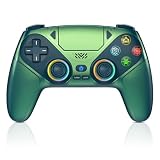
- Top Pick: Wireless Controller for PS5, Compatible with PlayStation 5 /PS5 Pro/Slim/PC, with Hall Effect Joysticks, Back Paddles & Macro, Bluetooth 5.0, Turbo, Dual Vibration, 6-Axis Gyro, RGB Ring, 1000mAh, 3.5mm Audio Jack, PS5 Pro Controller Gamepad with Speaker
- Best Value: DualShock 4 Wireless Controller for PlayStation 4 – Jet Black (Renewed)
- Premium Choice: Nacon Wired Controller Officially Licensed by PlayStation for PS4
With the PlayStation 5 firmly established, a lot of households now have a DualSense sitting next to an older PS4. It is only natural to wonder if that premium next-gen pad can serve as an extra controller for the previous console, especially when a friend comes over for some couch co-op on older favorites.
The honest answer is that a PS5 controller does not work on a PS4 for playing games. Sony built compatibility to flow forward, not backward, so the DualSense stays locked out of the older system. Let us break down exactly what that means and how to get around it sensibly.
As an Amazon Associate we earn from qualifying purchases at no extra cost to you.





As an Amazon Associate I earn from qualifying purchases.
🛒 Best Price Today on Amazon
Prime members get fast, free shipping on everything above, plus member-only deals. New members get a 30-day free trial — cancel anytime.
Can a PS5 Controller Work on a PS4? The Clear Answer
No, it cannot. The PlayStation 4 does not recognize the DualSense as a controller, whether you attempt a wireless Bluetooth pairing or a wired USB-C connection. The wired route will charge the controller, but it delivers zero control input, meaning you cannot even move the cursor on the home screen. This is a hard limitation baked into the PS4’s system software.
The explanation is straightforward: the PS4 was designed and its firmware finalized long before the DualSense arrived. Sony never released an update to add recognition for the new pad, and given that the console has reached the end of its major update life, it never will. The company keeps the DualSense reserved for PS5 experiences.
Controllers That Actually Pair With a PS4
| Product | Best For | Standout Feature | Rating |
|---|---|---|---|
| Sony DualShock 4 Wireless Controller | Full PS4 compatibility | Seamless native pairing | 4.6/5 |
| Razer Wolverine V2 for consoles | Precision players | Mecha-tactile action buttons | 4.4/5 |
| PowerA Advantage Wired Controller | Affordable spares | Cost-effective wired design | 4.3/5 |
| Nacon Revolution Pro 3 | Tournament setups | Deep customization software | 4.4/5 |
| Hori Fighting Commander | Fighting-game fans | Six-button arcade layout | 4.2/5 |
Understanding Why the DualSense Is Incompatible
Controllers and consoles communicate using specific Bluetooth profiles and device identifiers. The PS4 was programmed to look for the DualShock 4’s signature and a handful of licensed alternatives. The DualSense reports itself differently, and since that identifier was never added to the PS4’s approved list, the console has no idea how to talk to it.
Interestingly, the situation reverses on the newer console, where a PS4 controller can work on a PS5 for backward-compatible titles. Sony deliberately engineered that support. The lack of backward compatibility for the DualSense on PS4 is simply the result of no such engineering effort being made.
The Charging Exception
There is one small silver lining. Connect a DualSense to a powered-on PS4 with a USB-C cable and the controller’s battery will charge. It will not function as an input device, but in a situation where the PS4 is your only available power source, this can keep your PS5 pad ready for later. Our controller maintenance guide explains how smart charging habits prolong battery health.
Smarter Ways to Play PS4 Games
If you truly want to play your PS4 library, the cleanest solution is picking up a controller the console actually supports. A licensed DualShock 4 or a quality third-party PS4 pad delivers flawless compatibility. Alternatively, you can stream PS4 games via PS Remote Play to a device that supports the DualSense, effectively letting you use the newer pad.
Remote Play works on PCs, phones, tablets, and even the PS5 itself. It is a great way to keep enjoying older games with your favorite controller. For step-by-step help, see our Remote Play configuration guide, and if you need a new pad, our roundup of top PS4 controllers lays out the best choices.
Why We Advise Against Cheap Adapters
Third-party adapters that claim universal controller support are tempting, but they frequently cause input lag, dropped connections, or disabled features. Most were engineered for PC or Nintendo Switch use rather than a stable PS4 experience with a DualSense. The reliability trade-off rarely justifies the small savings. Our honest look at controller adapters details what to watch out for before you buy one.
Frequently Asked Questions
Will the DualSense ever get PS4 support?
Almost certainly not. The PlayStation 4 has exited its major update cycle, and Sony has consistently kept the DualSense exclusive to the PS5 to preserve its advanced features. There is no indication that a future patch will add DualSense recognition to the older console at any point.
Can I use the DualSense touchpad on PS4 somehow?
No, because the PS4 does not detect the DualSense at all, none of its features including the touchpad are accessible. The only way to enjoy PS4 games with a DualSense is through PS Remote Play on a supported device, where the touchpad functions as it does elsewhere.
Does connecting a DualSense damage a PS4?
No, plugging a DualSense into a PS4 causes no harm. The console simply charges the controller and ignores it as an input device. There is no risk to either the controller or the console, so you can safely use the PS4’s USB port purely for charging when needed.
What is the most reliable PS4 controller option?
The official Sony DualShock 4 remains the most dependable choice for guaranteed compatibility and comfort across every PS4 game. If you want extra features, licensed pro controllers from Razer, Nacon, or Hori are excellent, all offering proper PS4 support without adapters or workarounds.