🛒 Best Price Today on Amazon
Prime members get fast, free shipping on everything above, plus member-only deals. New members get a 30-day free trial — cancel anytime.
- Why $100 Is the Sweet Spot for Webcams in 2026
- What to Look For Before You Choose
- Decision Matrix: Match the Webcam to Your Use Case
- Worked Comparisons: How to Decide Between Similar Picks
- Concrete Setup Criteria That Improve Any Budget Webcam
- What to Avoid in This Price Range
- How Long Will a Sub-$100 Webcam Last?
- Frequently Asked Questions
The best webcams under $100 in 2026 are 1080p models with strong autofocus and noise correction, with the Logitech Brio 100 and Logitech C920s Pro leading for all-around quality, the Anker PowerConf C200 and EMEET C960 offering the best value, and the Razer Kiyo X as a strong alternative for streamers who want built-in lighting control.
As an Amazon Associate we earn from qualifying purchases at no extra cost to you.

Why $100 Is the Sweet Spot for Webcams in 2026
You no longer need to spend over $100 to get a sharp, reliable image for Zoom, Google Meet, Twitch, or Discord. The market below $100 has consolidated around true 1080p sensors with much better low-light correction and autofocus than budget models from just two years ago. Most options in this bracket now include dual noise-reducing microphones, a physical privacy shutter, and a universal clip that works on laptops, monitors, and tripods without extra adapters.
Going under $35 usually means fixed focus, narrower field of view, and no background blur or auto light correction, which quickly becomes frustrating if you move during calls or stream in a dim room. Spending $35 to $75 gets you the core features that matter: 1080p at 30fps, autofocus, and usable auto-exposure. The $75 to $100 range adds refinements like a wider 90-degree field of view, better high dynamic range for window backlight, and software for framing, zoom, and color tuning. For most people, the practical difference between a good $60 webcam and a $180 webcam is smaller than the difference between a poor $25 webcam and a good $60 one.
What to Look For Before You Choose
Spec sheets all list 1080p, but real image quality comes from four factors that are easy to compare before you buy.
1. Sensor and Focus System
Autofocus is the single most important feature under $100. Fixed-focus webcams are set to be sharp at about 2 to 3 feet and get soft if you lean in or lean back. Autofocus keeps you sharp while you move, which is essential for gaming commentary, whiteboard teaching, or any setup where you do not sit perfectly still. If you primarily sit at a desk for meetings, a fixed-focus model like the Logitech Brio 100 can still look crisp because its lens is optimized for that exact distance, but for streaming or dynamic use, prioritize autofocus models like the Logitech C920s Pro, Anker PowerConf C200, or EMEET S600.
2. Light Correction
Most rooms are not evenly lit. Look for terms like auto light correction, RightLight, or HDR support. These indicate the webcam will raise exposure in dim rooms without turning your face into a grainy mess, and will prevent you from becoming a silhouette when a window is behind you. A larger aperture and a sensor with auto HDR matters far more than a claim of 4K in this price class, because many sub-$100 4K models achieve that resolution by interpolating a lower-resolution image and then cropping heavily, which reduces low-light performance.
3. Field of View and Framing
Field of view is measured in degrees diagonally. 65 to 78 degrees frames one person tightly and hides room clutter, which is ideal for professional calls. 90 degrees captures more of your room and is better if you want to show a keyboard, guitar, or two people on a couch. Software cropping lets a 90-degree camera frame tighter when needed, but a narrow camera cannot go wider. If you are unsure, choose a 90-degree model with software zoom.
4. Audio, Mount, and Privacy
All five mainstream picks in this bracket include dual microphones with noise reduction. They are good enough for meetings and Discord, but not a substitute for a dedicated USB microphone if you stream or record. A physical privacy shutter is now standard on Logitech, Anker, and EMEET models and is preferable to a software disable because you can verify it at a glance. For mounting, check that the clip opens wide enough for your monitor and includes a tripod thread on the bottom if you plan to mount it on a light or arm.
Decision Matrix: Match the Webcam to Your Use Case
Instead of ranking one winner for everyone, use your primary use case to narrow the field. This matrix summarizes which strengths matter most under $100.
| Use Case | Most Important Features | Models That Fit Best | Why It Fits |
|---|---|---|---|
| Remote Work and Online Classes | Autofocus, light correction, privacy shutter, plug-and-play without drivers | Logitech Brio 100, Anker PowerConf C200 | Consistent exposure in mixed office light and sharp focus at desk distance; USB-A plug-and-play on Windows, macOS, and ChromeOS |
| Gaming and Just Chatting on Twitch / YouTube | Autofocus, 1080p at 30fps or 60fps, software for background blur and framing | Logitech C920s Pro, Razer Kiyo X | Reliable autofocus when you move, plus Logitech G Hub or Razer Synapse for fine-tuning brightness, contrast, and field of view |
| Budget Streaming or Family Computer | Low cost, decent low-light, simple clip | EMEET C960, Logitech C270 HD | Covers 1080p essentials with wide compatibility while leaving budget for lighting or a microphone |
| Small Studio or Content Creation on a Tight Budget | Wider field of view, tripod thread, manual controls | EMEET S600, Anker PowerConf C200 | 90-degree view and software controls let you frame products or instruments without buying a new camera |
Worked Comparisons: How to Decide Between Similar Picks
Logitech Brio 100 vs. Logitech C920s Pro
These two define the under-$100 range. The Brio 100 is a newer, compact design with a built-in shutter, auto light balance, and fixed focus optimized for desk distance. It is the simplest choice if you sit in one place for meetings and classes and want minimal setup. The C920s Pro uses autofocus with a slightly larger lens assembly and has been the reference 1080p webcam for years because its autofocus is fast and its color science handles skin tones and office fluorescents well. Choose the Brio 100 for simplicity and a smaller footprint on a laptop. Choose the C920s Pro if you lean in and out, present standing up, or want the most flexible framing for both work and streaming.
Anker PowerConf C200 vs. EMEET C960
Both sit in the accessible part of the market but solve different problems. The Anker PowerConf C200 offers AI-based framing and strong noise reduction for microphones, plus software to adjust field of view. It is built for people who join and host meetings all day and want the camera to keep them centered without manual cropping. The EMEET C960 is a value-focused 1080p autofocus option with a very wide compatibility footprint and minimal software required. It is ideal for a second computer, a kids’ room, or anyone who wants good image quality without installing extra utilities.
EMEET S600 vs. Razer Kiyo X
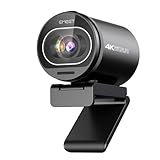
This is the comparison for creators who want more control under $100. The EMEET S600 includes a 1/2.55-inch Sony sensor with autofocus and is often positioned as an affordable 4K-capable option that still delivers strong 1080p when downscaled. It makes sense if you want extra detail for product close-ups and plan to record at 1080p for smoother files. The Razer Kiyo X is tuned for streamers, with direct integration into Razer Synapse for quick exposure, saturation, and zoom adjustments during a live session. If your priority is streaming workflow rather than maximum sensor size, the Kiyo X is more convenient.
Concrete Setup Criteria That Improve Any Budget Webcam
A $50 webcam with good light will look better than a $150 webcam in a dark room. Before judging image quality, apply these criteria:
- Place light in front, not behind you. A window or lamp behind you forces the sensor to darken your face. Put your primary light source behind the webcam, facing you, at roughly eye level. Even a $15 desk lamp with a diffuser improves color and reduces grain more than any sensor upgrade.
- Keep the lens at eye level. Mounting the webcam on top of your monitor and tilting it down slightly prevents the up-the-nose angle and lets autofocus work at its intended distance. If you use a laptop, raise the laptop on a stand so the camera is not looking up.
- Leave headroom and eye line. Frame so your eyes sit in the upper third of the image with a small gap above your head. Use software zoom to crop rather than moving the camera far away, which keeps autofocus reliable.
- Set exposure manually when possible. In Logitech G Hub, AnkerWork, EMEETLink, or Razer Synapse, disable auto-exposure after you set room lighting, then lock exposure and gain. This prevents brightness pulsing when you wear a white shirt or share your screen.
- Choose the right resolution for the task. For calls, 1080p at 30fps is ideal because it balances sharpness and bandwidth. For fast hand movement or gameplay capture, 720p at 60fps can look smoother than 1080p at 30fps if your platform supports it. Record locally at the higher resolution and stream at the resolution your upload speed can sustain without compression artifacts.
- Use wired connectivity for consistency. Plug the webcam directly into a USB port on your computer rather than a hub shared with hard drives or other high-bandwidth devices. This avoids frame drops that are often mistaken for poor camera quality.
What to Avoid in This Price Range
Three common pitfalls make an otherwise decent webcam look disappointing. First, avoid chasing interpolated 4K claims under $100 that sacrifice autofocus or low-light performance to hit a number on the box. A native 1080p image with good autofocus will be more usable than a soft, noisy 4K image from a smaller sensor. Second, do not expect built-in microphones to handle echo in large rooms or to isolate keyboard clicks during gaming. If your audience hears room echo, add a close-proximity USB microphone and set the webcam mic as a backup. Third, check operating system support. Most modern webcams are UVC-compliant and work without drivers on Windows 10/11, macOS 12 and later, and ChromeOS, but advanced features like background blur, auto-framing, and HDR toggles require the manufacturer’s software, which may be Windows and macOS only.
How Long Will a Sub-$100 Webcam Last?
A well-maintained 1080p webcam typically remains competitive for three to five years because video platforms still optimize for 1080p. Durability depends more on the hinge and shutter than on the sensor. A metal hinge and a sliding shutter last longer than a thin clip with a stick-on cover. Keep firmware updated through the manufacturer’s app, and clean the lens with a microfiber cloth rather than paper towels, which can micro-scratch the coating and soften the image over time.
Frequently Asked Questions
Do I need 4K under $100?
For most buyers, no. At this price, native 1080p with fast autofocus and good auto-exposure produces a cleaner, more consistent image than budget 4K sensors that struggle in low light. Only consider a 4K-labeled model like the EMEET S600 if you specifically want extra cropping flexibility and plan to output at 1080p.
Is 60fps worth it for work calls?
60fps helps most when you move a lot on camera, demonstrate products, or want smoother motion for streaming overlays. For standard meetings, 30fps is preferable because it allows each frame to gather more light, which reduces noise in typical home offices. Many 1080p webcams offer 30fps at 1080p and 60fps at 720p, so choose per task.
Will these webcams work with a MacBook or Chromebook?
Yes. Logitech Brio 100, Logitech C920s Pro, Anker PowerConf C200, EMEET C960, and Razer Kiyo X all support plug-and-play UVC on macOS and ChromeOS for basic video. Advanced tuning requires the companion app on Windows or macOS.
Do I need a separate light?
You do not need a dedicated ring light, but you do need front-facing light. Position a desk lamp or place your desk facing a window. If your room is consistently dim in the evening, a small panel light behind the webcam improves skin tone and lets the sensor use a lower gain, which visibly reduces grain.
Which webcam is best if I only buy one for everything?
If you want one model to cover meetings, classes, and occasional streaming without complex setup, the Logitech C920s Pro or Anker PowerConf C200 are the most versatile choices under $100 because they combine autofocus, reliable light correction, a privacy shutter, and mature software for framing. If your setup is strictly a fixed desk for calls, the Logitech Brio 100 is simpler and more compact.
Bottom line: decide by use case first, then by features, not by the largest number on the packaging. Prioritize autofocus and light correction, confirm field of view for your room, and invest a small amount in front lighting. That combination delivers a professional image from any of the proven sub-$100 models above without overspending on specs you will not use.